Hard Surface Modeling vs Organic Modeling: Differences and Examples
Hard surface modeling vs organic modeling: the deformation test, how the workflow and topology differ, which software each uses and how soft surface objects fit.
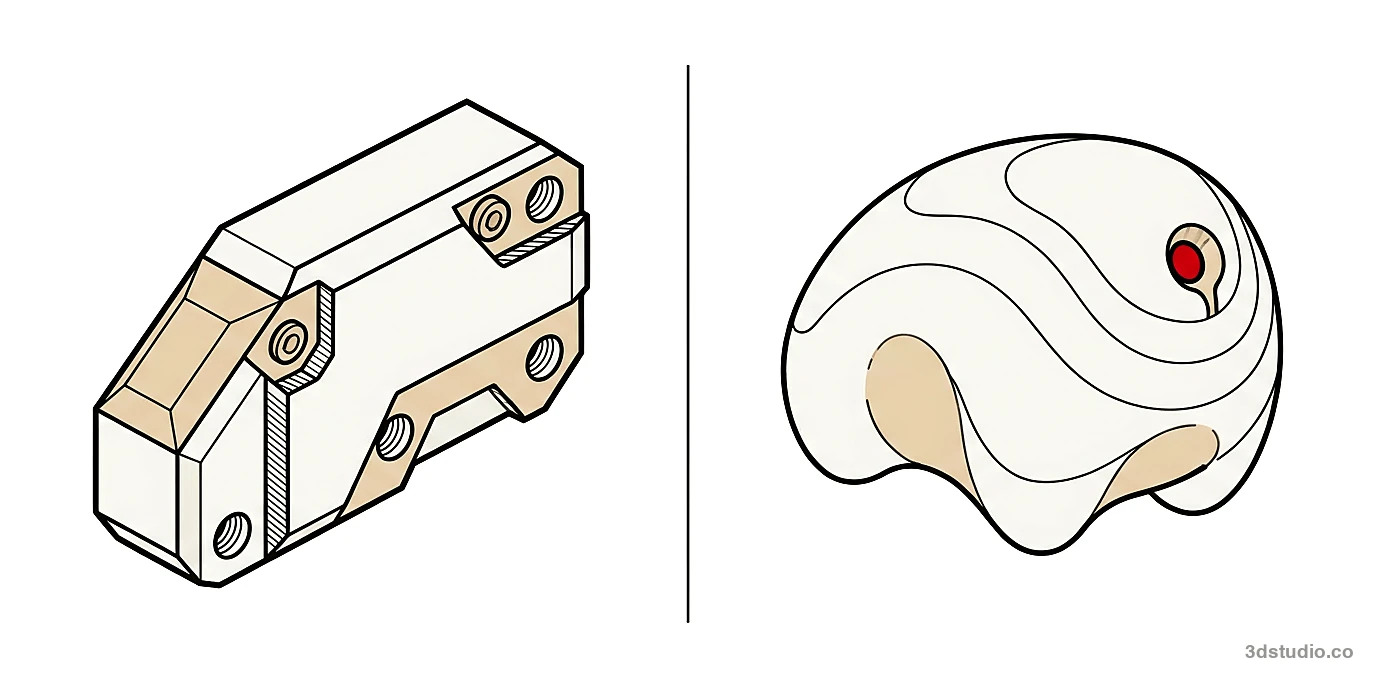
In this article
- Hard surface modeling (also called inorganic modeling) builds rigid, engineered objects. Organic modeling builds forms that bend or grow.
- The quickest test is deformation: if a rig or cloth simulation will bend the mesh, plan it as organic.
- Hard surface relies on support loops, bevels and Booleans. Organic relies on sculpting and retopology.
- Soft surface objects such as cushions and hybrid assets such as a sofa need both skills.
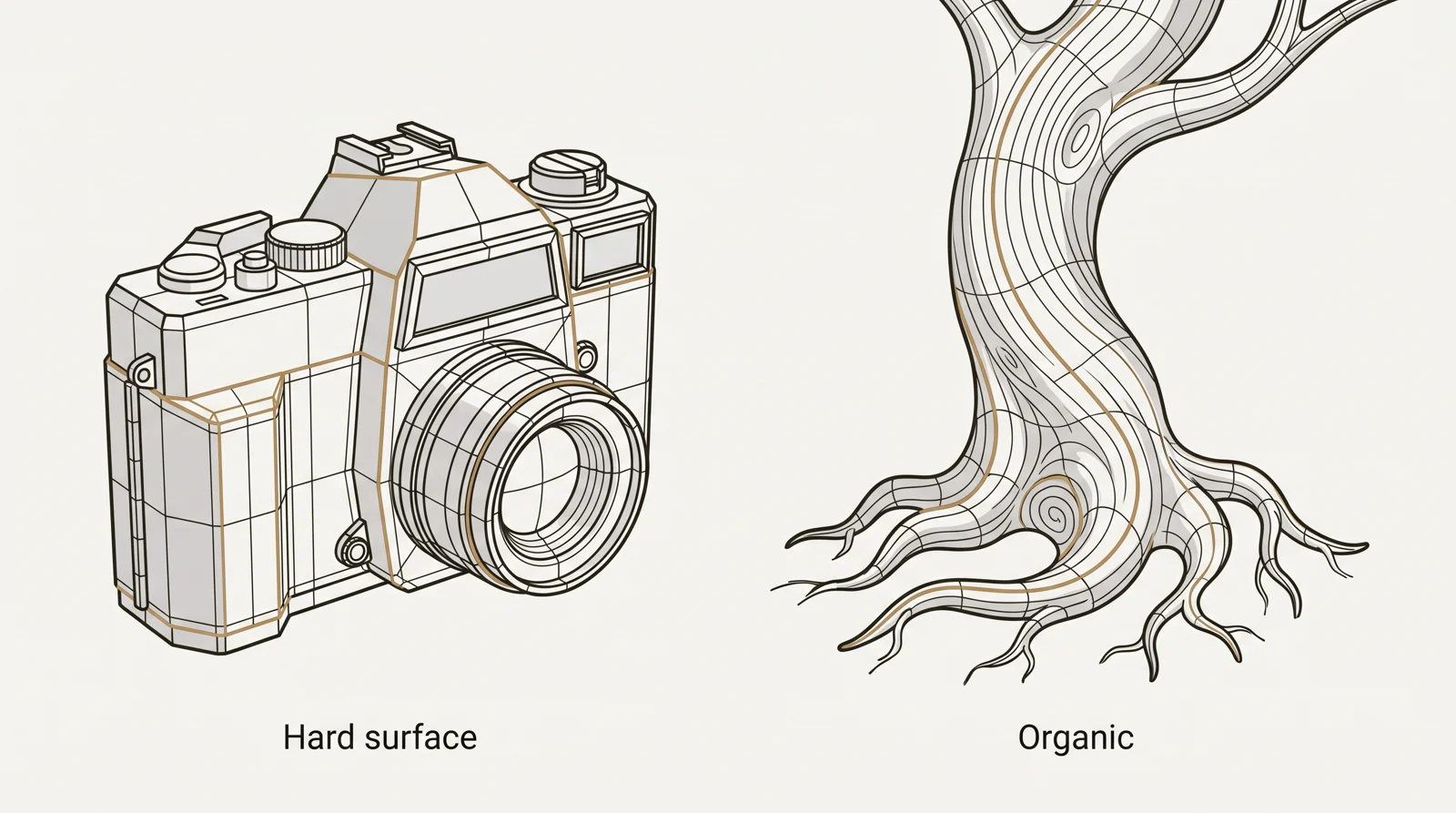
Hard surface modeling, also called inorganic modeling, builds objects that are made or machined and keep their shape: buildings, vehicles, furniture frames and machines. Organic modeling builds objects that bend, stretch or grow: people, animals, plants and terrain. The quickest test is deformation: if a rig or a cloth simulation will bend the mesh in the final animation, plan it as organic, and if it must hold precise edges and rigid shapes, plan it as hard surface.
The two differ in 3 practical ways:
- The test: does the object deform (organic), or does it keep precise edges and rigid panels (hard surface)?
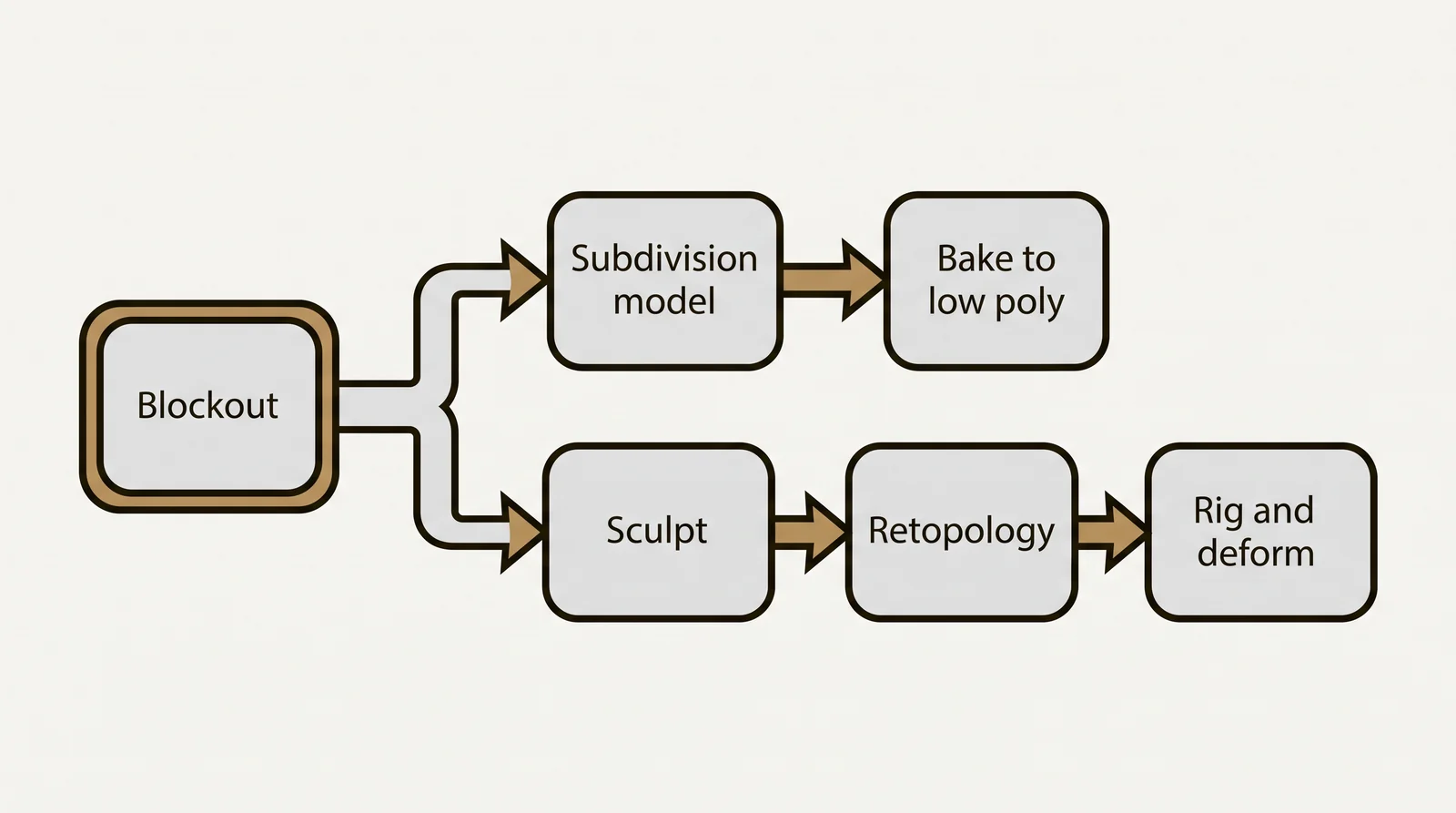
- The workflow: hard surface is built with subdivision, bevels, Booleans or CAD surfaces. Organic is sculpted as a dense mesh and then rebuilt with clean topology.
- The topology: hard surface needs edges that stay sharp and shading that stays clean. Organic needs edge loops that follow joints and muscles so the mesh bends without pinching.
Many objects sit between the two, which is why this guide also covers soft surface objects such as cushions, and what to do with hybrid assets. If you need hard surface models built from drawings, see our 3D modeling services.
What is hard surface modeling
Hard surface modeling means building objects with straight edges, flat or evenly curved faces and predictable geometry: a building facade, a car body, a door hinge, a piece of furniture. The surface follows rules a machine or a builder could produce, so edges are sharp or evenly beveled rather than irregular. It is the default approach for architectural visualization and for 3D product rendering, because the geometry represents something that was designed and measured.
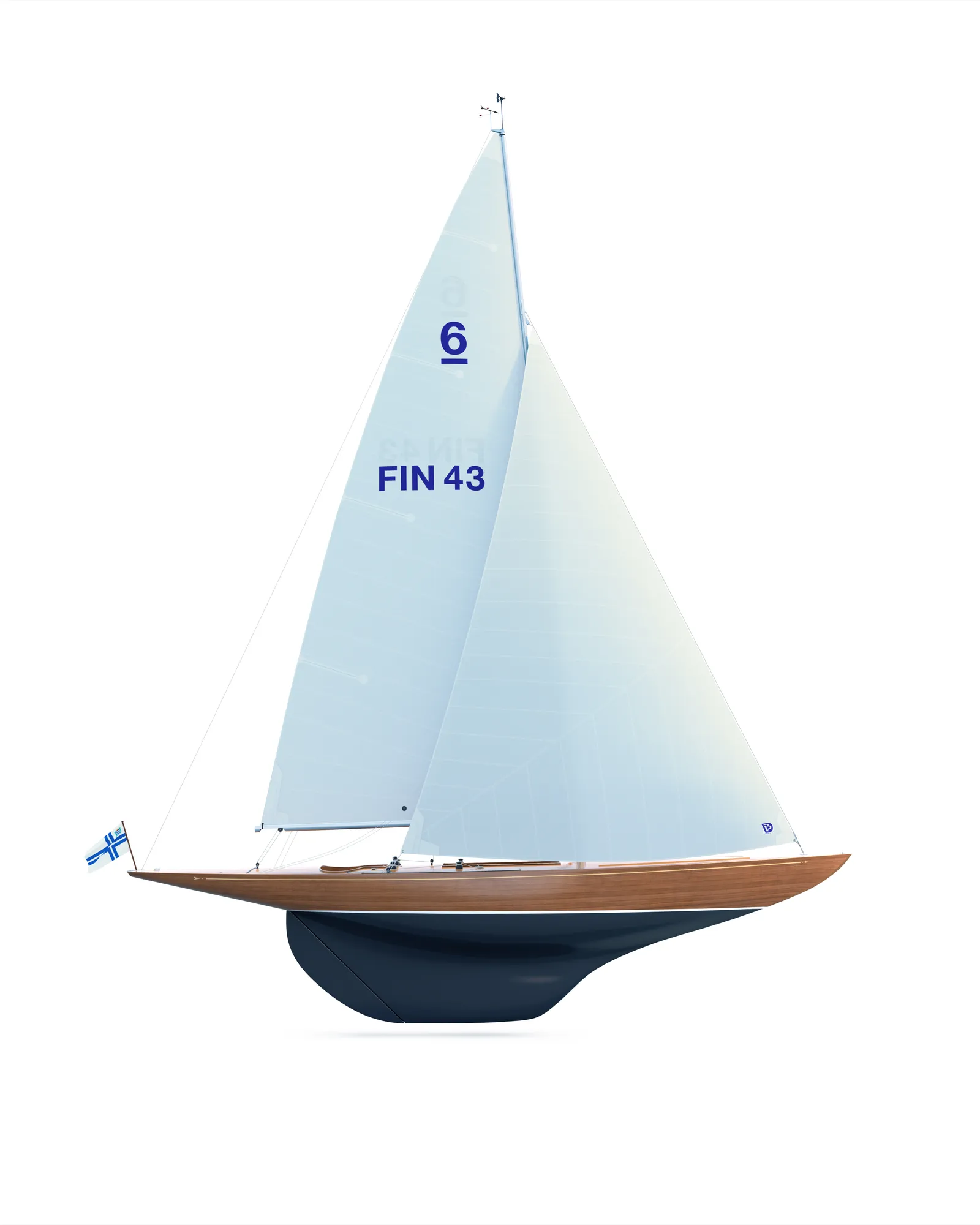
A modeler working from drawings or a CAD file is doing hard surface work almost by definition, because every dimension already exists on the page. Smooth does not mean organic. A car body has flowing curves, but those curves are precise surfaces built so that reflections run smoothly, and the body never bends. Car designers build such surfaces, known as Class A surfaces, in CAD tools such as Autodesk Alias, so a car is hard surface even though it looks soft.
Hard surface modeling techniques
These 6 techniques cover most hard surface work. A single model usually combines several of them.
Have a 3D model? Our AI Render Studio turns a screenshot of it into a photoreal image in about 20 seconds. Your first render needs no account.
Render your model freeSupport loops
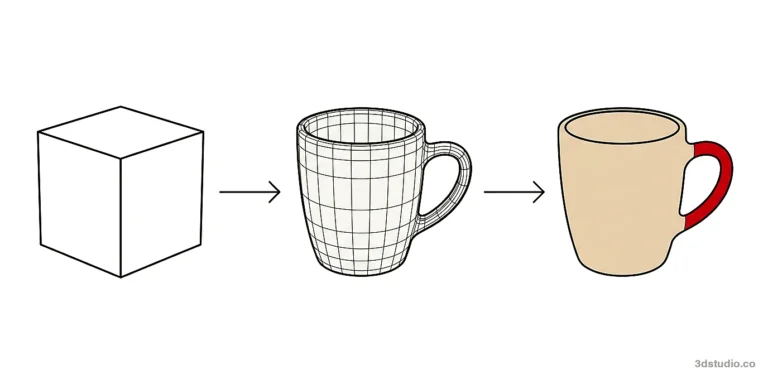
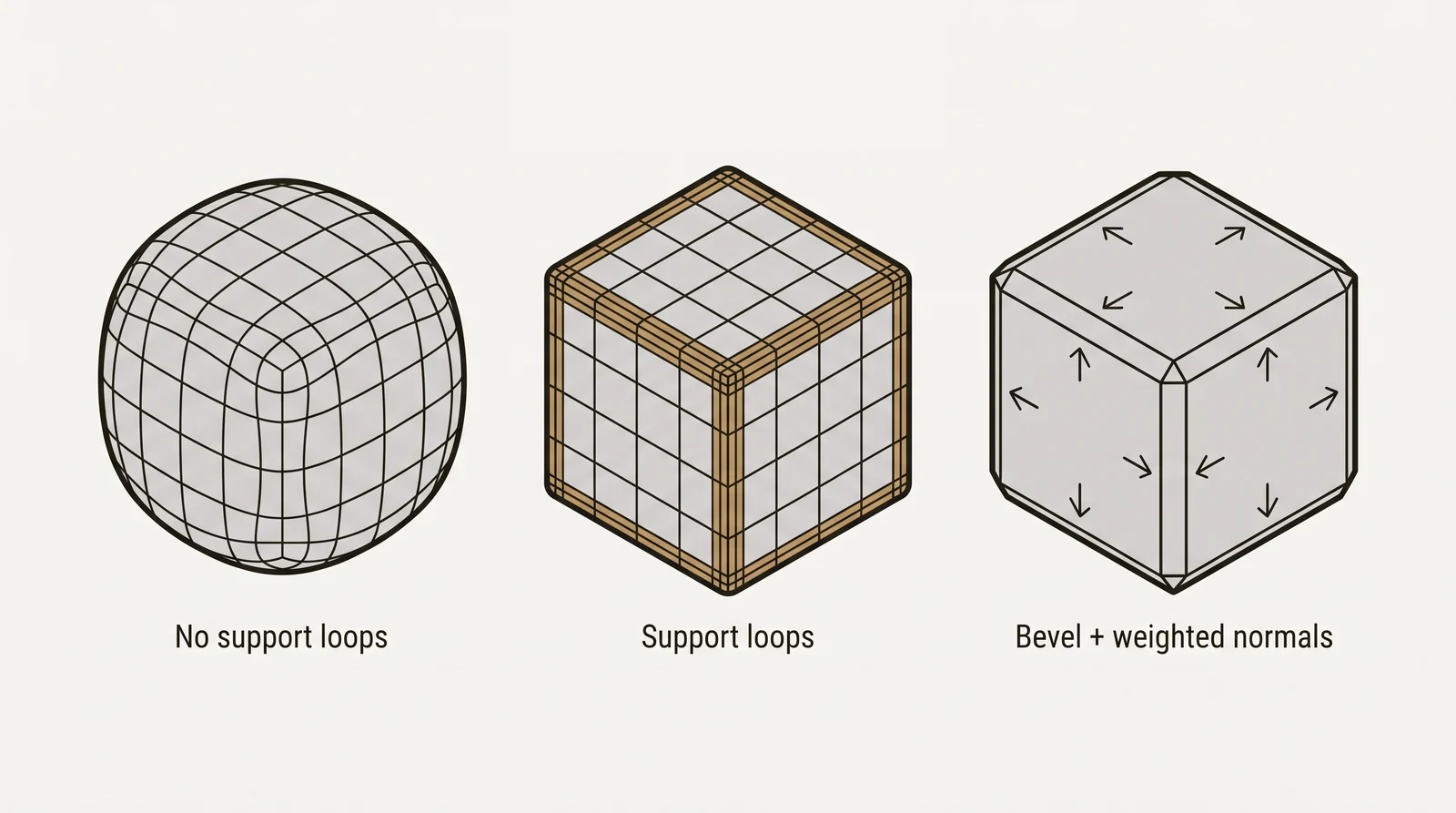
A support loop (also called a control or holding loop) is an extra edge loop placed close to an edge. Subdivision rounds off edges. The Blender manual shows this with a cube: after subdivision it is almost unrecognizable as a cube until extra edge loops are added. The closer a loop sits to an edge, the sharper that edge stays.
Bevels and weighted normals
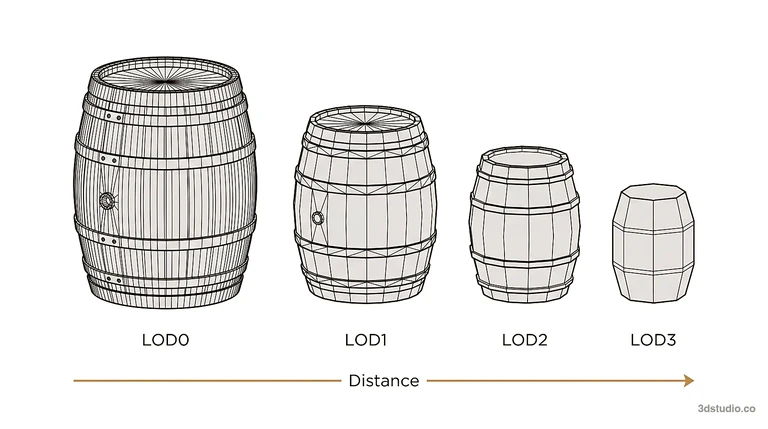
Low poly work cannot spend many polygons on support loops. Instead, a bevel (or chamfer) adds a narrow strip of faces along each edge, so the edge catches light like a real machined edge. Weighted normals then make the large faces shade as flat, which stops the bevel from smearing dark shading across a panel. The weighted normal modifier in Blender is one tool for this.
Boolean operations
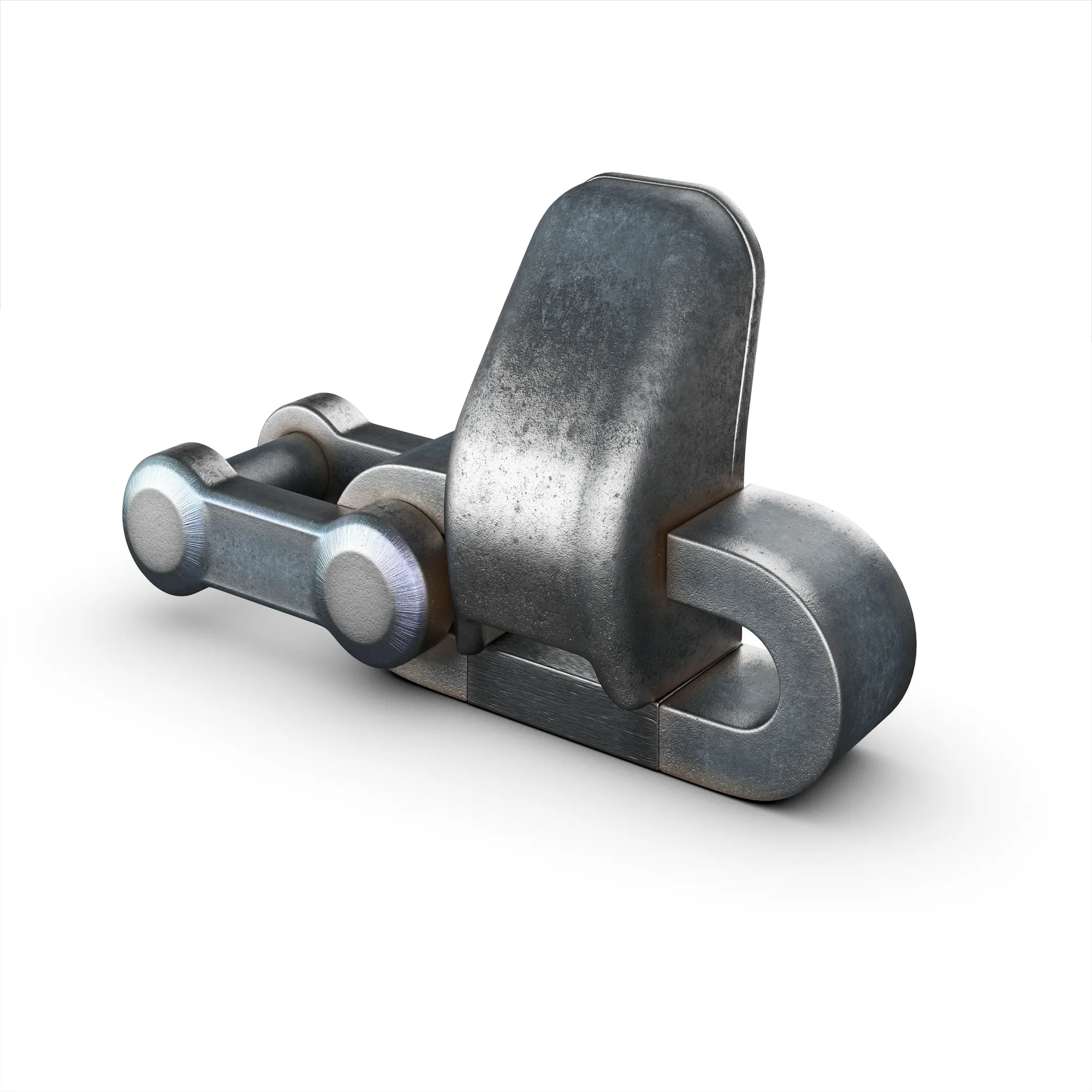
A Boolean operation adds, subtracts or intersects one shape with another. It cuts holes, slots and panel recesses quickly. The cut leaves uneven polygons, often n-gons and triangles, so the mesh needs cleanup before it is subdivided or baked.
Subdivision modeling vs direct low poly modeling
Most hard surface models start as box modeling: the artist extrudes and cuts a primitive such as a cube or a cylinder into the rough shape. Subdivision modeling turns that into a simple cage and smooths it, which suits smooth renders and models that are baked down later. Direct low poly modeling places every polygon by hand, which suits real-time use where the polygon count is limited.
Kitbashing
Kitbashing means building a new object from a library of existing parts such as bolts, vents, pipes and panels. It is fast for machinery and vehicles. The common mistake is mixing parts with different scales or bevel widths, so the finished object looks assembled rather than designed.
Trims and decals
A trim sheet is one texture that holds reusable strips such as panel edges, seams and rivets, which are mapped onto flat geometry. A decal is a texture placed over a surface for labels, scratches or bolts. Both add panel detail without extra polygons.
What is organic modeling
Organic modeling means building objects with irregular, flowing surfaces that do not follow a straight edge or a fixed angle: a person, an animal, a plant, a rock formation. Because these shapes are not engineered, the geometry has to describe a curve that keeps changing rather than a series of flat planes.
Organic models are usually built with quads, four sided polygons, so the surface bends smoothly when the object is animated. N-gons, faces with five or more sides, are avoided because they subdivide and deform unevenly, which causes pinching and visible shading artifacts. The 3D character modeling guide covers the full character pipeline.
The 3 common types of 3D modeling are polygon modeling, NURBS or curve modeling, and digital sculpting. Hard surface work mostly uses the first two. Organic work mostly uses polygons and sculpting.
What is soft surface modeling
There is no fixed standard for the term soft surface. It is often used for soft man-made objects such as cushions, upholstery, bedding, curtains and clothing. Some artists also use it as another word for organic.
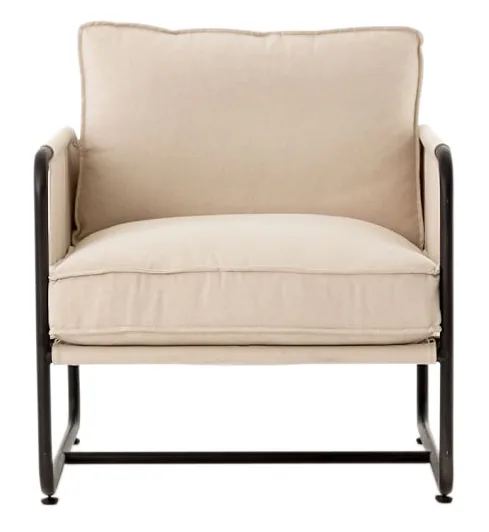
Soft surface objects are usually made with cloth simulation (Marvelous Designer, Blender cloth or the Cloth modifier in 3ds Max), or with a sculpted wrinkle pass on top of a simple base. If the object must deform later, it is rebuilt with clean topology like an organic model.
A sofa is a hybrid. The metal or timber frame is hard surface. The cushions are soft surface. An interior scene is full of soft surface objects, which is why furniture in a visualization needs both skills.
Hard surface modeling vs organic modeling
Ask these 3 questions in order. The first answer that is yes decides the category.
- Will the mesh bend or stretch in the final animation, driven by a skeleton or a cloth simulation? If yes, apply organic topology rules, even if the object is man-made.
- Does the shape depend on precise edges, flat panels or measured curves that reflect light evenly? If yes, it is hard surface.
- Is it a soft man-made object such as a cushion or fabric that does not need to deform? Then it is soft surface, made with cloth simulation or sculpting.
A sports car passes question 2, because its curves are precise and its body never bends. A coiled rope passes question 1 if it is animated and question 3 if it stays still.
| Hard surface modeling | Organic modeling | |
|---|---|---|
| Typical subjects | Buildings, vehicles, furniture frames, machines | People, animals, plants, terrain |
| How it moves | Rigid parts that move or rotate, no stretching | Bends and stretches with a rig or simulation |
| Core method | Subdivision, Booleans, bevels, CAD surfaces | Sculpting a dense mesh, then retopology |
| Topology priority | Sharp edges and clean shading on panels | Edge loops that follow joints and muscles |
| Quads and n-gons | Quads near edges and curves; n-gons only on flat areas | Mostly quads; n-gons avoided |
| Detail source | Drawings, CAD files, measured reference | Photo reference, anatomy studies, concept art |
| Retopology | Often, for games; detail is baked to a low poly mesh | Usually required before rigging |
| Hardest stage | Clean shading and edge width on reflective surfaces | Anatomy and deformation in motion |
Tip: classify an object by how it behaves, not by how smooth it looks. A smooth car body is hard surface because it never bends. A box-shaped cushion is soft surface, and if it is animated it follows organic rules.
Hard surface and organic modeling workflow, step by step
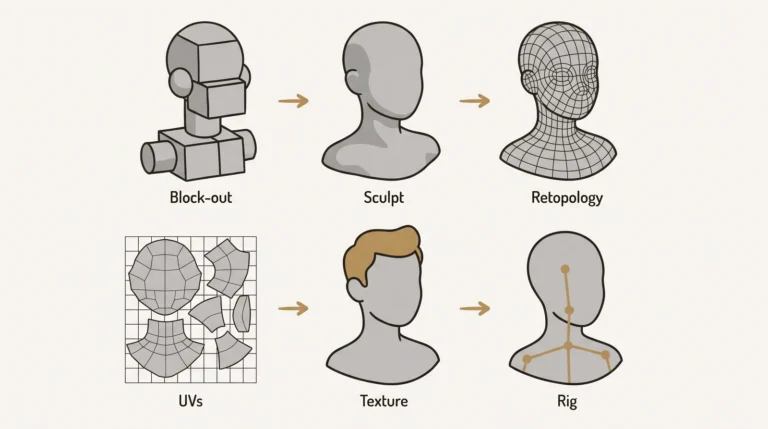
Both start with a blockout of simple shapes. After that the paths split. This is the box modeling vs sculpting split. Hard surface models are box modeled and refined with subdivision or Booleans. Organic models go through a digital sculpting pass in ZBrush or Blender sculpt mode. The table shows each stage and what usually goes wrong.
| Stage | Hard surface | Organic | What goes wrong |
|---|---|---|---|
| Blockout | Primitives set the silhouette and proportions | Primitives or a base mesh set the proportions | Detail added before the proportions are right |
| Main build | Subdivision or Boolean modeling from measured reference | Sculpting a dense mesh in ZBrush or Blender | Booleans left uncleaned; sculpt detail too small to survive baking |
| Retopology | Often a low poly game mesh built over the high poly model | Required before rigging and animation | Pinched corners; wrong edge flow around joints |
| UVs | Straight shells cut along hard edges | Continuous shells with seams hidden along the body | Visible seams across a flat panel or a face |
| Baking | Normal map from the high poly to the low poly model | Normal map from the sculpt to the retopologized mesh | Skewed shading near bevels; missed rays on tight curves |
| Rig readiness | Separate rigid parts with clean pivots | Edge loops around joints and a test pose | Parts that cannot rotate cleanly; a mesh that collapses at a bend |
The high poly to low poly workflow explains the retopology and baking rows in detail, and UV unwrapping covers the UV row. For a still rendering, the baking step is often not needed: a clean subdivision model can usually be rendered directly.
Hard surface modeling software
Different tools do different jobs, so most hard surface artists use more than one.
| Software | Type | Best for |
|---|---|---|
| Blender (with add-ons such as Hard Ops and Boxcutter) | Polygon and subdivision | Props, kitbashing, Boolean cutting |
| 3ds Max | Polygon and subdivision | Architecture, environments, product models |
| Maya | Polygon and subdivision | Game and film props, animation pipelines |
| Plasticity, Fusion 360, MoI 3D, Rhino | NURBS and CAD | Precise curved surfaces, converted to polygons later |
| Autodesk Alias | NURBS surfacing | Car body surfaces |
| ZBrush | Sculpting | Wear, dents and damage on hard surface parts |
| Marmoset Toolbag, Substance Painter | Baking and texturing | Normal map baking and surface materials |
For architecture, SketchUp, Revit and ArchiCAD produce the source model. They are authoring tools for buildings, not hard surface art tools, and their models are often cleaned or rebuilt before rendering. To open an FBX file from 3ds Max, Maya or Blender in another tool, our free FBX converter saves it as OBJ, GLB or STL in the browser.
Is hard surface or organic modeling harder
They are hard in different ways. Organic modeling needs anatomy knowledge and is judged on how well the form deforms. Hard surface modeling needs clean shading on reflective surfaces and is judged on edge width, panel logic and highlights. Most artists become stronger in one, though many do both.
Common mistakes on each side:
- Hard surface: pinching around support loops, shading artifacts from n-gons on curved areas, bevels of different widths on parts that should match.
- Organic: UV seams across joints or the face, no test pose before rigging, uneven polygon density between body parts.
When a project needs both
Most real scenes mix the two. A game level has hard surface buildings and props next to organic characters and plants. A furnished room has hard surface furniture next to plants and soft surface fabric. The failure is easy to see: subdivide a table with no support loops and its edges turn round, and model a cushion as a box with a bevel and it looks hard and fake.
Hybrid assets have a boundary zone: a character in armor, a sofa with a metal frame, a car with leather seats. Model the rigid parts as separate hard surface objects, attach them to the rig or the scene, and review the contact areas (straps, seams, where fabric meets frame) as their own item.
- Use the deformation test first. If the object will bend or be simulated, plan organic topology even if the shape looks simple.
- Check whether the object exists on a drawing or spec sheet. If it does and it is rigid, model it as hard surface and keep the edges close to the source.
- Keep hard surface and organic parts as separate objects, so retopology and UV rules do not have to compromise between the two.
Game art briefs often split the two kinds of work. Environments, props and modular kits go to hard surface artists, and characters and creatures go to artists who specialize in animated work. See our page for game studios, or our 3D modeling service for models built from your CAD, PDF, SketchUp or BIM files.
Where each type is used
| Field | Hard surface | Organic or soft surface |
|---|---|---|
| Games | Weapons, vehicles, environments | Characters, creatures, foliage |
| Film and VFX | Vehicles, spacecraft, props | Creatures, digital doubles |
| Product and industrial design | Almost everything, see 3D product rendering | Soft goods, upholstery |
| Architecture and interiors | Buildings, furniture frames, see architectural visualization | Textiles, plants, people |
| Medical and scientific | Instruments, devices | Anatomy, organs, scans |
Questions about hard surface and organic modeling
What does hard surface mean in 3D modeling?
Hard surface means the object is rigid and keeps its shape, such as a machine, a vehicle or a building, so the model needs precise edges and clean shading. An organic surface is the opposite: it bends or grows, like a person or a plant. The term describes how the object behaves, not how smooth it looks.
Is a car hard surface or organic modeling?
Hard surface. A car body does not bend, and its curves are precise surfaces built so that reflections run smoothly. That precision is what makes it hard surface, even though it looks smooth.
What is soft surface modeling?
It usually means modeling soft man-made objects such as cushions, upholstery and fabric, often with cloth simulation tools such as Marvelous Designer or Blender cloth. The term has no fixed standard, and some artists use it as another word for organic modeling.
Do hard surface models need retopology?
Often yes for games and real-time use. The high poly model is rebuilt as a low poly mesh, and its detail is baked into a normal map. CAD and NURBS models also need converting to clean polygons. For a still rendering, a clean subdivision model can often be rendered directly.
Is hard surface modeling harder than organic modeling?
Neither is easier overall. Organic modeling is judged on anatomy and deformation. Hard surface modeling is judged on clean shading and precise edges.
What is a support loop in hard surface modeling?
An extra edge loop placed close to an edge so that the edge stays sharp after subdivision. Without it, a subdivided cube turns round. In low poly work, a bevel with weighted normals does the same job.
What is inorganic modeling?
Another name for hard surface modeling: objects that are manufactured or built and do not bend, such as machines, buildings and furniture frames.
What software is best for organic modeling?
ZBrush and Blender sculpt mode for the sculpt, then a retopology tool in Blender, Maya or 3ds Max, or ZBrush ZRemesher for a first pass. See 3D sculpting software for a comparison.
Diagrams in this post are drawn with an AI image tool from our brief and checked by our team.