

Enscape AI render enhancer
Make an Enscape render look photoreal
Upload a render you made in Enscape. Get the same view back with more natural light and materials.
- 5 free renders and 5 free fixes
- Enscape in Revit, SketchUp, Rhino or Archicad
- No new render, no GPU needed
- The building and the camera stay
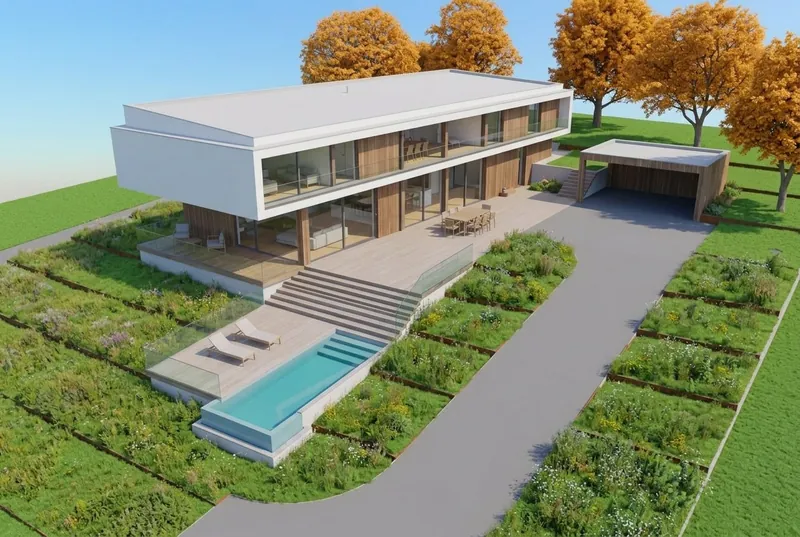
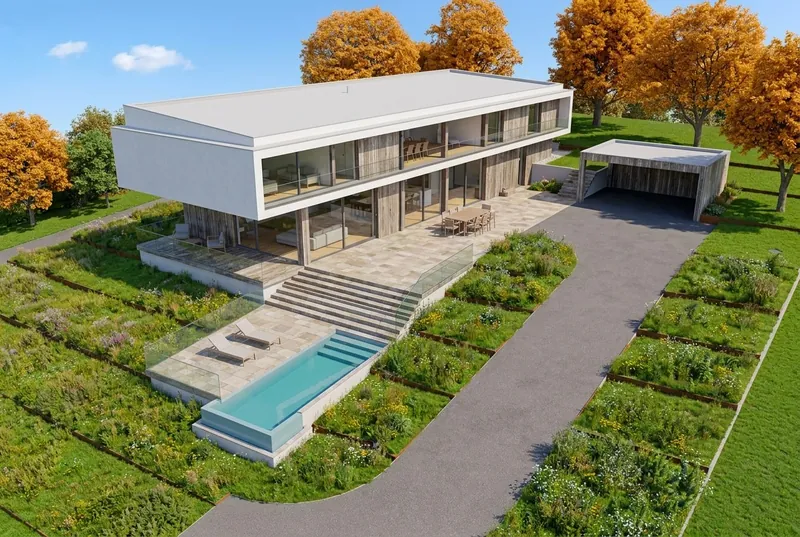 Real-time renderEnhanced
Step by step
How to enhance a Enscape render
3 steps. Your first picture needs no account.
1. Save your Enscape render
Save the image from Enscape as a PNG or JPG, the way you always do. A screenshot of the Enscape window works too.
2. Upload it to Enhance
Open Enhance in your browser and drop the picture in. PNG, JPG or WebP files up to 10 MB are accepted.
3. Compare and download
You get the same view back with better light and materials. Compare it with your render, then download it.
Example
An interior render before and after Enhance
Both pairs on this page are sample pictures: the left side has the look of a real-time render, the right side is what Enhance returned, not edited.
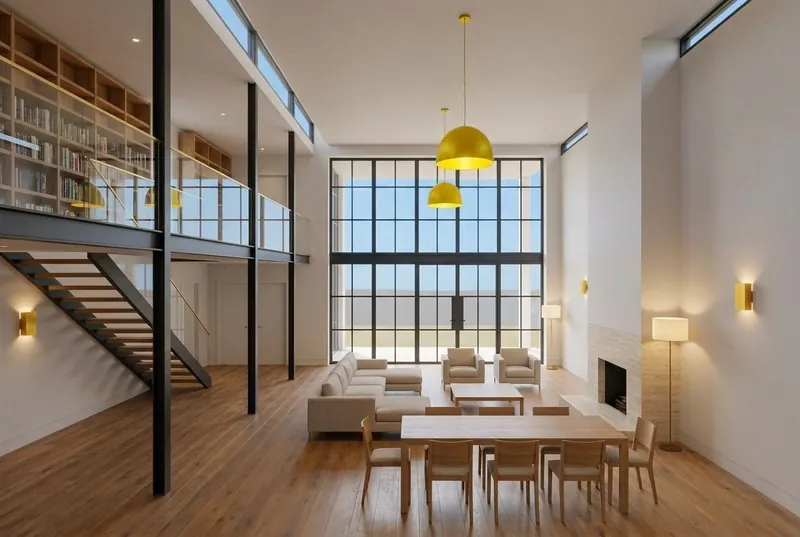
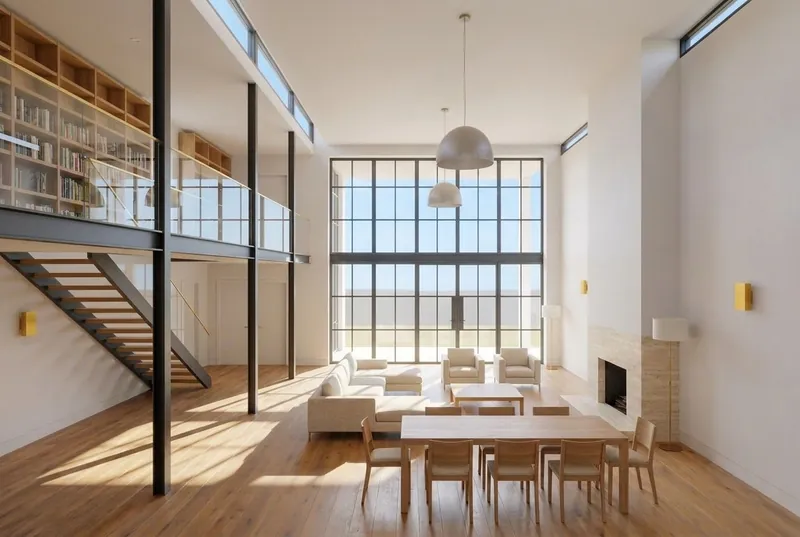 Real-time renderEnhanced
Double height living room
The daylight is softer and the materials look more natural. The room, the furniture and the camera stay. The pendant lamps came back grey instead of yellow: small materials can change.
What to expect
What Enhance keeps from your Enscape render and what it improves
So you know what to check before you send the picture to a client.
What stays the same
The building, the room, the furniture and the camera angle of your render.
What improves
The light, the sky, the shadows and the look of the materials, so the picture reads more like a photo.
What can change
A small material can be swapped, for example a deck that comes back as stone paving. Compare the result with your render before you send it.
What happens to your file
Only the picture is sent, never your project file. We do not use your images to train AI, and we do not publish your renders.
Price
AI rendering plans: start free, pay for what you render
Prices in your own currency. Credits never expire, and failed renders are refunded.
Free
For trying one of your own models.
€0
5 free renders
No card needed
- Try 1 render every 24 hours, no account
- Fix any area
Good to know
- Personal use
- Small logo
Pro
One architect or designer on live projects.
€25 / month
80 HD renders a month
€0.31 / HD renderBilled monthly, cancel any time
- 1 user seat
- 1 render at a time
Everything in Free, plus
- Commercial use
- No logo, 2x upscale
- 5-second videos
- 4K PNG downloads (2 credits each)
- Hide the 3Dstudio.co badge on shared pages
- Client review links
- API and MCP access
Prices include VAT or sales tax where it applies.
Top up without a plan
One payment, and the credits never expire. Any purchase also removes the logo, upscales your renders 2x and unlocks 5-second videos.
Enscape AI FAQ
Questions about enhancing Enscape renders with AI
Files, what changes, versions and client work.
Try it on your Enscape renderCan AI make an Enscape render more realistic?
Yes. Upload the Enscape image to Enhance. It improves the light, the sky and the materials, and keeps the building and the camera. You do not have to render again.
Will Enhance change my design?
It aims to keep the building, the room, the furniture and the camera. A small material can still be swapped, for example a deck that comes back as stone paving, so compare the result with your render.
Which Enscape versions work?
Any version that can save a render or a screenshot. Enhance only needs the picture, never the project file.
Do I need a better graphics card?
No. Enhance runs in the browser and nothing renders on your computer, so it does not need a stronger GPU.
Can I enhance an interior render?
Yes. Interior and exterior renders both work. The example on this page shows a living room before and after.
Can I show an enhanced render to a client?
Free renders are for personal use and carry a small 3Dstudio.co logo. Any plan or credit pack allows client work and removes the logo. Pro and up also give you client review links.
Enscape is a trademark of Chaos Software. 3Dstudio.co is not affiliated with Chaos.
More AI rendering
Enhance renders from other programs, or render a 3D model
No render yet? Upload a plain screenshot of your 3D model instead. These pages have the export steps.
1,200+
Projects completed
13
Years in business
17
Countries delivered to







★★★★★
Rated 4.9 on Clutch · See our reviews
Architects, developers & interior designers
Working for 215 companies since 2013
125 of 220 clients came back
More than half of our clients have hired us again
Try it on your Enscape render
Enhance a Enscape render now
Your first picture needs no account. A free account gives 5 free renders and 5 free fixes.