

AI virtual staging
Furnish a photo of an empty room
- Free to start, no credit card
- Same walls, windows, doors and camera
- 5 interior styles, plus your own words
No credit card required
Trusted by architects & interior designers in 100+ countries
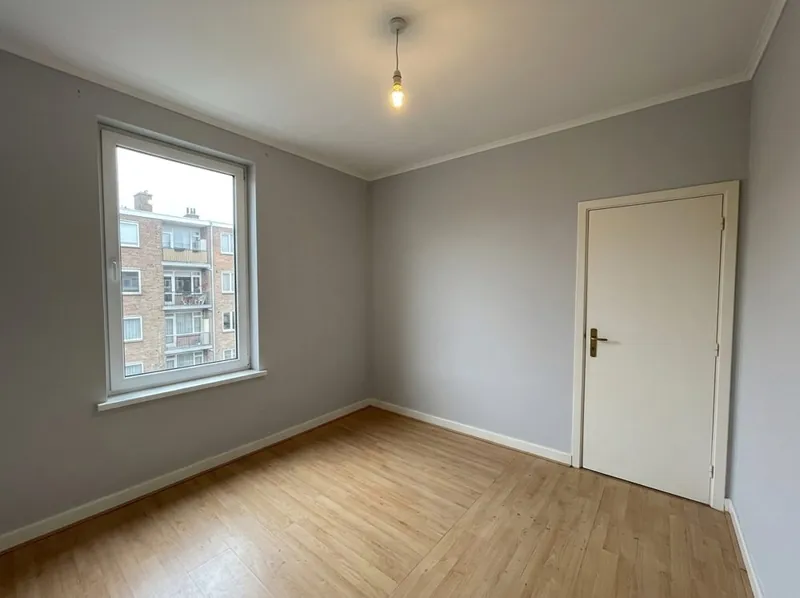
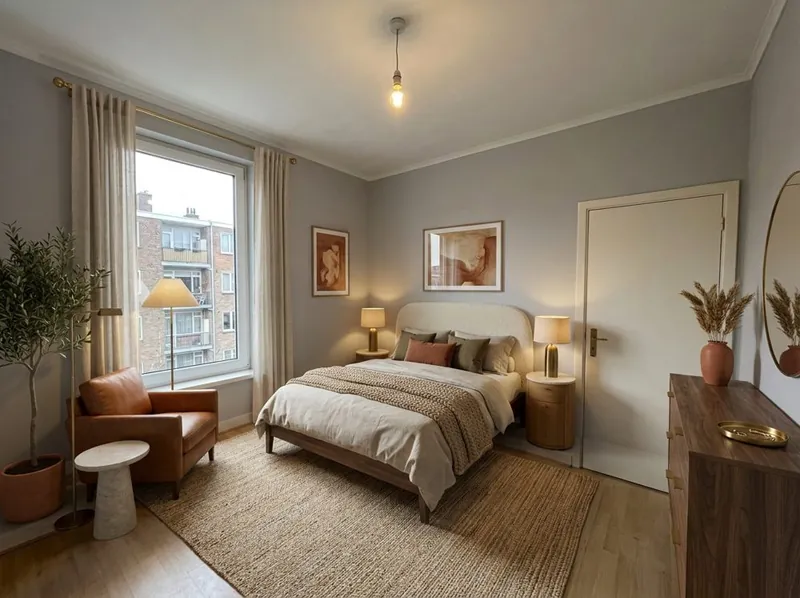 BeforeAfter
Virtual staging with AI, step by choice
Upload the photo, choose Empty room: add furniture, then pick a style. Add a note if you want something specific, such as a desk by the window.
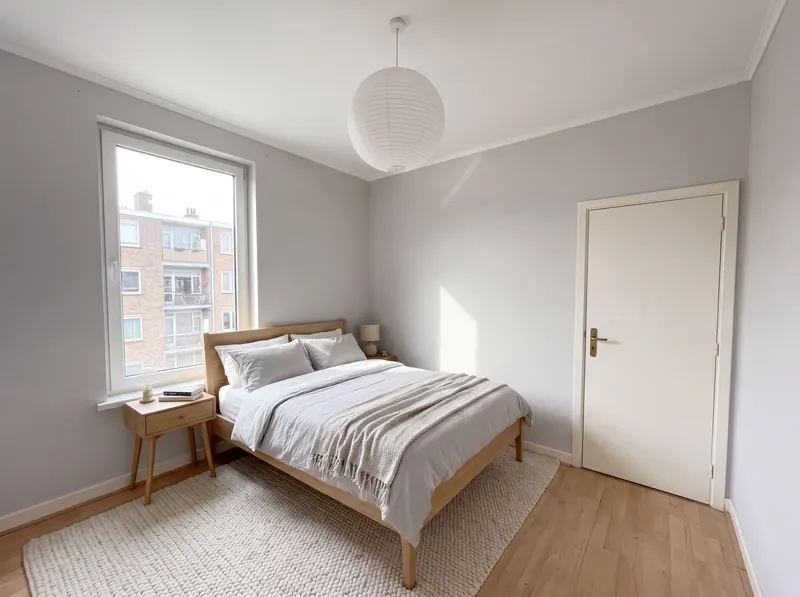
Furnish an empty room
The AI adds furniture, a rug, lamps, curtains, plants and decor to the photo. The walls, the floor, the window, the door and the light fitting stay where they are.
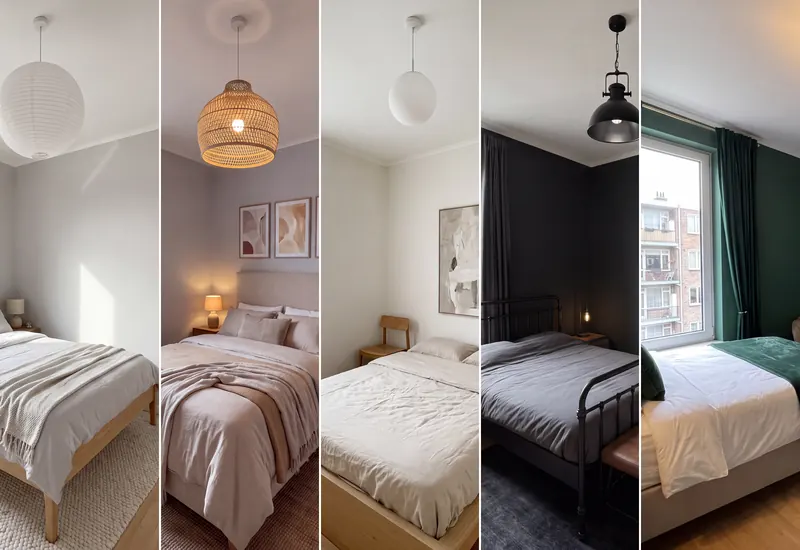
5 interior styles
Scandinavian, Warm contemporary, Minimal gallery, Industrial loft and Hotel and restaurant. Try more than one on the same photo and compare.
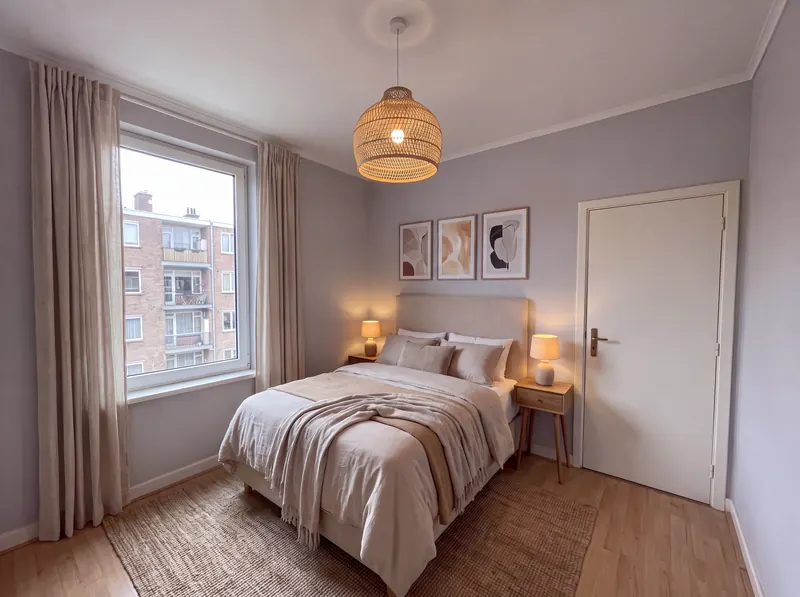
Your own words
Write what the room should have, for example a home office, twin beds or a dining table for six. The wall colour stays as it is unless you ask for another.
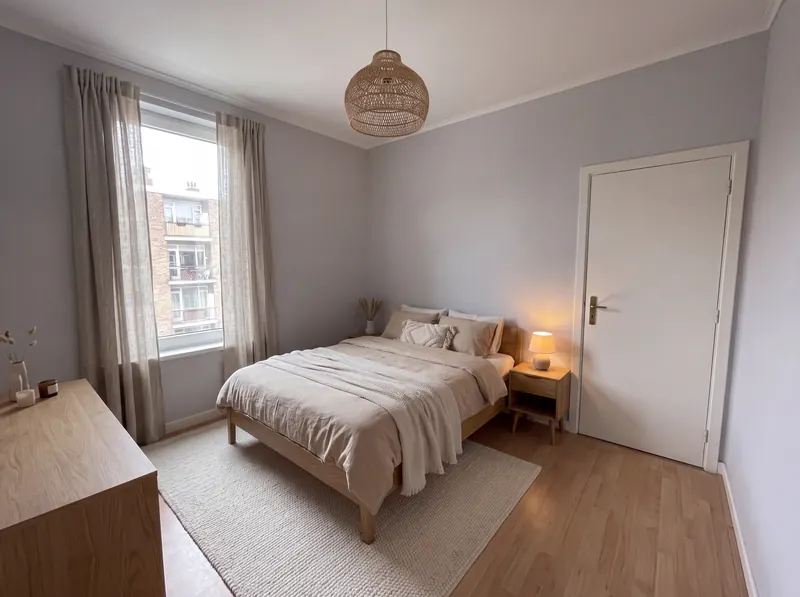
Room already furnished?
Choose Restyle the room instead, and the old furniture is replaced. Our AI interior design page explains that option.
How to virtually stage a room with AI
3 steps. Free to start, no credit card.
1. Take a photo of the empty room
Stand in a corner for a wide view, in daylight if you can. Show the floor, the walls and the window.
2. Choose Empty room: add furniture
Then pick one of the 5 styles. Add a note if the room has a use, such as a nursery or a home office.
3. Get the staged photo
You get the same room back, furnished. Compare it with your photo and try another style if you like.
What AI virtual staging keeps and what it adds
The pictures on this page are generated samples, not client projects.
What stays the same
The walls, the floor, the windows, the doors, the light fitting and the camera angle of your photo. The room keeps its size and shape.
What changes
Furniture, a rug, lamps, curtains, plants and decor are added, in the style you pick, at a realistic scale and with shadows on the floor.
What can move
The picture is drawn again from your photo, so small details can move. The light fitting can change its style. Compare it with your photo before you rely on it.
What happens to your photo
Your photo is used to make your picture. We do not use your images to train AI, and we do not publish your pictures.
Is this AI virtual staging tool free?
You start free, with no credit card. To see your first picture, you sign in with Google or your email. See AI Render pricing for the paid plans and credit packs.
Can I use the staged photos in a property listing?
Free pictures carry a small 3Dstudio.co logo. Any paid plan or credit pack removes it, and commercial use is included on the Pro, Studio and Max plans. Many listing sites and regions ask you to say that a photo is virtually staged, so label it and keep the original photo.
Does it work on a room that is not completely empty?
Empty room: add furniture is made for an empty room. If old furniture is still in the photo, choose Restyle the room, which replaces it with new pieces.
Which photo works best?
A wide photo of the room in daylight, taken from a corner, with the floor, the walls and the window in view. A sharp, level photo gives a better result than a dark or tilted one.
Is the result exact?
No. The picture is drawn again from your photo, so small details can move. Compare it with your photo before you use it, and check sizes in the real room before you buy furniture.
Can a person stage the photos for me instead?
Yes. Our studio offers virtual staging done by our 3D artists, for listings and developers who want every photo finished for them.
Other free photo tools
Have a 3D model instead of a photo? Our AI rendering tool turns a screenshot of it into a photoreal render.
1,252
Projects completed
13
Years in business
17
Countries delivered to







★★★★★
Rated 4.9 on Clutch · See our reviews
Architects, developers & interior designers
Working for 215 companies since 2013
125 of 220 clients came back
More than half of our clients have hired us again
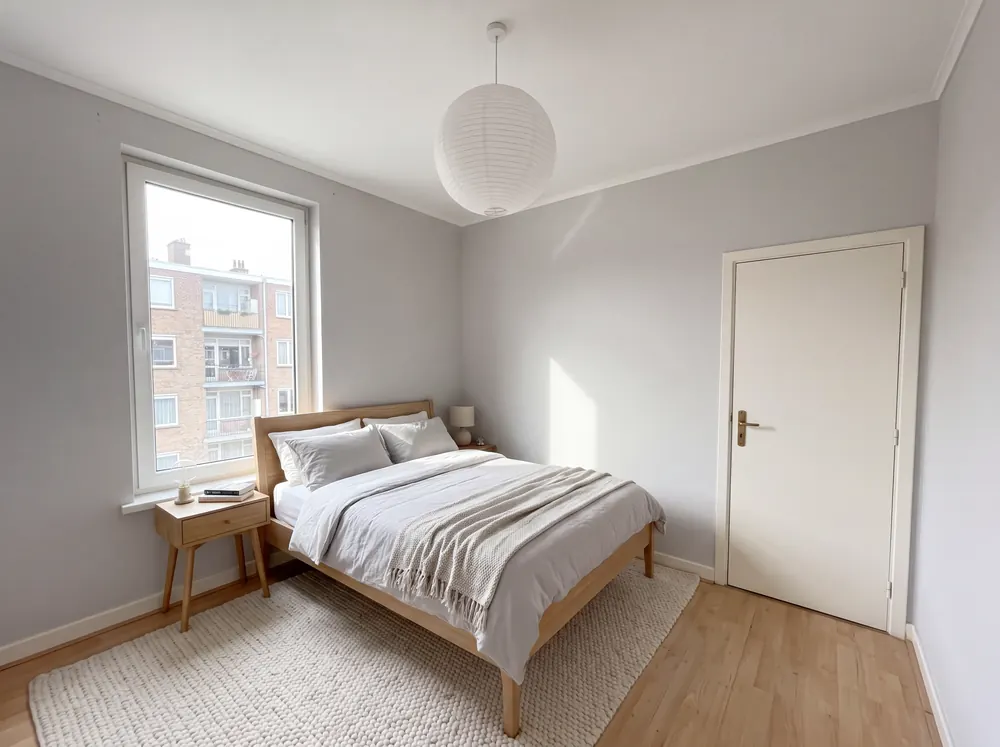
Stage an empty room from a photo now
Upload a photo and see the new version. Free to start, no credit card.