Best AI Rendering Software in 2026: 7 Tools Compared for Architects
The best AI rendering software for architects who send renders to clients, with prices, free starts, strengths and limits. We make the first tool, so every fact below has a source and a date.
In this article
- We rank 7 AI rendering tools for architects who send renders to clients, and we make the first one, AI Render Studio
- The ranking uses 7 questions, answered only from each tool's own pages read on 3 November 2026
- Other tools lead on speed, a flat price, plugins inside SketchUp, Revit and Rhino, or many AI models in one workspace
- Test 2 tools with the same view of your own project before you pay for either
The best AI rendering software depends on what you do with the render. If it goes to a client, you need to check that your building was kept, collect comments and read the price. If you render many images a day, a flat price matters more. If you work inside SketchUp or Revit all day, a plugin matters more.
We make one of the tools below, AI Render Studio, and we put it first. That is our ranking, written for architects who send renders to clients. We give the questions we used, say where each tool is ahead of ours, and list every source with the date we read it. Plans and prices change often, so open the linked page before you buy.
How we ranked the AI rendering tools
We asked 7 questions of each tool and used only what its own pages say. We read them on 3 November 2026. “Not found” means we did not find the feature on the pages we read. It does not prove that the feature is missing.
- Does it work from a screenshot or an export of your model view?
- Does it show you whether your design was kept?
- Can you change one area, the light or a material after the first render?
- Can a client comment on the image and approve it?
- Is there a plugin inside your design program?
- Can you render from ChatGPT or Claude?
- Is the price shown with tax, in your currency?
These questions suit architects who send renders to clients. They are our choice, and they favor a tool that was built for that case. If your first need is speed, a flat monthly price or rendering inside Revit, the order changes. Each entry below says what that tool is best for.
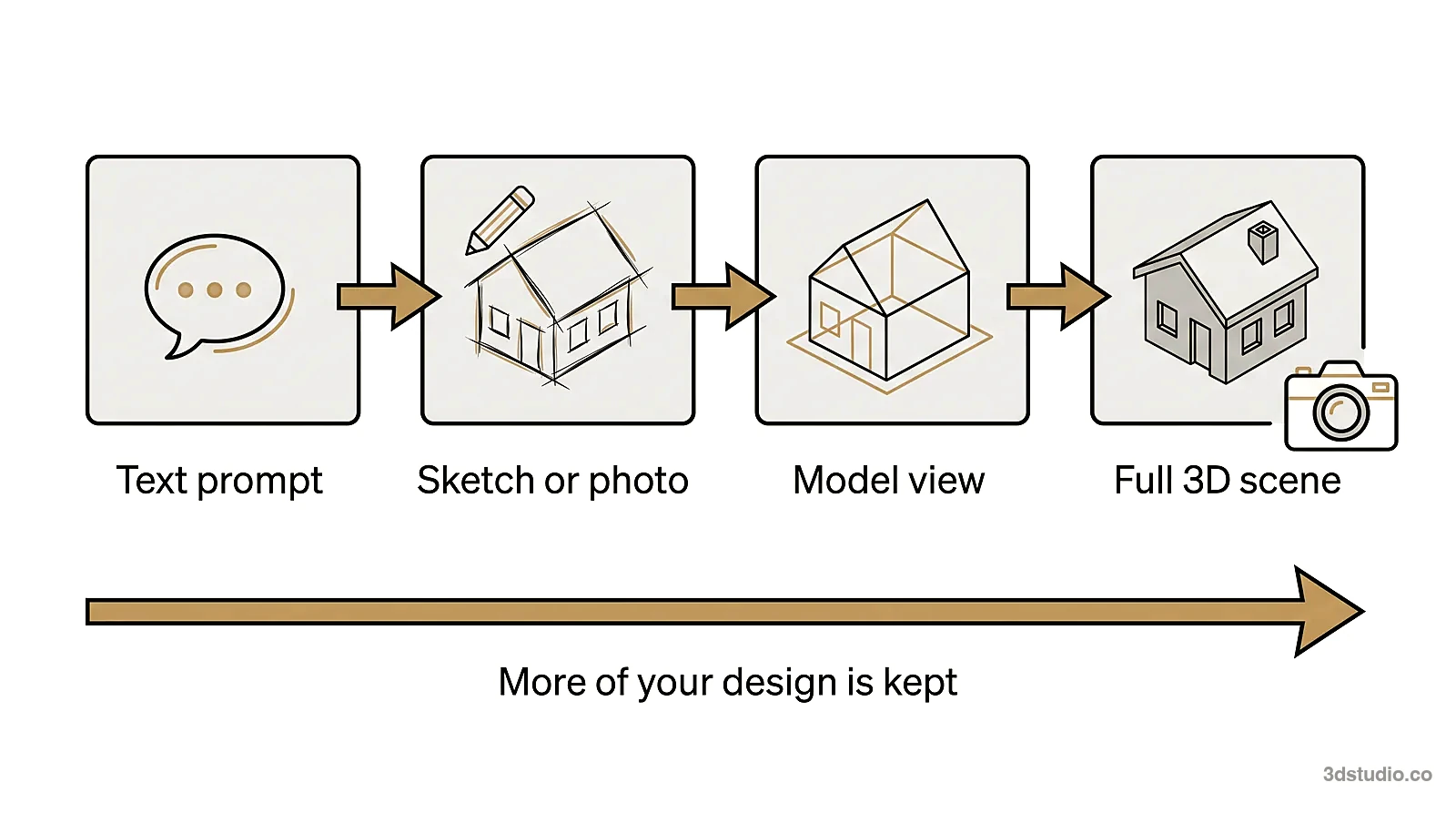
Best AI rendering software at a glance
The prices are the entry prices shown on each page on 3 November 2026. Ours are the prices shown to a visitor in Estonia, Germany or Italy, with VAT included. Visitors in the US and the UK see their own prices on our pricing page. The other tools show prices before tax.
Have a 3D model? Our AI Render Studio turns a screenshot of it into a photoreal image in about 20 seconds. Your first render needs no account.
Render your model free| Rank | Tool | Entry price shown | Free start | Best for |
|---|---|---|---|---|
| 1 | AI Render Studio | Credit pack from €5 for 8 HD renders, plans from €25 a month | 1 render with no account, then 5 renders and 5 fixes | Checking the design and sending renders to clients |
| 2 | mnml.ai | $29 a month (Lite) | 100 free credits, no card | Rendering inside SketchUp, Revit or Rhino |
| 3 | MyArchitectAI | $29 a month (Starter) | 10 free renders | Many fast stills at a flat price |
| 4 | Rendair | $19 a month (Starter) | 20 credits and unlimited text to image | One workspace with many AI models |
| 5 | Veras | €15.90 a month on annual billing | 14-day free trial | Teams that already use Chaos tools |
| 6 | Gendo | £79 a month, or £66 a month on annual billing | Free plan with a watermark | Teams that work on one shared canvas |
| 7 | ArchiVinci | $39 a week, $79 a month | 3 free renders | Short-term access and a SketchUp extension |
The ranking in detail
1. AI Render Studio (ours)
Best for: architects who send renders to clients and want to check that the design was kept.
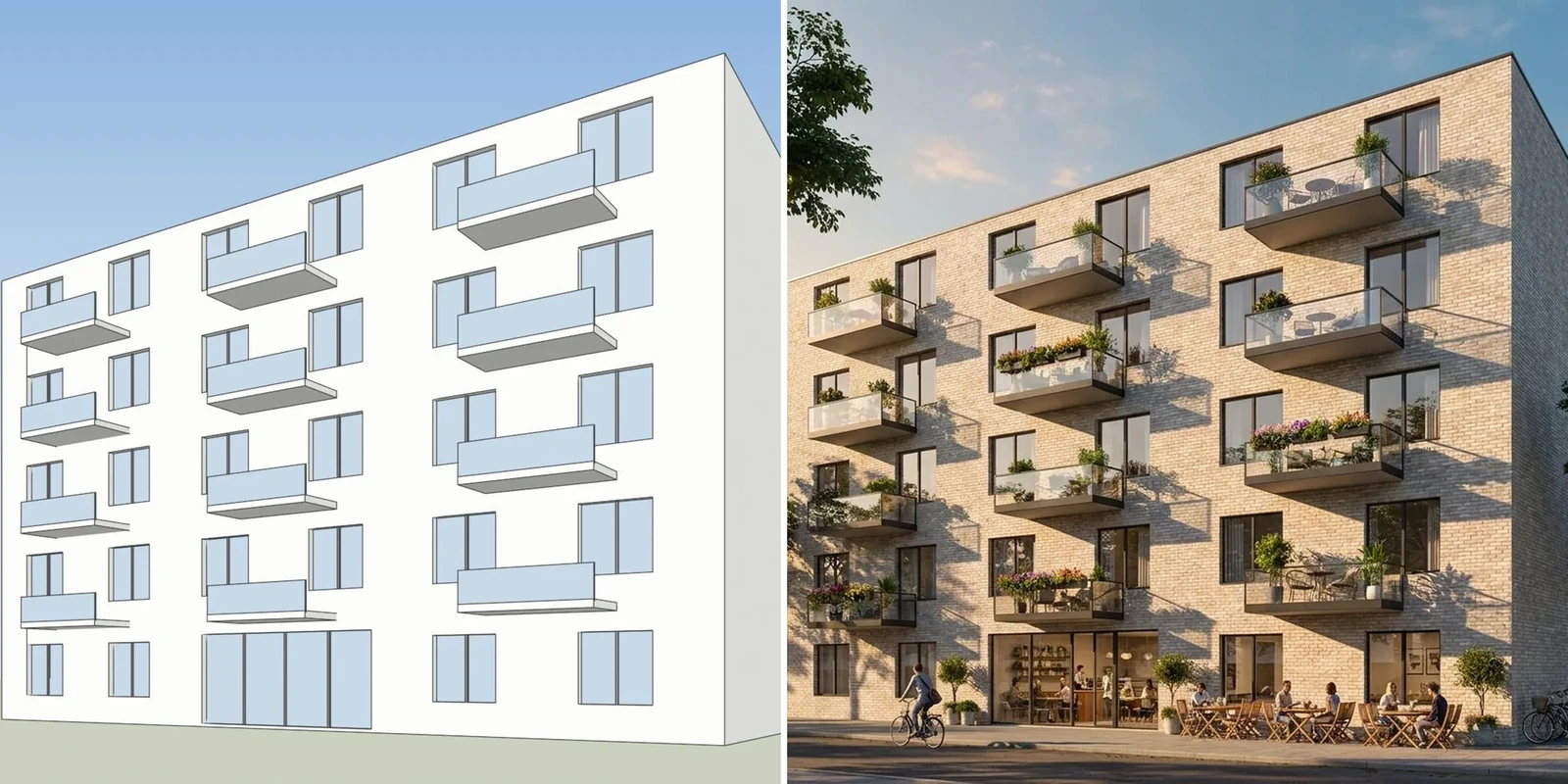
You upload a screenshot of a SketchUp, Revit, Archicad or Rhino view, a sketch, a plan view or an existing render. A render comes back in about 20 seconds, in one of 19 looks. Standard renders are for trying options. HD renders are for clients.
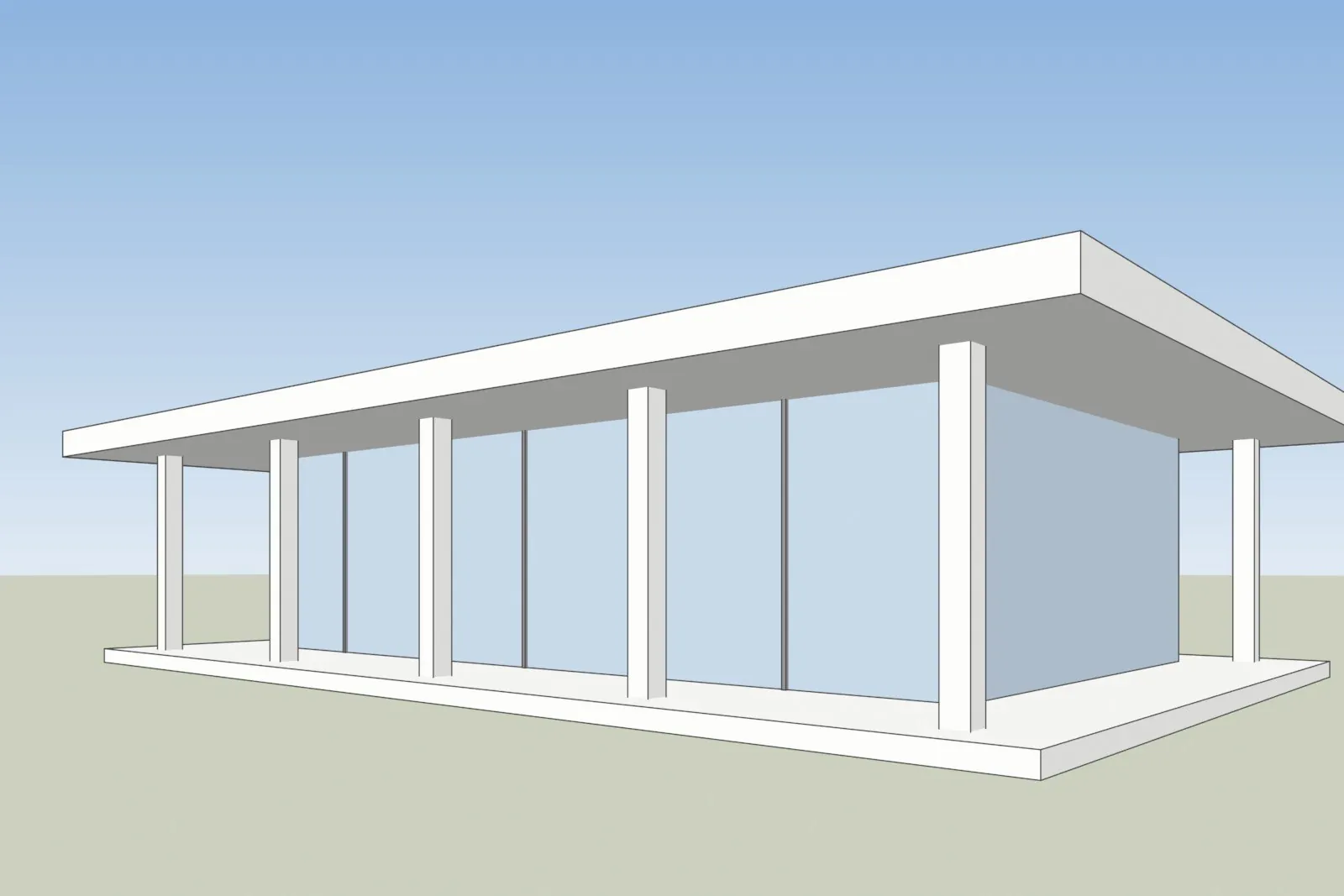
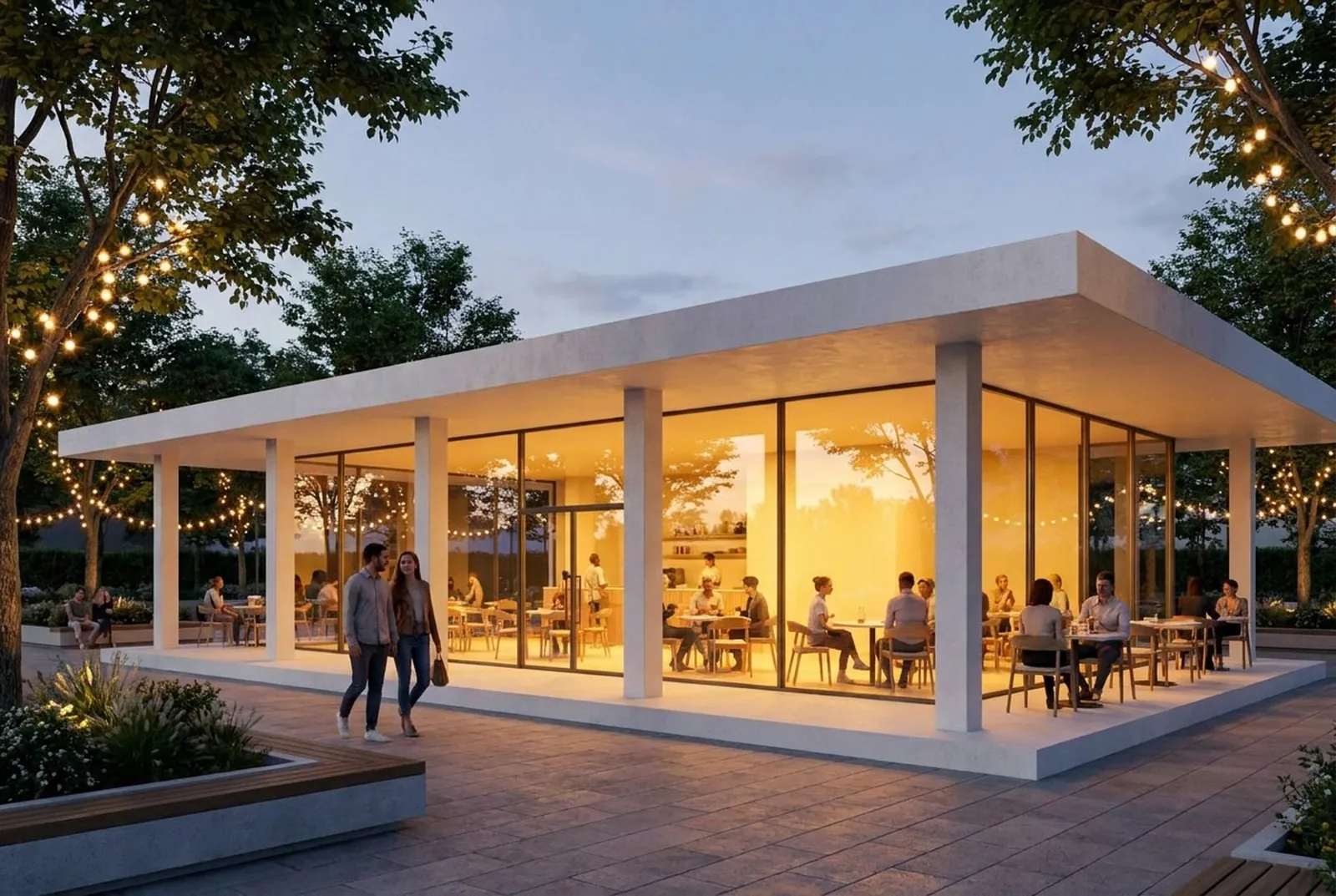
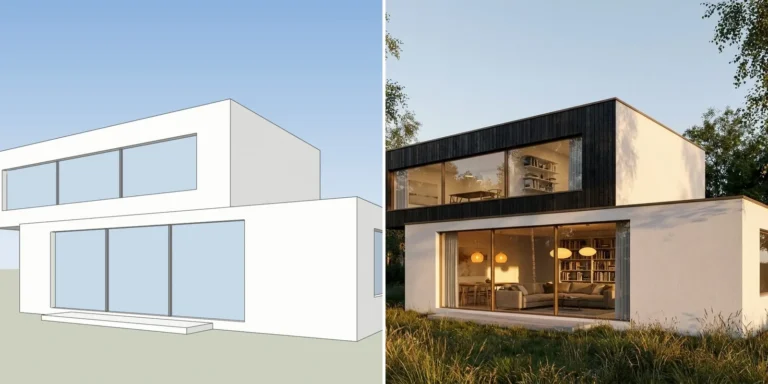
One of our own test models, left, and the AI Render Studio image of the same view, right. People, trees and lights were added, which is what the tool is for.
These are the facts you can check on our pages:
- A check on the result. Every result opens with a drag line over your screenshot. A lines-kept check shows whether the render moved away from your screenshot. When it did, a button under the render makes one new HD try for no credits, once per render.
- Edits without starting again. Change a render with words, brush up to 4 areas to fix, or relight it to dusk, golden hour, night, cloudy, winter, summer or rain.
- Client review links. On Pro and up, you pick up to 50 renders and send one link. Your client comments, pins a note to a spot on the image, can add a voice note of up to 60 seconds, and marks each render Approved or Request changes. The client needs no account.
- Your own logo. On Studio and Max, your logo and colors can appear on shared pages and client review pages.
- Prices you can read. Prices are shown in your local currency with VAT or sales tax included where it applies. Credits never expire, and failed renders are refunded automatically.
- 13 languages. The app is in English, Arabic, Danish, German, Spanish, Estonian, Finnish, French, Italian, Norwegian, Dutch, Portuguese and Swedish.
- ChatGPT and Claude. Add the connector and ask for a render, a change or a relight in the chat. Paid plans also have a REST API.
- A partner program. Creators and agencies earn 30 percent of every payment from the customers they send, up to €8 a month per customer, for as long as those customers pay.
Where we are behind. A render takes about 20 seconds, and MyArchitectAI states 9.3 seconds on average. We have no published plugin yet, and our SketchUp extension is listed as coming soon. The app has no public user reviews yet. The studio behind it has 1,200+ projects since 2013 and is rated 4.9 on Clutch, but that is a rating for studio work, not for the app. Free renders carry a small logo and are for personal use. A refund is possible within 14 days only if you used no credits. AI can still change a window or a roof line, which is why the check exists.
2. mnml.ai
Best for: rendering inside SketchUp, Revit or Rhino, and for teams that want one pool of credits.
mnml.ai runs in the browser and has free plugins for SketchUp 2026 on Windows and Mac, Revit 2024 to 2027 on Windows, and Rhino 8 on Windows and Mac, with a Grasshopper tab. The plugins render the view you are working in without an export. It also connects to ChatGPT, Claude and other assistants. Studio takes one image through region edits, upscaling and video. Flow is a board where up to 4 variations sit beside the source image.
- Price. Lite is $29 a month for 1,000 credits, which the page puts at about 100 Fast renders or about 33 Ultra renders. Plus is $49 and Studio is $119. Every new account gets 100 free credits that do not expire.
- Strengths. Plugins in 4 programs, connectors for several assistants, teams with shared credits, and 8K upscaling in every plan.
- Limits. The page says refunds are not typically available. Prices are in US currency, and its payment provider issues VAT invoices. Plan credits roll over only up to 2 months’ worth. We did not find a check that shows whether the design was kept. Read the mnml.ai review for the details.
3. MyArchitectAI
Best for: people who render many stills every day at a flat price.
MyArchitectAI runs in the browser and turns an image of a CAD export, a line drawing or a sketch into a render. Starter is $29 a month, Studio is $49 and Team is $99 for 5 seats, per user and before local taxes. All plans list unlimited renders and edits for still images. The home page states an average of 9.3 seconds per render. New accounts get 10 free renders.
- Strengths. Speed, a flat price for stills, many public user reviews and a refund if you made fewer than 20 renders.
- Limits. The home page lists a SketchUp plugin and a Revit add-on as coming soon. We did not find a client review link or a ChatGPT or Claude connector. Prices are in US currency before local taxes. The pages we read do not say whether free renders carry a watermark.
Our MyArchitectAI comparison has the full table.
4. Rendair
Best for: one workspace with many AI models, boards and a client sign-off step.
Rendair needs no plugin. You upload an image or a 3D file and work on boards. It runs several image and video models, including Flux, Nano Banana and GPT Image, and can build a 3D project from a floor plan. Starter is $19 a month for 500 credits, Pro is $49 for 1,500 credits and 2 members, and Studio Pro is $199 for 7,500 credits and 5 members. The Free plan has 20 credits and unlimited text to image.
- Strengths. Unused credits roll over, a board can be shared with a client for comments and approval, and no plan adds a watermark.
- Limits. Payments are generally not refunded. API access is not included in any plan. Commercial use needs a paid plan. Prices are in US currency before tax, and another billing currency is offered at checkout. Read the Rendair review for the details.
5. Veras
Best for: teams that already use Chaos tools such as Enscape or V-Ray.
Veras, from Chaos, runs inside Revit, SketchUp, Rhino, Archicad, Vectorworks, Forma and Allplan, and also inside Enscape, V-Ray and Corona and as a web app. On annual billing, Starter is €15.90 a month and Pro is €27.50 a month, before tax. There is a 14-day free trial.
- Strengths. It renders the live view inside your program, and it can turn a sketch or an image into an editable 3D scene.
- Limits. Using AI credits voids the 14-day money back guarantee. The prices on the page we read were for annual billing and a named license. We did not find a client review link or a ChatGPT or Claude connector. See Veras pricing in 2026 for the credits.
6. Gendo
Best for: teams that work on one shared canvas.
Gendo is a collaborative canvas where you upload a sketch or a SketchUp export, generate renders, change materials and share the canvas with your team and client. The Free plan lists free generations, 1 canvas, 1k exports and a Gendo watermark. Studio is £79 a month on monthly billing, or £66 a month on annual billing, before tax. It adds unlimited projects and image generations, a commercial license, 2x and 4x upscaling and no watermark.
- Strengths. A free plan to test with, and a shared canvas with client approval.
- Limits. The first paid plan costs £79 a month on monthly billing. Video is sold by the second in extra packs. We did not find a plugin or a ChatGPT or Claude connector.
7. ArchiVinci
Best for: short-term access, and people who want a SketchUp extension.
ArchiVinci is a browser tool with modules for rendering, editing, relighting, video, floor plans and masterplans, and it has an extension on the SketchUp Extension Warehouse. Its plans list unlimited renders: $39 a week, $79 a month or $549 a year. It also sells one-time passes, such as $49 for 3 days. New users get 3 free renders without a watermark.
- Strengths. You can pay for a few days only, and a plan can make up to 4 variations of one image at a time.
- Limits. The 3 free renders are for testing and not for commercial use. We did not find a client review link or a ChatGPT or Claude connector.
Other tools worth knowing are D5 Render, Enscape and V-Ray. They are renderers with AI features added, and we compare them with AI rendering in AI rendering vs V-Ray and Enscape.
What each tool shows on its own pages
This table answers our 7 questions, as far as each company’s pages let us. Question 1 is “yes” for all 7 tools, so the table starts at question 2.
| Tool | Design-kept check | Change one area or light | Client comments and approval | Plugin in your program | ChatGPT or Claude | Price with tax |
|---|---|---|---|---|---|---|
| AI Render Studio | Yes | Yes | Yes | Not yet | Yes | Yes, in local currency |
| mnml.ai | Not found | Yes | Shared boards | Yes | Yes | No, US currency |
| MyArchitectAI | Not found | Yes | Not found | Coming soon | Not found | No, before tax |
| Rendair | Not found | Yes | Yes, on boards | No plugin | Not found | No, before tax |
| Veras | Not found | Yes | Not found | Yes | Not found | No, before tax |
| Gendo | Not found | Yes | Yes, on the canvas | Not found | Not found | No, before tax |
| ArchiVinci | Not found | Yes | Not found | SketchUp | Not found | Not found |
The order follows these answers for one use: sending renders to clients. mnml.ai is second because it answers more of the questions than the tools below it. MyArchitectAI is third because it is fast, its flat price suits heavy use and it has public user reviews. For a person who renders all day and never sends a link, it may be first.
AI Render Studio price per HD render
Our prices are published as JSON, so you can read them without signing up. The table divides each plan price by the HD renders it includes each month. A credit pack is a one-off payment with no subscription. These are the prices shown on 3 November 2026 to a visitor in Estonia, Germany or Italy, with VAT included.
| Plan or pack | Price | HD renders | Price per HD render |
|---|---|---|---|
| Pro | €25 a month | 80 a month | about €0.31 |
| Studio (3 seats) | €39 a month | 180 a month | about €0.22 |
| Max (5 seats) | €79 a month | 380 a month | about €0.21 |
| Credit pack, small | €5 once | 8 | about €0.63 |
| Credit pack, medium | €12 once | 20 | about €0.60 |
| Credit pack, large | €39 once | 65 | about €0.60 |
An HD render costs 10 credits and a Standard render costs 5. A plan therefore gives twice as many Standard renders as HD renders: 160, 360 and 760 a month. Yearly billing gives 2 months free. Credits never expire.
Per image, we are not the cheapest tool in this list. MyArchitectAI lists unlimited stills for $29 a month, and Rendair’s table counts about 500 images for $19 a month. The images are not the same size or quality, so compare the same view in each tool before you compare prices. Our HD render is the version made for clients. The live prices for your country are on the AI Render Studio pricing page.
How to choose between them
- Choose AI Render Studio if renders go to clients, you want to check the lines before anyone sees the image, and you want review links and a price with tax in your currency.
- Choose mnml.ai if you want to render without leaving SketchUp, Revit or Rhino.
- Choose MyArchitectAI if you render many stills and speed and a flat price matter most.
- Choose Rendair if you want many AI models and boards in one place.
- Choose Veras if your office already uses Enscape or V-Ray.
- Choose Gendo if your team already works on a shared canvas.
- Choose ArchiVinci if you need a few days of access, or a SketchUp extension.
Whatever you choose, test it on your own work. Pick one view of a project with clear, countable features: windows, floors, the roof line and the entrance. Render it in 2 tools. Count the windows and floors in each result and compare the roof line with your model.
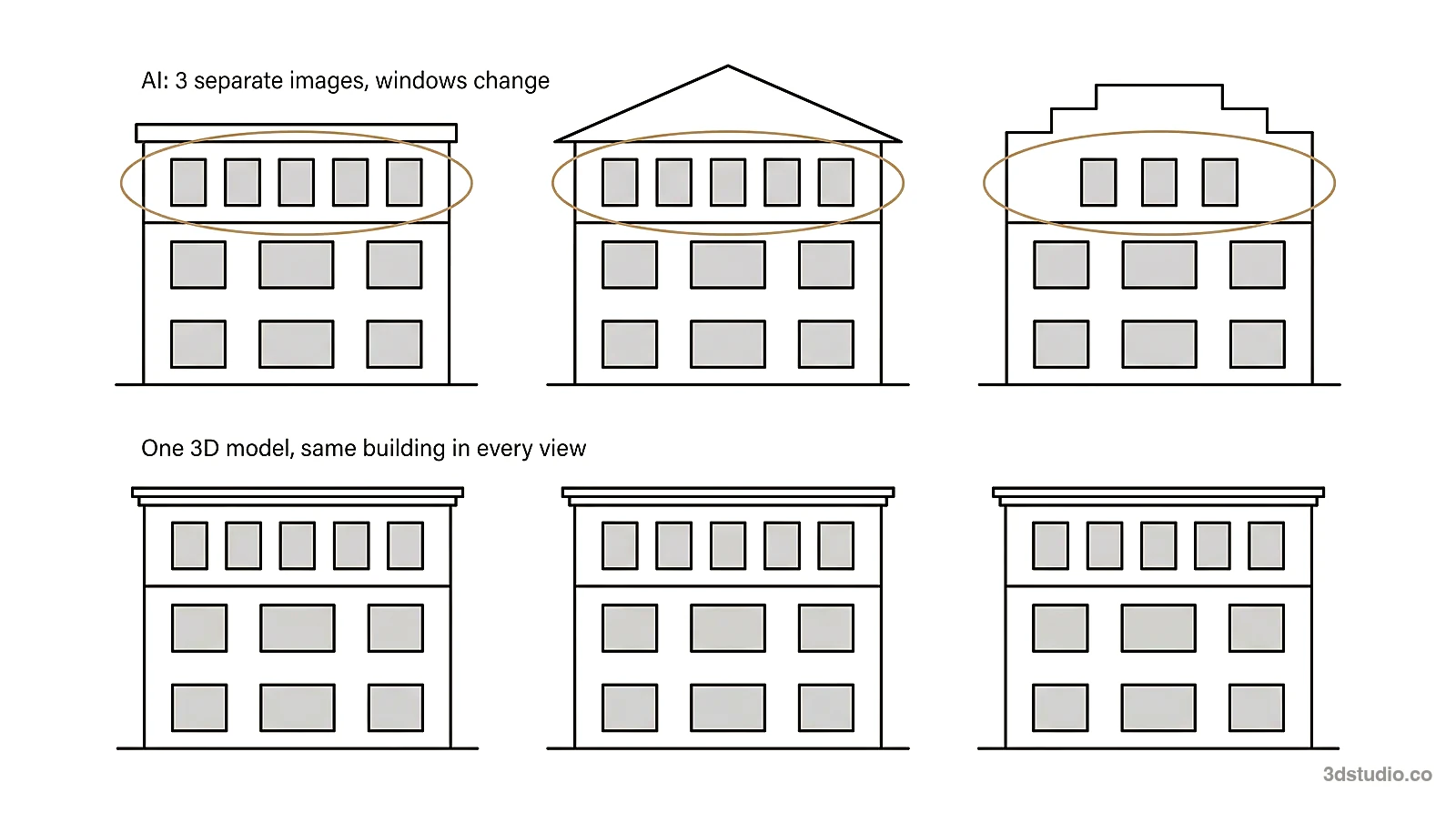
If you work in SketchUp, our SketchUp AI rendering page shows how to export the right view. Our guide to AI for architectural rendering explains the 4 kinds of tools by input. You can also try AI Render Studio on your own model. The first render needs no account, and our comparison of free AI rendering tools shows what every tool gives you free.
When a studio is the better choice
Every tool in this list makes images for options and early concepts. None of them checks the image against your drawings for you. When an image goes to a planning authority, a competition jury or buyers, the details must match the drawings, and a person should check them.
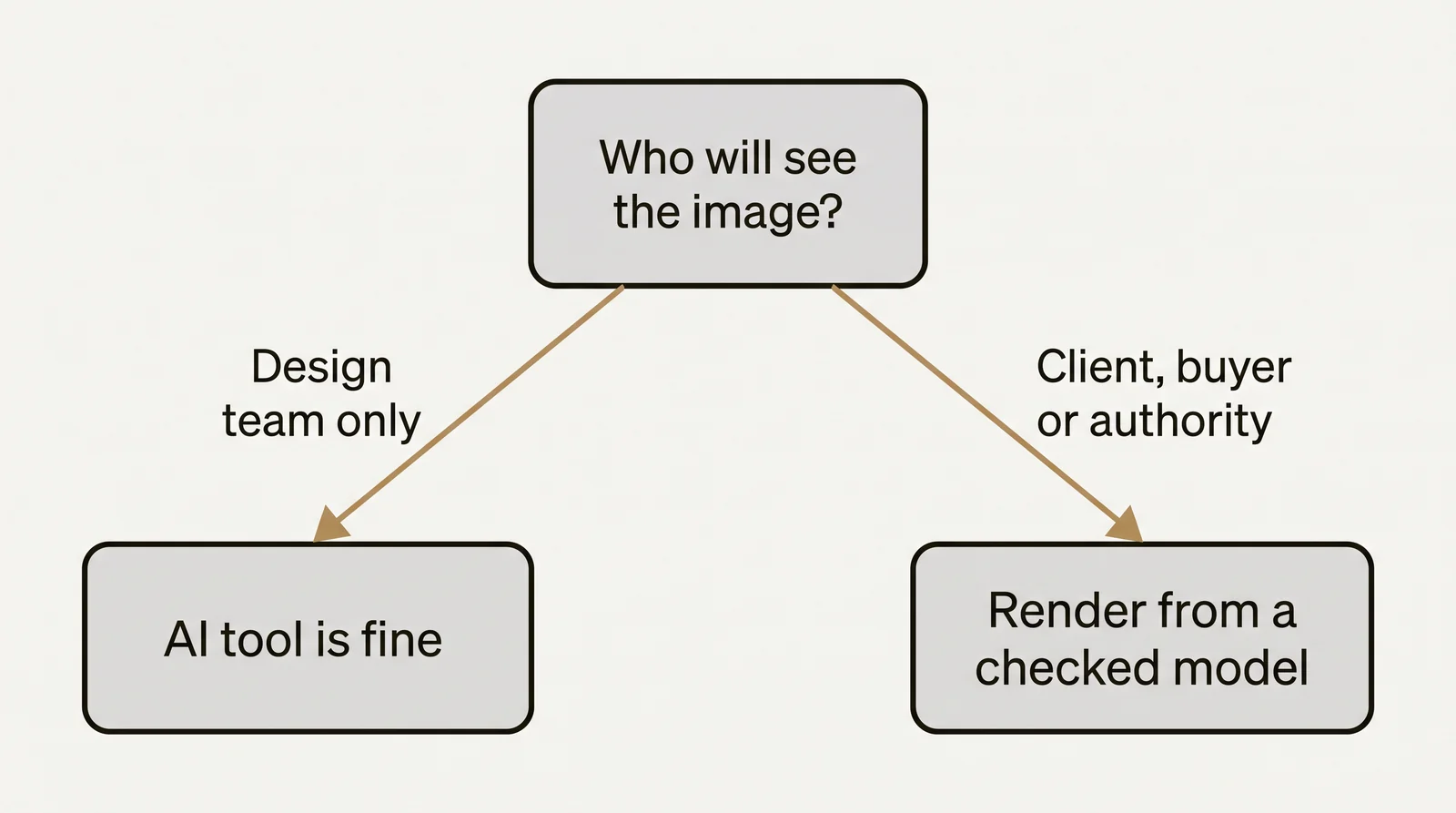
For those images, we build the 3D model from your drawings and check it against them. See architectural visualization for how that works, and the difference between CGI and AI for the full comparison of the 2 methods.
Questions about AI rendering software
What is the best AI rendering software for architects?
It depends on the job. For renders that go to clients, we rank AI Render Studio first because it shows whether your design was kept and has client review links. For many fast stills at a flat price, MyArchitectAI is a strong choice. For rendering inside SketchUp, Revit or Rhino, look at mnml.ai or Veras.
Is there free AI rendering software?
Every tool in this list has a free start, a free plan or a trial. They differ in how many renders you get, whether renders carry a watermark and whether you may use them for client work. Our guide to free AI rendering tools lists each one.
Which AI rendering software works inside SketchUp or Revit?
On 3 November 2026, mnml.ai listed free plugins for SketchUp, Revit and Rhino. Veras lists Revit, SketchUp, Rhino, Archicad and others. ArchiVinci has a SketchUp extension. The other tools work from an exported image or screenshot.
Can I use AI renders for client work?
Usually only on a paid plan or after a purchase. Free renders are often for testing or personal use. On our tool, any plan or credit pack allows client work and removes the logo. Read the license of any tool before you send a free render to a client.
How much does AI rendering software cost?
Entry plans for one person range from $19 a month to £79 a month, in the currencies the pages show. Our credit pack starts at €5 for 8 HD renders and needs no subscription. Prices differ by country, and most tools show prices before tax, so check each pricing page.
Sources
Every fact about a tool comes from the pages below, read on 3 November 2026. The figures in the price per HD render table are our own arithmetic on our published prices.
- AI Render Studio: live prices, pricing, docs and updates
- mnml.ai: pricing and home page
- MyArchitectAI: pricing and home page
- Rendair: pricing and help center
- Veras: Chaos Veras page
- Gendo: pricing and home page
- ArchiVinci: pricing and home page
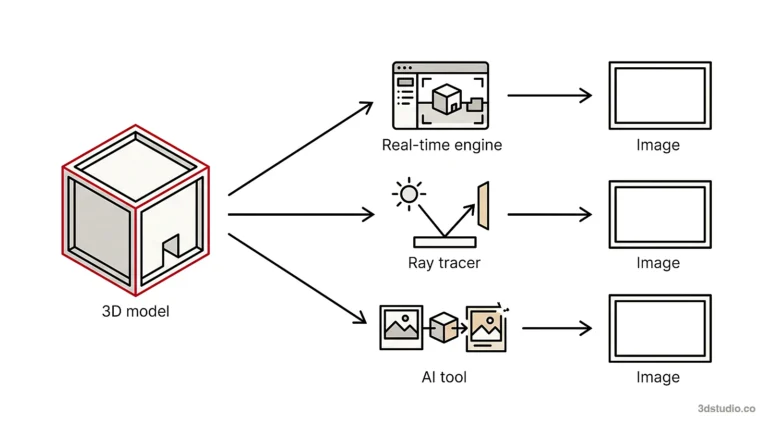
Diagrams in this post are drawn with an AI image tool from our brief and checked by our team.
More on AI rendering: AI Render Studio · SketchUp AI rendering · AI Rendering vs V-Ray and Enscape: When Each Is the Right Tool · mnml AI Review 2026: Plans, Plugins and How It Compares · Free AI Rendering for Architecture: What Each Tool Gives Free · Rendair Review 2026: Pricing, Features and How It Compares · MyArchitectAI Alternative: An Honest Comparison for Architects · Veras Pricing in 2026: Plans, Credits and a Screenshot Alternative · Difference Between CGI and AI for Architecture Images