Lumion Price in 2026: Every Plan, Real Costs and a Cheaper Route
What Lumion costs in 2026: every plan, the free trial and student license, the graphics card and learning time behind the price, and a cheaper route when you only need a few images.
In this article
- Lumion Pro is billed upfront for 1 or 3 years, with no monthly plan on the buy page, and has a 14-day free trial
- The real cost includes a Windows PC with a ray-tracing graphics card and the time to learn the program
- Lumion is the better tool for animations, walkthroughs, large scenes and full control of the scene
- For a few still images, an AI render tool in the browser needs no graphics card, and its Enhance mode can improve a Lumion render
Lumion Pro is sold as a license billed upfront for 1 year or 3 years. The Lumion buy page shows no monthly plan. On 5 November 2026 it listed the named-user plan at $1,149 for 1 year and the floating-seat plan at $1,499 for 1 year, with a 14-day free trial and a 14-day refund window.
This guide lists every Lumion plan, what the plans include, and what Lumion really costs once you add a computer that can run it and the time to learn it. We also make an AI render tool, which is a cheaper route when you need a few images instead of a full real-time workflow. We say plainly where Lumion is the better tool. Every Lumion figure below was read on the Lumion buy page and the system requirements page on 5 November 2026. Prices can change, so check those pages before you buy.
Lumion price in 2026 at a glance
Lumion shows prices in the currency of your region. The page code held three sets, one each for US, UK and eurozone visitors, and the table lists all three. Each price is billed upfront for the whole term.
| Plan | 1-year plan | 3-year plan |
|---|---|---|
| Lumion Pro, named user | $1,149, £899 or €999 | $2,758, £2,158 or €2,398 |
| Lumion Pro Floating, floating seat | $1,499, £1,049 or €1,299 | $3,598, £2,518 or €3,118 |
| Custom licensing, for 10 users or more | Contact sales | Contact sales |
Lumion also shows each plan as a monthly figure, for example $96 a month for the named-user plan. That figure is the yearly price divided by 12. The charge is the full amount upfront. Lumion labels the longer plan as a saving of 20 per cent against buying yearly.
The page does not say whether tax is included in these prices, and we did not go through the checkout, so we cannot tell you the final total. Check the cart for your country.
What the Lumion plans include
Both plans are Lumion Pro. The page lists the same core tools for each:
Have a 3D model? Our AI Render Studio turns a screenshot of it into a photoreal image in about 20 seconds. Your first render needs no account.
Render your model free- Content: more than 10,000 models and materials, fine-detail nature assets and a full PBR material workflow.
- Output: images, videos and 360 panoramas, with atmospheric and post effects and advanced animation effects.
- AI tools: an AI image enhancer, an AI material generator and an AI image upscaler. The trial page says the upscaler reaches 16K.
- Cloud: upload to Lumion Cloud, share renders, collect feedback, track versions and approvals.
The floating-seat plan adds the right to use one license on several computers and share it across a team, plus 24/7 premium support. A named-user license is tied to one person. Lumion also sells a free diagramming plugin called Axogram, which we do not cover here.
Lumion free trial, student license and refund
Lumion offers a 14-day free trial of Lumion Pro, and the page says no credit card is required. The trial includes the latest features and the AI image enhancer and material generator.
Students can get a free license instead. The education page says Lumion Student runs for 1 year and can be renewed while you are still a student. It is not for commercial use, and renders carry a small watermark. Lumion Faculty runs for 3 years, for use on university computer labs only. Projects saved in either education version cannot be opened in the commercial versions.
The buy page also promises a full refund within 14 days, with no questions asked. That is long enough to test Lumion on one real project.
What Lumion really costs
The license is the visible cost. Two other costs sit behind it.
The computer. Lumion runs on Windows only and relies mainly on the graphics card. The system requirements page lists 3 levels, and it calls the minimum level unsuitable for anything beyond simple projects:
| Level | Graphics card score | Video memory | Memory | Example card |
|---|---|---|---|---|
| Minimum | G3DMark 8,000 or higher | 6 GB or more | 16 GB or more | GeForce GTX 1060 |
| Recommended | G3DMark 14,000 or higher | 10 GB or more | 32 GB or more | GeForce RTX 3060 |
| High-end | G3DMark 22,000 or higher | 16 GB or more | 64 GB or more | GeForce RTX 3090 |
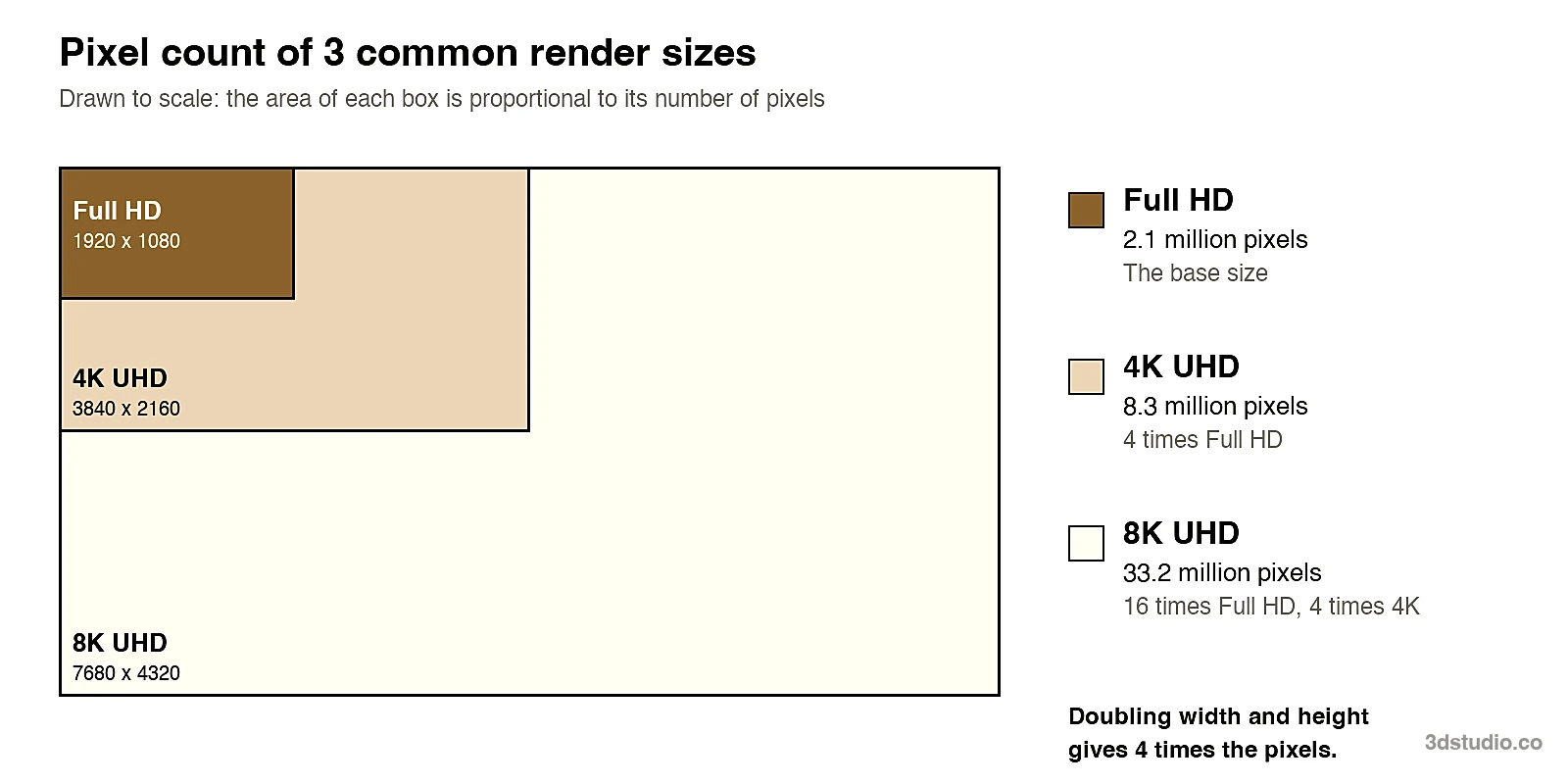
The full commercial version needs at least 105 GB of free disk space. Lumion says a 4K still in rasterization mode, and a 1080p still with ray tracing, both need a graphics card with at least 8 GB of memory. If your current laptop does not meet the recommended level, add the price of a new computer to the license before you compare options. We did not read hardware prices, so we give none.
The learning time. Lumion describes its interface as easy, with a gentle learning curve, and many architects do pick it up quickly. It is still a separate program. You import the model, place trees and furniture, set the materials, light the scene and set up each camera. Each new project repeats those steps. The time shows up in your week, not on an invoice, so count it when you compare it with a tool that takes a screenshot.
When Lumion is the right tool
Lumion is built for work that goes beyond a single image. It is the better choice when:
- You make animations or walkthroughs. Lumion lists advanced animation effects, videos and 360 panoramas as part of Pro.
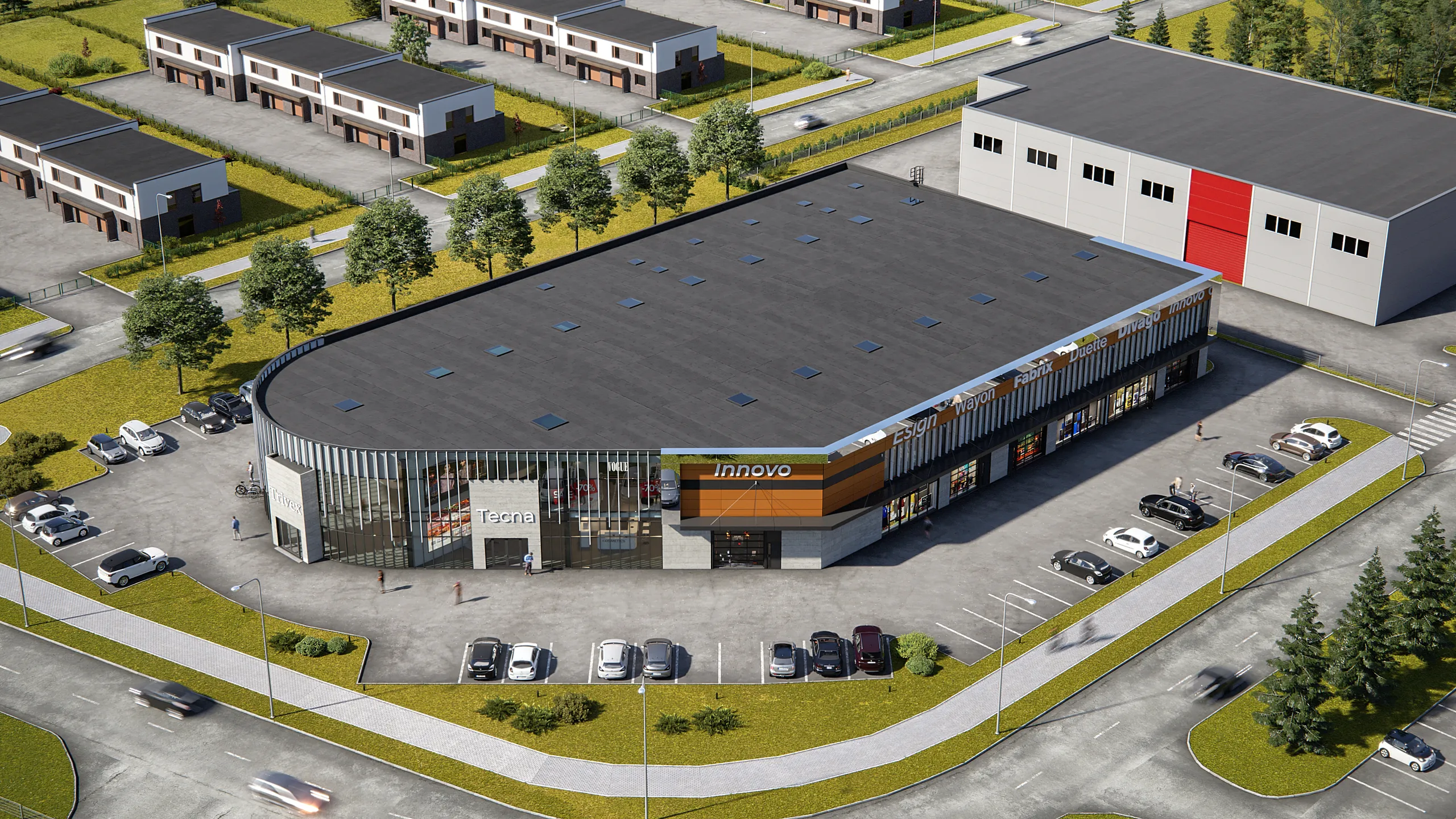
- The scene is large. Lumion’s own high-end tier names a detailed city, an airport or a stadium. A real-time engine with its own library handles scenes like that. A single AI image does not.
- You need control over every object. You move a tree, swap a material or change the sun in the 3D scene, and the model stays exact.
- You work live with your model. Lumion’s free LiveSync plugin links SketchUp and Revit models, so changes appear as you draw.
- A team shares one setup. The floating seat and the cloud review tools are made for that.
If you already own Lumion and use it every week, the license cost per image is low and none of what follows should change your mind.
A cheaper route when you need a few images
Many people look up the Lumion price for a smaller job: a few images for a client meeting, a competition board or a planning pack. For that, a yearly license and a graphics workstation are a lot to carry. Our AI Render Studio is built for that case. It runs in the browser, so you need no graphics card in your computer and nothing to install.
There are 2 ways to use it with Lumion:
- Start from a screenshot. Upload a screenshot or PNG of a 3D model from any program and get a photoreal render in about 20 seconds. The tool aims to keep the building’s shape, windows, roof line, floor count and camera.
- Improve a render you already made. Enhance mode takes a render from Lumion, Enscape, V-Ray, Twinmotion or D5. We improve the light and materials and keep your building as it is.
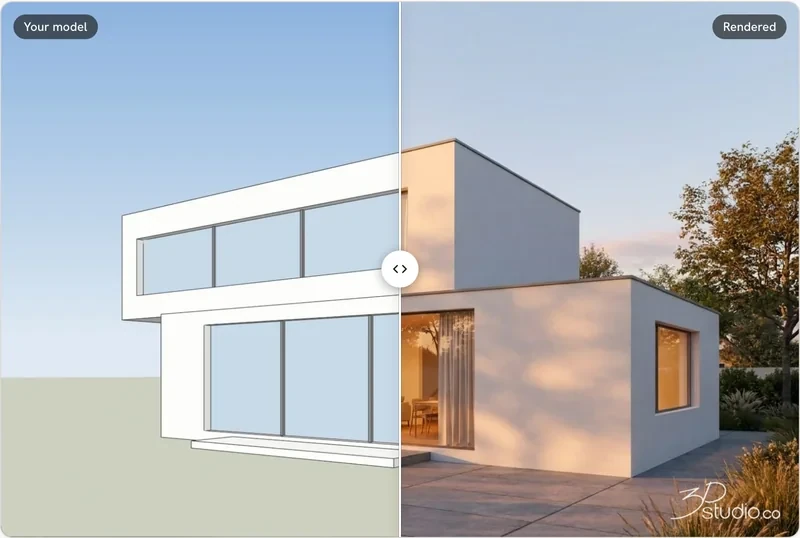
Your first render needs no account, and you get 1 every 24 hours. A free account gives 5 free renders and 5 free fixes, with a small logo and for personal use. After a render you can fix one area, relight the image, or make a 5-second video on paid plans. Client review links come with Pro and up. The app has 36 looks and separate interior and floor plan modes.
AI can still move a window or change a roof line. If the lines drift, the re-run is on us, and failed renders are refunded in credits automatically. Credits never expire. Prices include VAT or sales tax, and there is a 14-day refund if no credits were used. Our plans are on the AI Render Studio pricing page. We do not copy them here, because they are shown in each visitor’s currency.
Lumion Pro vs AI Render Studio side by side
The Lumion column uses what Lumion states on its own pages on 5 November 2026. The other column is what our app states about itself.
| Lumion Pro | AI Render Studio | |
|---|---|---|
| How you pay | License billed upfront for 1 or 3 years | Credits that never expire; see our pricing page |
| Computer | Windows PC with a ray-tracing graphics card | Any computer with a browser, no graphics card needed |
| Install | Program install on Windows | Nothing to install |
| Free start | 14-day trial, no card | 1 render with no account, then 5 renders and 5 fixes (small logo, personal use) |
| Animations and walkthroughs | Yes, with advanced animation effects and 360 panoramas | 5-second video from a render on paid plans |
| Large scenes | Yes, up to a detailed city on high-end hardware | Works from one view of your model |
| Control of each object | Full control inside the 3D scene | Fix one area or relight; the 3D model itself is not editable |
| Keeping your design | It renders your model exactly | Aims to keep your shape and windows; a free re-run if lines drift |
| Improving a Lumion render | Built-in AI image enhancer | Enhance mode accepts a render from Lumion |
| Refund | Full refund within 14 days | 14 days if no credits were used; failed renders refunded in credits |
How to choose between them
- Choose Lumion if you need animations, walkthroughs, large scenes or control over every object, and you render most weeks.
- Choose the AI Render Studio if you need a few still images, you have no graphics workstation, or you want to improve a render you already have.
- Use both. Render a view in Lumion, then run it through Enhance and compare the two. Count the windows and floors in each result before you send one to a client.
For the wider comparison of AI renders with real-time and ray-traced tools, read our post on AI rendering vs V-Ray and Enscape. Prices for two other big tools are in the Enscape price and V-Ray price guides. Other options are in the free rendering software list and the best AI rendering software list. If you work in SketchUp or Revit, the SketchUp AI rendering page and the Revit AI rendering page show how to export the right view.
When to use a studio instead
Lumion and an AI tool both make images for options and early concepts. Neither one checks the image against your drawings for you. For planning, a competition jury or a sales launch, every detail must match, and a person should check it. For those images, we build the 3D model from your drawings and check it against them. We are an architectural visualization studio with 1,200+ projects since 2013. See architectural visualization for how that works, or read what a studio image costs in our 3D rendering cost guide.
Questions about the Lumion price
How much does Lumion cost per month?
Lumion sells no monthly plan on its buy page. On 5 November 2026 it showed $96 a month for the named-user plan, but that is the yearly price of $1,149 divided by 12, charged upfront.
How much is Lumion for a year?
The named-user Lumion Pro plan was $1,149, £899 or €999 for 1 year, depending on region. The floating-seat plan was $1,499, £1,049 or €1,299. Check the page for the currency and total shown to you.
Is Lumion free?
Lumion has a 14-day free trial and a free license for students and faculty. The student license is not for commercial use. Anyone using Lumion for client work needs a paid plan after the trial.
Does the Lumion price include tax?
The buy page does not say. Look at the total in the cart before you pay.
What computer do I need for Lumion?
A Windows computer with a ray-tracing graphics card. Lumion lists 6 GB of video memory as the minimum and 10 GB as the recommended level, and says the minimum suits only simple projects.
Can I improve a Lumion render without buying more software?
Yes. Enhance mode in our AI Render Studio takes a render from Lumion and improves the light and materials while keeping your building. Your first render needs no account.
Lumion is a trademark of Act-3D B.V. 3Dstudio.co is not affiliated with it.
More on AI rendering: AI Render Studio · SketchUp AI rendering · Twinmotion Price in 2026: Free Tier, Seats and Real Costs · D5 Render Price in 2026: Community, Pro, Teams and Real Costs · V-Ray Price in 2026: Plans, Licenses, Host Programs and a Cheaper Route · Enscape Price in 2026: Every Plan, What It Includes and a Cheaper Route · Nano Banana Architecture: How to Keep Your Design in AI Renders · SketchUp Diffusion: What It Is Now, What It Costs and How to Keep Your Model · AI Rendering for Architects: How to Keep Your Design · ArchiVinci Alternative: An Honest Comparison for Architects · Gendo AI Alternative: An Honest Comparison for Architects · mnml.ai Alternative: An Honest Comparison for Architects · Rendair Alternative: An Honest Comparison for Architects · Best AI for Architectural Rendering: What It Does and When to Use a Studio