Revit Price in 2026: Subscription Costs, Revit LT and Rendering
What Revit costs in 2026: annual, monthly and 3-year plans, Revit LT, the AEC Collection, Flex, the trial, what rendering adds and a cheaper route for a few images.

In this article
- Revit costs $3,005 a year or $380 a month on the US buy page, and $9,020 for a 3-year term
- Revit LT costs $560 a year and is a simplified version without worksharing
- Rendering is extra: the built-in tool and cloud rendering are in Revit, and plugins are bought separately
- For a few images, a screenshot of a Revit 3D view works in a browser AI render tool
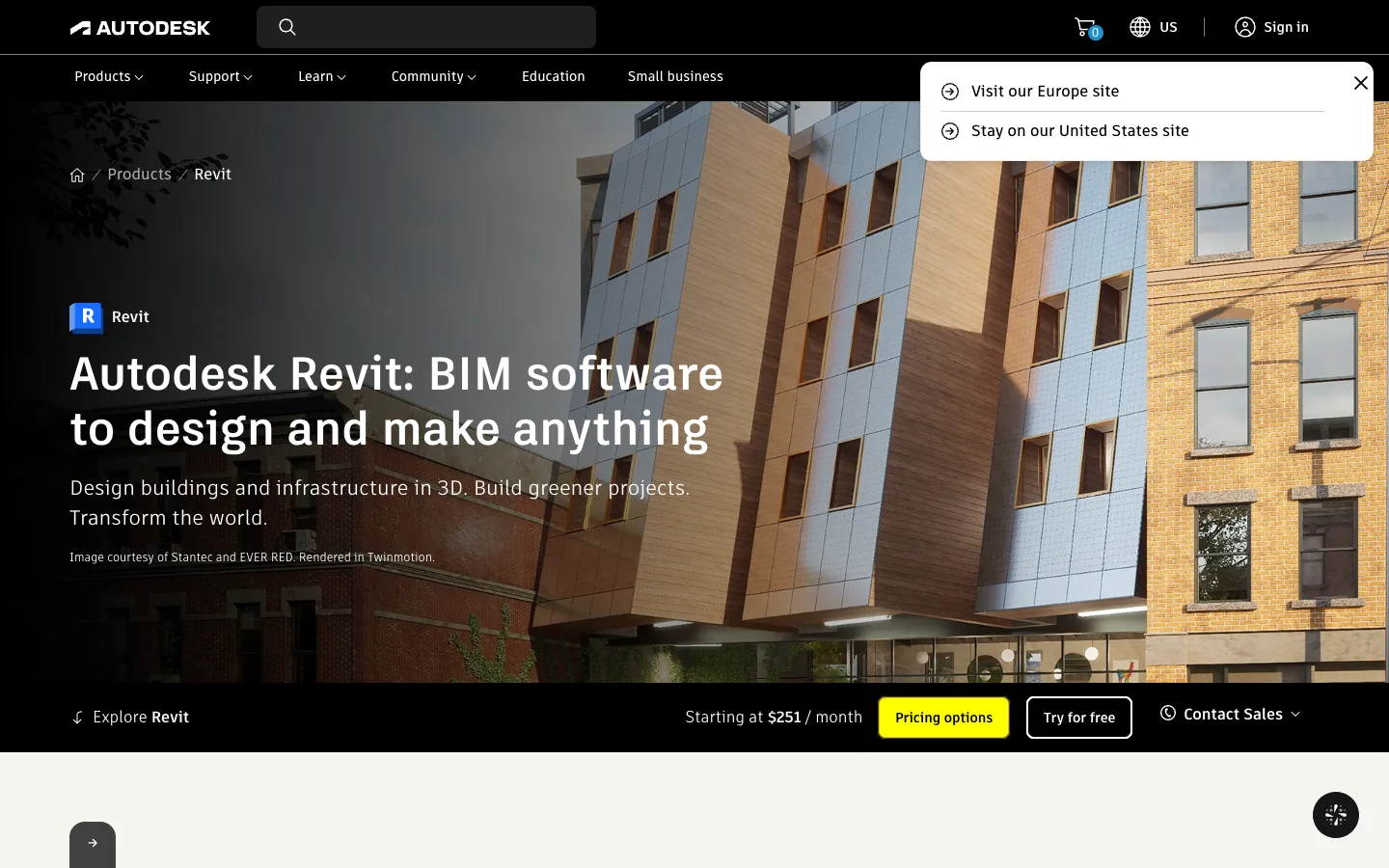
Revit costs $3,005 a year on Autodesk’s US buy page, shown as $251 a month paid annually, or $380 for a single month. A 3-year term costs $9,020. Revit LT, the lighter version, costs $560 a year.
This guide lists every Revit plan, what each one leaves out, and what rendering adds on top. We also make an AI render tool, a cheaper route when you need a few images, so this is written by a competitor. Every Autodesk figure below was read on Autodesk’s own pages on 19 November 2026 and can change. Revit pricing differs by country, and Autodesk shows local prices, so check your own page before you buy. We say plainly where Revit plus a renderer is the better buy.
Revit price in 2026 at a glance
The table lists the US prices from the Revit buy page, the Revit LT buy page and the AEC Collection buy page. All prices are for 1 user.
| Plan | Annual | Monthly | 3-year |
|---|---|---|---|
| Revit | $3,005 a year ($251 a month, paid annually) | $380 | $9,020 for 3 years (paid annually) |
| Revit LT | $560 a year ($47 a month, paid annually) | $70 | Not listed on the page we read |
| AEC Collection | $3,675 a year ($307 a month, paid annually) | $460 | Not listed on the page we read |
The monthly column is a month-to-month subscription. The annual price is the lower price for a longer commitment, and Autodesk labels the annual plan “Best value” for Revit.
Revit pricing in the UK
Autodesk shows different prices per country. On the UK Revit buy page the annual plan was £2,712 a year, shown as £226 a month, and the page says this includes estimated VAT. The monthly plan was £342. The US page does not say whether sales tax is included, so check the cart.
For other countries, open the Revit buy page from the country selector at the bottom of the Autodesk site. We did not read other regions.
Revit subscription terms, UK pricing and Flex
Revit is sold only as a subscription. The buy page shows 3 ways to pay:
Have a 3D model? 3Dstudio.co turns a screenshot of it into a photoreal image. The first render is ready in under 10 seconds. Free to start, no credit card.
Render your model free- Annual: $3,005 for 1 year for 1 user. Autodesk says it is the best value.
- Monthly: $380 each month. You can stop after a month, but the monthly price is higher.
- 3-year: $9,020 for 3 years, paid annually. The page says a 3-year term protects you from price increases for 3 years.
Autodesk lists a return policy: 30 days for annual and multi-year subscriptions and 15 days for monthly subscriptions. Read the full terms at checkout.
Revit Flex: pay for the days you use
The buy page also offers Autodesk Flex, which is pay as you go. The minimum purchase was $99 for 33 tokens. The page says Revit uses 10 tokens a day, so the minimum buys 3 full days of Revit use. In the UK the minimum was £90 for 33 tokens.
Flex suits a person who opens Revit a few days a year, for example to check a file from a client. Anyone who uses Revit most weeks will usually find the annual plan cheaper.
Revit LT price and what it leaves out
Revit LT costs $560 a year or $70 a month on the Revit LT buy page. Autodesk’s FAQ on that page describes LT as a simplified BIM tool for 3D architectural design and documentation. It lists basic structural modeling, interoperability, data management, and presentation and visualization features.
By comparison, the same FAQ says full Revit adds all features, including advanced simulation and analysis, worksharing and collaboration, and the MEP and construction modeling toolsets. For an architect, the worksharing gap matters most. A team working on one model needs worksharing.
The page we read does not state a difference in rendering between LT and Revit, so we do not claim one. Check Autodesk’s feature comparison for the version you plan to buy. LT is also sold as a suite with AutoCAD, called AutoCAD Revit LT Suite. We did not read a price for it.
AEC Collection price, free trial and education access
The Architecture, Engineering and Construction (AEC) Collection costs $3,675 a year or $460 a month on its buy page. Autodesk’s page says it includes Revit, Forma Site Design, AutoCAD and more. The collection costs $670 more than Revit alone for a year. It is worth a look if you also need the other tools in it, and a poor deal if you only open Revit.
Autodesk offers a 30-day free trial of Revit. The same page links to free software for students and educators. We did not read the terms of the education offer, so check who qualifies. The Revit LT page also offers a 30-day trial.
What rendering in Revit costs on top
Revit includes basic rendering, and many users add a dedicated renderer for client images. These are the routes:
- The built-in Render tool. Autodesk’s help says the Rendering dialog works for 3D views only. To render a 2D view, you first create a 3D view oriented to it. It is part of Revit, with no extra price on the pages we read.
- Cloud rendering. Revit has a Render in Cloud command that uses Autodesk Rendering. Autodesk’s FAQ for the service covers the Revit versions it supports and the setup, and says nothing about price or credits. Check what your own subscription includes.
- Twinmotion for Revit. The Revit overview page lists a link that syncs design data to Twinmotion from inside Revit. It does not say Twinmotion is included in the subscription, so we do not claim that. Our Twinmotion price guide covers its own costs.
- Plugins. Enscape and V-Ray connect to Revit and are bought separately from Autodesk. Our Enscape price and V-Ray price guides list their plans.

So the real cost of a Revit image is the Revit plan, plus a plugin if you want one, plus a computer that can render, plus the time to set up each view. For the steps, see our guide on how to render in Revit and the list of architectural rendering software.
When Revit plus a renderer is the right buy
Revit is not a rendering tool, and no AI tool replaces it. It is the better buy when:
- You produce construction documents. Drawings, schedules and coordination come from the Revit model.
- A team shares one model. Full Revit includes worksharing, and Autodesk’s comparison lists it as a full Revit feature.
- You need exact control of every object. A renderer inside the model shows what is in the model.
- You render every week. The cost per image drops when the tools are in daily use.
If you already own Revit, a plugin such as Enscape or Twinmotion links to your model and updates as you design.
A cheaper route when you need a few images
Many people search for the Revit price because they want a few good images, not a new subscription. If you already have a Revit model, 3Dstudio.co AI Render for Revit works from a screenshot of a 3D view. You export an image and upload it. The model file itself is never sent.

What the tool does:
- It runs in a web browser, with nothing to install and no graphics card needed.
- Your first render is ready in under 10 seconds.
- It aims to keep the shape of the building, the windows, the roofline, the number of floors and the camera. It changes materials, light and surroundings. Very fine details, such as thin window bars, can come out simpler than in the model.
- You can fix one area by brushing over it, relight a finished render, and pick from 36 looks.
- If a render loses your design, the app renders it again once, for free.
You can start free with no credit card. Free renders carry a small logo and are for personal use. Client work is allowed on every paid plan and credit pack. Plans and credit packs are on the 3Dstudio.co AI Render pricing page. They show in your own currency, so we do not copy them here.
Revit subscription vs 3Dstudio.co AI Render and how to choose
The Revit column uses what Autodesk states on its pages on 19 November 2026. The other column is what our app states about itself.
| Revit with a renderer | 3Dstudio.co AI Render | |
|---|---|---|
| What you buy | A subscription, plus a plugin if you want one | A free start, then plans or credit packs |
| Needs a Revit model | Yes, you build and keep it | Works from a screenshot of any 3D model |
| Computer | A computer that runs Revit, and a renderer if you use one | Any device with a browser, no graphics card |
| Drawings and schedules | Yes, from the model | No, images only |
| Control of each object | Full control in the model | Fix one area or relight; the 3D model is not editable |
| Keeping your design | Renders the model exactly | Aims to keep your shape and windows; a free re-run if lines drift |
| Free start | 30-day trial | Free account, no card; small logo, personal use |
The two are not substitutes. You need Revit to make the model. The AI tool only helps when the next step is a few pictures of it.
How to choose
- Buy Revit if you document and coordinate buildings. Choose LT only if you do not need the features Autodesk lists for full Revit.
- Add a renderer if you render most weeks and want live links to your model.
- Use 3Dstudio.co AI Render if you have a model and need a few concept images, with no new software.
Related reading: the SketchUp price guide, our list of SketchUp alternatives, AI rendering for architects and the best AI rendering software list.
When to use a studio instead
An AI tool suits options and early concepts. It does not check the image against your drawings. For planning, a competition jury or a sales launch, every detail must match and a person should check it. For those images, we build the 3D model from your drawings, and we accept Revit files. We are an architectural visualization studio with 1,200+ projects since 2013. See architectural visualization or our pricing page.

Questions about the Revit price
How much is Revit per month?
On the US page, $380 for a month-to-month subscription, or $251 a month when you pay for a year upfront. Autodesk shows local prices by country.
What is the Revit cost per year?
$3,005 a year in the US, or £2,712 a year in the UK with estimated VAT included. A 3-year term is $9,020 in the US.
How much does Revit LT cost?
$560 a year or $70 a month in the US. Autodesk describes LT as a simplified tool, and says full Revit adds features such as worksharing and advanced analysis.
Is there a free Revit trial?
Yes, Autodesk offers a 30-day free trial. It also links to free software for students and educators.
Does the Revit subscription include rendering?
Revit has a built-in Render tool for 3D views and a Render in Cloud command. Autodesk’s help does not state a price for cloud rendering. Plugins such as Enscape and V-Ray are bought separately.
Can I get a render of a Revit model without a renderer plugin?
Yes. Export a screenshot of a 3D view and upload it to 3Dstudio.co AI Render. It runs in a browser and starts free.
Revit, AutoCAD and Autodesk are trademarks of Autodesk, Inc. 3Dstudio.co is not affiliated with it.
More on AI rendering
- 3Dstudio.co AI Render
- SketchUp AI rendering
- Architectural Rendering Software: Real-Time, Ray-Traced and AI
- SketchUp Price in 2026: Every Plan, What It Includes and Render Costs
- AI for Architects in 2026: What It Does Well and Where It Fails
- Free Rendering Software for Architecture: What You Can Do Without Paying
- How to Render in Revit: Built-in Rendering, Plugins and AI
- SketchUp Rendering Software: Plugins and Free Options Compared
- How to Render in SketchUp: Built-in Tools, Plugins and AI
- Twinmotion Price in 2026: Free Tier, Seats and Real Costs
- D5 Render Price in 2026: Community, Pro, Teams and Real Costs
- Lumion Price in 2026: Every Plan, Real Costs and a Cheaper Route
- V-Ray Price in 2026: Plans, Licenses, Host Programs and a Cheaper Route
- Enscape Price in 2026: Every Plan, What It Includes and a Cheaper Route