Enscape Price in 2026: Every Plan, What It Includes and a Cheaper Route
What Enscape costs in 2026: every plan and price read on the Chaos pages, trial and refund terms, the real costs of hardware and setup, and a cheaper route for a few images.
In this article
- On 5 November 2026 Chaos listed Enscape as Solo, Premium and Collection plans, shown on annual billing and before tax
- The real cost also includes a dedicated graphics card, learning time and the time to set up each scene
- Enscape is the right tool for walkthroughs, VR, exact materials and large production
- For a few images, a browser-based AI render tool needs no graphics card, and you start free with no credit card
The Enscape price is set by Chaos, the company that owns Enscape and V-Ray. On 18 November 2026 the Chaos website listed 3 Enscape plans: Solo, Premium and Collection. All 3 are subscriptions. The prices below are list prices for annual billing, before taxes.
This guide covers every Enscape plan, the trial and refund rules, and the costs beyond the subscription: a graphics card, learning time and scene setup. We also make an AI render tool, so we show a cheaper route for a few images. Every Enscape figure was read on the Chaos Enscape page and the Chaos pricing page on 18 November 2026. Plans change, so check those pages before you buy.
Enscape price in 2026 at a glance
The table shows the Commercial plans as Chaos listed them to a visitor in Europe, on annual billing.
| Enscape plan | Price shown, annual billing | Yearly total | AI credits a month |
|---|---|---|---|
| Solo | €44.90 a month | €538.80 | 100 |
| Premium | €51.90 a month | €622.80 | 500 |
| Collection | €57.90 a month | €694.80 | 1,500 |
The pages offer a Monthly and an Annual option. The figures on screen were the annual-billing ones, and we could not read a monthly-billing price, so we give none. If you pay month by month, check the checkout price.
All 3 plans are named licenses: a dedicated personal license that you can use on any device with your Chaos login. We saw no floating Enscape license. For comparison, V-Ray Solo is €39.50 a month on annual billing.

What each Enscape plan includes
The 3 plans share the same real-time rendering engine. They differ in the asset library, the AI credits and the extra products that come with the higher plans.
Have a 3D model? 3Dstudio.co turns a screenshot of it into a photoreal image. The first render is ready in under 10 seconds. Free to start, no credit card.
Render your model free- Solo. Real-time rendering, Chaos Cloud, up to 6,700 render-ready assets, the Veras AI tool and 100 AI credits a month.
- Premium. Everything in Solo, up to 10,000 assets and 500 AI credits a month. Chaos labels it the preferred choice.
- Collection. Everything in Premium, more than 18,500 assets, the Enscape Envision and Enscape Impact products, and 1,500 AI credits a month.
Enscape runs inside Revit, SketchUp, Rhino, Archicad and Vectorworks, per the Chaos page. A Mac version supports Apple Silicon computers only.
Chaos puts the 100 AI credits in Solo at up to about 5 AI-enhanced images a month. Treat the credits as a bonus, not a reason to pick a plan.
Trial, refunds, tax and student licenses
- Free trial. Chaos offers a 14-day free trial of Enscape.
- Refunds. Chaos lists a 14-day money back guarantee. Using AI credits voids the right to a refund, so an AI feature tried in the first 2 weeks can cost you the refund.
- Tax. Prices do not include taxes. Your checkout total depends on your country.
- Renewal. The subscription renews automatically until you cancel it, at the then-current standard price.
- Students. Chaos has an Educational tab. We do not quote student prices or terms.
The trial is the only free route we could confirm for commercial work.
What drives the real cost of Enscape
The subscription is only one part of the cost.
A graphics card that can run it
Enscape draws the model on your own graphics card. Chaos lists 3 hardware tiers on its Enscape system requirements page:
- Minimum. An Intel Arc A310, or an NVIDIA or AMD dedicated card with 4 GB of video memory that supports Vulkan 1.1.
- Recommended. An NVIDIA GeForce RTX 3070 Ti or an AMD RX 6800, with 8 GB of video memory.
- Virtual reality. An NVIDIA GeForce RTX 4070 Ti or an AMD RX 7900 XT, with 12 GB of video memory.
The memory must be dedicated: shared memory on an integrated chip does not count. Chaos lists a few integrated chips as exceptions, and those do not support VR or hardware ray tracing. Enscape uses only 1 graphics card. On Windows it needs Windows 10 or higher.
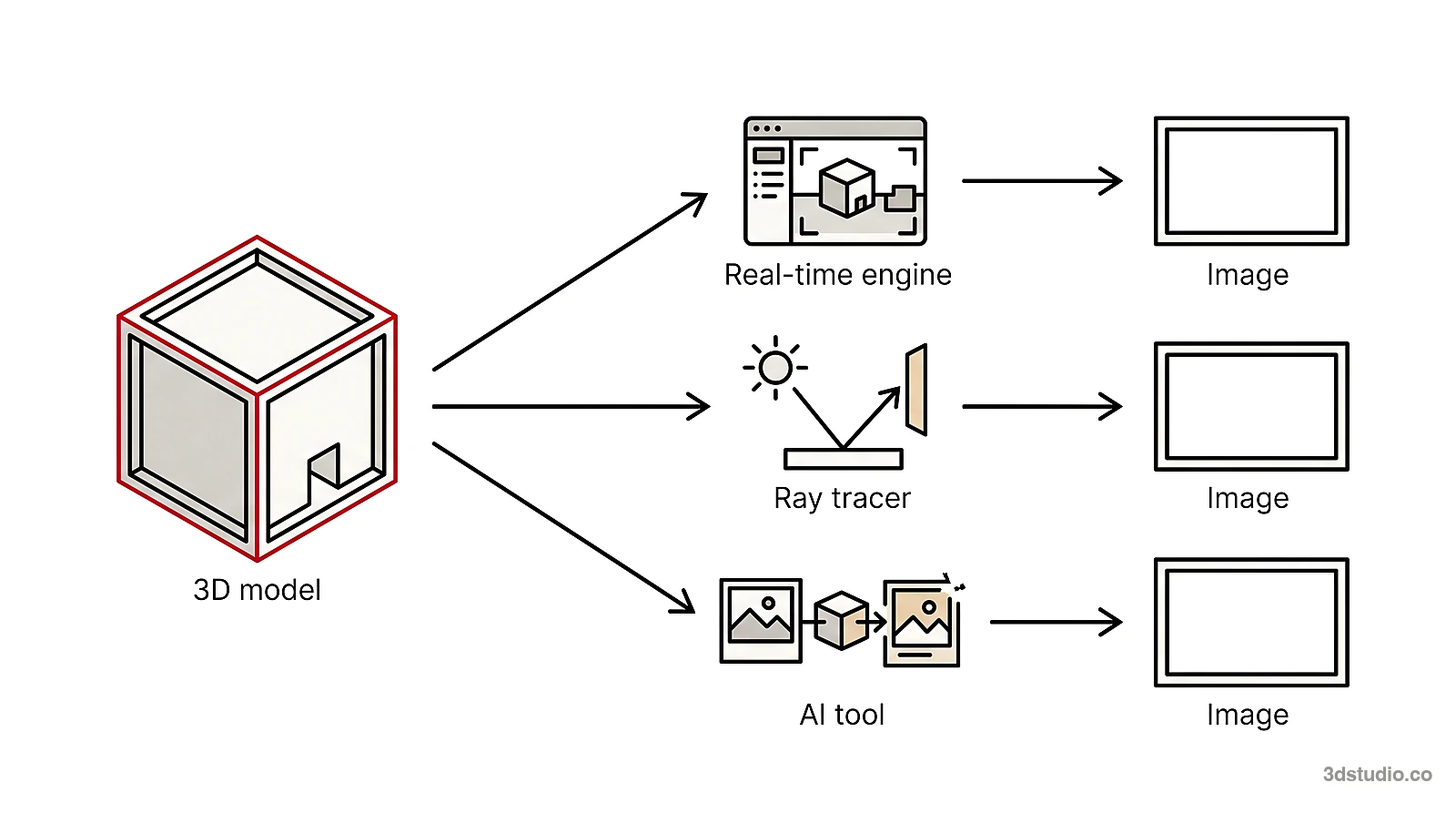
Learning time
Enscape updates the view as you change the model, so it is easy to start with. A good image still needs materials, lights, a sun setting, entourage and a camera, and learning them takes time.
Setup and render time
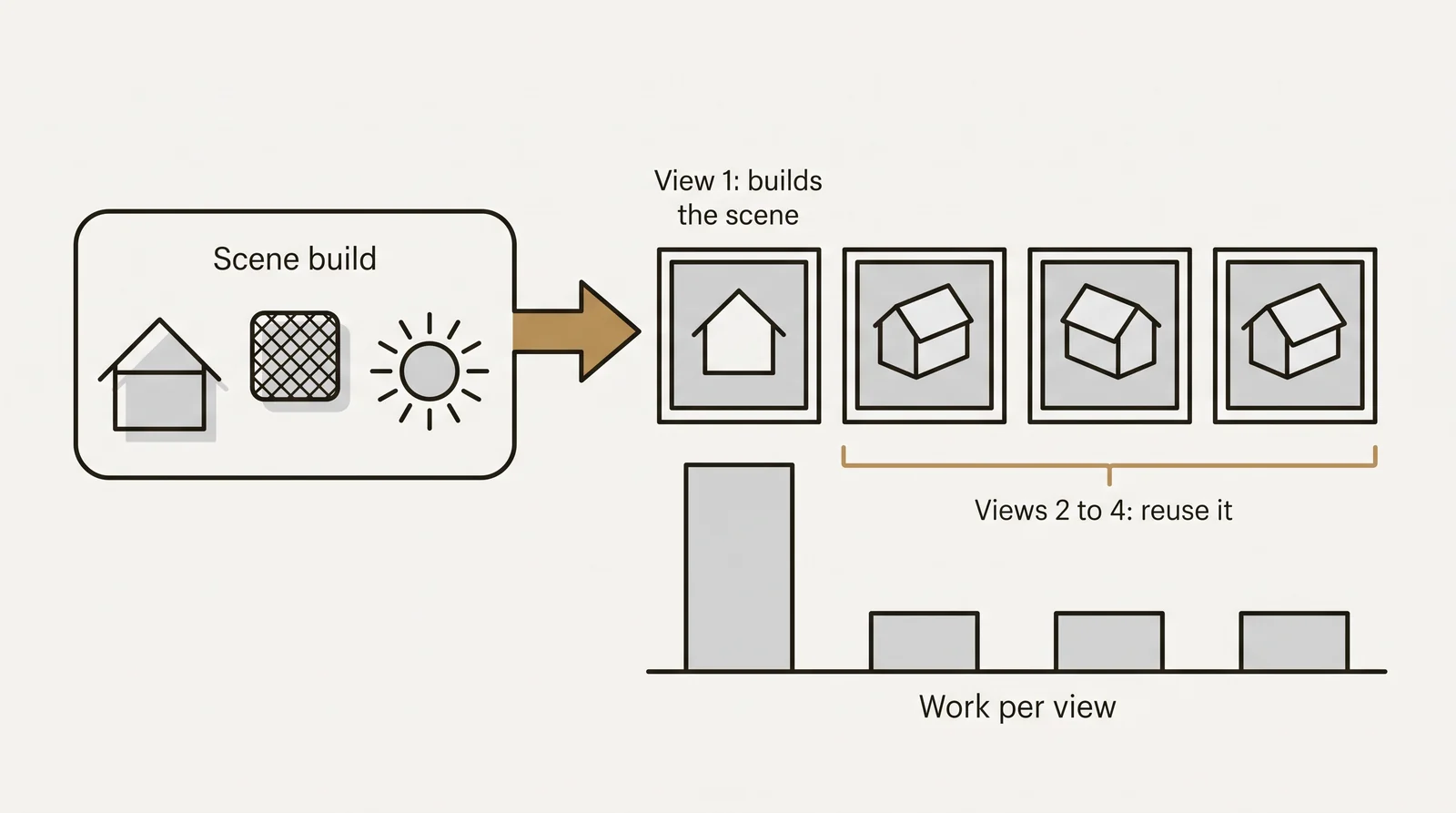
The slow part is the scene: assigning materials, placing entourage and choosing views. A model built only for drawings usually needs extra work first. For 1 or 2 images, setup can take longer than the render.
When Enscape is the right tool
Enscape fits best in these cases:
- Walkthroughs and virtual reality. You move through the model in real time, and a client can do the same.
- Design review while you model. The render updates as you change the model, so you can judge an idea as you draw it.
- Exact materials and lights. You set every material and light yourself, and the image comes from your own 3D model.
- Many views of one project. Every view comes from the same scene, so a material looks the same from every camera.
- Large production. A team that renders every week gets far more from a subscription than a team that renders twice a year.
For the full comparison, read our guide to AI rendering vs V-Ray and Enscape.
A cheaper route when you need a few images
For a handful of images, a yearly subscription plus a graphics card may be more than the job needs. 3Dstudio.co AI Render is built for that case. You take a screenshot or PNG of your 3D model from any program and upload it, and a photoreal render comes back, the first one in under 10 seconds. It aims to keep the shape of the building, the windows, the roofline, the floor count and the camera.
It runs in your browser: no graphics card, nothing to install. You start free, with no credit card. Free renders carry a small logo and are for personal use.
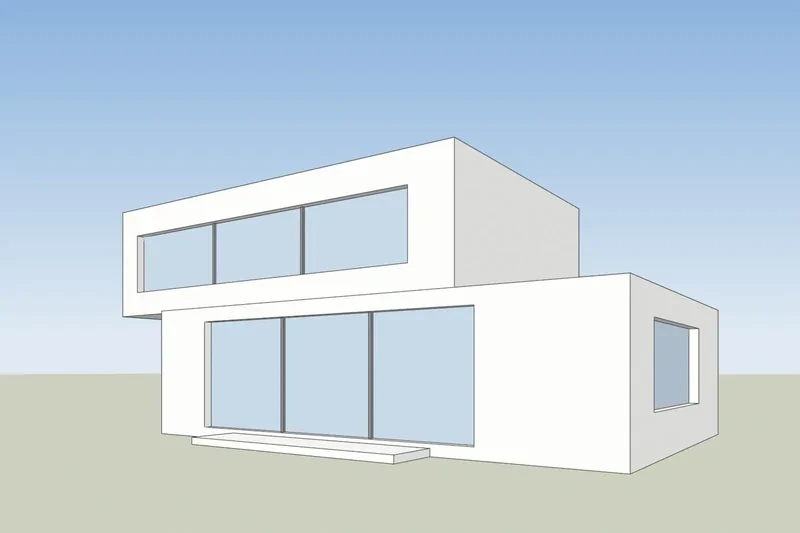
AI can still move a window or change a roofline. If the lines drift, the re-run is on us, and failed renders are refunded in credits automatically. Credits never expire, and prices include VAT or sales tax. A 14-day refund applies if no credits were used. Our plans and credit packs are on the 3Dstudio.co AI Render pricing page. We do not copy prices here, because they show in each visitor’s currency.
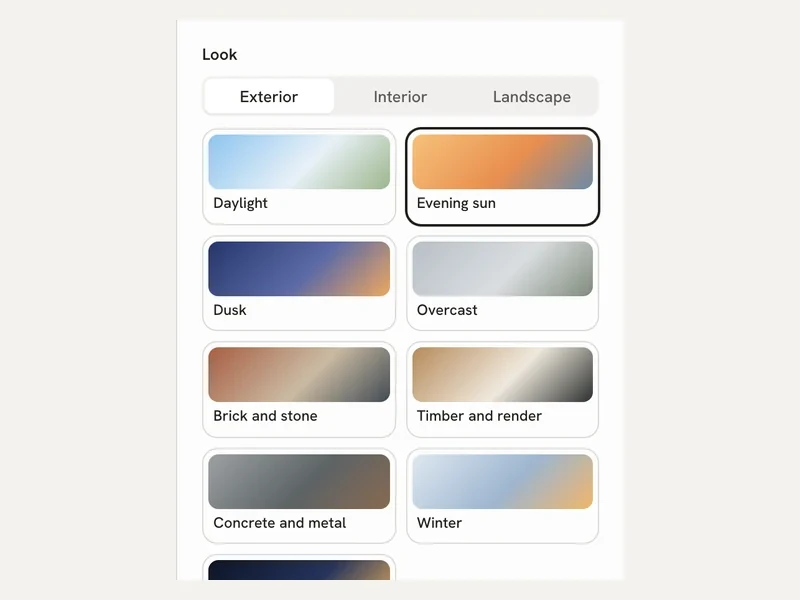
After a render you can fix one area, relight it, or make a 5-second video on paid plans. Clients can comment through a review link on Pro and up. The app has interior and floor plan modes. Pages for SketchUp, Revit, Rhino and Archicad show how to export the view.
Already own Enscape
If you already have an Enscape render, the Enhance mode takes it as the input. You upload a render from Enscape, Lumion, V-Ray or Twinmotion, and it improves the light and materials.
Enscape vs 3Dstudio.co AI Render on cost and effort
This table compares what you need to start, not image quality. Enscape facts come from the Chaos pages read on 18 November 2026.
| Enscape | 3Dstudio.co AI Render | |
|---|---|---|
| How you pay | Subscription, named license, shown before tax | Plans or credit packs; prices include VAT or sales tax |
| Free start | 14-day free trial | Free renders with a free account |
| Computer | Dedicated graphics card; 8 GB of video memory recommended | Any computer with a browser; no graphics card needed |
| What you start from | Your live 3D model in a design program | A screenshot or PNG of the model, or an existing render |
| Setup | Materials, lights and entourage in the scene | Pick a look, upload, render |
| Walkthroughs and VR | Yes | No; a 5-second video from one render on paid plans |
| Exact materials and lights | Yes, you set each one | Guided by the look you pick and your words |
| If something goes wrong | 14-day refund unless AI credits were used | Re-run on us when lines drift; failed renders refunded in credits |
How to choose
Count the images you need in the next 12 months. If the number is large and you want walkthroughs, VR or exact control of every material, Enscape is the right tool. If the number is small, or you need quick options, try the trial and a free render on one of your own views.
For a planning authority, a jury or buyers, details must match the drawings and a person should check them. We build the model from your drawings, see architectural visualization, and what that costs is in our 3D rendering cost guide. To weigh more tools, read the best AI rendering software list. We are an architectural visualization studio with 1,200+ projects since 2013, rated 4.9 on Clutch.
What we could and could not read
On 18 November 2026 we found these gaps:
- The pages showed annual-billing figures only. We could not read the monthly-billing price.
- Prices are shown to a visitor in Europe, in the currency Chaos picked for that region. Other regions may see other prices, and we did not check them.
- We do not quote student prices or terms.
- The pages did not say whether a card is needed to start the trial.
Questions about the Enscape price
How much does Enscape cost?
On 18 November 2026, Chaos listed Enscape Solo at €44.90 a month, Premium at €51.90 a month and Collection at €57.90 a month, all on annual billing and before tax. Check the Chaos page for the price in your region.
Is Enscape free?
There is a 14-day free trial. We found no free license for commercial work.
Can I pay for Enscape month by month?
Chaos shows a Monthly option, but we could read only annual-billing figures. Check the price at checkout.
What graphics card does Enscape need?
Chaos lists a minimum of a dedicated card with 4 GB of video memory that supports Vulkan 1.1, and recommends 8 GB. For virtual reality it lists 12 GB.
Is there a cheaper way to get a few renders?
A browser-based AI tool needs no graphics card and no subscription to start. 3Dstudio.co AI Render lets you start free, and you can compare it with an Enscape trial on the same view.
Enscape and V-Ray are trademarks of Chaos Software. 3Dstudio.co is not affiliated with Chaos.
Diagrams in this post are drawn with an AI image tool from our brief and checked by our team.
More on AI rendering
- 3Dstudio.co AI Render
- SketchUp AI rendering
- Free Rendering Software for Architecture: What You Can Do Without Paying
- AI for Architects in 2026: What It Does Well and Where It Fails
- How to Render in Revit: Built-in Rendering, Plugins and AI
- SketchUp Rendering Software: Plugins and Free Options Compared
- How to Render in SketchUp: Built-in Tools, Plugins and AI
- Twinmotion Price in 2026: Free Tier, Seats and Real Costs
- D5 Render Price in 2026: Community, Pro, Teams and Real Costs
- Lumion Price in 2026: Every Plan, Real Costs and a Cheaper Route
- V-Ray Price in 2026: Plans, Licenses, Host Programs and a Cheaper Route
- Nano Banana Architecture: How to Keep Your Design in AI Renders
- SketchUp Diffusion: What It Is Now, What It Costs and How to Keep Your Model
- AI Rendering for Architects: How to Keep Your Design