Free AI Rendering for Architecture: What Each Tool Gives Free
What free AI rendering really gives you: free renders, credits, free plans and trials for 11 tools, which ones add a watermark, and whether you may use the result for client work.
In this article
- Free AI rendering comes in 4 kinds: a few free renders, free credits, a free plan with limits, and a time-limited trial
- On 3 November 2026 the free starts ranged from 3 renders to 100 credits, and some carry a watermark or a personal-use limit
- Free renders are often for testing or personal use, so read the license before you send one to a client
- Use the free start to test one real view of your own project in 2 tools, then pay for the one that keeps your design
Free AI rendering means different things in different tools. It can be a few free renders, a pack of free credits, a free plan with limits, or a time-limited trial of a full product. The limits that matter are how many renders you get, whether they carry a watermark and whether you may use them for client work.
This guide lists what 11 tools gave away free on 3 November 2026. We make one of them, AI Render Studio, and we include it on the same terms as the others. Every fact comes from the tool’s own pages, listed in the sources at the end. Free offers change often, so check the page before you rely on a row.
Free AI rendering tools compared
“Not found” means we did not find the answer on the pages we read. It does not mean the answer is no.
| Tool | What is free | Watermark on free renders | Client work on the free start |
|---|---|---|---|
| AI Render Studio | 1 render a day with no account (fewer in some countries), then 5 renders and 5 fixes after sign-up | A small logo | No, personal use; any purchase allows client work |
| MyArchitectAI | 10 free renders at sign-up | Not found | The commercial license comes with the paid plans |
| Rendair | Free plan: 20 credits at sign-up, unlimited text to image, 3 projects, 1 board | None on any plan | No, for trying and personal use |
| mnml.ai | 100 credits at sign-up, no card, no expiry | Not found | Unclear on the pages we read |
| Gendo | Free plan: free generations, 1 canvas, 1k exports | A Gendo watermark | The commercial license is listed on Studio |
| ArchiVinci | 3 free renders | None | No, a plan is needed |
| Veras | 14-day free trial | Not found | Not found |
| D5 Render | Free Community version of a real-time renderer, with 50 trial credits for AI features | Not found | Not found |
| Enscape and V-Ray | 14-day and 30-day free trials of the full products | Not found | Not found |
| Krea | Free plan with 100 units a day, no card | Not found | Not found |
Free renders from a screenshot of your model
These 3 tools turn a screenshot or export of your model into a render, and each gives a small number of free renders.
Have a 3D model? Our AI Render Studio turns a screenshot of it into a photoreal image in about 20 seconds. Your first render needs no account.
Render your model free- AI Render Studio. Without an account you can make 1 render every 24 hours, and fewer in some countries. After sign-up you get 5 renders and 5 fixes. A fix changes one area of a render, so you can test the edit tools too. Free renders carry a small logo and are for personal use. Any plan or credit pack allows client work and removes the logo.
- MyArchitectAI. New accounts get 10 free renders. That is more than we give. The pages we read do not say whether free renders carry a watermark.
- ArchiVinci. New users get 3 free renders without a watermark. They are for testing, and commercial use needs a plan.

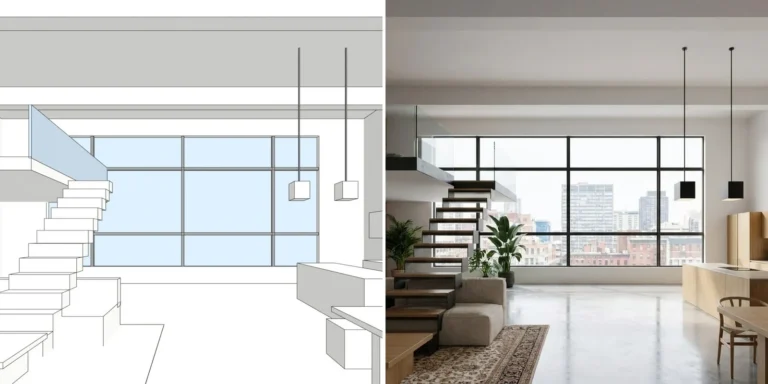
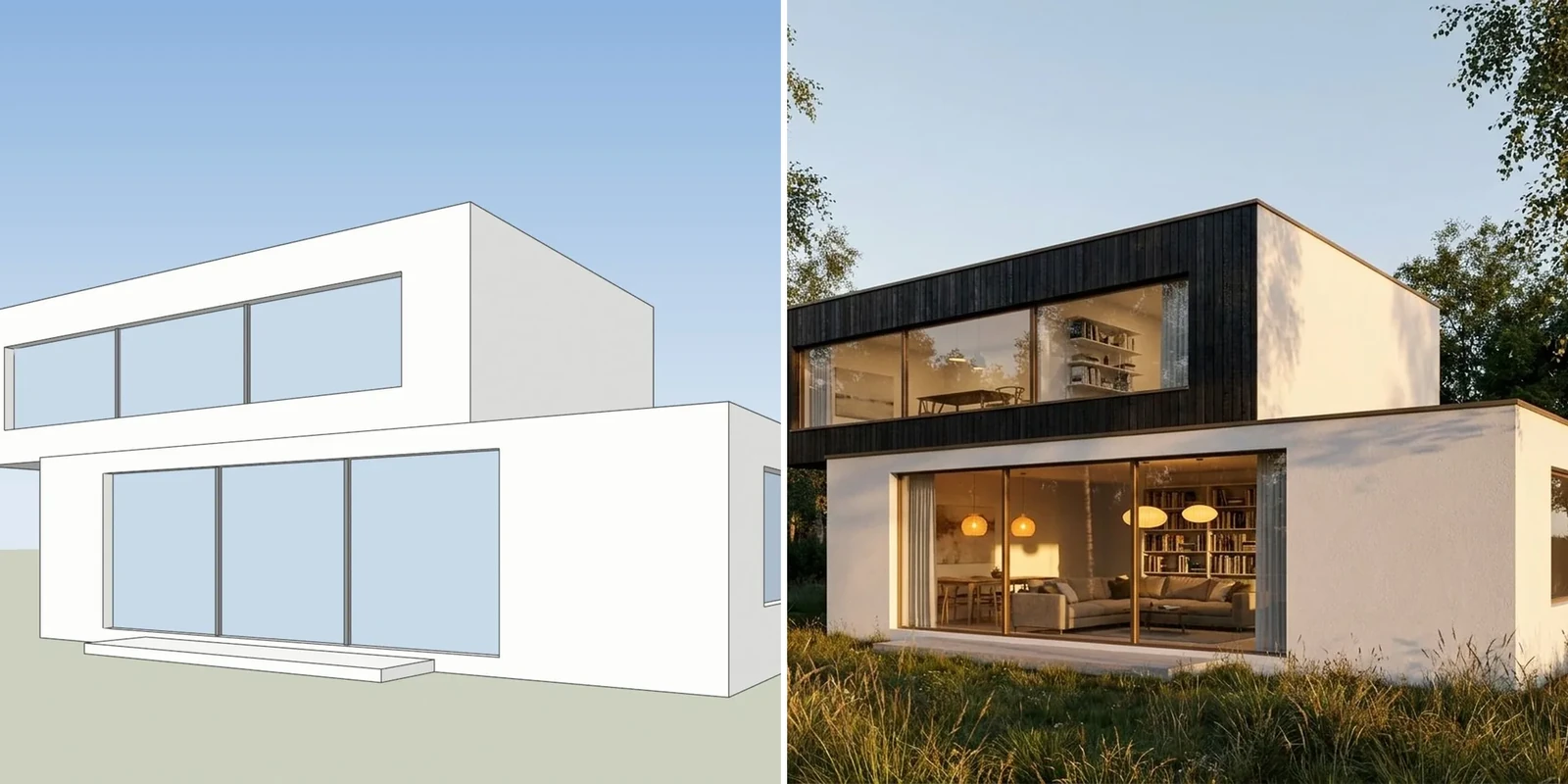
A screenshot of one of our own test models, left, and the AI Render Studio image of the same view, right. The right-hand wall also shows a downpipe and a door that the model does not have, so check every result against your drawings.
Free credits and free plans
These tools give you a balance of credits or a plan with limits instead of a fixed number of renders.
- Rendair. The Free plan has 20 credits at sign-up, unlimited text to image, 3 projects and 1 board. Rendair does not add a watermark to renders on any plan, but the Free plan is for trying and personal use, and Rendair may feature Free-plan renders on social media. Text to image starts from a prompt, not from your model, so it keeps the least of your design.
- mnml.ai. Every new account gets 100 credits that do not expire, with no card. By the page’s own conversion, that is about 10 Fast renders. The plugins for SketchUp, Revit and Rhino are free to install. The commercial terms for free credits are unclear on the pages we read, so read them before client use.
- Gendo. The Free plan lists free generations, 1 canvas, 1k exports and a Gendo watermark. The Studio plan removes the watermark and adds a commercial license. Students and educators can use a free educational plan without watermarks, but not for commercial use.
- Krea. The Free plan gives 100 units a day with no card. Krea is a general image and video tool, so test it with your own model view before you count on it for architecture.
Free trials and free software
These are full products. Their free offers last for a set time, or they limit the AI part.
- Veras. Chaos offers a 14-day free trial of Veras. Veras runs inside Revit, SketchUp, Rhino, Archicad and other programs. Chaos says that using AI credits voids the money back guarantee on a paid license, so the trial is the time to test it.
- Enscape and V-Ray. Chaos offers a 14-day free trial of Enscape and a 30-day free trial of V-Ray. They are renderers with AI features added, not AI rendering tools, and they take more time to learn. We compare them with AI rendering in AI rendering vs V-Ray and Enscape.
- D5 Render. The Community version is free and has unlimited projects and image, panorama and video rendering. The AI features come with 50 trial credits, and unlimited AI features are on the Pro plan.
What a free render can and cannot be used for
A free render is a test. Most free starts in this list are for testing or personal use. Some add a watermark, some say commercial use needs a paid plan, and some do not say. Before you send a free render to a client, check 3 things:
- The license: does the free start allow client or commercial use?
- The watermark: is there one, and can you remove it?
- Where the image goes: free renders may be shown publicly on some tools.
When the work is for a client, a one-off credit pack is a cheap way to get a licensed render without a subscription. Our credit packs start at €5 for 8 HD renders in Estonia, Germany and Italy, and mnml.ai sells a one-time pack of 10,000 credits for $149. Our pricing page shows the packs and plans in your currency.
How to test a free start in 10 minutes
- Pick one view of a real project with countable features: windows, floors, the roof line and the entrance.
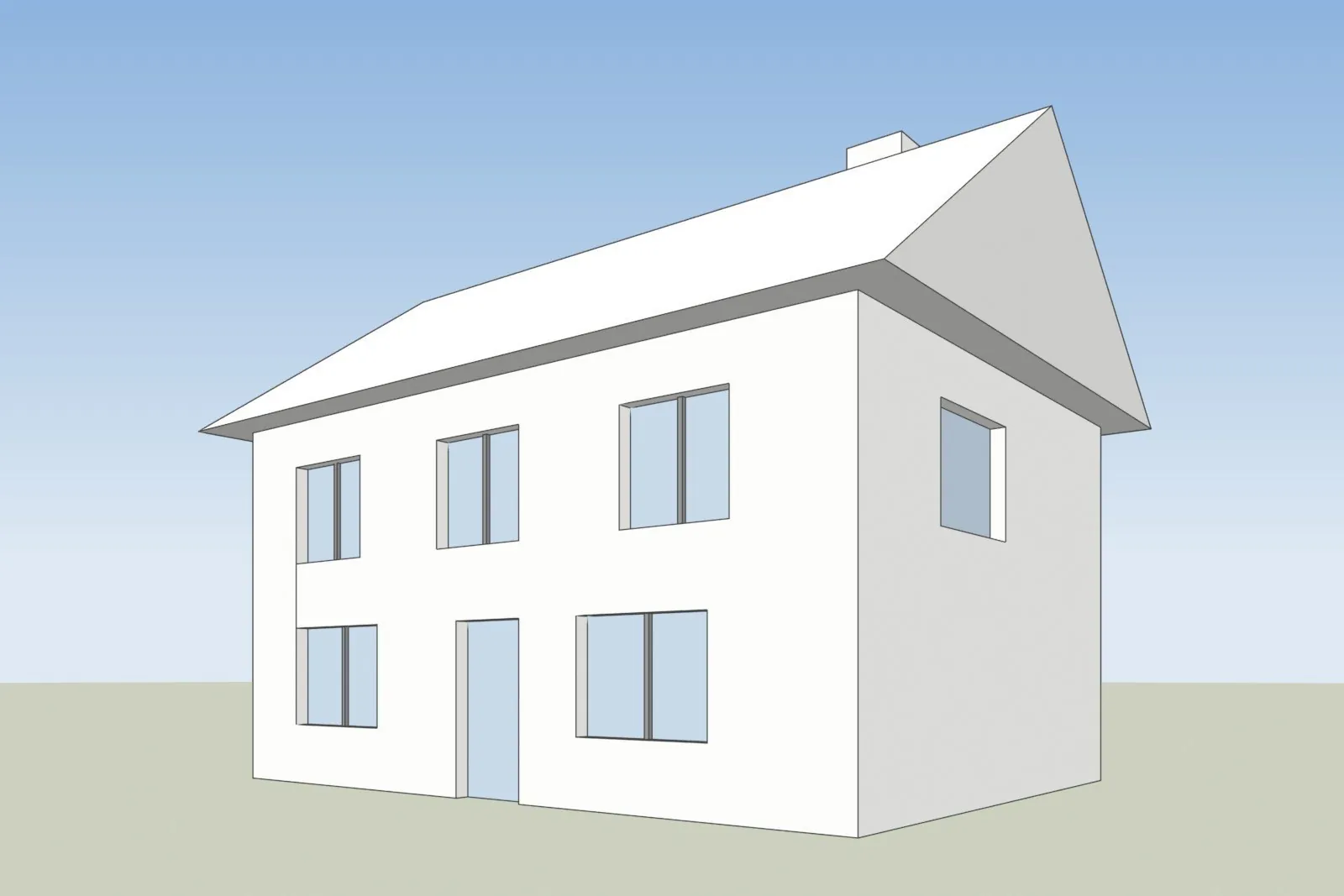
- Export the view as a screenshot. In SketchUp, our SketchUp AI rendering page shows the export steps.
- Use the same screenshot in 2 or 3 tools, with the default settings.
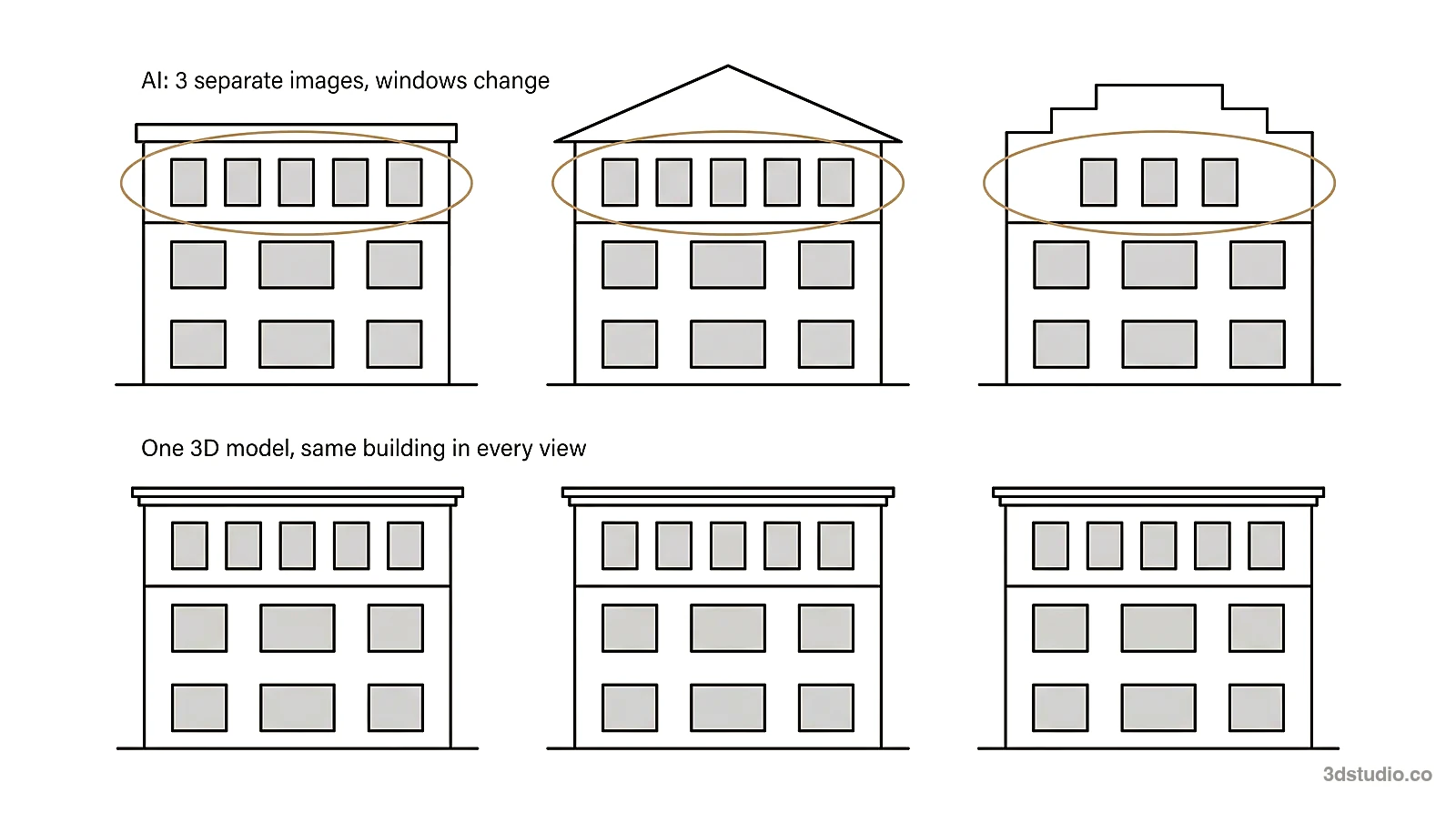
- Count the windows and floors in each result, and compare the roof line with your model.
- Change one detail, such as the facade color, and check that the rest of the image stayed the same.
- Read the license and look for a watermark.
You can run step 3 in AI Render Studio now. The first render needs no account. For a ranked comparison of the paid options, read the best AI rendering software list.
When a free render is not enough
A free AI render is good for options and early concepts. When an image goes to a planning authority, a competition jury or buyers, the details must match your drawings, and a person should check them. For those images, we build the 3D model from your drawings and check it against them. See architectural visualization for how that works, and the difference between CGI and AI for the full comparison of the 2 methods.
Questions about free AI rendering
Is there a free AI rendering tool with no limits?
We did not find one for rendering from a model view. Every tool in this list limits the number of renders, the time, the features or the license. Rendair gives unlimited text to image on its free plan, but that starts from a prompt and not from your model.
Can I use free AI renders for client work?
Usually not. Our free renders are for personal use, Rendair’s Free plan is for personal use, and ArchiVinci’s free renders are for testing. A paid plan or a credit pack allows client work on our tool. Read the license of any tool before you send a free render to a client.
Which free AI rendering tool gives the most renders?
By count, mnml.ai gave 100 free credits, which is about 10 Fast renders, and MyArchitectAI gave 10 free renders. Rendair gave 20 credits, and the number of renders depends on the model you pick. ArchiVinci gave 3 renders, and we give 5 renders and 5 fixes after sign-up.
Is free AI rendering good enough for architecture?
It is good enough to test a tool and to explore options. AI can still change a window or a roof line, so compare every result with your model. For images that must match your drawings, use a studio.
Sources
All facts were read on 3 November 2026.
- AI Render Studio: docs and live prices
- MyArchitectAI: pricing
- Rendair: pricing and help center
- mnml.ai: pricing
- Gendo: pricing
- ArchiVinci: home page
- Chaos: Veras, Enscape and V-Ray
- D5 Render: pricing
- Krea: pricing
Diagrams in this post are drawn with an AI image tool from our brief and checked by our team.
More on AI rendering: AI Render Studio · SketchUp AI rendering · AI Rendering vs V-Ray and Enscape: When Each Is the Right Tool · mnml AI Review 2026: Plans, Plugins and How It Compares · Rendair Review 2026: Pricing, Features and How It Compares · Best AI Rendering Software in 2026: 7 Tools Compared for Architects · MyArchitectAI Alternative: An Honest Comparison for Architects · Veras Pricing in 2026: Plans, Credits and a Screenshot Alternative · Difference Between CGI and AI for Architecture Images