SketchUp Rendering Software: Plugins and Free Options Compared
The main SketchUp rendering software compared: plugins inside SketchUp, real-time programs, free options and a screenshot tool, with a studio as the last choice.
In this article
- SketchUp rendering software works in 4 ways: a plugin inside SketchUp, a live link to a render program, an exported file, or a screenshot.
- Most options have a free trial or free tier, but the license can limit it to learning, personal use or smaller companies.
- A screenshot tool needs no plugin, but its image is not checked against your drawings.
- For images that must match the drawings, a studio builds the scene from the model.
SketchUp rendering software works in 4 ways: as a plugin inside SketchUp (V-Ray, Enscape, D5 Lite), as a separate program with a live link (D5 Render, Twinmotion, Lumion), through an exported file (Blender), or from a screenshot (AI tools). Most groups have a free option, but the license often limits it to learning, personal projects or smaller companies. Check it before client work.
This guide compares the main choices, how each connects to SketchUp, and what each vendor states about free use. 3Dstudio.co offers architectural visualization from SketchUp files, so a studio is listed as one option. For the steps, see our guide on how to render in SketchUp.
Types of SketchUp rendering software
The groups differ in where rendering happens and how the model gets there.
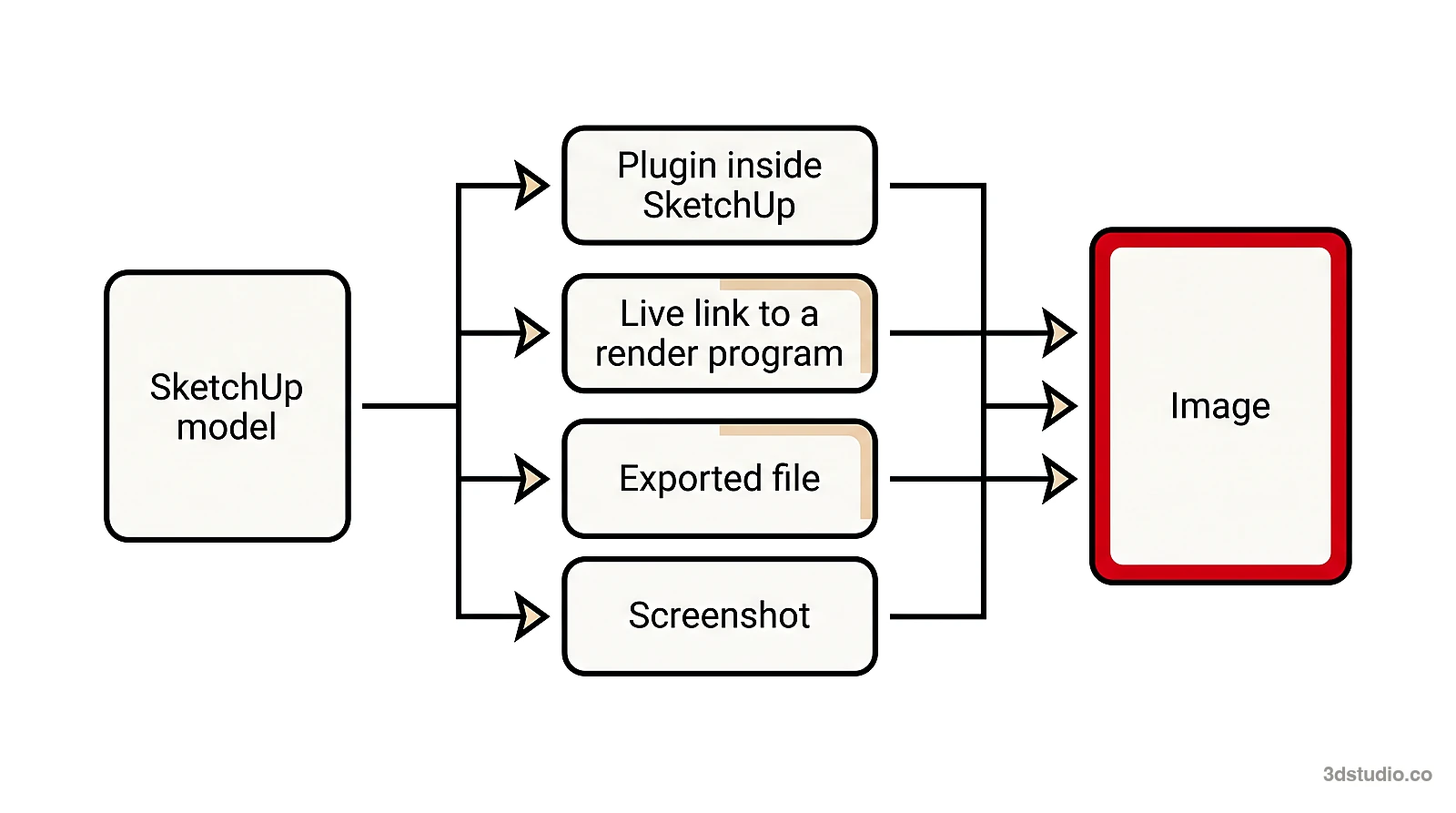
- A plugin inside SketchUp. You stay in SketchUp and render from a toolbar. V-Ray, Enscape and D5 Lite work this way.
- A live link to a render program. A small plugin sends the model to a separate program and keeps it in sync. D5 Render, Twinmotion and Lumion work this way.
- An exported file. You export the model from SketchUp and open it in another program, such as Blender. Materials and light are usually set up again there.
- A screenshot. You save a picture of the model and a web tool makes an image from it. No plugin or export is needed.
A fifth choice, a studio, is covered at the end.
SketchUp rendering software compared
The table shows what each vendor states on its own site, checked November 2026. We leave out prices, which change.
Have a 3D model? 3Dstudio.co turns a screenshot of it into a photoreal image. The first render is ready in under 10 seconds. Free to start, no credit card.
Render your model free| Option | How it connects to SketchUp | Free use, as the vendor states it | Good for |
|---|---|---|---|
| SketchUp styles, shadows, environments | Built in | Part of SketchUp | Design review, quick views |
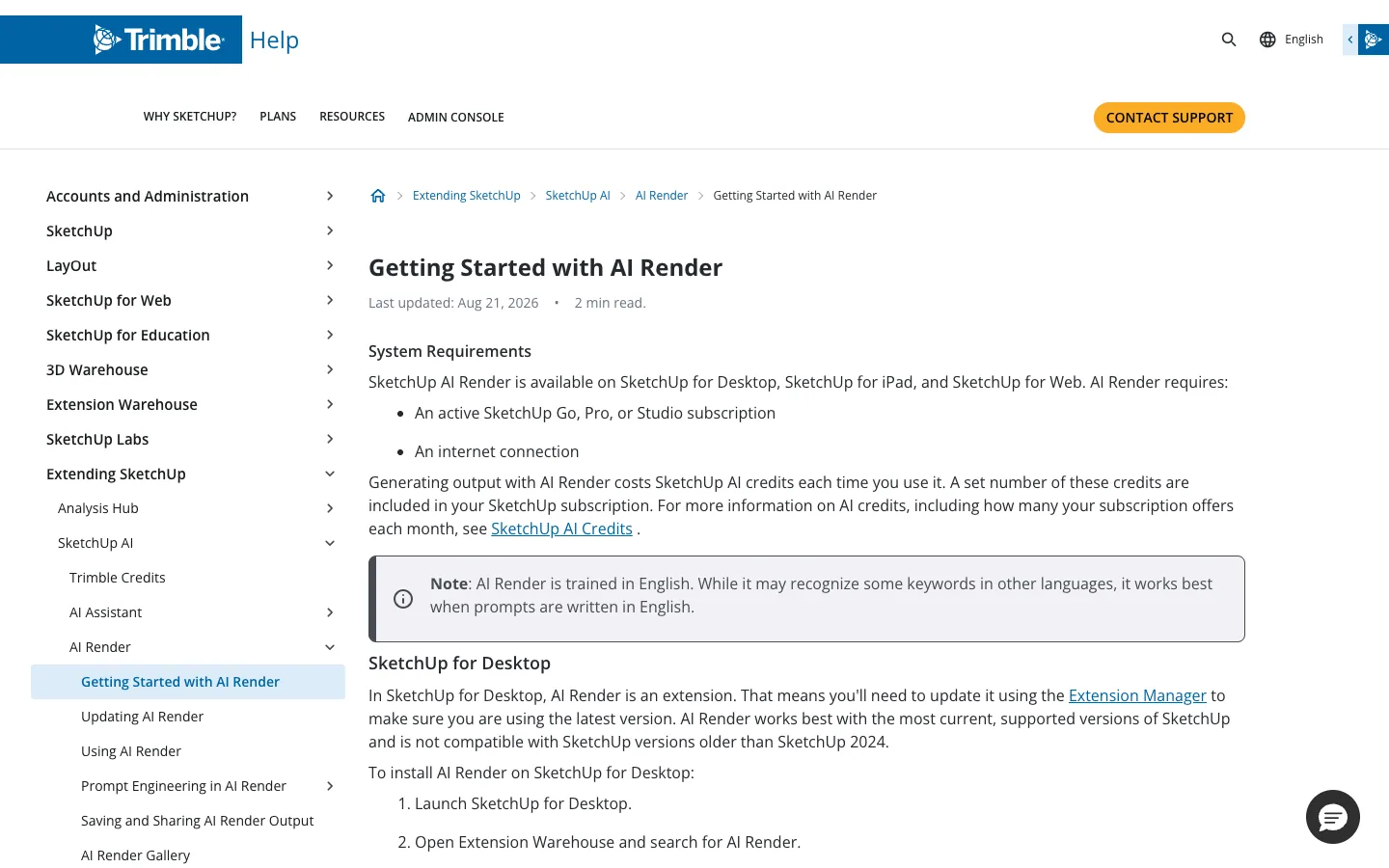
| SketchUp AI Render | Extension for SketchUp for Desktop, also in SketchUp for Web and iPad | No free tier stated. Needs a Go, Pro or Studio subscription and uses AI credits | Concept images inside SketchUp |
| V-Ray | Plugin inside SketchUp | Free trial. Included in a SketchUp Studio subscription | Photoreal stills with control over materials and light |
| Enscape | Plugin inside SketchUp | Free trial, then a subscription | Design review while you model |
| D5 Render, D5 Lite | D5 Lite is a plugin inside SketchUp. D5 LiveSync links SketchUp to D5 Render | A free D5 Community license for non-commercial use | Real-time views, concept images, animation |
| Twinmotion | Direct Link with a plugin | Free for students, schools, and individuals and companies under $1 million in revenue. 30-day trial for others | Images, panoramas, videos, interactive views |
| Lumion | LiveSync plugin | Free trial of Lumion Pro | Real-time views and animation |
| Blender | Exported file | Free and open source | Full control, if you accept the learning time |
| Our free AI rendering tool | Screenshot, no plugin | Free to try | Exploring options quickly |
| A studio | You send the SketchUp file | Not free. Fixed quote | Final images that must match the drawings |
SketchUp rendering plugins that run inside SketchUp
A plugin adds a render engine to the SketchUp window, so there is no export step.


- V-Ray. Chaos describes it as a rendering plugin for SketchUp, from concept images to photorealistic renders. SketchUp states that a SketchUp Studio subscription includes V-Ray. Chaos offers a 30-day free trial and sells V-Ray as a subscription with monthly and annual billing. See SketchUp’s page on V-Ray for SketchUp.
- Enscape. A real-time plugin, also from Chaos. Chaos states that you render inside SketchUp without exporting or importing files, and that Enscape for Mac supports SketchUp. You see the render change as you model. It has a 14-day free trial, and licenses are subscriptions.
- D5 Lite. D5 describes it as an AI-native visualization plugin that runs inside SketchUp. It has an AI Mode to explore design options and a Render Mode with real-time path tracing, and it saves materials and lighting in the .skp file. D5 states that Lite AI Mode will move to D5 Arco on December 31, 2026. D5 Lite is a different tool from D5 Render, covered below.
Plugins suit people who render often and want one workflow. Most need a good graphics card, so read the vendor’s system requirements first. See also our guide to photorealistic rendering.
Real-time programs linked to SketchUp
These programs run separately from SketchUp. A plugin sends the model across, and later changes sync again without starting over.

- D5 Render. A real-time renderer. D5 states that its LiveSync plugin streams the SketchUp model, materials and viewpoints into D5 Render in real time. D5 lists Windows in its system requirements. The free Community license is for non-commercial use such as learning, personal projects and evaluation. Revenue-generating work needs a D5 Pro license.
- Twinmotion. A real-time visualization tool from Epic Games, powered by Unreal Engine. It makes images, panoramas, videos and real-time presentations. Epic lists SketchUp Pro among the programs that sync to Twinmotion through Direct Link, using a plugin. It runs on Windows and macOS. Epic states that Twinmotion is free for students, educational institutions, and individuals and companies under $1 million in revenue in the past 12 months. Others pay for a seat and can start with a 30-day trial.
- Lumion. A real-time renderer for architecture. Lumion lists SketchUp among its compatible programs and offers a free LiveSync plugin. It also offers a 14-day free trial of Lumion Pro. Lumion needs a Windows PC.
The trade-off is a second program to learn and a scene kept in two places.
Free rendering software for SketchUp
Each free option has a condition.
- SketchUp’s own styles and shadows. They are part of SketchUp. They show the viewport, not a ray-traced render, and you export the view with File > Export > 2D Graphic.
- Twinmotion. Free for students, educational institutions, and individuals and companies under $1 million in revenue in the past 12 months.
- D5 Community. Free for non-commercial use only.
- Blender. Free and open source under the GPL license, which allows use for any purpose, including commercial work. Its Cycles engine is a ray-trace based production renderer, and its EEVEE engine renders in real time. Export from SketchUp with File > Export > 3D Model, and check that your plan includes OBJ or FBX export. Expect to set up materials and light again in Blender.
- Free trials. V-Ray, Enscape and Lumion Pro have free trials, so you can test them on your own model.
- A free AI tool. It works from a screenshot and needs no plugin. See the next section.
For client work, read each license.
No plugin: render a screenshot
An AI render tool takes a picture of your model and returns a new image with materials, light and surroundings. It does not calculate light from the scene. We compare 7 of these tools in the best AI rendering software list.
SketchUp has its own version, AI Render. The SketchUp help center says it is an extension in SketchUp for Desktop, is part of the Expanded Toolset in SketchUp for Web and iPad, and needs an active Go, Pro or Studio subscription and an internet connection. Each use costs AI credits. See SketchUp’s page on AI Render.
Our free SketchUp AI rendering tool is another entry in this group. It works from a screenshot of your 3D model, from SketchUp, Revit, Archicad or Rhino, with nothing to install and no credit card. Frame the view in SketchUp, set the face style to Shaded or Hidden Line, and save a PNG with File > Export > 2D Graphic. A normal screenshot also works.
AI tools are good for exploring options and early concepts. Depending on the tool, details such as window frames, balconies or the roofline can change or come out simpler, and nothing in the output is checked against your drawings. See our article on AI architectural rendering.
How to choose SketchUp rendering software
There is no single best rendering software for SketchUp. Match the tool to the job:
- You only need to show a design idea. Stay with SketchUp’s styles and shadows.
- You want a few concept images fast. Try SketchUp AI Render, a plugin such as D5 Lite, or a screenshot tool. Treat the results as concepts.
- You render every week and want to do it yourself. Pick one plugin or real-time program, test it on your own model in its free trial, and learn it well.
- You need design review while you model. Use a real-time plugin such as Enscape, or a program with a live link.
- You have no budget and time to learn. Blender is free, but it takes the longest to learn. Twinmotion’s free tier may fit, if your company is below the limit.
- The image must match the drawings. Use a studio, covered next.
A clean model gives a better result in any tool. Purge unused items, orient the faces, apply real materials and save the camera as a scene. The SketchUp rendering guide shows each step, and the clay render article explains why a grey model suits AI tools.
When to send the SketchUp model to a studio
Software gives you an image. A studio gives you an image that a person has checked against your drawings. That matters for marketing images, a planning submission, a competition entry, or a client or a jury that compares the picture with the building.
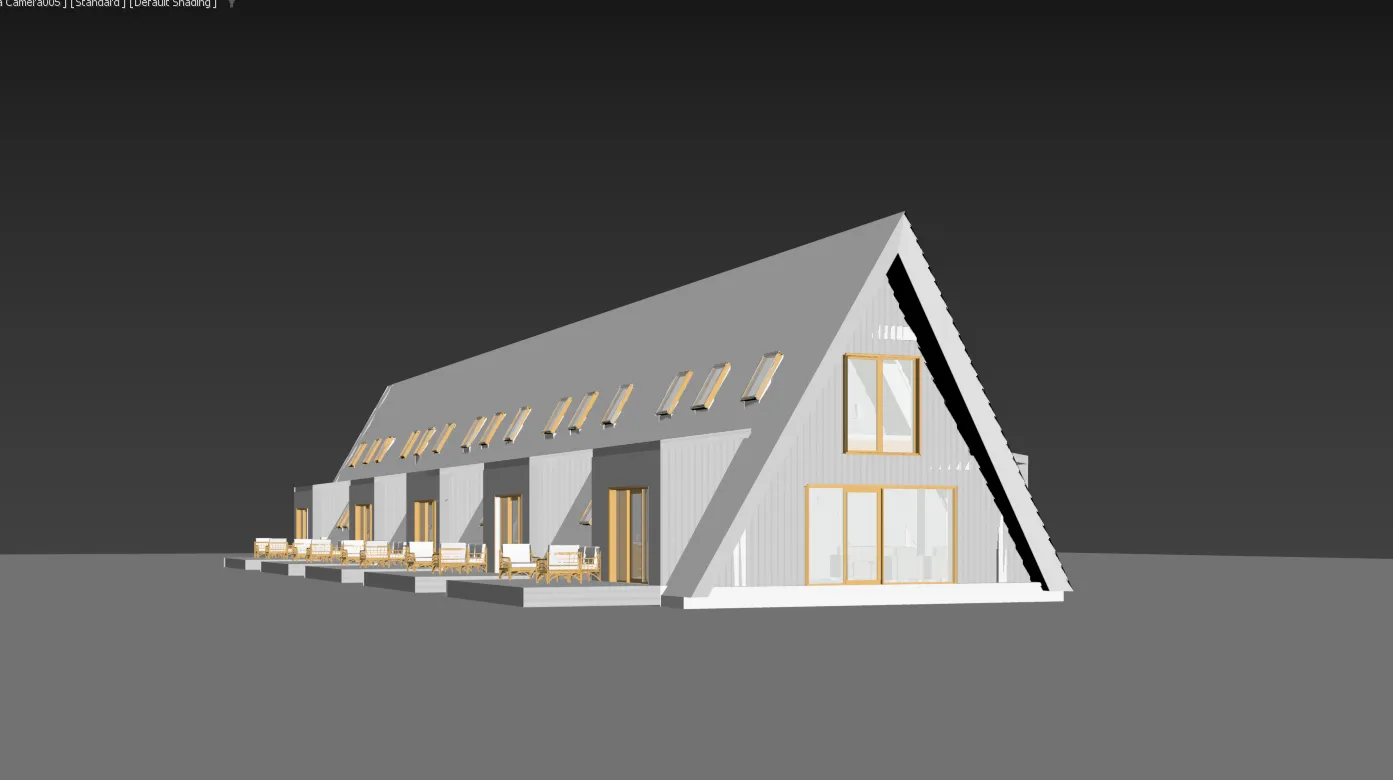

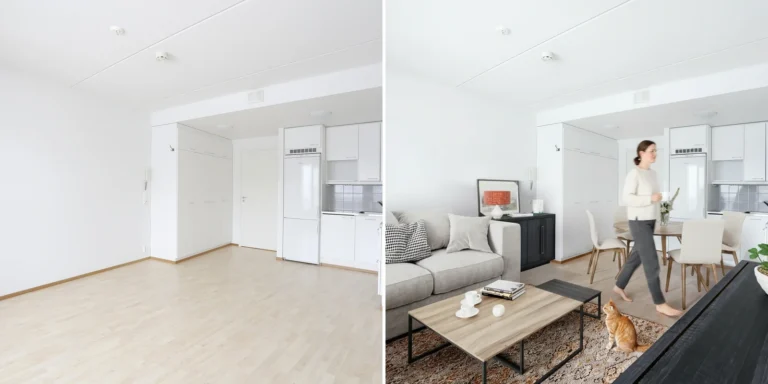
A studio builds a grey 3D model from the drawings, left, and delivers finished renders of the same building, right. The camera angles are slightly different.
3Dstudio.co accepts SketchUp files, and also CAD, PDF plans, Revit, ArchiCAD and IFC. You upload the files, and you get a reply within 30 minutes: a fixed price and a delivery date, or the 1-2 questions we need answered first. A grey clay model comes first, so camera, lens and time of day are agreed while changes are cheap. A photoreal first look follows, with 2 revision rounds included. Final images are delivered in 4K with full usage rights. Projects start at €1,000. See how the price is set and what drives the cost of 3D rendering.
No model yet? Our 3D modeling service builds it from drawings. See the portfolio and how it works.
Questions about SketchUp rendering software
What is the best free rendering software for SketchUp?
It depends on the job. Blender allows commercial use but takes the longest to learn. Twinmotion is free for companies under $1 million in revenue. D5 Community is free for non-commercial use. A free AI tool makes a concept image from a screenshot. Test one on your own model first. See free AI rendering tools.
Can I use free rendering software for paid client work?
Only if the license allows it. D5 states that its Community license is for non-commercial purposes. Twinmotion’s free use depends on company revenue. Blender’s license permits commercial use. Read the license of the exact tool before you deliver images.
Is there a way to render a SketchUp model online?
Yes, in two ways. SketchUp for Web includes AI Render in its Expanded Toolset, with a subscription. Or you can upload a screenshot of your model to a web tool, such as our free AI rendering tool, and get an image back without installing anything.
Do I need a powerful computer for SketchUp rendering software?
Plugins and real-time programs run on your own computer and usually need a good graphics card. Check each vendor’s system requirements, because some tools run only on Windows. A browser tool needs only a picture of your model.
Which SketchUp versions do render plugins support?
Each plugin supports a range of SketchUp versions that changes with every release. The vendor’s page lists them. AI Render lists its own minimum version in its help page.
Diagrams in this post are drawn with an AI image tool from our brief and checked by our team.
More on AI rendering
- 3Dstudio.co AI Render
- SketchUp AI rendering
- How to Render in SketchUp: Built-in Tools, Plugins and AI
- Twinmotion Price in 2026: Free Tier, Seats and Real Costs
- D5 Render Price in 2026: Community, Pro, Teams and Real Costs
- Lumion Price in 2026: Every Plan, Real Costs and a Cheaper Route
- V-Ray Price in 2026: Plans, Licenses, Host Programs and a Cheaper Route
- Enscape Price in 2026: Every Plan, What It Includes and a Cheaper Route
- Nano Banana Architecture: How to Keep Your Design in AI Renders
- SketchUp Diffusion: What It Is Now, What It Costs and How to Keep Your Model
- AI Rendering for Architects: How to Keep Your Design
- ArchiVinci Alternative: An Honest Comparison for Architects
- Gendo AI Alternative: An Honest Comparison for Architects
- mnml.ai Alternative: An Honest Comparison for Architects