MyArchitectAI Alternative: An Honest Comparison for Architects
An honest MyArchitectAI alternative comparison: its plans and free renders, where it is ahead, and where 3Dstudio.co AI Render is ahead for architects who show renders to clients.
In this article
- MyArchitectAI is a fast browser tool with flat monthly plans and no render count for still images, before local taxes
- It is ahead on speed, free renders at sign-up, refund terms and public reviews
- 3Dstudio.co AI Render is ahead on checking that your building was kept, client review links, one-click relight, tax-inclusive local prices and languages
- Test both with the same view of your own project before you pay for either
MyArchitectAI is a browser tool that turns an image of your design into a photoreal render. It is popular with architects and interior designers, and it is a good product. People look for a MyArchitectAI alternative for a few clear reasons: they want to check that the building was kept, send renders to a client for approval, pay in their own currency with tax included, or work in their own language.
We make one of those alternatives, 3Dstudio.co AI Render, so read this as a comparison written by a competitor. We state where MyArchitectAI is stronger as plainly as where we are. Every MyArchitectAI fact below comes from its pricing page and home page, read on 3 November 2026. Check those pages before you decide, because plans change.
What MyArchitectAI offers in 2026
MyArchitectAI runs in the browser. You upload a JPG, PNG or WEBP image of a CAD export, a line drawing or a hand sketch, and it returns a render. It also has an editor for changing one area, an enhancer for old renders, sketch to render with a style reference, and animations made from a still render. Floor plans are not supported as an input.
The pricing page listed 3 plans on 3 November 2026. Prices are per user and do not include local taxes. Annual billing gives 2 months free.
| Plan | Monthly | Yearly | What the page lists |
|---|---|---|---|
| Starter | $29 a month | $290 a year | Still images, 1 seat, 4K downloads |
| Studio | $49 a month | $490 a year | Adds 50 animations a month, 8K downloads, one-on-one video training |
| Team | $99 a month | $990 a year | 5 seats, 200 animations a month, 8K downloads |
All 3 plans have no monthly render count for still images and edits, according to the same page. Its FAQ adds that new experimental tools sometimes come with usage limits. Every plan includes a commercial usage license, live chat and email support.
Where MyArchitectAI is stronger
A fair comparison starts with what the other tool does better. On the facts we could check, MyArchitectAI is ahead in these areas:
Have a 3D model? 3Dstudio.co turns a screenshot of it into a photoreal image. The first render is ready in under 10 seconds. Free to start, no credit card.
Render your model free- Speed. MyArchitectAI states an average rendering time of 9.3 seconds. Our first render takes under 10 seconds. If you make many quick variations in one sitting, that difference adds up.
- Heavy use at a flat price. With no monthly render count for stills, a person who renders all day pays the same as a person who renders twice a week. Our plans are based on credits, so the heaviest users pay more with us.
- More free renders at the start. MyArchitectAI gives 10 free renders when you sign up. We give free renders with a free account, no credit card.
- A softer refund rule. MyArchitectAI refunds you if you made fewer than 20 renders. Our refund applies only if no credits were used.
- Proof from users. MyArchitectAI shows many public user reviews. As a product, 3Dstudio.co AI Render does not have public reviews yet. Our studio is rated 4.9 on Clutch, but that rating is for studio work, not for the app.
- Animations and 8K downloads on the middle plan. Studio includes 50 animations a month and 8K downloads.
Neither tool has a published plugin today. MyArchitectAI lists a Revit add-on and a SketchUp plugin as coming soon, and so far we work from screenshots too.
Why choose a MyArchitectAI alternative
3Dstudio.co AI Render is built for architects who show renders to clients. You upload a screenshot of a view from SketchUp, Revit, Archicad, Rhino or any other 3D program, and a photoreal render comes back, the first one in under 10 seconds.
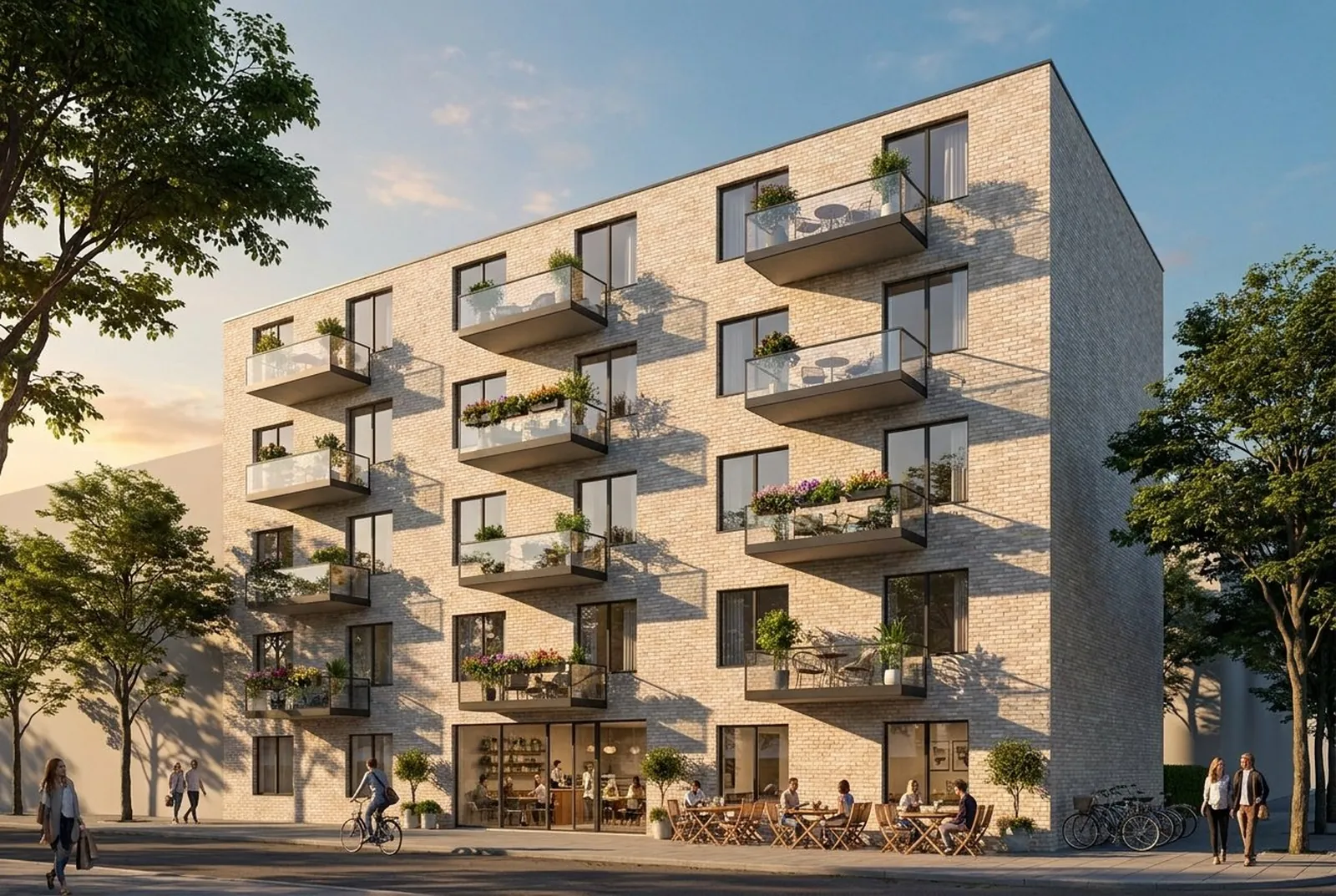
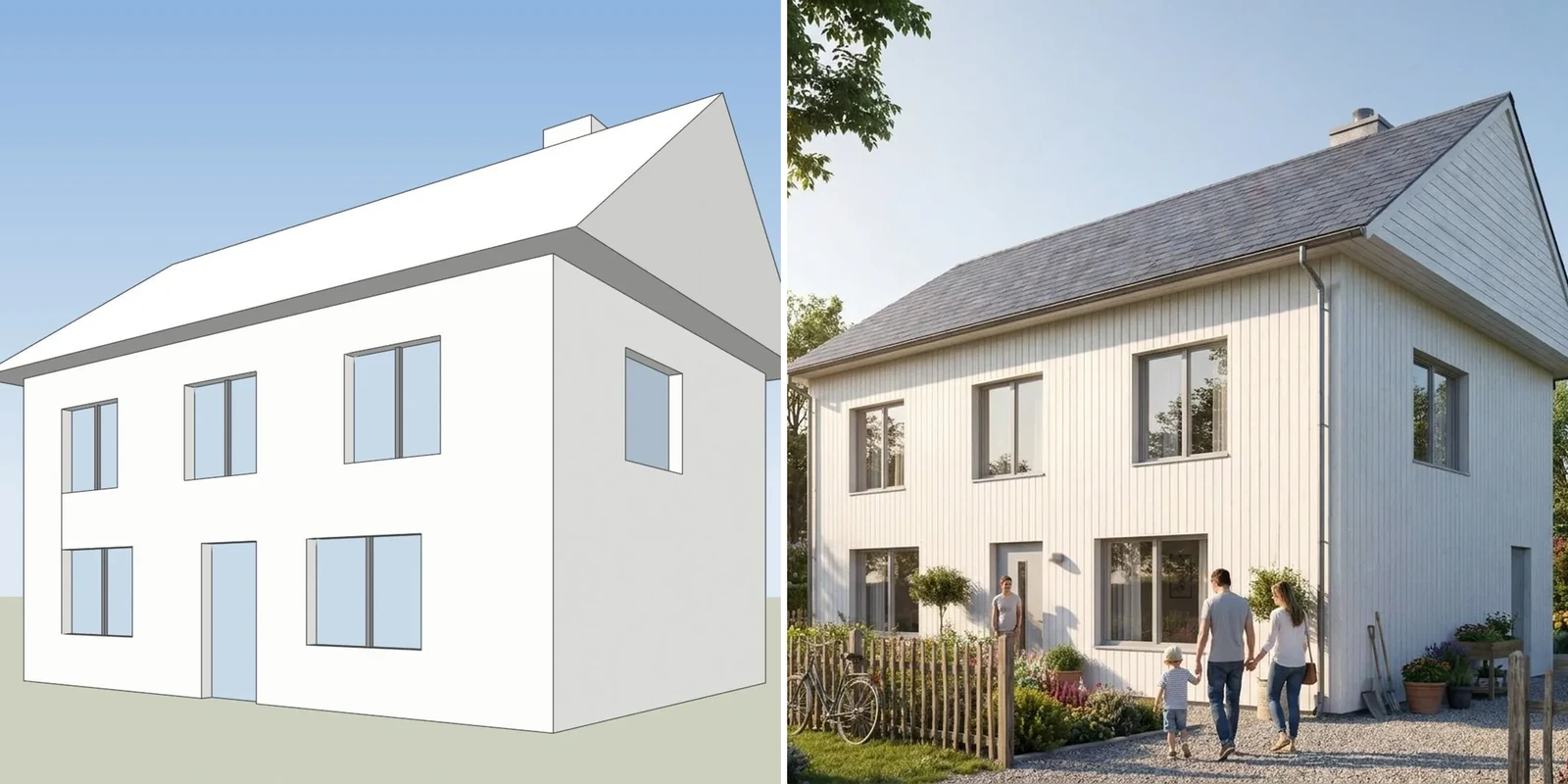
A screenshot of one of our own test models, left, and 3Dstudio.co AI Render image of the same view, right.
These are the points where we are ahead:
- You can check that your building was kept. Every result opens with a drag line over your screenshot, and the library shows how much of your linework was kept. AI can still change a window or a roof line, and this makes it visible before a client sees it.
- Client review links. On paid plans you send a link. Your client pins comments on the image or approves it, with no account, and you get an email.
- One-click relight. Turn the same render into dusk, night or winter, or add people and trees, without rendering again from the start.
- Prices you can read at a glance. Prices are shown in your currency with VAT or sales tax included where it applies. Credits never expire, even after you cancel, and failed renders are refunded automatically.
- Your language. The app is in 13 languages. The MyArchitectAI website is in 8 languages.
- Inside ChatGPT or Claude. You can add the tool as a connector and ask for a render in the chat.
- A studio behind the tool. We are an architectural visualization studio with 1,200+ projects since 2013. When a job needs finished images, the same people can make them.
If you work in SketchUp, our SketchUp AI rendering page shows how to export the right view.
MyArchitectAI vs 3Dstudio.co AI Render side by side
The table uses what each company states on its own pages on 3 November 2026. “Not found” means we did not find it on the pages we read, not that it does not exist.
| MyArchitectAI | 3Dstudio.co AI Render | |
|---|---|---|
| Input | JPG, PNG or WEBP of a CAD export, line drawing or sketch | Screenshot of any 3D view, plus sketches, plans and existing renders |
| Stated speed | 9.3 seconds on average | First render in under 10 seconds |
| Free start | 10 free renders on sign-up | Free renders with a free account, no credit card (small logo, personal use) |
| Pricing model | Flat monthly plans, no render count for stills | Monthly plans with credits, or one-off credit packs |
| Tax and currency | Prices before local taxes | Your currency, VAT or sales tax included where it applies |
| Check that the design was kept | Not found | Drag line on every result and a lines kept check |
| Client review link | Not found | Yes, on paid plans; no account for the client |
| Relight | Lighting changes in the editor | One-click dusk, night, winter and more |
| Inside ChatGPT or Claude | Not found | Yes, as a connector |
| Refund | If you made fewer than 20 renders | Within 14 days if no credits were used |
| Plugins | Revit and SketchUp listed as coming soon | None published yet |
| Languages | Website in 8 languages | App in 13 languages |
Our current plans and credit packs are on the 3Dstudio.co AI Render pricing page. Credit packs never expire and need no subscription. We link to it instead of copying the prices here, because they are shown in each visitor’s currency.
Is MyArchitectAI free?
MyArchitectAI gives 10 free renders when you create an account. After that, you need one of the paid plans. Its commercial usage license comes with the premium plans.
Our free start works differently. You start free, with no credit card. A free account gives free renders. Free renders carry a small logo and are for personal use, so for client work you buy any plan or credit pack.
How to choose between the two
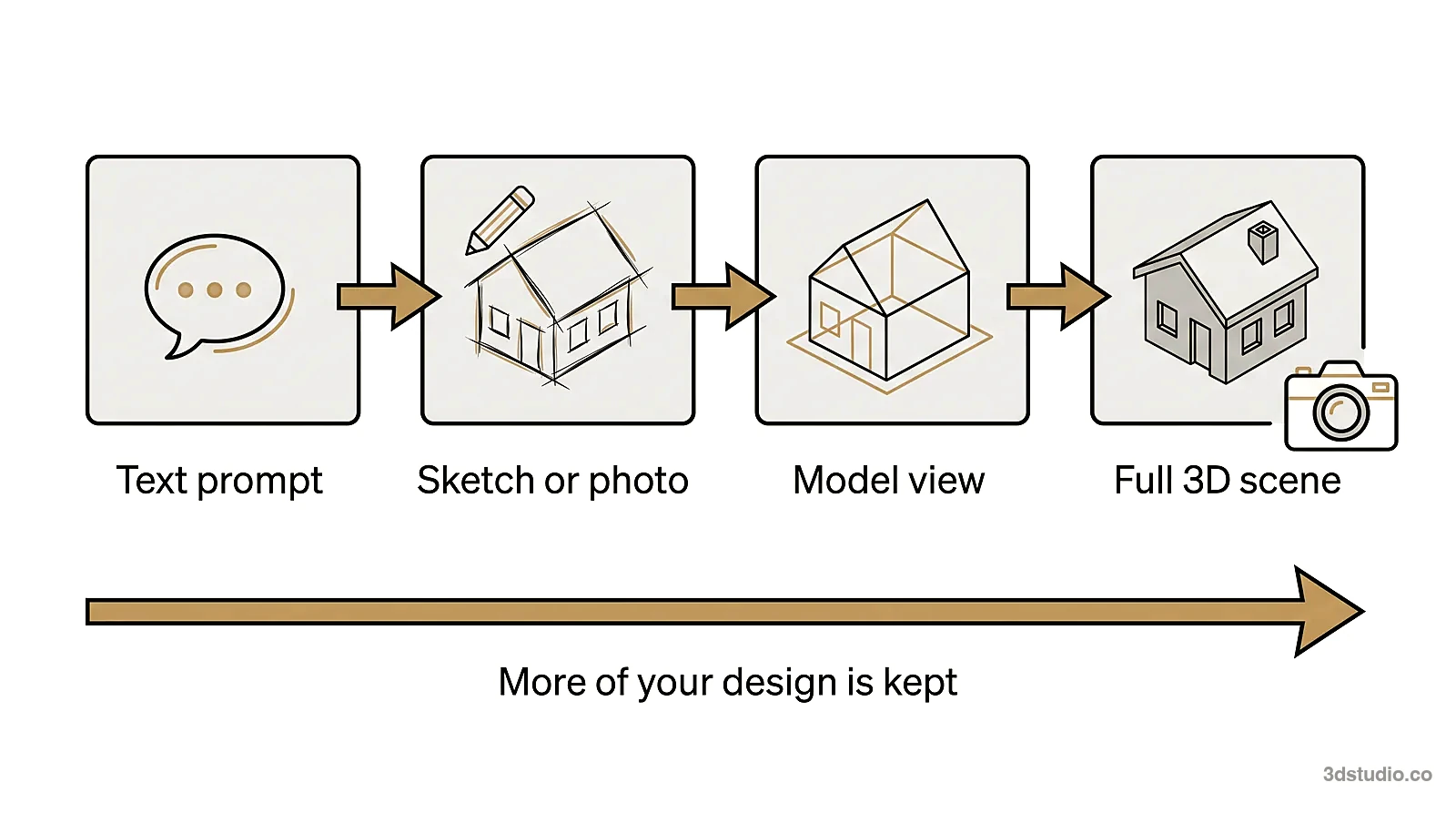
Both tools start from an image of your design, so the choice comes down to how you work.
- Choose MyArchitectAI if you render many stills every day, speed matters most, and a flat price suits your budget.
- Choose 3Dstudio.co AI Render if renders go to clients, you want to check that the building was kept, you want review links and one-click relight, or you want the price in your currency with tax included.
- Test both with the same view of one of your own projects. Count the windows and floors in each result and compare the roof line with your model.
To compare other tools as well, read our guide to Veras pricing, which covers a plugin-based option, the Rendair review, the mnml.ai review and the best AI rendering software list. If you need a screenshot from a model you cannot open, our free Revit viewer opens RVT files in the browser.
When to use a studio instead
Both tools make images for options and early concepts. Neither one checks the image against your drawings. For planning, a competition jury or a sales launch, the details must match, and a person should check them. For those images, we build the 3D model from your drawings and check it against them. See architectural visualization for how that works, read the difference between CGI and AI, or see what drives price in our 3D rendering cost guide.
Questions about MyArchitectAI and its alternatives
How much does MyArchitectAI cost?
On 3 November 2026 the pricing page listed Starter at $29 a month, Studio at $49 a month and Team at $99 a month for 5 seats, before local taxes. Yearly billing gives 2 months free.
Does MyArchitectAI keep the geometry of my design?
MyArchitectAI says its engine keeps the geometry and textures unchanged. Any AI render can still slip on details, so count the windows and floors and check the roof line on every result, whichever tool you use.
Does MyArchitectAI have a SketchUp or Revit plugin?
Not yet. On 3 November 2026 its home page listed a Revit add-on and a SketchUp plugin as coming soon. Today you upload an exported image.
What is the best MyArchitectAI alternative for client work?
If renders go to clients, look for a way to check the result against your model and a way to collect client comments. 3Dstudio.co AI Render has both: a drag line and lines kept check on every render, and review links on paid plans. You start free, with no credit card, so you can test it on your own model first.
Diagrams in this post are drawn with an AI image tool from our brief and checked by our team.
More on AI rendering
- 3Dstudio.co AI Render
- SketchUp AI rendering
- How to Render in SketchUp: Built-in Tools, Plugins and AI
- Twinmotion Price in 2026: Free Tier, Seats and Real Costs
- D5 Render Price in 2026: Community, Pro, Teams and Real Costs
- Lumion Price in 2026: Every Plan, Real Costs and a Cheaper Route
- V-Ray Price in 2026: Plans, Licenses, Host Programs and a Cheaper Route
- Enscape Price in 2026: Every Plan, What It Includes and a Cheaper Route
- Nano Banana Architecture: How to Keep Your Design in AI Renders
- SketchUp Diffusion: What It Is Now, What It Costs and How to Keep Your Model
- AI Rendering for Architects: How to Keep Your Design
- ArchiVinci Alternative: An Honest Comparison for Architects
- Gendo AI Alternative: An Honest Comparison for Architects
- mnml.ai Alternative: An Honest Comparison for Architects