Rendair Review 2026: Pricing, Features and How It Compares
A Rendair review for architects: its 2026 plans, what the credits buy, the free plan, where it is strong, where to be careful, and how AI Render Studio compares.
In this article
- Rendair is a browser workspace with many AI models, boards and client sign-off, with no plugin to install
- On 3 November 2026 its plans started at $19 a month for 500 credits, and the free plan gave 20 credits
- Payments are generally not refunded, and credits are spent on every attempt, so test before you pay
- AI Render Studio is ahead on a design-kept check, tax-inclusive local prices and a refund when no credits were used
Rendair is a browser workspace for architects and interior designers that turns a sketch, a floor plan, an image or a 3D file into renders. People read a Rendair review for a few clear reasons: what the credits buy, whether the free plan is enough, how refunds work, and whether it suits work that goes to clients.
We make a competing tool, AI Render Studio, so read this as a review written by a competitor. We state where Rendair is ahead of us as plainly as where we are ahead. Every Rendair fact below comes from its own pages, read on 3 November 2026 and listed in the sources at the end. Plans change, so open the Rendair pricing page before you decide.
What Rendair is
Rendair needs no plugin and nothing to install. You upload a JPG, PNG or WebP image, or a 3D model as a GLB, GLTF, OBJ or STL file, and generate options on a board. A board keeps the images of one project in one place, and you can compare versions, comment and share it with a client for approval.
The workspace runs several image and video models, including Flux, Nano Banana, GPT Image and Kling, and lets you pick one for each step. It also has small apps for common jobs: 3D model to render, floor plan to render, elevation to render, change material, change season, change time of day, change weather, fix people and conversational edit. Every app is available on every plan, including the free one. The plans differ in capacity, not in access.
For SketchUp, Revit, Rhino and Archicad, Rendair says you export a view as a JPG or PNG and upload it, or export the model in a supported 3D format. It says it keeps the shape and the camera of your view and adds materials, light and context.
Rendair pricing in 2026
On 3 November 2026 the Rendair pricing page listed 4 plans. Prices are in US currency, without tax, and another billing currency is offered at checkout. Paying yearly costs the price of 10 months for 12.
Have a 3D model? Our AI Render Studio turns a screenshot of it into a photoreal image in about 20 seconds. Your first render needs no account.
Render your model free| Plan | Monthly | Yearly | Credits | People | Active boards |
|---|---|---|---|---|---|
| Free | $0 | None | 20 at sign-up | 1 | 1 board, 3 projects |
| Starter | $19 a month | $190 a year | 500 a month | 1 | Up to 25 |
| Pro | $49 a month | $490 a year | 1,500 a month | 2 | Up to 50 |
| Studio Pro | $199 a month | $1,990 a year | 7,500 a month | 5 | Up to 100 |
Pro and Studio Pro add a priority queue, HD outputs and custom styles. A larger team can buy an Enterprise plan with invoices. You can add seats to Pro and Studio Pro for $19 a seat per month, each with 500 credits. While your subscription is active you can buy top-up credits: 500 for $19, 2,000 for $69 or 10,000 for $299.
What the Rendair credits buy
Credits are shared across every app. Rendair says 500 credits come to roughly 500 images, or 100 upscales, or 25 videos, or any mix. The real cost depends on the model and the size you pick:
- Text to image with Rendair v1 is free.
- Rendair v2 costs 1 credit at 1K and 2 credits at 2K.
- Nano Banana 2.1 costs 2 to 6 credits, and Flux 2 Pro costs 2 to 4, depending on size.
- GPT Image 2.5 costs 1 to 10 credits, depending on quality.
- Upscaling costs 5 to 40 credits, and video costs 38 to 190 credits.
By our arithmetic, a 1-credit image on Starter costs about $0.04, and a 2-credit image about $0.08. That makes Rendair cheap per image. Treat it as a floor, because a 1K image from a basic model is not the same product as a client-ready image from a stronger model. Unused credits roll over each month, and credits from a failed generation come back automatically.
The Rendair free plan
The Free plan costs nothing and gives 20 credits at sign-up, unlimited text to image, 3 projects and 1 board. Rendair does not add a watermark to renders on any plan. The Free plan is meant for trying Rendair and for personal use, and Rendair says it may feature Free-plan renders on social media or on its explore page. Commercial use comes with the paid plans. Private Mode is not on Free.
20 credits go a long way with a 1-credit model and not far with a 6-credit model. Use them on one real view of your own project. Our guide to free AI rendering tools compares the free starts of 11 tools.
Where Rendair is strong
- Many models in one place. You can try the same view with more than one model and keep the best result.
- Boards for the whole project. Options, versions, comments and client approval sit together.
- Cheap per image at the entry level. Starter is $19 a month, and its credit table counts about 500 images.
- Floor plan to 3D. Rendair can build a 3D project from a 2D floor plan, and you can download it as a GLB file.
- Flexible billing. Credits roll over, you can pause a paid plan for up to 3 months, and checkout accepts a VAT or tax ID for the invoice.
- No watermark. No plan adds one.
Where to be careful with Rendair
- Refunds are limited. Rendair says payments are generally not refunded. If you were charged by mistake, contact support within 24 hours. A generation that succeeds but disappoints still uses credits, and a new attempt uses credits again.
- Image counts are approximate. The credit cost changes with the model and the size, so the monthly image count is an estimate.
- No API. API access is not included in any plan today.
- Prices are in US currency, before tax. You see the tax at checkout.
- Starter has no priority queue. Starter also lacks HD outputs and custom styles.
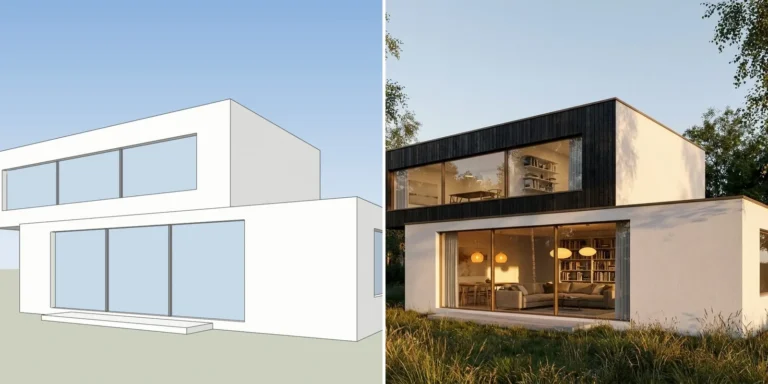
- We did not find a design-kept check. The pages we read say Rendair keeps the shape of your view, but we did not find a check that shows you whether it did. Any AI render can still change a window or a roof line.
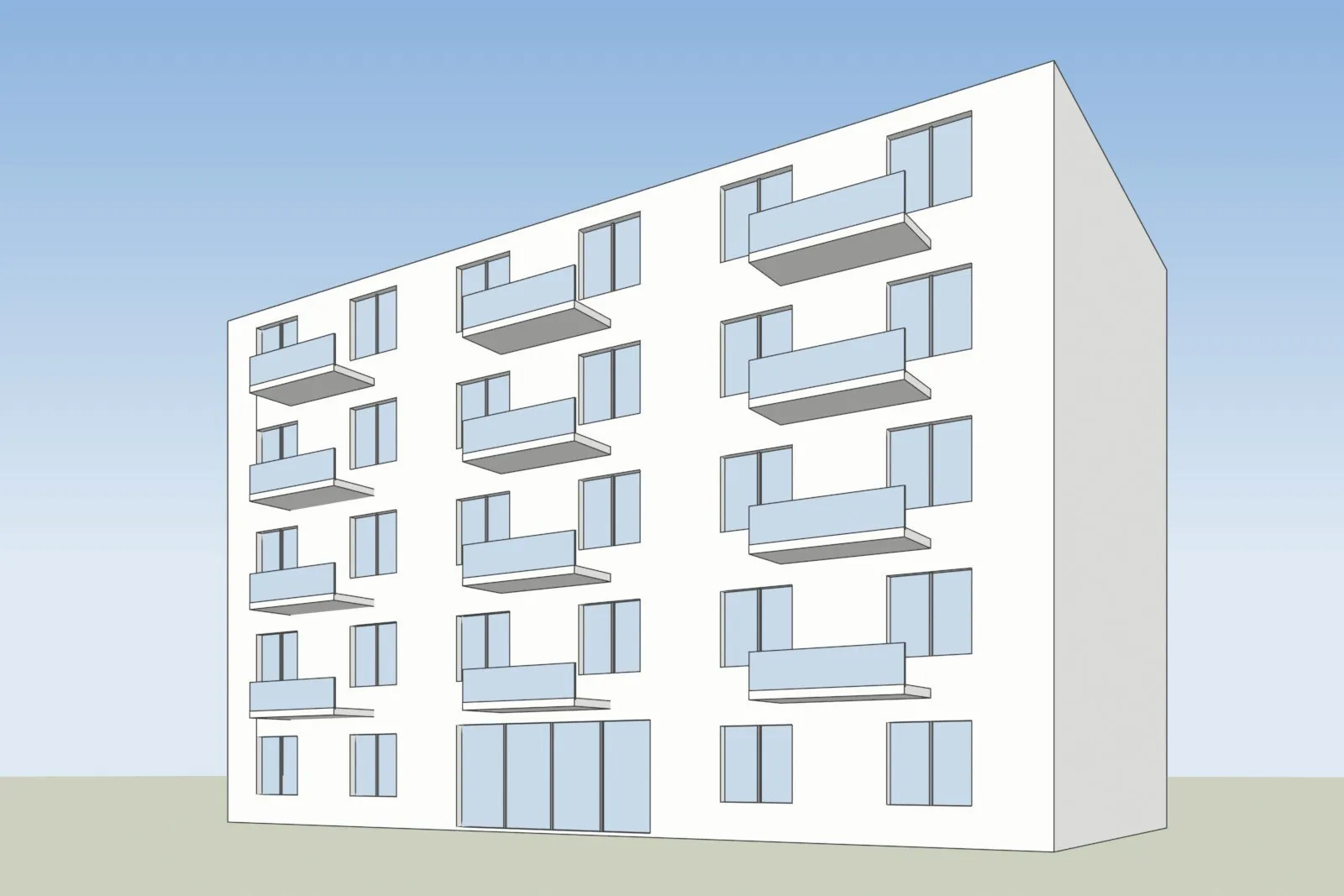
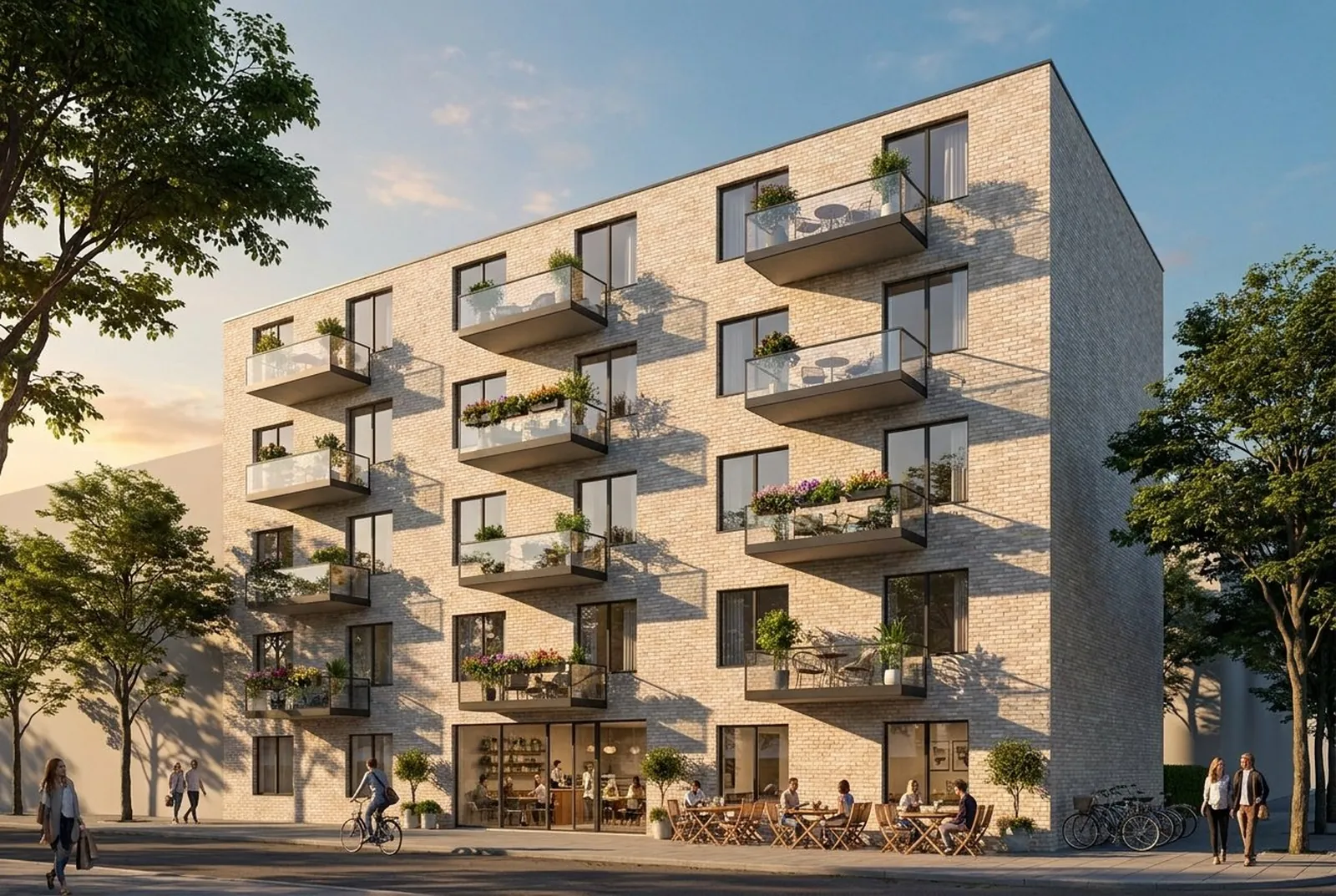
A screenshot of one of our own test models, left, and the AI Render Studio image of the same view, right. Whatever tool you use, count the floors, balconies and windows against your model.
Rendair vs AI Render Studio side by side
The table uses what each company states on its own pages on 3 November 2026. “Not found” means we did not find it on the pages we read, not that it does not exist.
| Rendair | AI Render Studio | |
|---|---|---|
| Input | Image, sketch, floor plan or 3D file | Screenshot of a 3D view, sketch, plan view or existing render |
| Plugin | None needed; you export a view | None published yet; you export a screenshot |
| Free start | 20 credits at sign-up and unlimited text to image | 1 render with no account, then 5 renders and 5 fixes |
| Watermark on free renders | None | A small logo |
| Pricing model | Monthly credits, with top-ups | Monthly plans with credits, or one-off credit packs |
| How the price is shown | US currency, before tax | Your currency, with VAT or sales tax included where it applies |
| Check that the design was kept | Not found | Drag line and a lines-kept check on every result, and a free HD re-run when the lines moved |
| Client review | Boards with comments and approval | Review link on paid plans, with pins, voice notes and approval; no account for the client |
| Inside ChatGPT or Claude | Not found | Yes, as a connector |
| API | Not included in any plan | REST API on paid plans |
| Unused credits | Roll over | Never expire, even after you cancel |
| Refund | Generally not refunded; failed generations return credits | Within 14 days if no credits were used; failed renders are refunded automatically |
| Languages | Not found | App in 13 languages |
Rendair is ahead on the number of AI models, on floor plan to 3D, on boards that hold a whole project and on the price per image at the entry level. We are ahead on checking that your building was kept, on tax-inclusive prices in local currency, on the refund rule and on the connector. Our plans and credit packs are on the AI Render Studio pricing page. We link to it instead of copying our prices here, because they are shown in each visitor’s currency.
Which one to choose
- Choose Rendair if you want many models and boards in one workspace, you render a lot of images and a low price per image matters.
- Choose AI Render Studio if renders go to clients, you want to check the lines before anyone sees the image, and you want a price with tax in your currency.
- Test both with the same view of one of your own projects. Count the windows and floors in each result and compare the roof line with your model.
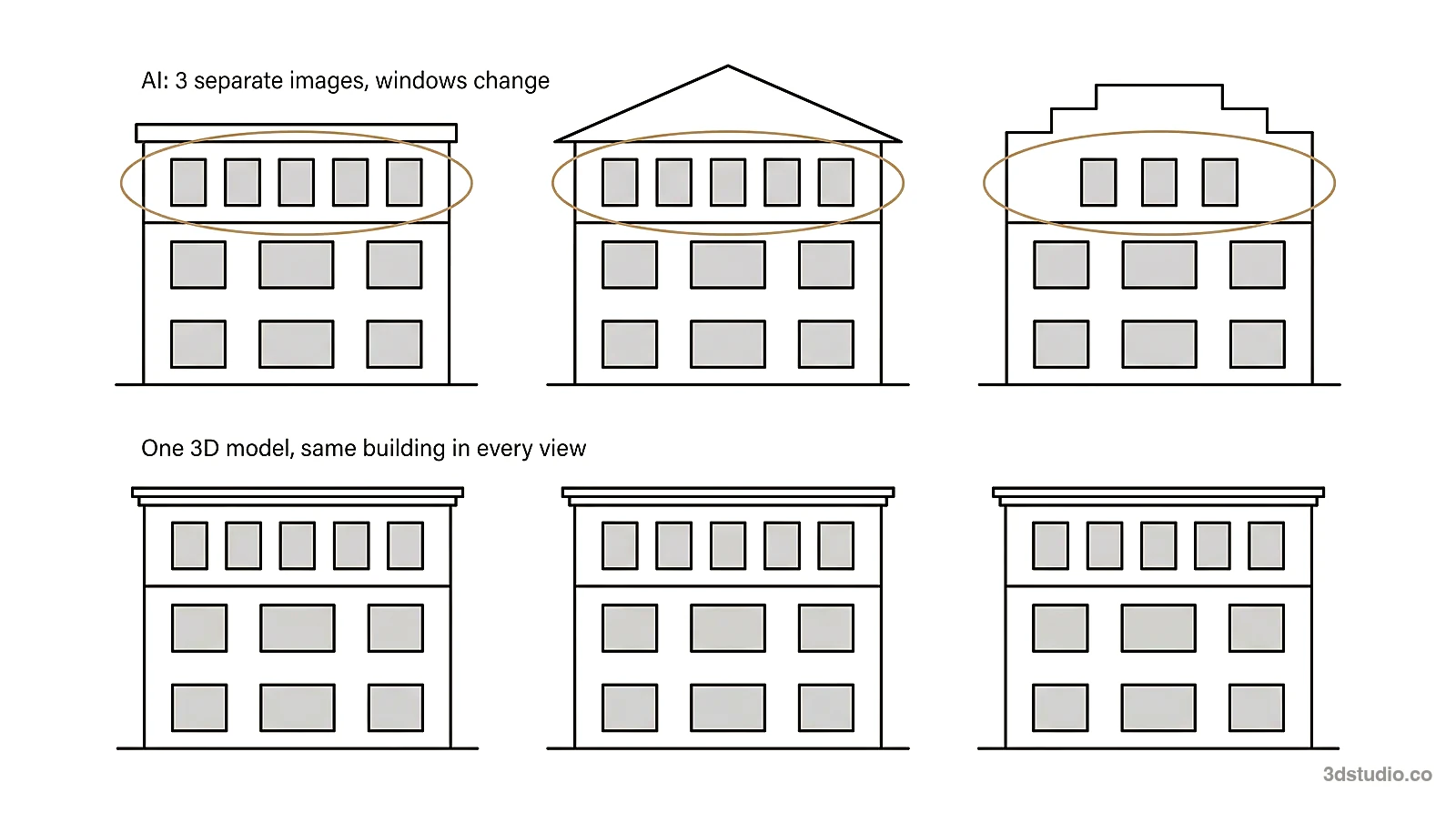
You can try AI Render Studio on your own model, and your first render needs no account. If you work in SketchUp, our SketchUp AI rendering page shows how to export the right view. To compare more tools, read the best AI rendering software list, our MyArchitectAI comparison, the guide to Veras pricing and the mnml.ai review.
When to use a studio instead
Both tools make images for options and early concepts. Neither one checks the image against your drawings. For planning, a competition jury or a sales launch, the details must match, and a person should check them. For those images, we build the 3D model from your drawings and check it against them. See architectural visualization for how that works, and the difference between CGI and AI for the full comparison.
Questions about Rendair
How much does Rendair cost per month?
On 3 November 2026 Rendair listed Starter at $19 a month, Pro at $49 and Studio Pro at $199, in US currency and without tax. Paying yearly costs the price of 10 months for 12. Enterprise is priced on request.
Is Rendair free to use?
Rendair has a Free plan with 20 credits at sign-up, unlimited text to image, 3 projects and 1 board. It is meant for trying Rendair and for personal use. Commercial use comes with the paid plans.
Can I get a refund on Rendair?
Rendair says payments are generally not refunded. If you were charged by mistake, contact support within 24 hours. Credits from a failed generation return to your balance automatically.
Does Rendair have a plugin for SketchUp, Revit or Rhino?
Rendair says no plugin is needed. You export a view of your model as a JPG or PNG and upload it, or you export the model as an OBJ or STL file and use its 3D model tool.
What is a Rendair alternative that shows whether my design was kept?
Our AI Render Studio shows a drag line over your screenshot on every result and a lines-kept check, and it offers one free HD re-run when the lines moved. Your first render needs no account, so you can test it on your own model first.
Sources
All Rendair facts were read on 3 November 2026. The per-image figures are our own arithmetic on its published prices.
- Rendair: pricing, help center, home page and 3D model to render
- AI Render Studio: live prices, docs and updates
Diagrams in this post are drawn with an AI image tool from our brief and checked by our team.
More on AI rendering: AI Render Studio · SketchUp AI rendering · AI Rendering vs V-Ray and Enscape: When Each Is the Right Tool · mnml AI Review 2026: Plans, Plugins and How It Compares · Free AI Rendering for Architecture: What Each Tool Gives Free · Best AI Rendering Software in 2026: 7 Tools Compared for Architects · MyArchitectAI Alternative: An Honest Comparison for Architects · Veras Pricing in 2026: Plans, Credits and a Screenshot Alternative · Difference Between CGI and AI for Architecture Images