mnml AI Review 2026: Plans, Plugins and How It Compares
A review of mnml.ai for architects: its 2026 plans and credits, free credits, plugins for SketchUp, Revit and Rhino, where it is ahead, where to be careful, and how AI Render Studio compares.

In this article
- mnml.ai is a browser studio with free plugins for SketchUp, Revit and Rhino, and connectors for ChatGPT, Claude and other assistants
- On 3 November 2026 its plans started at $29 a month for 1,000 credits, and new accounts got 100 free credits
- It is ahead on plugins, assistants and team features; the page says refunds are not typically available
- AI Render Studio is ahead on a design-kept check, tax-inclusive local prices, credits that never expire and the refund rule
mnml.ai is an AI rendering studio for architects and designers. It runs in the browser, and it also has free plugins for SketchUp, Revit and Rhino. People read a mnml AI review to learn what the credits buy, how much a render costs, what the free credits cover and how it differs from other tools.
We make a competing tool, AI Render Studio, so read this as a review written by a competitor. We say where mnml.ai is ahead of us as plainly as where we are ahead. Every mnml.ai fact below comes from its pricing page and home page, read on 3 November 2026. Plans and plugin versions change, so check those pages before you decide.
What mnml.ai is
You upload a sketch, a site photo or a view from SketchUp, Revit, Rhino or Blender, as a JPG, PNG or WebP file up to 50 MB. You say what the image shows, such as an exterior, an interior, a masterplan or a landscape, and mnml.ai renders it. It has 2 ways to work:
- Studio takes one image through the render, region edits, upscaling and a short video. You can add up to 10 reference images, and each one has one job, such as a style, a material or an atmosphere.
- Flow is a board where renders land beside their source. You run up to 4 variations at once, compare them, branch the one that works and invite others to the board as viewers or editors.
To change one part of a render, you mask a region and describe the change. mnml.ai says the rest of the frame stays as it was. It also lists quick tools for floor plans, virtual staging, masterplans, landscape, style transfer and a render enhancer.
mnml.ai pricing in 2026
On 3 November 2026 the pricing page listed 3 monthly plans and a one-time credit pack. Prices are in US currency. Annual billing gives 2 months free. Every plan includes all the tools, 8K upscaling, PNG and DXF export, priority support and a commercial license.
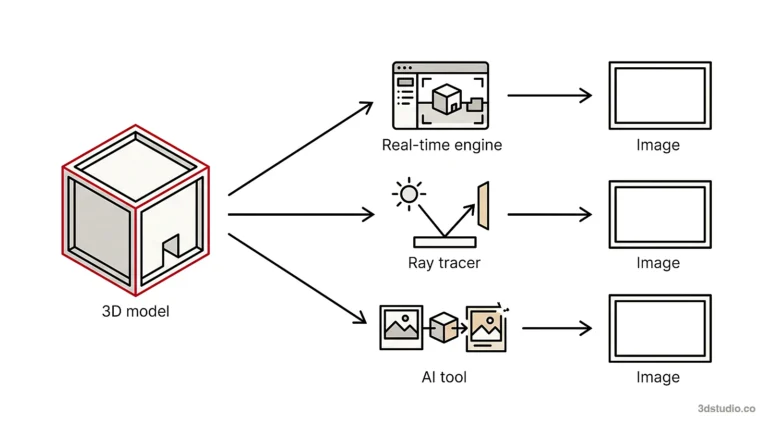
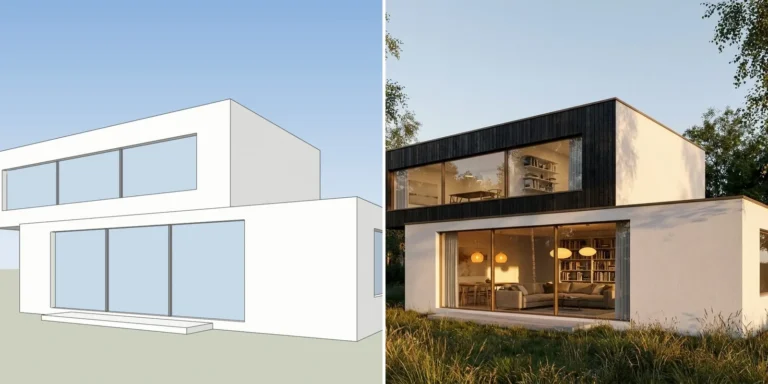
Have a 3D model? Our AI Render Studio turns a screenshot of it into a photoreal image in about 20 seconds. Your first render needs no account.
Render your model free| Plan | Price | Credits | The page puts it at | Parallel renders |
|---|---|---|---|---|
| Lite | $29 a month | 1,000 a month | About 100 Fast renders or about 33 Ultra renders | 2 |
| Plus | $49 a month | 3,000 a month | About 300 Fast renders or about 100 Ultra renders | 4 |
| Studio | $119 a month | 10,000 a month | About 1,000 Fast renders or about 333 Ultra renders | 6 |
| One-time pack | $149 once | 10,000, valid for 12 months | About 1,000 Fast renders or about 333 Ultra renders | Not listed |
Every render shows its credit cost on the button before you spend it. Unused plan credits roll over, up to 2 months’ worth, and anything above that is lost at renewal. Top-up credits are separate, and they never expire. Verified students and educators get a discount on every plan.
What a render costs on mnml.ai
The page gives render counts for each plan, so we divided the price by those counts. These are our figures, not mnml.ai’s, and the counts are the page’s own estimates.
| Plan | Price per Fast render | Price per Ultra render |
|---|---|---|
| Lite | about $0.29 | about $0.88 |
| Plus | about $0.16 | about $0.49 |
| Studio | about $0.12 | about $0.36 |
| One-time pack | about $0.15 | about $0.45 |
A Fast render and an Ultra render are different engines, so a Fast render is not the same product as an HD render from another tool. The price per image only helps if you compare the same view in each tool. See the best AI rendering software list for the price per HD render in our own tool.
mnml.ai free credits
There is no timed trial. Every new account gets 100 free credits that do not expire, with no card. By the page’s own conversion, 100 credits is about 10 Fast renders. The commercial terms for free credits are not clear on the pages we read. The pricing page lists a commercial license under “Included in every plan”, but the home page FAQ says all designs can be used commercially “with any Pro plan subscription”, and there is no plan with that name. Read the terms before you send a free-credit render to a client.
Plugins and assistants
This is where mnml.ai is clearly ahead of us today.
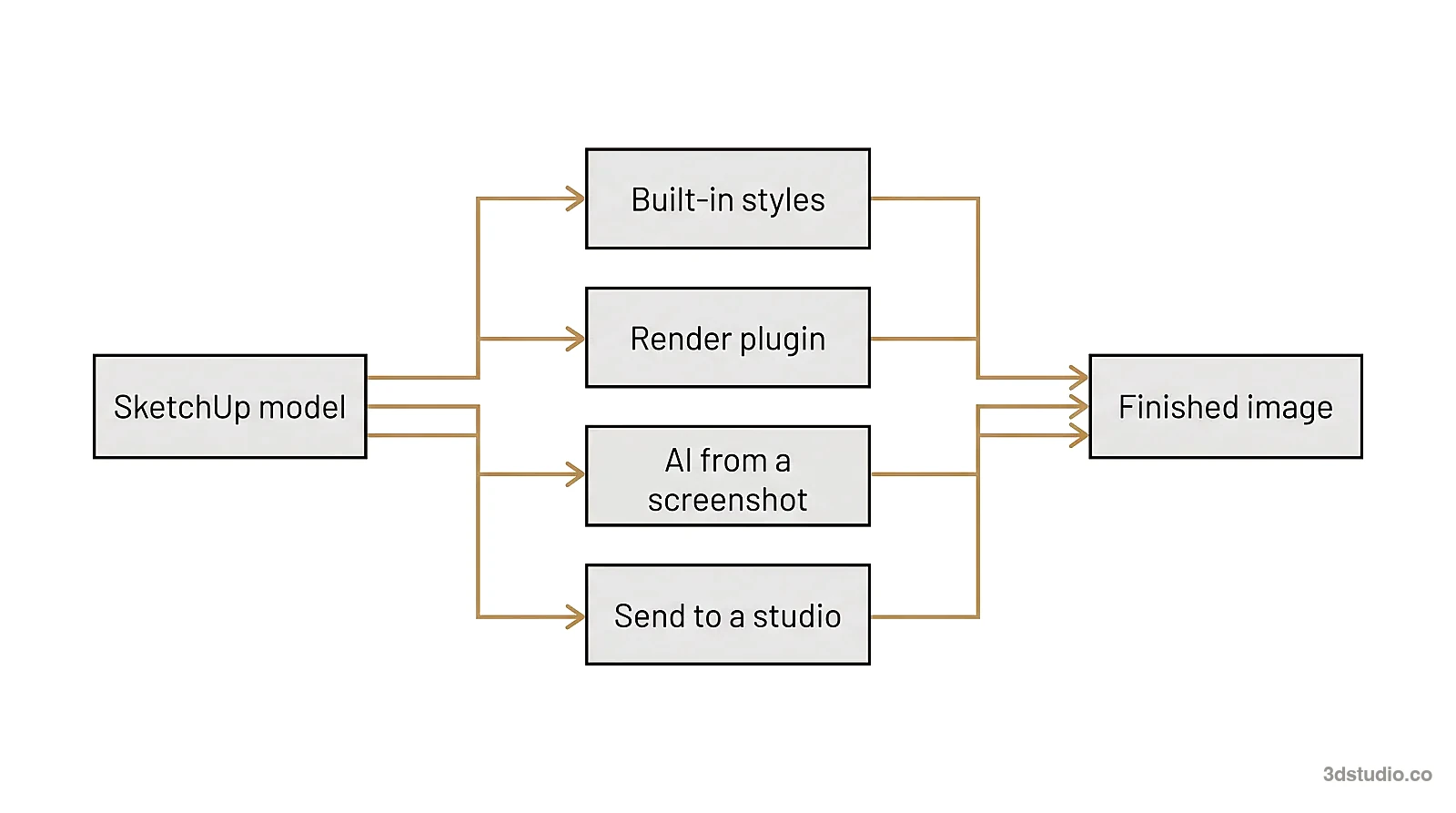
- SketchUp. A free extension for SketchUp 2026 on Windows and Mac. It renders the view you are looking at without an export and places the result in the model as an image.
- Revit. A free add-in for Revit 2024 to 2027 on Windows. It renders the active view and places the result in a drafting view.
- Rhino and Grasshopper. A free plugin for Rhino 8 on Windows and Mac, with a Grasshopper tab that can render up to 8 design options in one batch.
- Assistants. A connector for ChatGPT, Claude, Gemini, Microsoft 365 Copilot, Perplexity and other assistants, and one server address for any MCP client.
Plugin versions matter. The SketchUp extension supports SketchUp 2026, so an office on an older version still has to export a view.
Where mnml.ai is strong
- Plugins in 4 programs. You can render from inside the program you model in.
- A wide set of tools. Exterior, interior, floor plan, masterplan, landscape, virtual staging, upscaling to 8K and video are on one account.
- Teams. Teams share projects, one credit pool, roles and a spend cap per member.
- Cost per render at volume. The price per render falls on Plus and Studio, by our arithmetic.
- Data. mnml.ai says it does not train AI models on your content.
Where to be careful with mnml.ai
- Refunds. The page says refunds are not typically available, because new accounts get free credits to test with.
- Credit math. Plans are sold in credits, and Fast and Ultra renders cost different amounts. Check the cost on the button each time.
- Currency and tax. Prices are in US currency. The page says its payment provider issues VAT invoices.
- Rollover cap. Plan credits roll over only up to 2 months’ worth.
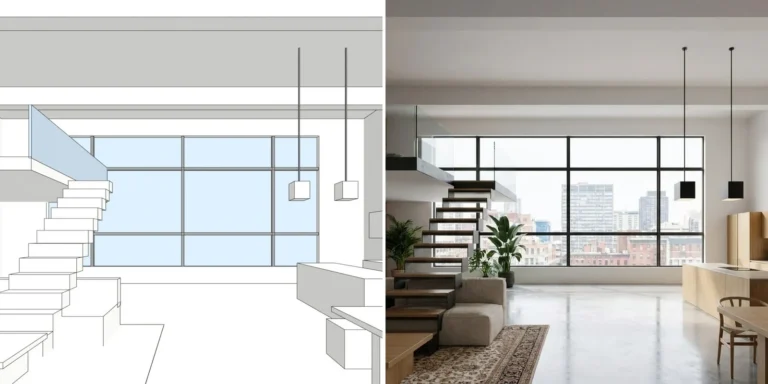
- Design check. We did not find a check that shows whether the design was kept. Any AI render can change a window or a roof line, so compare the result with your model.
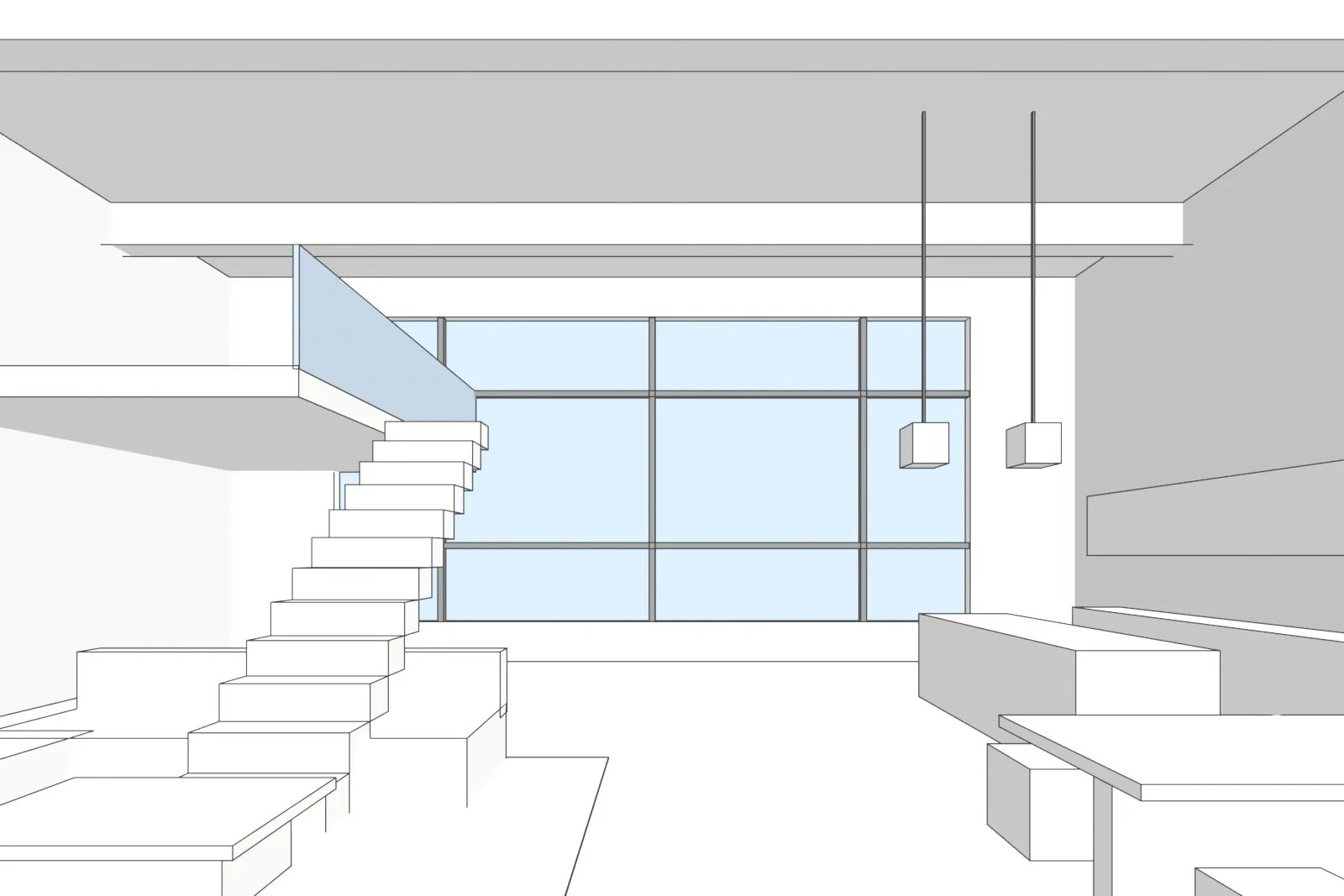

One of our own test models, left, and the AI Render Studio image of the same view, right. The stair keeps its position, but its solid steps became open treads. Check details like this in any tool.
mnml.ai vs AI Render Studio side by side
The table uses what each company states on its own pages on 3 November 2026. “Not found” means we did not find it on the pages we read, not that it does not exist.
| mnml.ai | AI Render Studio | |
|---|---|---|
| Input | Sketch, photo or a view from SketchUp, Revit, Rhino or Blender | Screenshot of a 3D view, sketch, plan view or existing render |
| Plugins | Free for SketchUp, Revit, Rhino and Grasshopper | None published yet; you export a screenshot |
| ChatGPT or Claude | Yes, and several other assistants | Yes, as a connector for ChatGPT and Claude |
| Free start | 100 free credits, no card, no expiry | 1 render with no account, then 5 renders and 5 fixes (small logo, personal use) |
| Pricing model | Monthly credits, with a one-time pack | Monthly plans with credits, or one-off credit packs |
| How the price is shown | US currency; VAT invoice | Your currency, with VAT or sales tax included where it applies |
| Check that the design was kept | Not found | Drag line and a lines-kept check on every result, and a free HD re-run when the lines moved |
| Client sharing | Shared boards with viewer and editor roles | Review link on paid plans, with pins, voice notes and approval; no account for the client |
| Unused credits | Roll over up to 2 months’ worth; top-ups never expire | Never expire, even after you cancel |
| Refund | Not typically available | Within 14 days if no credits were used; failed renders are refunded automatically |
| Languages | Not found | App in 13 languages |
mnml.ai is ahead on plugins, on assistants, on tools and on team controls. We are ahead on checking that your building was kept, on prices with tax in your currency, on credits that never expire and on the refund rule. Our plans and credit packs are on the AI Render Studio pricing page. We link to it instead of copying our prices here, because they are shown in each visitor’s currency.
Which one to choose
- Choose mnml.ai if you model in SketchUp, Revit or Rhino and want to render without an export, or if your team needs shared credits and roles.
- Choose AI Render Studio if renders go to clients, you want to check the lines before anyone sees the image, and you want a price with tax in your currency.
- Test both with the same view of one of your own projects. Count the windows and floors in each result and compare the roof line with your model.
You can try AI Render Studio on your own model, and your first render needs no account. If you work in SketchUp, our SketchUp AI rendering page shows how to export the right view. To compare more tools, read the Rendair review, our MyArchitectAI comparison and the guide to Veras pricing.
When to use a studio instead
Both tools make images for options and early concepts. Neither one checks the image against your drawings. For planning, a competition jury or a sales launch, the details must match, and a person should check them. For those images, we build the 3D model from your drawings and check it against them. See architectural visualization for how that works, and the difference between CGI and AI for the full comparison.
Questions about mnml.ai
How much does mnml.ai cost?
On 3 November 2026 the pricing page listed Lite at $29 a month, Plus at $49 and Studio at $119, in US currency. A one-time pack of 10,000 credits cost $149 and was valid for 12 months. Annual billing gives 2 months free.
Is mnml.ai free?
There is no timed trial. Every new account gets 100 free credits that do not expire, with no card. That is about 10 Fast renders by the page’s own conversion. The plugins are free to install.
Does mnml.ai have a SketchUp plugin?
Yes. The home page lists a free extension for SketchUp 2026 on Windows and Mac. It also lists plugins for Revit 2024 to 2027 on Windows and for Rhino 8 on Windows and Mac. For other programs you export a view as a JPG, PNG or WebP file.
Can I get a refund on mnml.ai?
The pricing page says refunds are not typically available, because new accounts get free credits to test the platform. You can stop the subscription and you are not charged at the next billing cycle.
What is a mnml.ai alternative that shows whether my design was kept?
Our AI Render Studio shows a drag line over your screenshot on every result and a lines-kept check, and it offers one free HD re-run when the lines moved. Your first render needs no account, so you can test it on your own model first.
Sources
All mnml.ai facts were read on 3 November 2026. The per-render figures are our own arithmetic on its published prices and render counts.
- mnml.ai: pricing and home page
- AI Render Studio: live prices, docs and updates
Diagrams in this post are drawn with an AI image tool from our brief and checked by our team.
More on AI rendering: AI Render Studio · SketchUp AI rendering · AI Rendering vs V-Ray and Enscape: When Each Is the Right Tool · Free AI Rendering for Architecture: What Each Tool Gives Free · Rendair Review 2026: Pricing, Features and How It Compares · Best AI Rendering Software in 2026: 7 Tools Compared for Architects · MyArchitectAI Alternative: An Honest Comparison for Architects · Veras Pricing in 2026: Plans, Credits and a Screenshot Alternative · Difference Between CGI and AI for Architecture Images