

SketchUp AI rendering
From a screenshot, with nothing to install
Export a view from SketchUp as a PNG and upload it. In about 20 seconds you get a photoreal image with new materials, light and planting, and the same building. It works with any SketchUp version, including SketchUp Free.
- 3 gratis renders per dag, geen aanmelding nodig
- No extension and no SketchUp subscription
- Your model file never leaves your computer
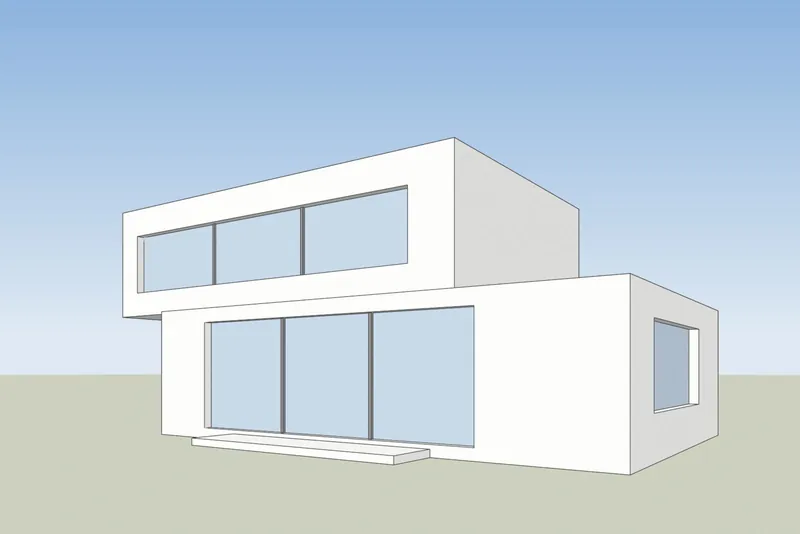
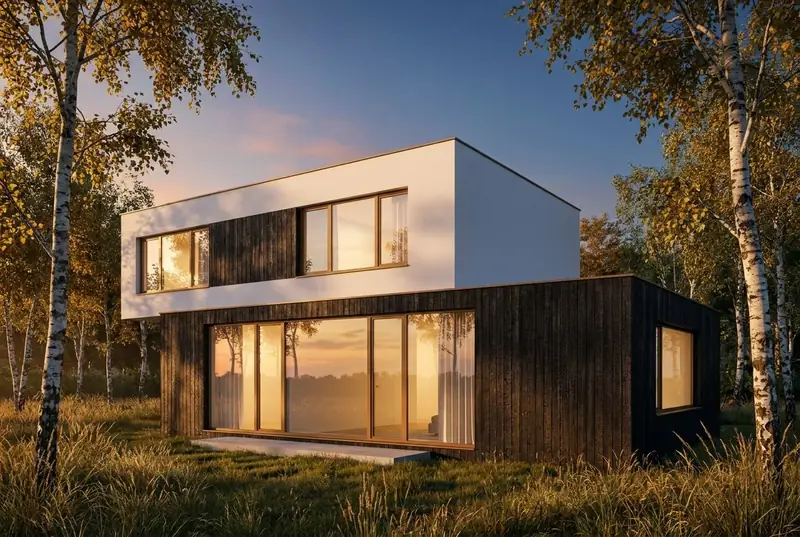 SketchUp viewAI-render
Voorbeelden
A SketchUp view in, a photoreal render out
White faces and black edges on the left, as SketchUp shows a model. The render that came back is on the right, not edited.
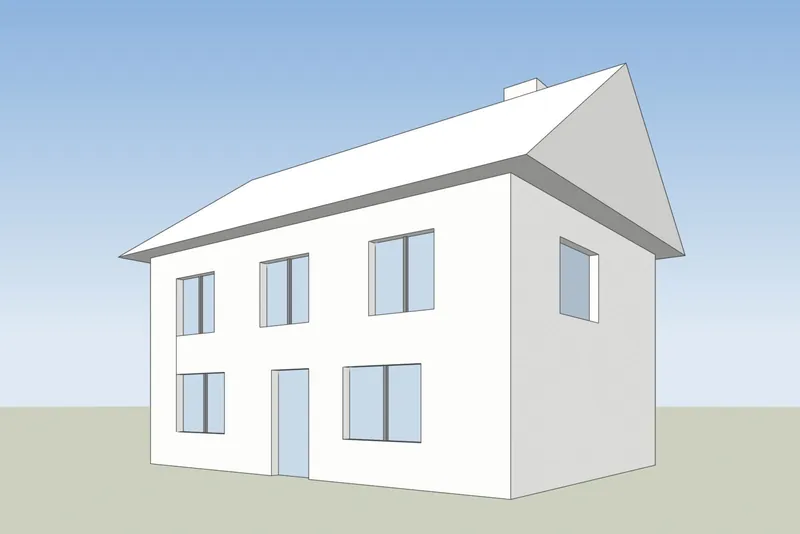
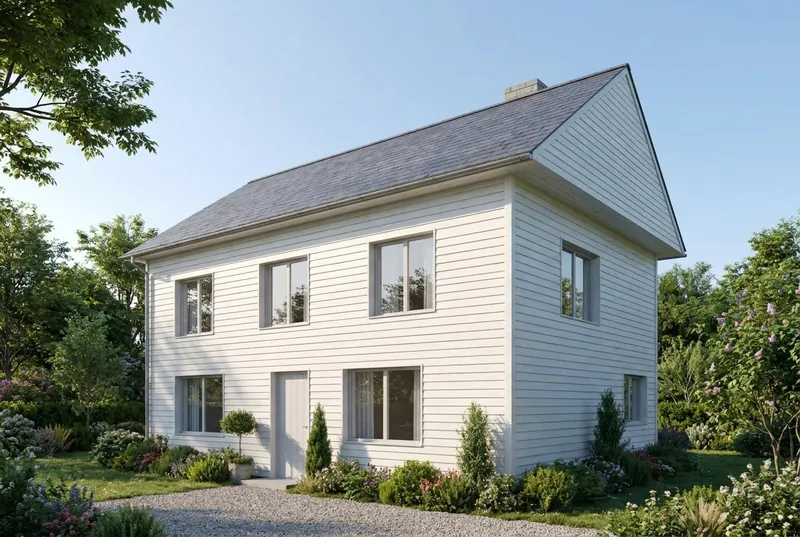 SketchUp viewAI-render
Gezinshuis
A pitched roof house on a summer morning. The gable, the chimney, the door and all 8 windows are where the model has them.
 SketchUp viewAI-render
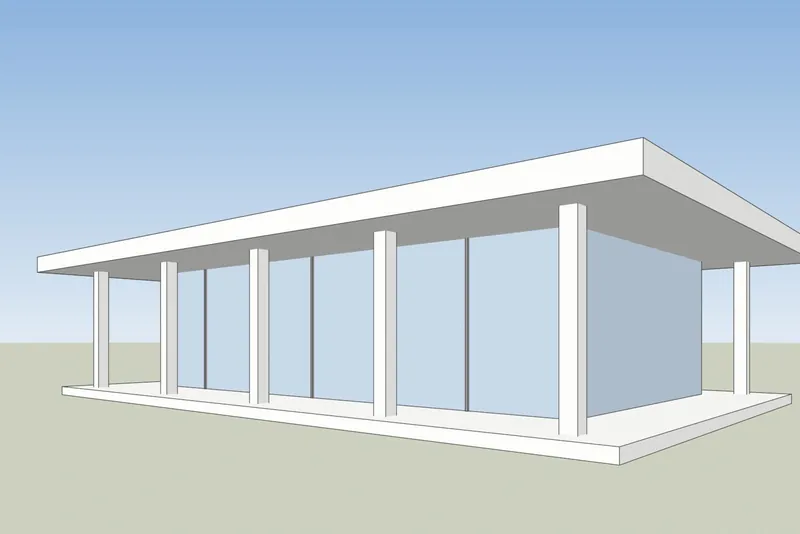
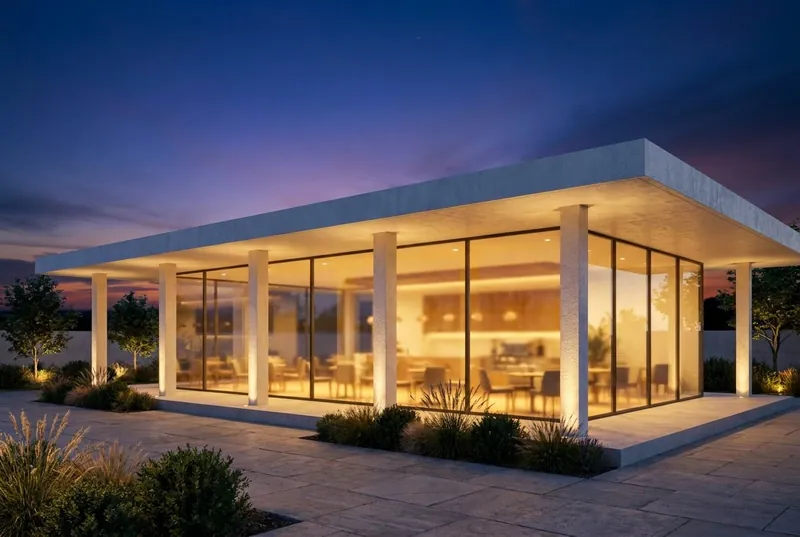
Glazen paviljoencafé
A flat roof pavilion at dusk, busy inside and on the terrace. The columns and the roof overhang match the model.
Step by step
How to get your SketchUp view ready
4 steps, and only the export is required.
1. Set up the view
Frame the building with the Orbit and Pan tools. For straight vertical walls, turn on Camera, Two-Point Perspective. Hide the axes and any guides you do not want in the picture.
2. Choose a plain style
In the Styles panel, set the face style to Shaded, Hidden Line or Monochrome. A white or clay model gives the cleanest result. Turn shadows off, the AI adds its own light.
3. Export a PNG
In SketchUp for desktop, use File, Export, 2D Graphic and save a PNG. In any version, a normal screenshot of the SketchUp window also works.
4. Render it
Upload the PNG, pick daylight, overcast, evening sun or dusk, and add a short note about materials if you want, such as white render and oak windows.
Checked 15 October 2026
SketchUp AI Render or a screenshot tool
Both make AI images from your SketchUp model. They differ in what you need before you start.
SketchUp AI Render
Built into SketchUp for desktop, iPad and web. It needs a paid SketchUp Go, Pro or Studio plan, and on desktop SketchUp 2024 or newer with the AI Render extension. Each image costs 10 credits. Plans include 100 to 200 credits a month, and unused credits do not carry over. It also has drawing and editing tools inside SketchUp.
SketchUp help: AI Render3Dstudio.co AI rendering
Runs in your browser from an exported image, so it works with any SketchUp version, including SketchUp Free, and with no extension. 3 free renders a day with no account. Paid credits never expire. It has no tools inside SketchUp: you change the result with the light choice and a short note.
Open de Render Studio
Wat u kunt verwachten
What the AI keeps from your SketchUp model and what it changes
Zodat u weet wat u een klant kunt laten zien en wat u naar onze studio kunt sturen.
Wat hetzelfde blijft
De vorm van het gebouw, de ramen en deuren, de daklijn en het aantal verdiepingen. De camerahoek blijft precies zoals op uw schermafbeelding.
Wat de AI verandert
Materialen, licht, lucht, beplanting en meubelafwerkingen. Gebruik het notitieveld om deze te sturen, bijvoorbeeld witte render en eikenhouten ramen.
Wat kan worden vereenvoudigd
Zeer fijne details, zoals dunne raamstijlen of kleine balustrades, kunnen eenvoudiger uitvallen dan in het model. Voor exacte eindbeelden, maak gebruik van onze studio.
Wat er met uw bestand gebeurt
Alleen de schermafbeelding wordt verzonden, nooit uw modelbestand. Wij gebruiken uw afbeeldingen niet om AI te trainen, en wij publiceren uw renders niet.
SketchUp AI rendering FAQ
Questions about AI rendering for SketchUp
Versions, files, accuracy and price.
Stel ons een vraagWhich SketchUp versions work?
Any version that can show your model. The tool only needs an image of the view, so SketchUp Free, SketchUp for Web, old desktop versions and the current one all work.
Do I need to install a plugin or extension?
No. You export a PNG or take a screenshot and upload it in your browser. Nothing is added to SketchUp and the model file is never uploaded.
How is this different from SketchUp's built-in AI Render?
SketchUp AI Render runs inside SketchUp and needs a paid Go, Pro or Studio plan. On desktop it needs SketchUp 2024 or newer. Each image costs 10 credits, and the monthly credits do not carry over. Our tool works from an exported image, so any SketchUp version works, you get 3 free renders a day, and paid credits never expire. If you already pay for SketchUp, try both. Facts about SketchUp checked on help.sketchup.com on 15 October 2026.
Will the AI change my SketchUp design?
Het behoudt de vorm van het gebouw, de ramen, de daklijn en het aantal verdiepingen. Het verandert de materialen, het licht en de omgeving. Zeer fijne details, zoals dunne raamstijlen, kunnen eenvoudiger uitvallen dan in het model.
Which SketchUp style gives the best result?
A plain one. Shaded, Hidden Line or Monochrome with shadows off works well. Heavy sketchy edge styles and strong textures can show through in the render.
What does it cost?
3 renders a day are free with no account. A free account adds 40 credits. Pro is 19 euro a month for 600 credits, about 46 HD renders, and credits never expire.
1,247
Voltooide projecten
13
Jaren actief
17
Landen waaraan geleverd







★★★★★
Beoordeeld 5.0 op Clutch · Bekijk onze reviews
Architecten, projectontwikkelaars & interieurontwerpers
Werkt al voor 215 bedrijven sinds 2013
125 van de 220 klanten kwamen terug
Meer dan de helft van onze klanten heeft ons opnieuw ingehuurd
Try it on your SketchUp model
Render a SketchUp view now
3 gratis renders per dag, geen aanmelding en geen kaart. U krijgt de afbeelding in ongeveer 20 seconden.