

KI-Rendering für SketchUp
Fotorealistisch in etwa 20 Sekunden
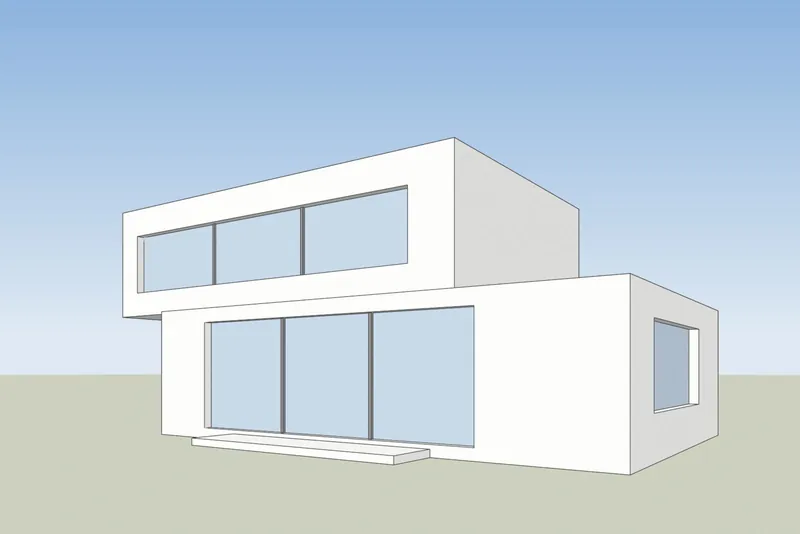
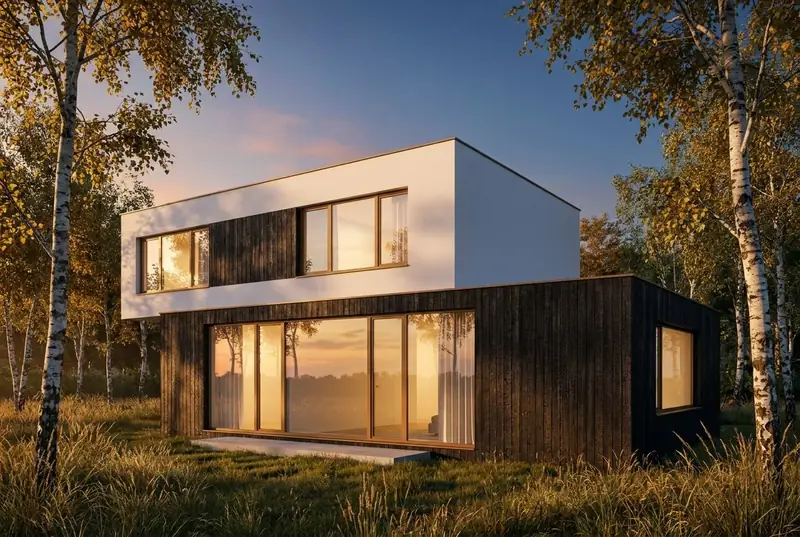
Exportieren Sie eine Ansicht aus SketchUp als PNG. Sie erhalten ein fotorealistisches Rendering desselben Gebäudes.
- Bis zu 11 kostenlose Renderings
- Jede SketchUp-Version, auch die kostenlose
- Keine Erweiterung, keine Karte
- Ihre Modelldatei bleibt auf Ihrem Computer
 SketchUp-AnsichtKI-Rendering
Beispiele
Aus einer SketchUp-Ansicht wird ein fotorealistisches Rendering
Links weiße Flächen und schwarze Kanten, so zeigt SketchUp ein Modell. Rechts das zurückgelieferte Rendering, unbearbeitet.
 SketchUp-AnsichtKI-Rendering
Einfamilienhaus
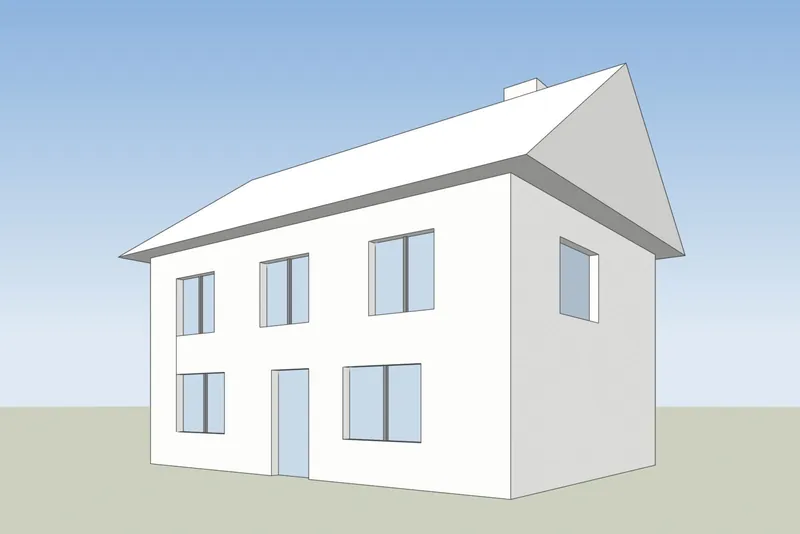
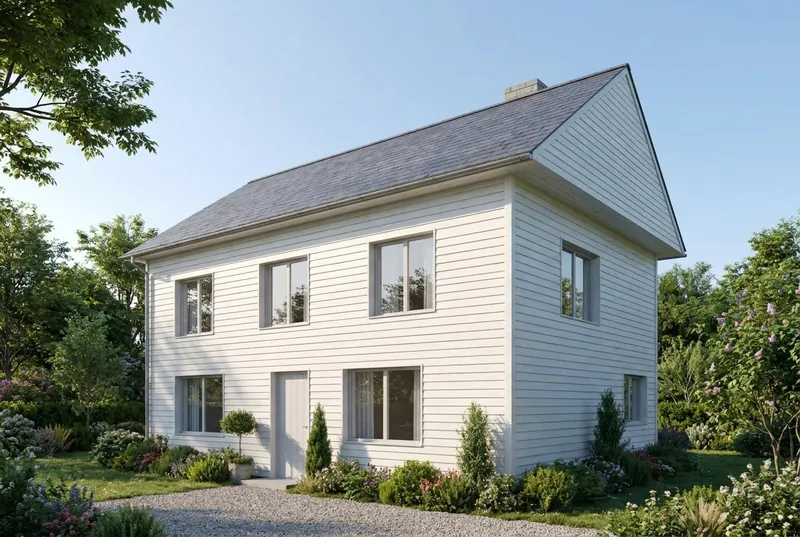
Ein Haus mit Satteldach an einem Sommermorgen. Giebel, Schornstein, Tür und alle 8 Fenster sitzen dort, wo das Modell sie hat.
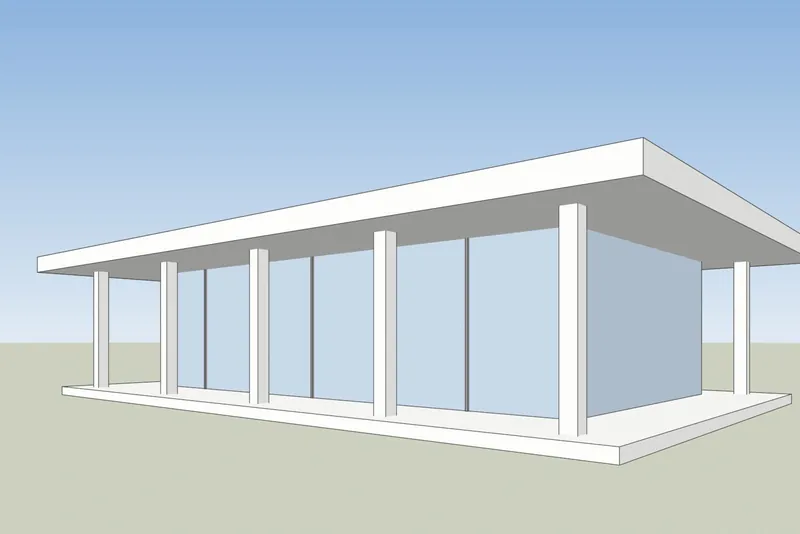
 SketchUp-AnsichtKI-Rendering
Glaspavillon-Café
Ein Flachdach-Pavillon in der Dämmerung, lebhaft im Inneren und auf der Terrasse. Die Säulen und der Dachüberstand entsprechen dem Modell.
Schritt für Schritt
So bereiten Sie Ihre SketchUp-Ansicht vor
4 Schritte, und nur der Export ist Pflicht.
1. Ansicht einrichten
Richten Sie das Gebäude mit den Werkzeugen Umlaufbahn und Verschieben aus. Für senkrechte Wände aktivieren Sie Kamera, Zweipunktperspektive. Blenden Sie die Achsen und alle Hilfslinien aus, die nicht im Bild sein sollen.
2. Einen schlichten Stil wählen
Stellen Sie im Bedienfeld Stile den Flächenstil auf Schattiert, Verdeckte Linien oder Monochrom. Ein weißes oder graues Modell liefert das sauberste Ergebnis. Schalten Sie Schatten aus, die KI fügt ihr eigenes Licht hinzu.
3. PNG exportieren
Verwenden Sie in SketchUp für Desktop Datei, Exportieren, 2D-Grafik und speichern Sie ein PNG. In jeder Version funktioniert auch ein normaler Screenshot des SketchUp-Fensters.
4. Rendern
Laden Sie das PNG hoch, wählen Sie Tageslicht, bedeckten Himmel, Abendsonne oder Dämmerung und fügen Sie bei Bedarf eine kurze Notiz zu Materialien hinzu, zum Beispiel weißer Putz und Eichenfenster.
Geprüft am 15. Oktober 2026
SketchUp AI Render oder ein Screenshot-Tool
Beide erzeugen KI-Bilder aus Ihrem SketchUp-Modell. Sie unterscheiden sich darin, was Sie vor dem Start brauchen.
SketchUp AI Render
In SketchUp für Desktop, iPad und Web integriert. Es erfordert einen kostenpflichtigen SketchUp-Tarif (Go, Pro oder Studio) und auf dem Desktop SketchUp 2024 oder neuer mit der AI-Render-Erweiterung. Jedes Bild kostet 10 Credits. Die Tarife enthalten 100 bis 200 Credits pro Monat, nicht genutzte Credits werden nicht übertragen. Zudem gibt es Zeichen- und Bearbeitungswerkzeuge in SketchUp.
SketchUp-Hilfe: AI RenderKI-Rendering von 3Dstudio.co
Läuft im Browser mit einem exportierten Bild, funktioniert also mit jeder SketchUp-Version, auch mit SketchUp Free, und braucht keine Erweiterung. Bis zu 11 kostenlose Renderings bei der Anmeldung. Bezahlte Credits verfallen nie. Innerhalb von SketchUp gibt es keine Werkzeuge: Sie ändern das Ergebnis mit der Lichtauswahl und einer kurzen Notiz.
3Dstudio.co AI Render öffnen
Was Sie erwarten können
Was die KI aus Ihrem SketchUp-Modell übernimmt und was sie verändert
Damit Sie wissen, was Sie einem Kunden zeigen und was Sie unserem Studio senden sollten.
Was gleich bleibt
Die Form des Gebäudes, die Fenster und Türen, die Dachlinie und die Anzahl der Stockwerke. Der Kamerawinkel bleibt exakt wie in Ihrem Screenshot.
Was die KI ändert
Materialien, Licht, Himmel, Bepflanzung und Möbeloberflächen. Verwenden Sie das Notizfeld, um diese zu steuern, zum Beispiel weißer Putz und Eichenfenster.
Was vereinfacht werden kann
Sehr feine Details, wie dünne Fensterprofile oder kleine Geländer, können einfacher dargestellt werden als im Modell. Für exakte finale Visualisierungen nutzen Sie unser Studio.
Was mit Ihrer Datei geschieht
Nur der Screenshot wird gesendet, niemals Ihre Modelldatei. Wir verwenden Ihre Bilder nicht zum Trainieren von KI und wir veröffentlichen Ihre Renderings nicht.
FAQ zum KI-Rendering für SketchUp
Fragen zum KI-Rendering für SketchUp
Versionen, Dateien, Genauigkeit und Preis.
Mit Ihrem SketchUp-Modell ausprobierenWelche SketchUp-Versionen funktionieren?
Jede Version, die Ihr Modell anzeigen kann. Das Tool braucht nur ein Bild der Ansicht, daher funktionieren SketchUp Free, SketchUp für Web, alte Desktop-Versionen und die aktuelle.
Muss ich ein Plugin oder eine Erweiterung installieren?
Nein. Sie exportieren ein PNG oder machen einen Screenshot und laden ihn in Ihrem Browser hoch. In SketchUp wird nichts hinzugefügt, und die Modelldatei wird nie hochgeladen.
Wie unterscheidet sich das vom integrierten AI Render von SketchUp?
SketchUp AI Render läuft innerhalb von SketchUp und erfordert einen kostenpflichtigen Go-, Pro- oder Studio-Plan. Auf dem Desktop benötigt es SketchUp 2024 oder neuer. Jedes Bild kostet 10 Credits, und die monatlichen Credits werden nicht übertragen. Unser Tool funktioniert mit einem exportierten Bild, daher funktioniert jede SketchUp-Version, Sie erhalten ein kostenloses Rendering ohne Konto, und bezahlte Credits verfallen nie. Wenn Sie bereits für SketchUp bezahlen, probieren Sie beide aus. Fakten zu SketchUp geprüft auf help.sketchup.com am 15. Oktober 2026.
Verändert die KI mein SketchUp-Design?
Es behält die Form des Gebäudes, die Fenster, die Dachlinie und die Anzahl der Stockwerke bei. Es ändert die Materialien, das Licht und die Umgebung. Sehr feine Details, wie zum Beispiel dünne Fensterprofile, können einfacher dargestellt werden als im Modell.
Welcher SketchUp-Stil liefert das beste Ergebnis?
Ein schlichter. Schattiert, Verdeckte Linien oder Monochrom mit ausgeschalteten Schatten funktioniert gut. Stark skizzenhafte Kantenstile und kräftige Texturen können im Rendering durchscheinen.
Was kostet es?
Es ist kostenlos zum Ausprobieren. Ihr erstes Rendering erfordert kein Konto, und ein kostenloses Konto bietet Ihnen bis zu 11 kostenlose Renderings für den persönlichen Gebrauch. Für Kundenarbeiten wählen Sie einen Monatsplan oder ein einmaliges Credit-Paket. Credits verfallen nie, und die Preise werden in Ihrer Währung inklusive Mehrwertsteuer angezeigt auf der Preisseite.
Ratgeber zum KI-Rendering
Ratgeber und Vergleiche zum KI-Rendering
Wie sich KI-Rendering-Tools bei Preis und Funktionen vergleichen und wie sich KI von CGI unterscheidet. Die Ratgeber sind auf Englisch.
Die beste KI-Rendering-Software 2026
7 Tools für Architekten im Vergleich, mit Preisen, kostenlosem Einstieg, Stärken und Grenzen.
WeiterlesenKostenlose KI-Rendering-Tools
Was 11 Tools kostenlos bieten, welche ein Wasserzeichen einfügen und ob Sie das Ergebnis für Kundenarbeit nutzen dürfen.
WeiterlesenKI-Rendering im Vergleich zu V-Ray und Enscape
Wo V-Ray und Enscape vorn liegen, wo KI-Rendering vorn liegt und wie Sie beides nutzen.
WeiterlesenVeras Preise 2026
Was Veras kostet, was Sie für die Credits bekommen und wie ein Screenshot-basiertes Tool im Vergleich dasteht.
WeiterlesenMyArchitectAI-Alternative
Die Tarife und kostenlosen Renderings, wo MyArchitectAI vorn liegt und wo 3Dstudio.co AI Render vorn liegt.
WeiterlesenRendair im Test
Die Tarife 2026, was die Credits bringen, wo Rendair stark ist und wie 3Dstudio.co AI Render im Vergleich abschneidet.
Weiterlesenmnml AI im Test
Die Tarife 2026, Plugins für SketchUp, Revit und Rhino und wie 3Dstudio.co AI Render im Vergleich abschneidet.
WeiterlesenCGI oder KI für Architekturbilder
Wie sich CGI- und KI-Bilder unterscheiden, woran man sie erkennt und wann man welche einsetzt.
Weiterlesen
Andere Programme
KI-Rendering für Ihre anderen 3D-Programme
Es funktioniert mit jedem Programm, das einen Screenshot einer 3D-Ansicht erstellen kann. Diese Seiten zeigen die Exportschritte.
1,252
Projekte abgeschlossen
13
Jahre im Geschäft
17
Länder, in die geliefert wurde







★★★★★
Bewertet mit 4,9 auf Clutch · Unsere Bewertungen ansehen
Architekten, Bauträger & Innenarchitekten
Tätig für 215 Unternehmen seit 2013
125 von 220 Kunden kamen zurück
Mehr als die Hälfte unserer Kunden hat uns erneut beauftragt

Mit Ihrem SketchUp-Modell ausprobieren
Jetzt eine SketchUp-Ansicht rendern
Bis zu 11 kostenlose Renderings, keine Karte. Ihr erstes Rendering erfordert kein Konto. Sie erhalten das Bild in etwa 20 Sekunden.