

SketchUp AI-rendering
Fotorealistisk på rundt 20 sekunder
Eksporter en visning fra SketchUp som PNG. Få en fotorealistisk rendering av samme bygning.
- Opptil 11 gratis renderinger med en gratis konto
- Alle SketchUp-versjoner, også Free
- Ingen utvidelse, uten kort
- Modellfilen din forblir på datamaskinen din
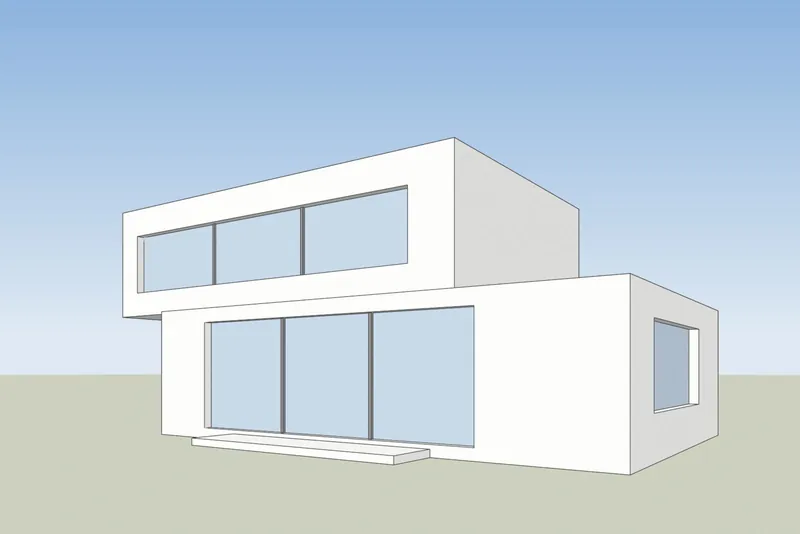
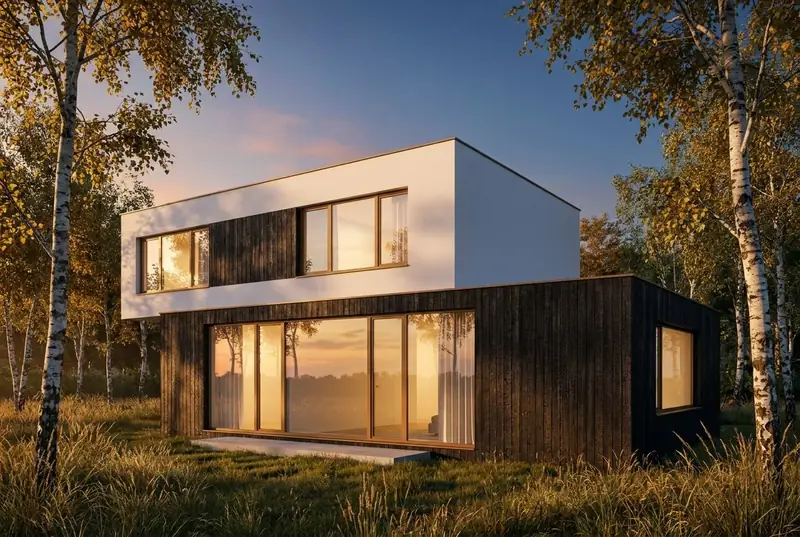 SketchUp-visningAI-rendering
Eksempler
En SketchUp-visning inn, en fotorealistisk rendering ut
Hvite flater og svarte kanter til venstre, slik SketchUp viser en modell. Renderingen som kom tilbake er til høyre, uredigert.
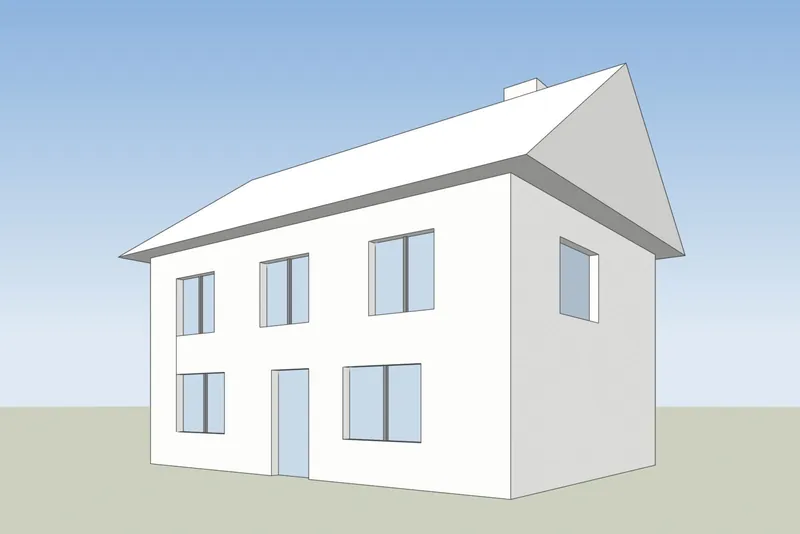
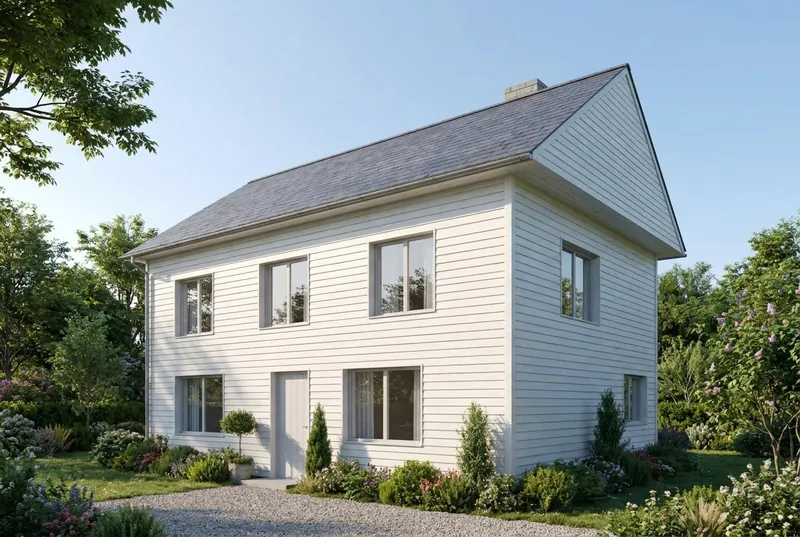 SketchUp-visningAI-rendering
Enebolig
Et hus med saltak en sommermorgen. Gavlen, skorsteinen, døren og alle 8 vinduene sitter der modellen har dem.
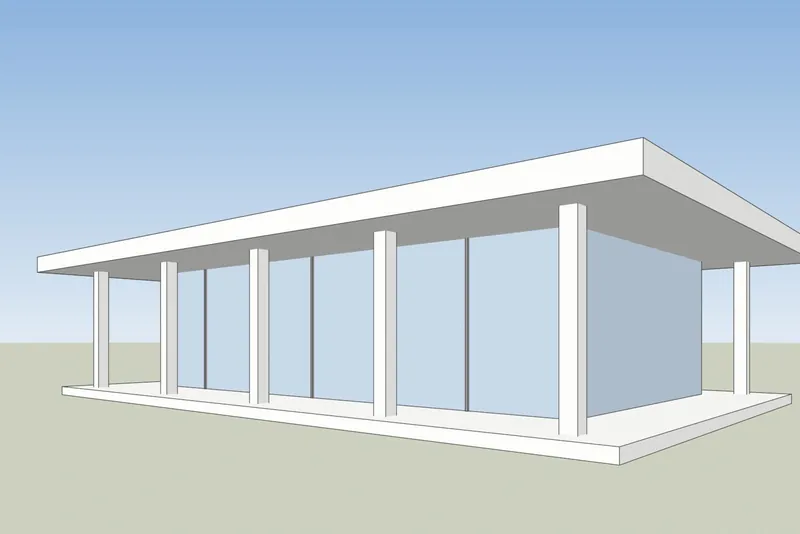
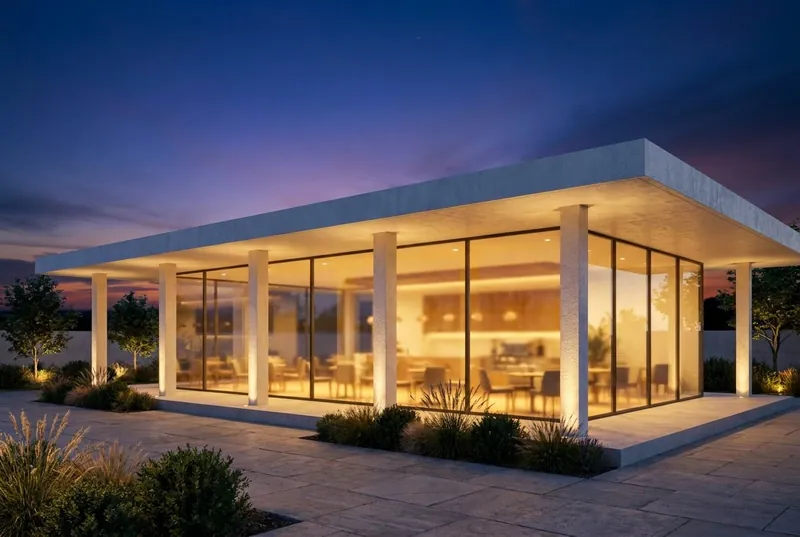 SketchUp-visningAI-rendering
Kafé i glasspaviljong
En paviljong med flatt tak i skumringen, travelt både inne og på terrassen. Søylene og takoverhenget samsvarer med modellen.
Steg for steg
Slik gjør du SketchUp-visningen klar
4 trinn, og bare eksporten er påkrevd.
1. Sett opp visningen
Ramm inn bygningen med verktøyene Orbit og Pan. For rette, vertikale vegger slår du på Camera, Two-Point Perspective. Skjul aksene og eventuelle hjelpelinjer du ikke vil ha med i bildet.
2. Velg en enkel stil
I Styles-panelet setter du flatestilen til Shaded, Hidden Line eller Monochrome. En hvit modell eller gråmodell gir det reneste resultatet. Slå av skygger, siden AI-en legger til sitt eget lys.
3. Eksporter en PNG
I SketchUp for desktop bruker du File, Export, 2D Graphic og lagrer en PNG. I alle versjoner fungerer også et vanlig skjermbilde av SketchUp-vinduet.
4. Lag renderingen
Last opp PNG-en, velg dagslys, overskyet, kveldssol eller skumring, og legg til en kort merknad om materialer hvis du vil, for eksempel hvit puss og vinduer i eik.
Kontrollert 15. oktober 2026
SketchUp AI Render eller et skjermbildeverktøy
Begge lager AI-bilder av SketchUp-modellen din. Forskjellen er hva du trenger før du begynner.
SketchUp AI Render
Innebygd i SketchUp for desktop, iPad og nett. Det krever en betalt SketchUp Go-, Pro- eller Studio-plan, og på desktop SketchUp 2024 eller nyere med AI Render-utvidelsen. Hvert bilde koster 10 kreditter. Planene inkluderer 100 til 200 kreditter i måneden, og ubrukte kreditter overføres ikke. Det har også tegne- og redigeringsverktøy inne i SketchUp.
SketchUp-hjelp: AI Render3Dstudio.co AI-rendering
Kjører i nettleseren din fra et eksportert bilde, så det fungerer med alle SketchUp-versjoner, inkludert SketchUp Free, og uten utvidelse. Opptil 11 gratis renderinger når du registrerer deg. Betalte kreditter utløper aldri. Det har ingen verktøy inne i SketchUp: du endrer resultatet med lysvalget og et kort notat.
Åpne 3Dstudio.co AI Render
Hva du kan forvente
Hva AI-en beholder fra SketchUp-modellen din, og hva den endrer
Slik at du vet hva du skal vise en klient og hva du skal sende til studioet vårt.
Hva som forblir likt
Bygningens form, vinduene og dørene, taklinjen og antall etasjer. Kameravinkelen forblir nøyaktig som på skjermbildet ditt.
Hva AI-en endrer
Materialer, lys, himmel, beplantning og overflater på møbler. Bruk notatfeltet til å styre disse, for eksempel hvit puss og vinduer i eik.
Hva som kan forenkles
Svært fine detaljer, som tynne vindussprosser eller små rekkverk, kan fremstå enklere enn i modellen. For eksakte sluttbilder, bruk studioet vårt.
Hva som skjer med filen din
Bare skjermbildet sendes, aldri modellfilen din. Vi bruker ikke bildene dine til å trene AI, og vi publiserer ikke renderingene dine.
Vanlige spørsmål om SketchUp AI-rendering
Spørsmål om AI-rendering for SketchUp
Versjoner, filer, nøyaktighet og pris.
Prøv det på SketchUp-modellen dinHvilke SketchUp-versjoner fungerer?
Alle versjoner som kan vise modellen din. Verktøyet trenger bare et bilde av visningen, så SketchUp Free, SketchUp for Web, gamle desktop-versjoner og den nyeste fungerer alle.
Må jeg installere en plugin eller utvidelse?
Nei. Du eksporterer en PNG eller tar et skjermbilde og laster det opp i nettleseren. Ingenting legges til i SketchUp, og modellfilen lastes aldri opp.
Hva er forskjellen fra SketchUps innebygde AI Render?
SketchUp AI Render kjører inne i SketchUp og krever et betalt Go-, Pro- eller Studio-abonnement. På desktop krever det SketchUp 2024 eller nyere. Hvert bilde koster 10 kreditter, og de månedlige kredittene overføres ikke. Vårt verktøy fungerer fra et eksportert bilde, så alle SketchUp-versjoner fungerer, du får en gratis rendering uten konto, og betalte kreditter utløper aldri. Hvis du allerede betaler for SketchUp, prøv begge. Fakta om SketchUp sjekket på help.sketchup.com den 15. oktober 2026.
Vil AI-en endre SketchUp-designet mitt?
Den beholder bygningens form, vinduene, taklinjen og antall etasjer. Den endrer materialer, lys og omgivelser. Svært fine detaljer, som tynne vindussprosser, kan fremstå enklere enn i modellen.
Hvilken SketchUp-stil gir best resultat?
En enkel stil. Shaded, Hidden Line eller Monochrome med skygger avslått fungerer bra. Kraftige, skisseaktige kantstiler og sterke teksturer kan skinne gjennom i renderingen.
Hva koster det?
Det er gratis å prøve. Din første rendering krever ingen konto, og en gratis konto gir deg opptil 11 gratis renderinger for personlig bruk. For kundearbeid velger du en månedlig plan eller en kredittpakke med engangsbetaling. Kreditter utløper aldri, og prisene vises i din valuta inkludert mva. på prissiden.
Veiledninger for AI-rendering
Veiledninger og sammenligninger for AI-rendering
Slik står verktøyene for AI-rendering mot hverandre på pris og funksjoner, og slik skiller AI seg fra CGI. Veiledningene er på engelsk.
Beste programvare for AI-rendering i 2026
7 verktøy sammenlignet for arkitekter, med priser, gratis start, styrker og begrensninger.
Les merGratis verktøy for AI-rendering
Hva 11 verktøy gir gratis, hvilke som legger på vannmerke, og om du kan bruke resultatet i kundearbeid.
Les merAI-rendering mot V-Ray og Enscape
Hvor V-Ray og Enscape er best, hvor AI-rendering er best, og hvordan du bruker begge.
Les merPriser for Veras i 2026
Hva Veras koster, hva kredittene gir deg, og hvordan et verktøy basert på skjermbilder står seg.
Les merAlternativ til MyArchitectAI
Planene og de gratis renderingene, hvor det ligger foran, og hvor 3Dstudio.co AI Render ligger foran.
Les merAnmeldelse av Rendair
Planene for 2026, hva kredittene gir deg, hvor det er sterkt, og hvordan 3Dstudio.co AI Render står seg i sammenligning.
Les merAnmeldelse av mnml AI
Planene for 2026, plugins for SketchUp, Revit og Rhino, og hvordan 3Dstudio.co AI Render står seg i sammenligning.
Les merCGI eller AI i arkitekturbilder
Hva som skiller CGI- og AI-bilder, hvordan du ser forskjellen, og når du bør bruke hvert av dem.
Les mer
Andre programmer
AI-rendering for de andre 3D-programmene dine
Du kan bruke alle programmer som kan ta et skjermbilde av en 3D-visning. Disse sidene viser eksporttrinnene.
1,252
Prosjekter fullført
13
År i bransjen
17
Land vi leverer til







★★★★★
Vurdert 4.9 på Clutch · Se våre anmeldelser
Arkitekter, utviklere & interiørdesignere
Jobber for 215 bedrifter siden 2013
125 av 220 kunder kom tilbake
Mer enn halvparten av kundene våre har hyret oss igjen
Prøv det på SketchUp-modellen din
Lag en rendering av en SketchUp-visning nå
Opptil 11 gratis renderinger, ingen kort. Din første rendering krever ingen konto. Du får bildet på omtrent 20 sekunder.