

SketchUp AI renderdus
Fotorealistlik render umbes 20 sekundiga
Eksportige vaade SketchUpist PNG-na. Saate sama hoone fotorealistliku renderduse.
- Kuni 11 tasuta renderdust tasuta kontoga
- Mis tahes SketchUpi versioon, sealhulgas Free
- Laiendust ega kaarti pole vaja
- Teie mudelifail jääb teie arvutisse
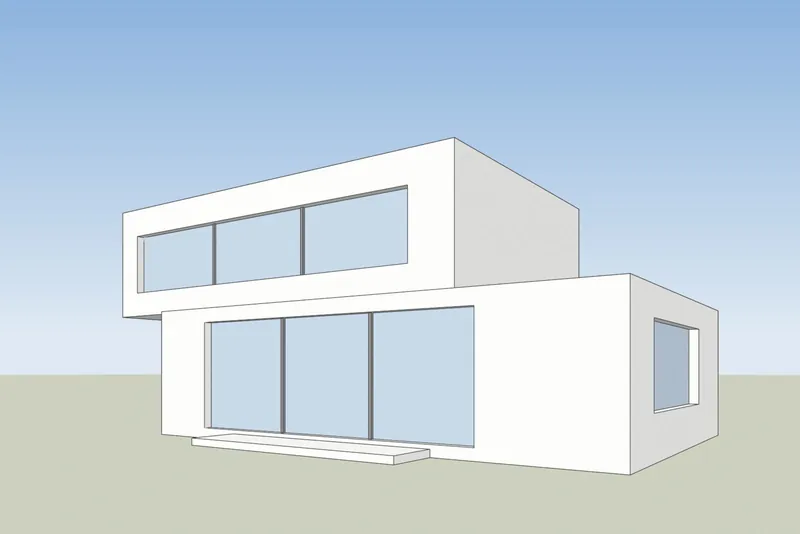
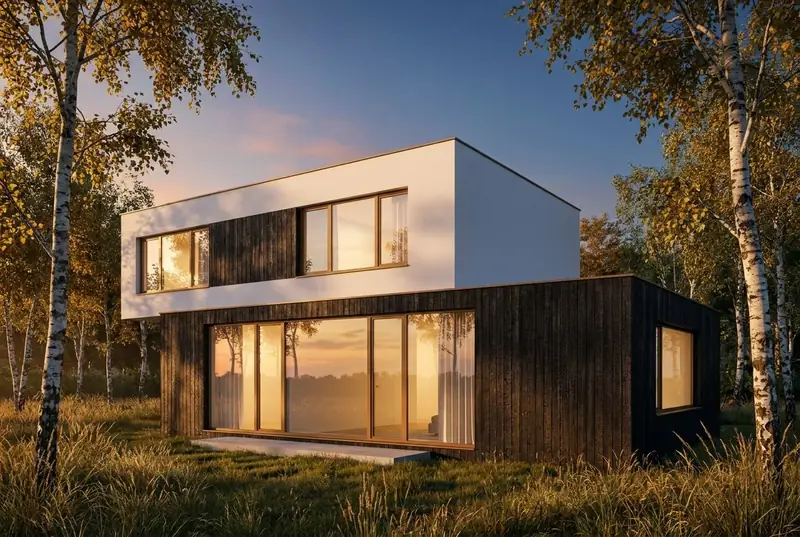 SketchUpi vaadeAI renderdus
Näited
SketchUpi vaade sisse, fotorealistlik renderdus välja
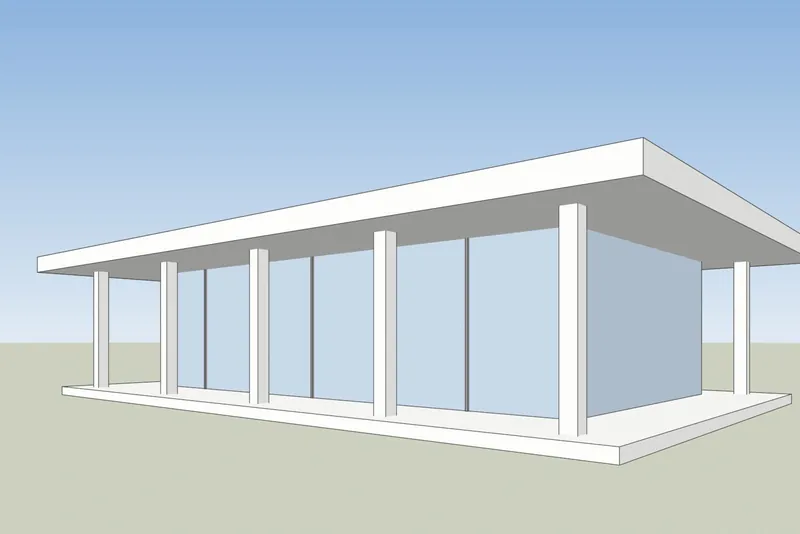
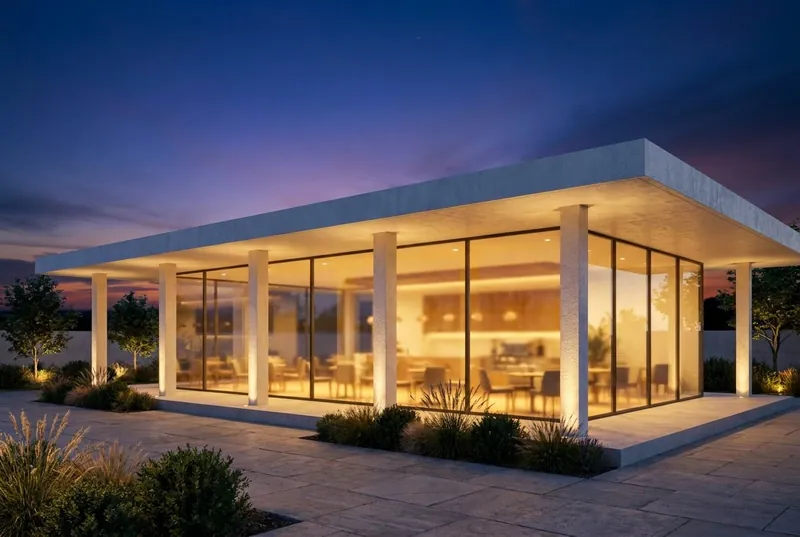
Valged tahud ja mustad servad vasakul, nagu SketchUp mudelit näitab. Tagasi tulnud renderdus on paremal, töötlemata.
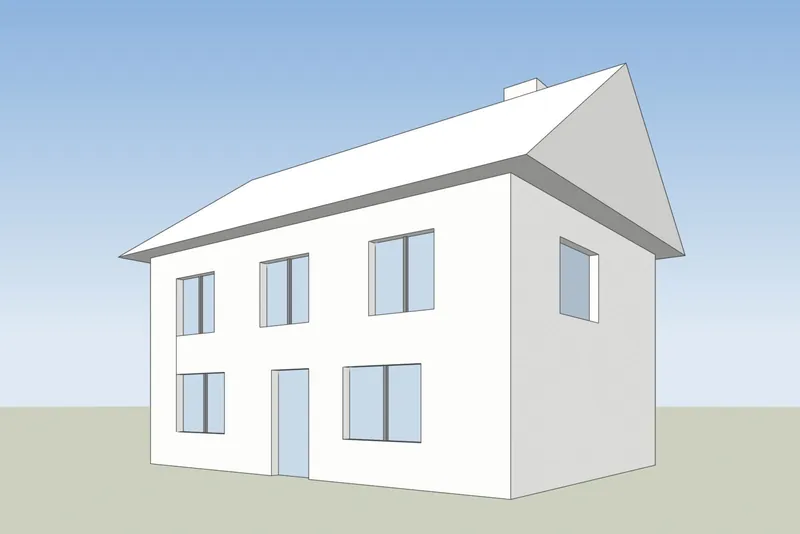
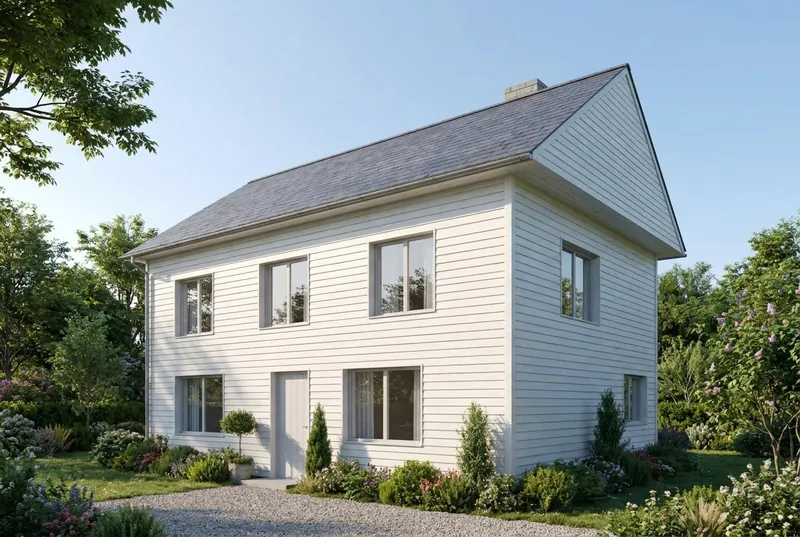 SketchUpi vaadeAI renderdus
Eramu
Viilkatusega maja suvehommikul. Viil, korsten, uks ja kõik 8 akent asuvad seal, kus mudelis.
 SketchUpi vaadeAI renderdus
Klaaspaviljoni kohvik
Lamekatusega paviljon hämaruses, elav nii sees kui ka terrassil. Sambad ja katuseülitus vastavad mudelile.
Samm-sammult
Kuidas oma SketchUpi vaadet ette valmistada
4 sammu ja ainult eksport on vajalik.
1. Seadistage vaade
Kadreerige hoone tööriistadega Orbit ja Pan. Sirgete vertikaalsete seinte jaoks lülitage sisse Camera, Two-Point Perspective. Peitke teljed ja kõik abijooned, mida te pildile ei soovi.
2. Valige lihtne stiil
Stiilide paneelil seadistage tahkude stiiliks Shaded, Hidden Line või Monochrome. Valge või hall mudel annab kõige puhtama tulemuse. Lülitage varjud välja, tehisintellekt lisab oma valguse.
3. Eksportige PNG
SketchUpi töölauaversioonis kasutage menüüd File, Export, 2D Graphic ja salvestage PNG. Mis tahes versioonis sobib ka tavaline SketchUpi akna ekraanipilt.
4. Renderdage see
Laadige PNG üles, valige päevavalgus, pilvine ilm, õhtupäike või hämarik ja lisage soovi korral lühike märkus materjalide kohta, näiteks valge krohv ja tammeaknad.
Kontrollitud 15. oktoober 2026
SketchUp AI Render või ekraanipildi tööriist
Mõlemad loovad teie SketchUpi mudelist tehisintellekti pilte. Need erinevad selles, mida te enne alustamist vajate.
SketchUp AI Render
On SketchUpi sisse ehitatud töölauaversioonis, iPadis ja veebis. Vajab tasulist SketchUp Go, Pro või Studio paketti ning töölauaversioonis SketchUp 2024 või uuemat koos AI Render laiendusega. Iga pilt maksab 10 krediiti. Paketid sisaldavad 100 kuni 200 krediiti kuus ja kasutamata krediidid edasi ei kandu. Sellel on ka joonistus- ja redigeerimisvahendid SketchUpi sees.
SketchUpi abi: AI Render3Dstudio.co AI renderdus
Töötab teie brauseris eksporditud pildi põhjal, seega töötab see mis tahes SketchUpi versiooniga, sealhulgas SketchUp Free'ga ja ilma laienduseta. Kuni 11 tasuta renderdust registreerimisel. Tasulised krediidid ei aegu kunagi. Sellel pole SketchUpi sees tööriistu: tulemust muudate valguse valiku ja lühikese märkusega.
Avage 3Dstudio.co AI Render
Mida oodata
Mida AI teie SketchUpi mudelist säilitab ja mida see muudab
Et teaksite, mida kliendile näidata ja mida meie stuudiosse saata.
Mis jääb samaks
Hoone kuju, aknad ja uksed, katusejoon ja korruste arv. Kaamera nurk jääb täpselt samaks nagu teie ekraanipildil.
Mida tehisintellekt muudab
Materjalid, valgus, taevas, haljastus ja mööbli viimistlus. Suunamiseks kasutage märkuste välja, näiteks valge krohv ja tammepuidust aknad.
Mida saab lihtsustada
Väga peened detailid, nagu õhukesed aknaraamid või väikesed piirded, võivad mudelist lihtsamad välja tulla. Täpsete lõplike piltide jaoks kasutage meie stuudiot.
Mis teie failiga juhtub
Saadetakse ainult ekraanipilt, mitte kunagi teie mudelifail. Me ei kasuta teie pilte tehisintellekti treenimiseks ega avalda teie rendereid.
SketchUp AI renderduse KKK
Küsimused AI renderduse kohta SketchUpi jaoks
Versioonid, failid, täpsus ja hind.
Proovige seda oma SketchUpi mudelilMillised SketchUpi versioonid töötavad?
Mis tahes versioon, mis suudab teie mudelit kuvada. Tööriist vajab ainult vaate pilti, nii et SketchUp Free, SketchUp for Web, vanad töölauaversioonid ja praegune kõik töötavad.
Kas mul on vaja paigaldada plugin või laiendus?
Ei. Ekspordite PNG-pildi või teete ekraanipildi ja laadite selle oma brauserisse. SketchUpile ei lisata midagi ja mudelifaili ei laadita kunagi üles.
Kuidas see erineb SketchUpi sisseehitatud AI Renderist?
SketchUp AI Render töötab SketchUpi sees ja vajab tasulist Go, Pro või Studio paketti. Töölauaversioonis vajab see SketchUp 2024 või uuemat versiooni. Iga pilt maksab 10 krediiti ja igakuised krediidid ei kandu edasi. Meie tööriist töötab eksporditud pildi põhjal, seega sobib mis tahes SketchUpi versioon, esimese renderi saate ilma kontota ja tasulised krediidid ei aegu kunagi. Kui maksate juba SketchUpi eest, proovige mõlemat. Faktid SketchUpi kohta on kontrollitud allikast help.sketchup.com 15. oktoobril 2026.
Kas tehisintellekt muudab minu SketchUpi disaini?
See säilitab hoone kuju, aknad, katusejoone ja korruste arvu. See muudab materjale, valgust ja ümbrust. Väga peened detailid, näiteks õhukesed aknaraamid, võivad mudelist lihtsamad välja tulla.
Milline SketchUpi stiil annab parima tulemuse?
Lihtne. Varjutatud, peidetud joonte (Hidden Line) või varjudeta mustvalge (Monochrome) esitusviis sobib hästi. Tugevalt visandlikud servastiilid ja tugevad tekstuurid võivad renderduses läbi paista.
Mida see maksab?
Seda on tasuta proovida. Teie esimene renderdus ei vaja kontot ja tasuta konto annab teile kuni 11 tasuta renderdust isiklikuks kasutamiseks. Klienditöödeks valige kuupakett või ühekordne krediidipakett. Krediidid ei aegu kunagi ja hinnad on näidatud teie valuutas koos käibemaksuga. Vaadake hinnalehte.
AI renderdamise juhendid
AI renderdamise juhendid ja võrdlused
Kuidas AI renderdamise tööriistad hinna ja funktsioonide poolest võrreldavad ja kuidas AI erineb CGI-st. Juhendid on inglise keeles.
Parim AI renderdamise tarkvara 2026. aastal
7 tööriista võrdlus arhitektidele: hinnad, tasuta algus, tugevused ja piirangud.
Lugege edasiTasuta AI renderdamise tööriistad
Mida 11 tööriista tasuta pakuvad, millised lisavad vesimärgi ja kas tulemust tohib klienditöös kasutada.
Lugege edasiAI renderdamine vs V-Ray ja Enscape
Milles V-Ray ja Enscape on paremad, milles AI renderdamine ja kuidas kasutada mõlemat.
Lugege edasiVeras hinnakiri 2026. aastal
Kui palju Veras maksab, mida selle krediitidega saab ja kuidas ekraanipildipõhine tööriist võrdluses välja näeb.
Lugege edasiMyArchitectAI alternatiiv
Selle paketid ja tasuta renderid, kus see on ees ja kus on ees 3Dstudio.co AI Render.
Lugege edasiRendairi ülevaade
Selle 2026. aasta paketid, mida krediitidega saab, kus see on tugev ja kuidas 3Dstudio.co AI Render võrdluses välja näeb.
Lugege edasimnml AI ülevaade
Selle 2026. aasta paketid, SketchUpi, Reviti ja Rhino pluginad ning kuidas 3Dstudio.co AI Render võrdluses välja näeb.
Lugege edasiCGI või AI arhitektuuripiltide jaoks
Kuidas CGI ja AI pildid erinevad, kuidas neid eristada ja millal kumbagi kasutada.
Lugege edasi
Muud programmid
AI renderdus teistele 3D-programmidele
Sobib iga programm, millega saab 3D-vaatest ekraanipildi teha. Nendel lehtedel on ekspordi sammud.
1,252
Teostatud projekti
13
Aastat tegutsemist
17
Riigid, kuhu oleme tarninud







★★★★★
Hinnang 4.9 platvormil Clutch · Vaata meie arvustusi
Arhitektid, arendajad & sisearhitektid
Töötanud 215 ettevõtet alates 2013
125 klientidest 220 klienti tuli tagasi
Rohkem kui pooled meie klientidest on meid uuesti palganud
Proovige seda oma SketchUpi mudelil
Renderdage SketchUpi vaade kohe
Kuni 11 tasuta renderdust, kaarti pole vaja. Teie esimene renderdus ei vaja kontot. Saate pildi umbes 20 sekundiga.