

SketchUp AI rendering
From a screenshot, with nothing to install
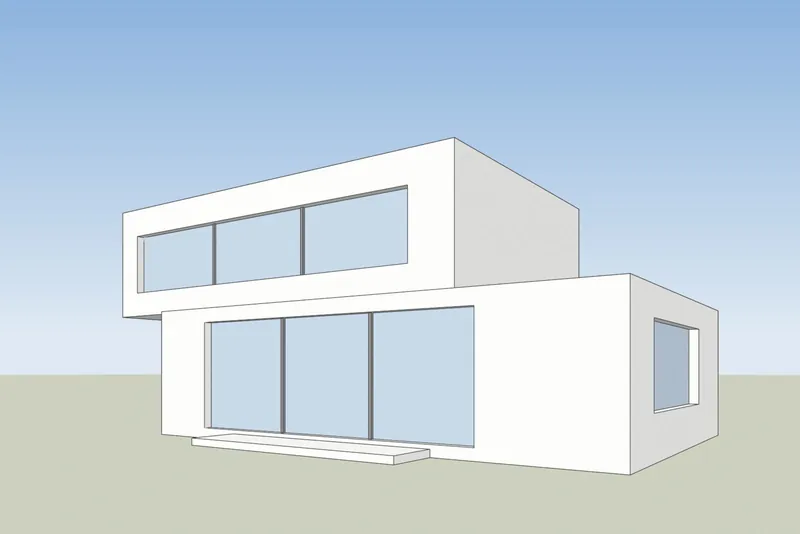
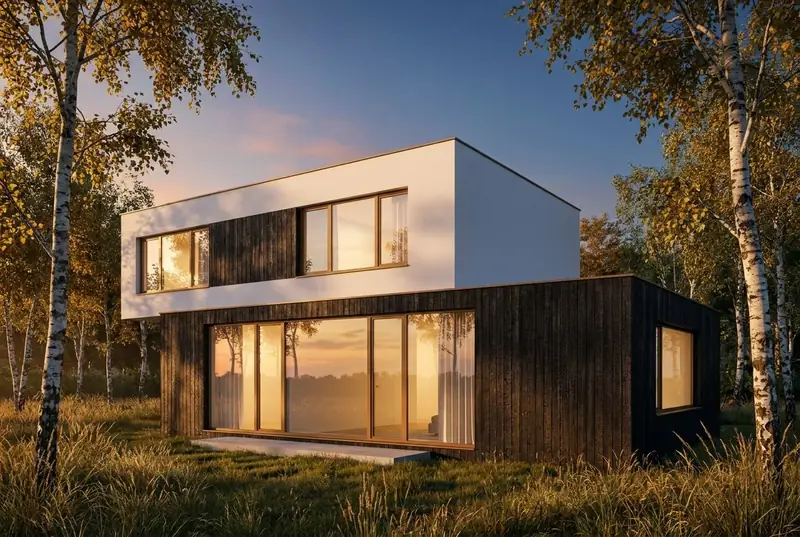
Export a view from SketchUp as a PNG and upload it. In about 20 seconds you get a photoreal image with new materials, light and planting, and the same building. It works with any SketchUp version, including SketchUp Free.
- 3 rendus gratuits par jour, sans inscription
- No extension and no SketchUp subscription
- Your model file never leaves your computer
 SketchUp viewRendu IA
Exemples
A SketchUp view in, a photoreal render out
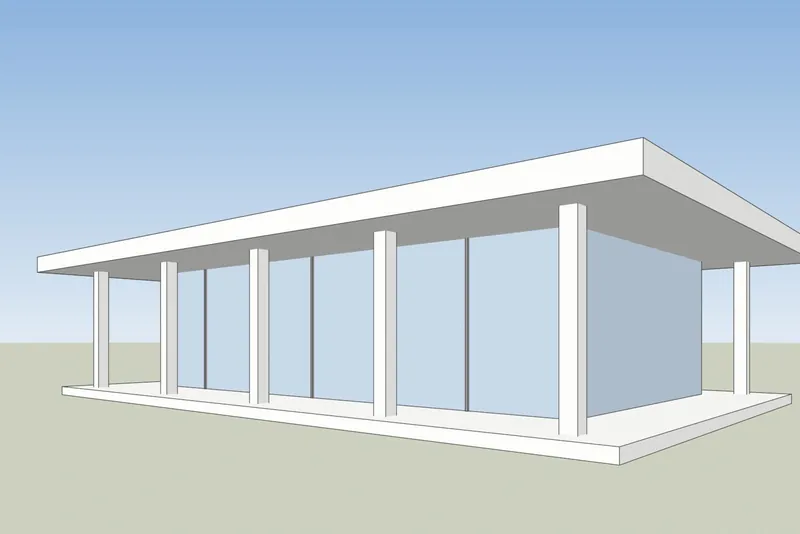
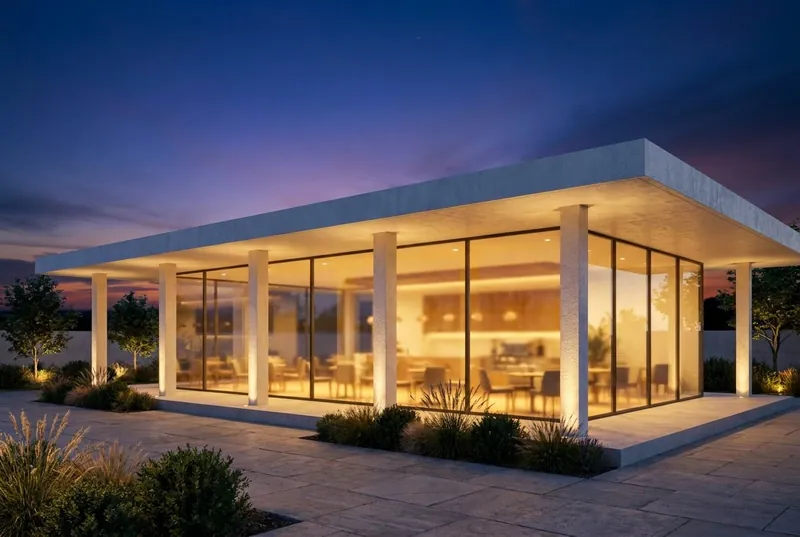
White faces and black edges on the left, as SketchUp shows a model. The render that came back is on the right, not edited.
 SketchUp viewRendu IA
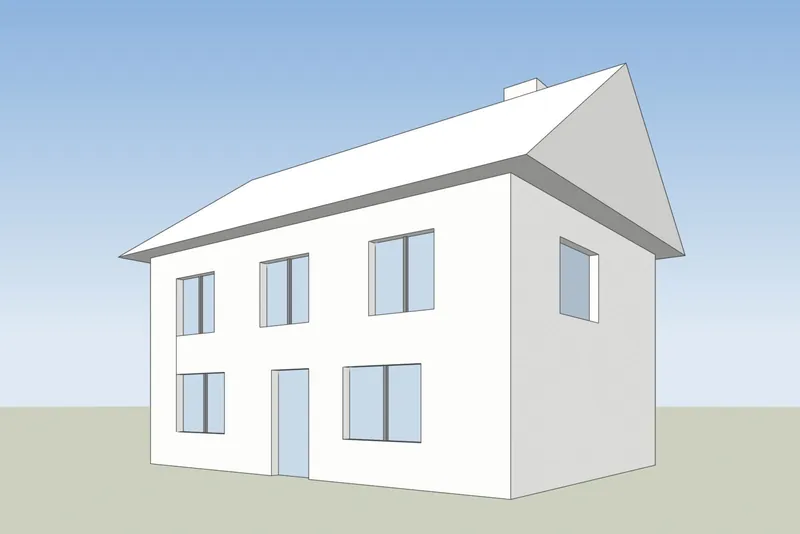
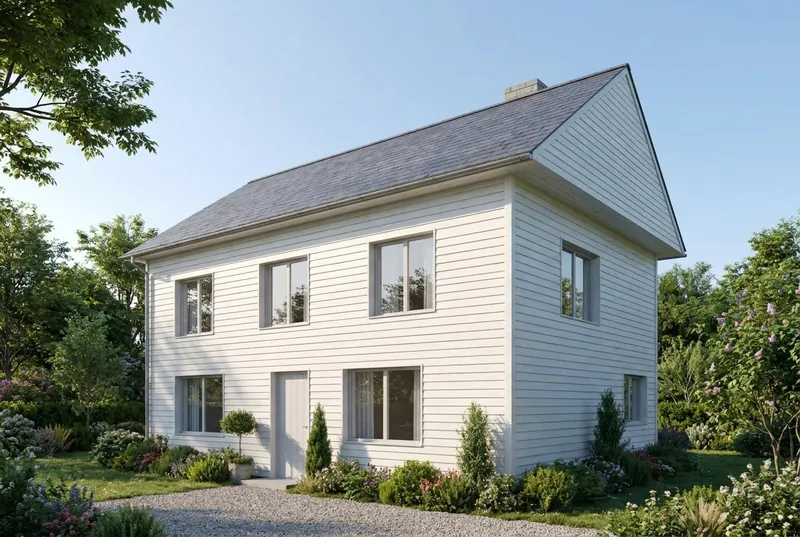
Maison familiale
A pitched roof house on a summer morning. The gable, the chimney, the door and all 8 windows are where the model has them.
 SketchUp viewRendu IA
Café-pavillon en verre
A flat roof pavilion at dusk, busy inside and on the terrace. The columns and the roof overhang match the model.
Step by step
How to get your SketchUp view ready
4 steps, and only the export is required.
1. Set up the view
Frame the building with the Orbit and Pan tools. For straight vertical walls, turn on Camera, Two-Point Perspective. Hide the axes and any guides you do not want in the picture.
2. Choose a plain style
In the Styles panel, set the face style to Shaded, Hidden Line or Monochrome. A white or clay model gives the cleanest result. Turn shadows off, the AI adds its own light.
3. Export a PNG
In SketchUp for desktop, use File, Export, 2D Graphic and save a PNG. In any version, a normal screenshot of the SketchUp window also works.
4. Render it
Upload the PNG, pick daylight, overcast, evening sun or dusk, and add a short note about materials if you want, such as white render and oak windows.
Checked 15 October 2026
SketchUp AI Render or a screenshot tool
Both make AI images from your SketchUp model. They differ in what you need before you start.
SketchUp AI Render
Built into SketchUp for desktop, iPad and web. It needs a paid SketchUp Go, Pro or Studio plan, and on desktop SketchUp 2024 or newer with the AI Render extension. Each image costs 10 credits. Plans include 100 to 200 credits a month, and unused credits do not carry over. It also has drawing and editing tools inside SketchUp.
SketchUp help: AI Render3Dstudio.co AI rendering
Runs in your browser from an exported image, so it works with any SketchUp version, including SketchUp Free, and with no extension. 3 free renders a day with no account. Paid credits never expire. It has no tools inside SketchUp: you change the result with the light choice and a short note.
Ouvrir le Studio de Rendu
À quoi s'attendre
What the AI keeps from your SketchUp model and what it changes
Pour que vous sachiez quoi montrer à un client et quoi envoyer à notre studio.
Ce qui reste identique
La forme du bâtiment, les fenêtres et les portes, la ligne de toit et le nombre d'étages. L'angle de la caméra reste exactement comme sur votre capture d'écran.
Ce que l'IA modifie
Les matériaux, la lumière, le ciel, les plantations et les finitions de mobilier. Utilisez le champ de notes pour les orienter, par exemple un enduit blanc et des fenêtres en chêne.
Ce qui peut être simplifié
Les détails très fins, tels que les fines barres de fenêtre ou les petits garde-corps, peuvent apparaître plus simples que dans le modèle. Pour des images finales exactes, utilisez notre studio.
Ce qu'il advient de votre fichier
Seule la capture d'écran est envoyée, jamais votre fichier modèle. Nous n'utilisons pas vos images pour entraîner l'IA, et nous ne publions pas vos rendus.
SketchUp AI rendering FAQ
Questions about AI rendering for SketchUp
Versions, files, accuracy and price.
Posez-nous une questionWhich SketchUp versions work?
Any version that can show your model. The tool only needs an image of the view, so SketchUp Free, SketchUp for Web, old desktop versions and the current one all work.
Do I need to install a plugin or extension?
No. You export a PNG or take a screenshot and upload it in your browser. Nothing is added to SketchUp and the model file is never uploaded.
How is this different from SketchUp's built-in AI Render?
SketchUp AI Render runs inside SketchUp and needs a paid Go, Pro or Studio plan. On desktop it needs SketchUp 2024 or newer. Each image costs 10 credits, and the monthly credits do not carry over. Our tool works from an exported image, so any SketchUp version works, you get 3 free renders a day, and paid credits never expire. If you already pay for SketchUp, try both. Facts about SketchUp checked on help.sketchup.com on 15 October 2026.
Will the AI change my SketchUp design?
Il conserve la forme du bâtiment, les fenêtres, la ligne de toit et le nombre d'étages. Il modifie les matériaux, la lumière et l'environnement. Des détails très fins, tels que de minces meneaux de fenêtre, peuvent apparaître plus simples que dans le modèle.
Which SketchUp style gives the best result?
A plain one. Shaded, Hidden Line or Monochrome with shadows off works well. Heavy sketchy edge styles and strong textures can show through in the render.
What does it cost?
3 renders a day are free with no account. A free account adds 40 credits. Pro is 19 euro a month for 600 credits, about 46 HD renders, and credits never expire.
1,247
Projets réalisés
13
Années d'activité
17
Pays desservis







★★★★★
Note 5.0 sur Clutch · Voir nos avis
Architectes, promoteurs & designers d'intérieur
Travaillant pour 215 entreprises depuis 2013
125 de 220 clients sont revenus
Plus de la moitié de nos clients nous ont réengagés
Try it on your SketchUp model
Render a SketchUp view now
3 rendus gratuits par jour, sans inscription et sans carte. Vous obtenez l'image en environ 20 secondes.