

SketchUp AI rendering
From a screenshot, with nothing to install
Export a view from SketchUp as a PNG and upload it. In about 20 seconds you get a photoreal image with new materials, light and planting, and the same building. It works with any SketchUp version, including SketchUp Free.
- 3 renders gratuitos por dia, sem necessidade de registo
- No extension and no SketchUp subscription
- Your model file never leaves your computer
 SketchUp viewRender de IA
Exemplos
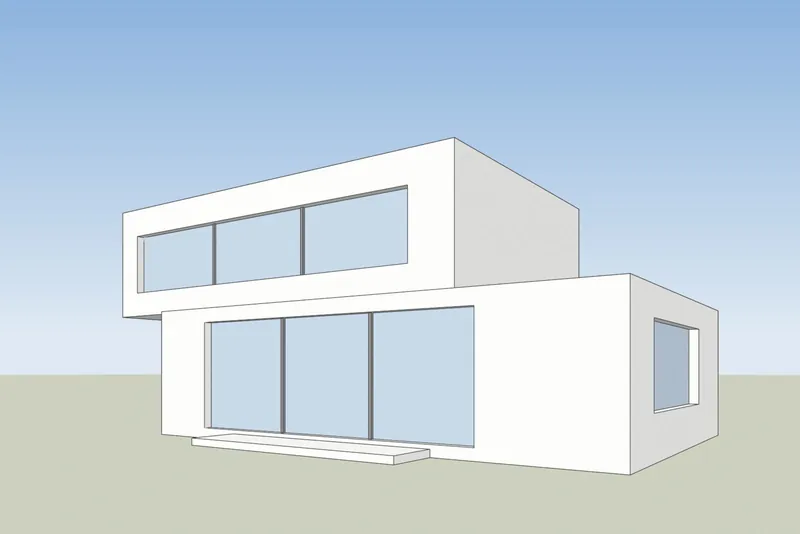
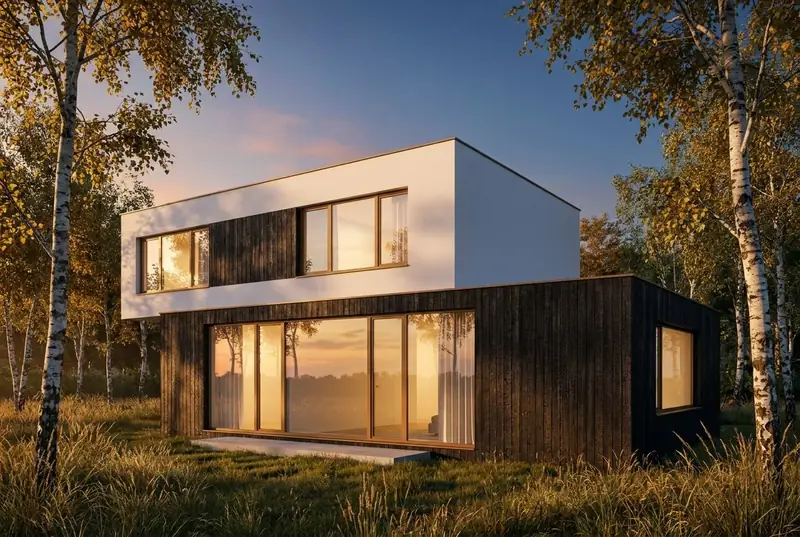
A SketchUp view in, a photoreal render out
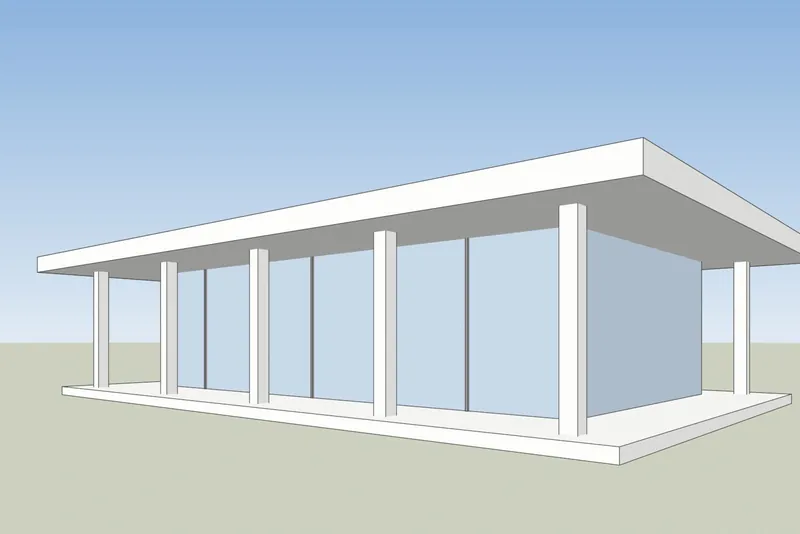
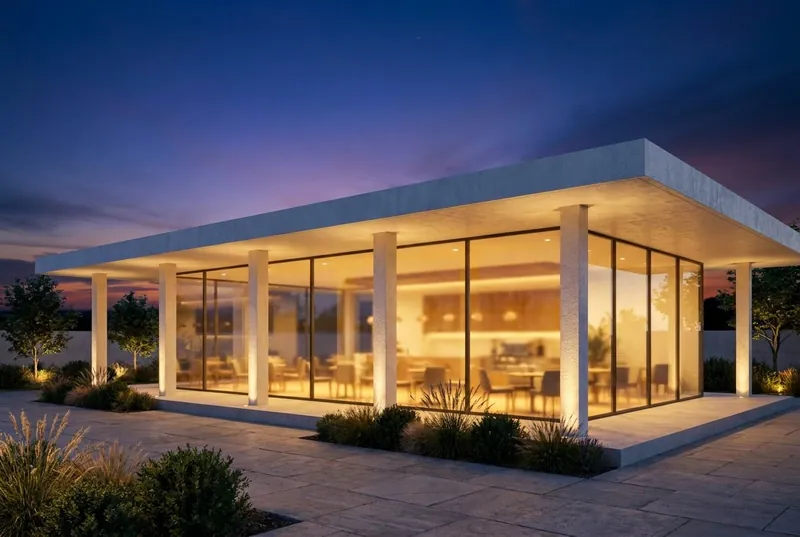
White faces and black edges on the left, as SketchUp shows a model. The render that came back is on the right, not edited.
 SketchUp viewRender de IA
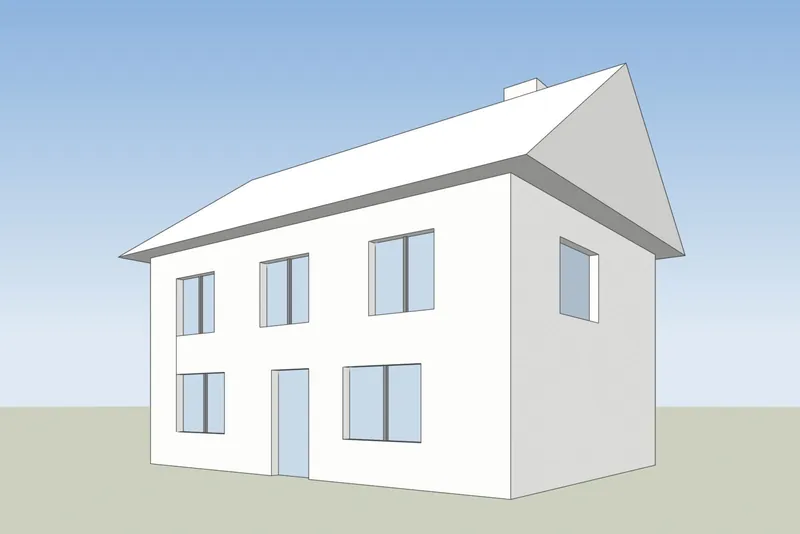
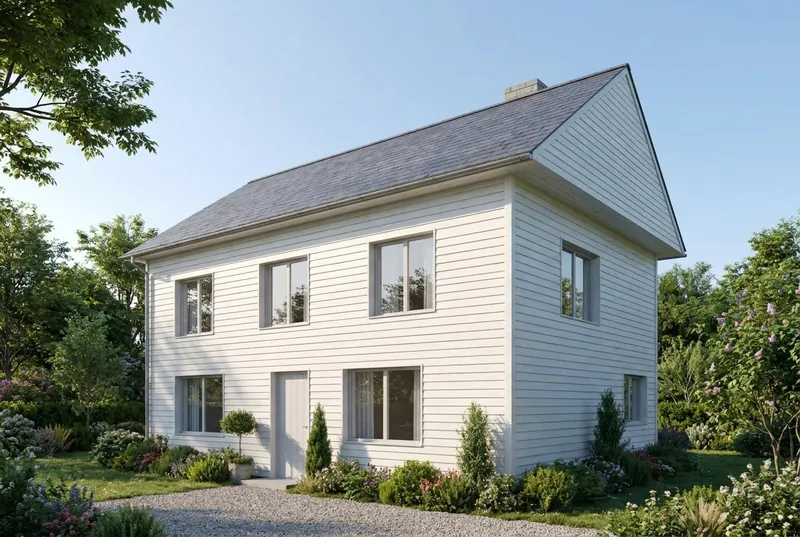
Casa de família
A pitched roof house on a summer morning. The gable, the chimney, the door and all 8 windows are where the model has them.
 SketchUp viewRender de IA
Café pavilhão de vidro
A flat roof pavilion at dusk, busy inside and on the terrace. The columns and the roof overhang match the model.
Step by step
How to get your SketchUp view ready
4 steps, and only the export is required.
1. Set up the view
Frame the building with the Orbit and Pan tools. For straight vertical walls, turn on Camera, Two-Point Perspective. Hide the axes and any guides you do not want in the picture.
2. Choose a plain style
In the Styles panel, set the face style to Shaded, Hidden Line or Monochrome. A white or clay model gives the cleanest result. Turn shadows off, the AI adds its own light.
3. Export a PNG
In SketchUp for desktop, use File, Export, 2D Graphic and save a PNG. In any version, a normal screenshot of the SketchUp window also works.
4. Render it
Upload the PNG, pick daylight, overcast, evening sun or dusk, and add a short note about materials if you want, such as white render and oak windows.
Checked 15 October 2026
SketchUp AI Render or a screenshot tool
Both make AI images from your SketchUp model. They differ in what you need before you start.
SketchUp AI Render
Built into SketchUp for desktop, iPad and web. It needs a paid SketchUp Go, Pro or Studio plan, and on desktop SketchUp 2024 or newer with the AI Render extension. Each image costs 10 credits. Plans include 100 to 200 credits a month, and unused credits do not carry over. It also has drawing and editing tools inside SketchUp.
SketchUp help: AI Render3Dstudio.co AI rendering
Runs in your browser from an exported image, so it works with any SketchUp version, including SketchUp Free, and with no extension. 3 free renders a day with no account. Paid credits never expire. It has no tools inside SketchUp: you change the result with the light choice and a short note.
Abrir o Render Studio
O que esperar
What the AI keeps from your SketchUp model and what it changes
Assim, você sabe o que mostrar a um cliente e o que enviar para nosso estúdio.
O que permanece o mesmo
A forma do edifício, as janelas e portas, a linha do telhado e o número de andares. O ângulo da câmera permanece exatamente como na sua captura de tela.
O que a IA muda
Materiais, luz, céu, vegetação e acabamentos de mobiliário. Use o campo de notas para direcioná-los, por exemplo, render branco e janelas de carvalho.
O que pode ser simplificado
Detalhes muito finos, como barras de janela finas ou pequenos gradis, podem aparecer mais simples do que no modelo. Para imagens finais exatas, use nosso estúdio.
O que acontece com seu arquivo
Apenas a captura de tela é enviada, nunca o seu arquivo de modelo. Não usamos suas imagens para treinar IA, e não publicamos seus renders.
SketchUp AI rendering FAQ
Questions about AI rendering for SketchUp
Versions, files, accuracy and price.
Faça-nos uma perguntaWhich SketchUp versions work?
Any version that can show your model. The tool only needs an image of the view, so SketchUp Free, SketchUp for Web, old desktop versions and the current one all work.
Do I need to install a plugin or extension?
No. You export a PNG or take a screenshot and upload it in your browser. Nothing is added to SketchUp and the model file is never uploaded.
How is this different from SketchUp's built-in AI Render?
SketchUp AI Render runs inside SketchUp and needs a paid Go, Pro or Studio plan. On desktop it needs SketchUp 2024 or newer. Each image costs 10 credits, and the monthly credits do not carry over. Our tool works from an exported image, so any SketchUp version works, you get 3 free renders a day, and paid credits never expire. If you already pay for SketchUp, try both. Facts about SketchUp checked on help.sketchup.com on 15 October 2026.
Will the AI change my SketchUp design?
Mantém a forma do edifício, as janelas, a linha do telhado e o número de pisos. Altera os materiais, a luz e os arredores. Detalhes muito finos, como barras de janela finas, podem parecer mais simples do que no modelo.
Which SketchUp style gives the best result?
A plain one. Shaded, Hidden Line or Monochrome with shadows off works well. Heavy sketchy edge styles and strong textures can show through in the render.
What does it cost?
3 renders a day are free with no account. A free account adds 40 credits. Pro is 19 euro a month for 600 credits, about 46 HD renders, and credits never expire.
1,247
Projetos concluídos
13
Anos no mercado
17
Países atendidos







★★★★★
Avaliação 5.0 no Clutch · Veja nossas avaliações
Arquitetos, incorporadores & designers de interiores
Trabalhando para 215 empresas desde 2013
125 de 220 clientes que retornaram
Mais da metade dos nossos clientes nos contrataram novamente
Try it on your SketchUp model
Render a SketchUp view now
3 renderizações gratuitas por dia, sem inscrição e sem cartão. Recebe a imagem em cerca de 20 segundos.