Photorealistic Architectural Rendering: What Makes It Real
What actually makes a 3D rendering look like a real photograph, broken into light, materials, geometry, camera, planting, people and post-production, with a checklist.
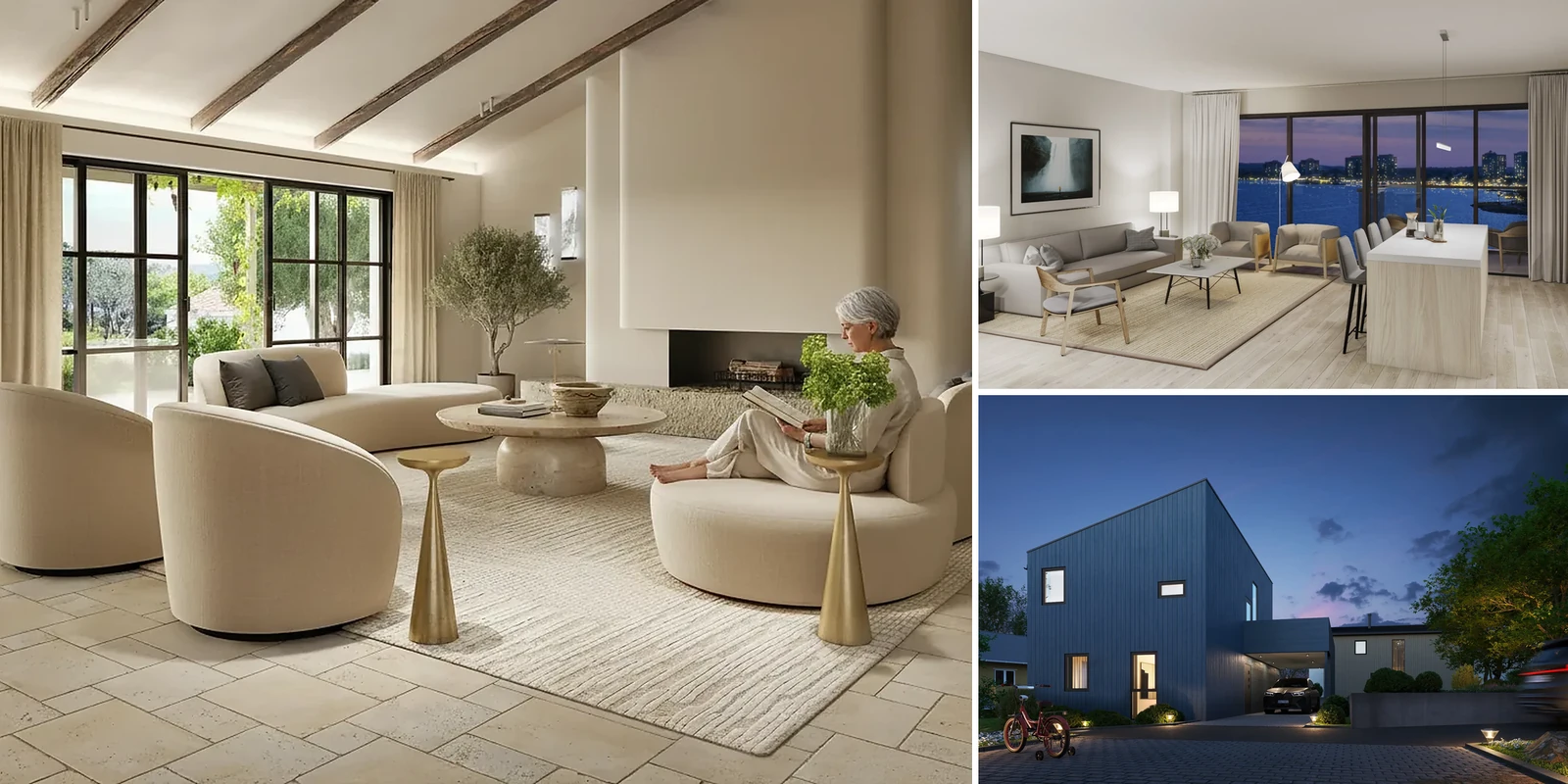
In this article
- A photorealistic render is a 3D model with physical materials, sun, sky and camera, lightly finished in Photoshop.
- Light, materials and camera choices matter more than raw resolution.
- AI image tools do not check geometry against the drawings. A studio model does.
- Use the comparison table and checklist to judge any rendering, from any source.
A photorealistic architectural rendering is a computer-generated image that a viewer cannot tell apart from a photograph of a real building. It is made from a 3D model built from the drawings, physically based (PBR) materials, a physical sun and sky, and a camera set up like a real one, then lightly finished in Photoshop.
Miss enough of these steps and the image looks like a rendering, even when it is sharp and colorful. Our 3D exterior rendering service builds every model from the drawings, and a person checks it against them before delivery.
What makes a photorealistic rendering look real, and what looks fake
Use this table to judge any rendering, from any source. Each row is explained in the sections below.
| Element | Looks fake when | Looks real when | How to check |
|---|---|---|---|
| Sun and shadows | Shadows point in different directions or are equally sharp everywhere | One sun direction for every shadow, edges softer further from the object | Compare the direction of 3 shadows |
| Sky and fill light | Shaded sides are black or flat gray | Shadows are lit by the sky and slightly blue | Look at the shaded side of the building |
| Material scale | Bricks or tiles look too big or too small next to a door | Joints and boards match their real size | Compare a tile or brick to a door handle |
| Reflection and roughness | Every surface has the same shine | Glass, stone and paint each reflect differently and more at a low angle | Look at the floor toward the back of the room |
| Edges | Corners are perfectly sharp | Small bevels and reveals catch the light | Look at worktop edges and window frames |
| Camera and verticals | Walls lean inward toward the top | Vertical lines stay vertical at eye height | Hold a ruler against a wall edge on screen |
| Planting | One tree model repeats, all perfect and the same size | Sizes, shapes and health vary and match the season | Compare 3 plants of the same kind |
| People and cars | Posed, facing the camera, wrong size | Doing ordinary things, right size at doors | Compare an adult to a door |
| Post-production | Heavy glow, pasted sky, very dark grade | Light color correction and small glare | Check that detail is visible in the shadows |
| Match to drawings | Window counts or rooflines differ from the plans | Every opening and roof line matches the drawings | Count windows against an elevation |
Light: sun position, shadow and the sky
A photorealistic rendering fixes one sun position and time of day first, because every shadow, reflection and window highlight has to agree with that choice. A shadow that falls the wrong way, or a shadow with a hard, single pixel edge, is one of the fastest ways to make an image look fake.
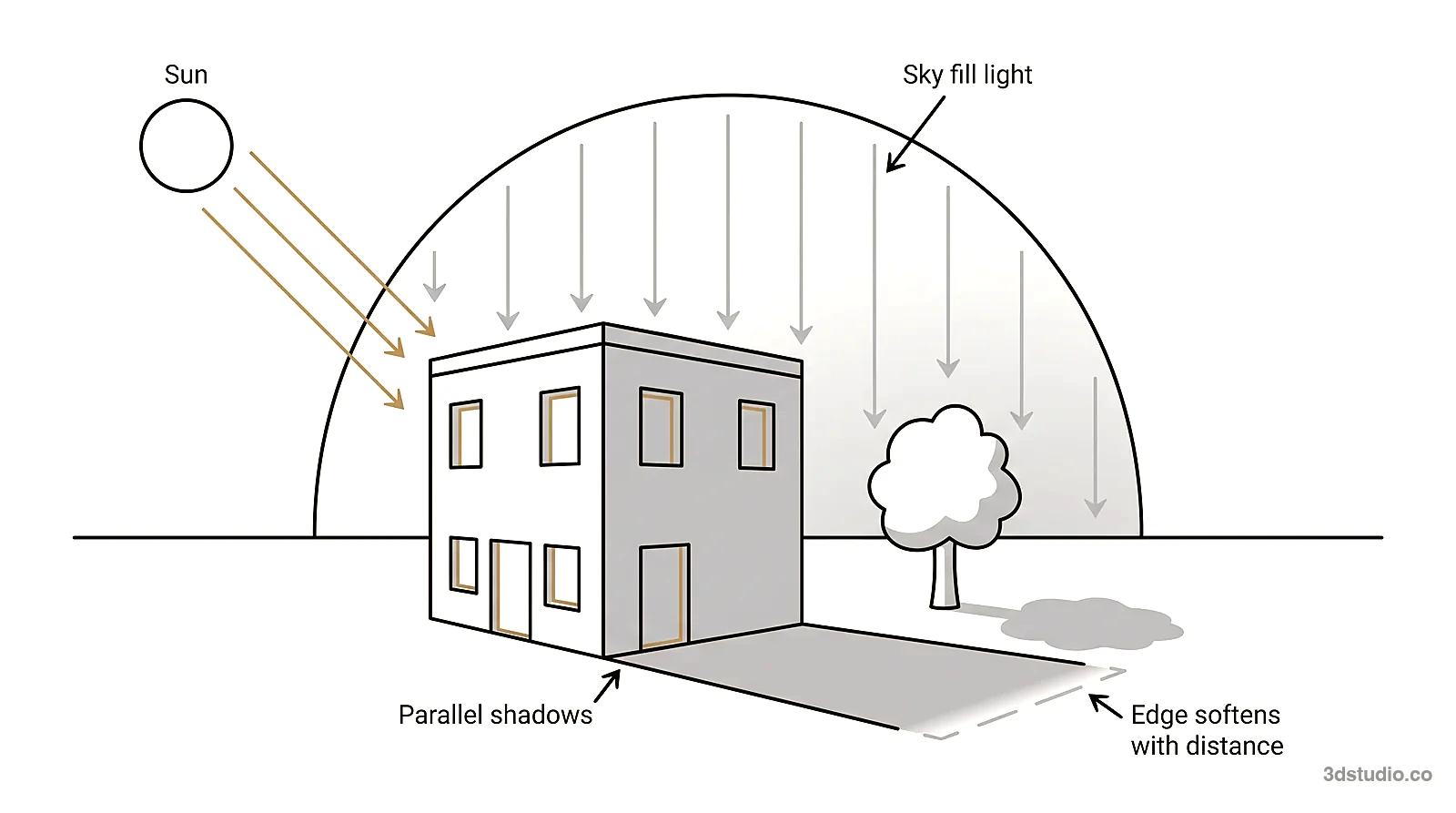
A sun shadow has a slightly soft edge that gets softer further from the object, because the sun is not a point. Light from the sky fills the shadow, so it is never black and is slightly blue on a clear day. A rendering built in 3ds Max with Corona or V-Ray sets up a sky model or an HDRI (a 360-degree photo of a real sky that lights the scene) for this reason: the sky lights the shaded side of a building, not the sun alone. Light that bounces off the ground and nearby walls (global illumination) adds to it.
Color temperature is the second check. Midday sun is about 5,500 to 6,000 K, and warm interior lamps are about 2,700 K. A dusk image shows blue sky light outside and warm window light inside at the same time. Distance matters too: far hills and buildings lose contrast and turn slightly blue. A rendering where near and far objects have the same contrast and color looks fake.
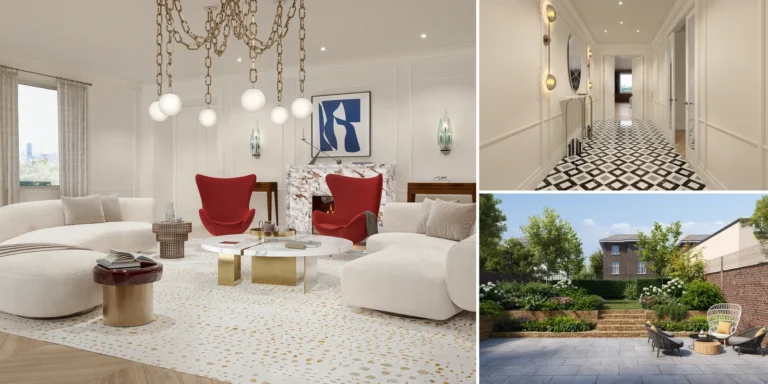
Interior light needs the same check. A believable interior at night has lamps, ceiling fixtures and window light, each at a different angle and color temperature. A room lit by one flat, even source looks like a product photo, not a photograph of a lived-in space.
Materials: scale, reflection and wear
A material only looks real at the correct physical scale. A tile, a brick course or a floorboard has to look the size it actually is next to a door handle or a person, not larger or smaller. With the wrong joint spacing, a surface looks like a texture stretched over a box.
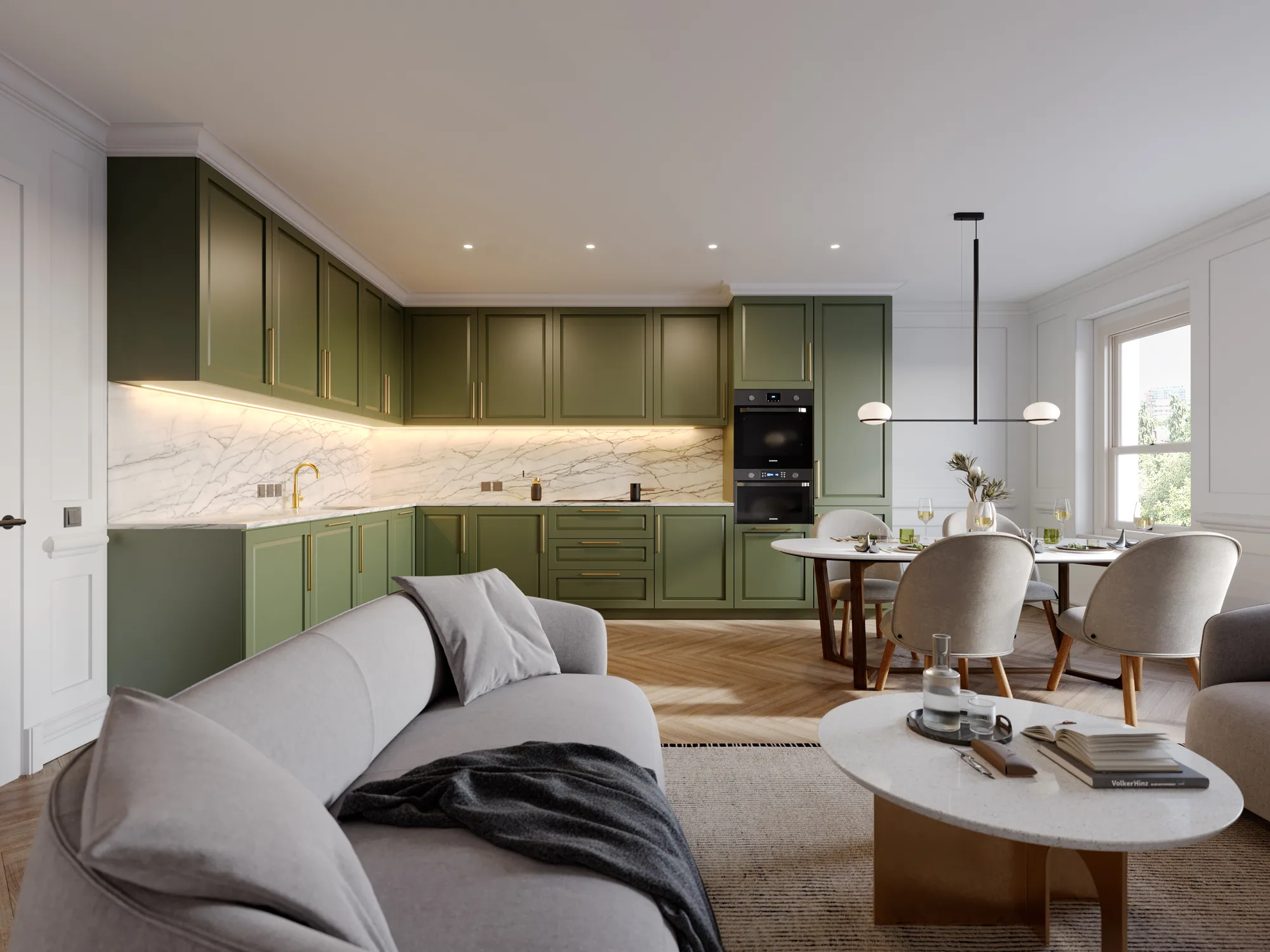
Modern renderers use PBR materials. Each material can use a set of maps: base color, roughness (or glossiness), normal or bump, and displacement. Texture maps and what each type does are explained in a separate guide. Corona and V-Ray read roughness or glossiness maps, so one material can be glossy in one area and matte everywhere else.
Real surfaces are rarely one flat finish. A painted wall has some sheen. Glass reflects the sky and its surroundings, not a flat gray, and thick glass shows a faint green tint at the edge. Polished stone gives a sharp reflection and honed stone a blurred one. Every surface reflects more strongly when seen at a low angle (the Fresnel effect), which is why a stone floor looks shinier toward the back of a room.
A new material with no variation, no dust and no wear looks synthetic. Real walls vary a little in tone, grout lines are slightly uneven, and a door handle has a scuff nearby. These details come from reference photos and the material specs the client sends.
Tip: Zoom into a rendering at full resolution and look at one square meter of one material. If it looks flat and repeating up close, it will also look flat printed large or on a big screen.
Geometry detail: bevels, reveals and small objects
Some details are invisible in a thumbnail and obvious at full size: a beveled edge on a countertop instead of a sharp knife edge, a window frame with a visible reveal instead of glass sitting flush in a wall, a baseboard where the wall meets the floor, and small objects such as a cable running to a lamp or a switch plate. A beveled edge catches a thin line of light. A perfectly sharp edge does not, and that is one reason a model looks computer-made. Drawings do not always show these details, but a real building has them, so the model needs them too. How a model is built from plans is covered in our guide to 3D architectural modeling from drawings.
Render styles: clay, sketch and photorealistic
Photorealistic is one render style among several. A clay (grey) model shows form and massing without materials and is used to agree the camera. Line and sketch styles suit early concepts. Photorealistic images suit marketing and planning, where the viewer must trust what the building will look like. At our clay model stage, the camera position, lens, eye height and time of day are agreed while changes are still cheap. The rest of the process is on the how it works page.
Camera: eye height, lens and verticals
The camera decides whether the image reads as a photograph or as a diagram. Start with eye height: a standing adult has an eye height of about 1.6 to 1.7 m. A view from that height looks like a photograph. A view from far above or below looks like a diagram, unless it is an aerial view on purpose.
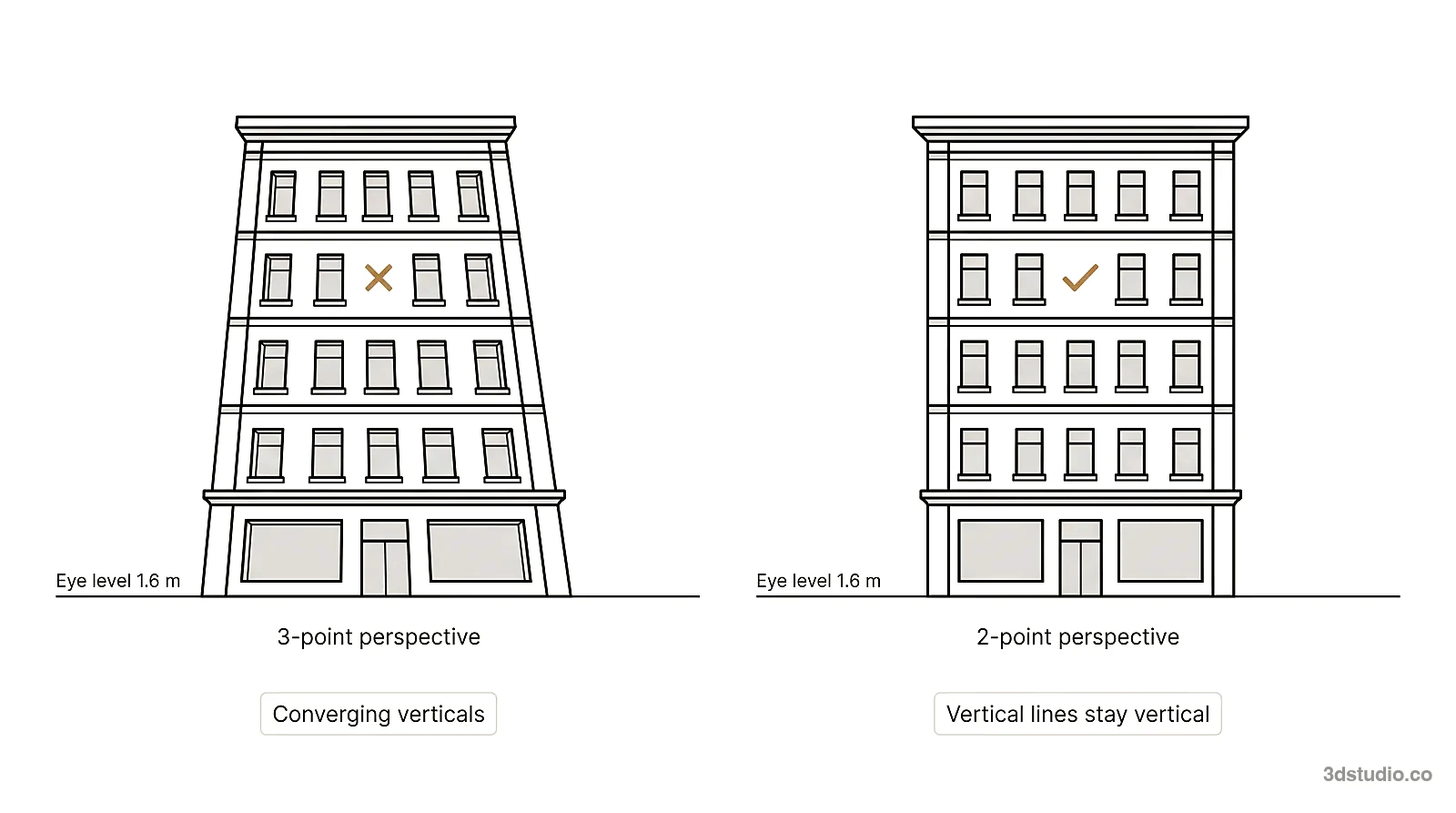
Next, keep vertical lines vertical. This is called 2-point perspective, and a photographer gets it with a shift lens or by correcting the photo. In 3-point perspective the walls lean inward toward the top, which reads as a snapshot taken from the ground.
For the lens, a rough full-frame guide is 35 to 50 mm for a natural look. A tight room may need 20 to 24 mm. Very wide lenses stretch shapes near the corners of the frame, so exteriors usually use a longer lens. Architectural photographs usually keep near and far sharp. Depth comes from overlap, light falloff and haze in the distance, not from blur.
Vegetation and context at real size
Planting is judged against real size, like the building. A newly planted hedge is thin and low. A mature tree has a wide canopy and visible structure under the leaves. A rendering that repeats one oversized, perfect tree across a whole site looks artificial, because real planting varies in height, shape and health.
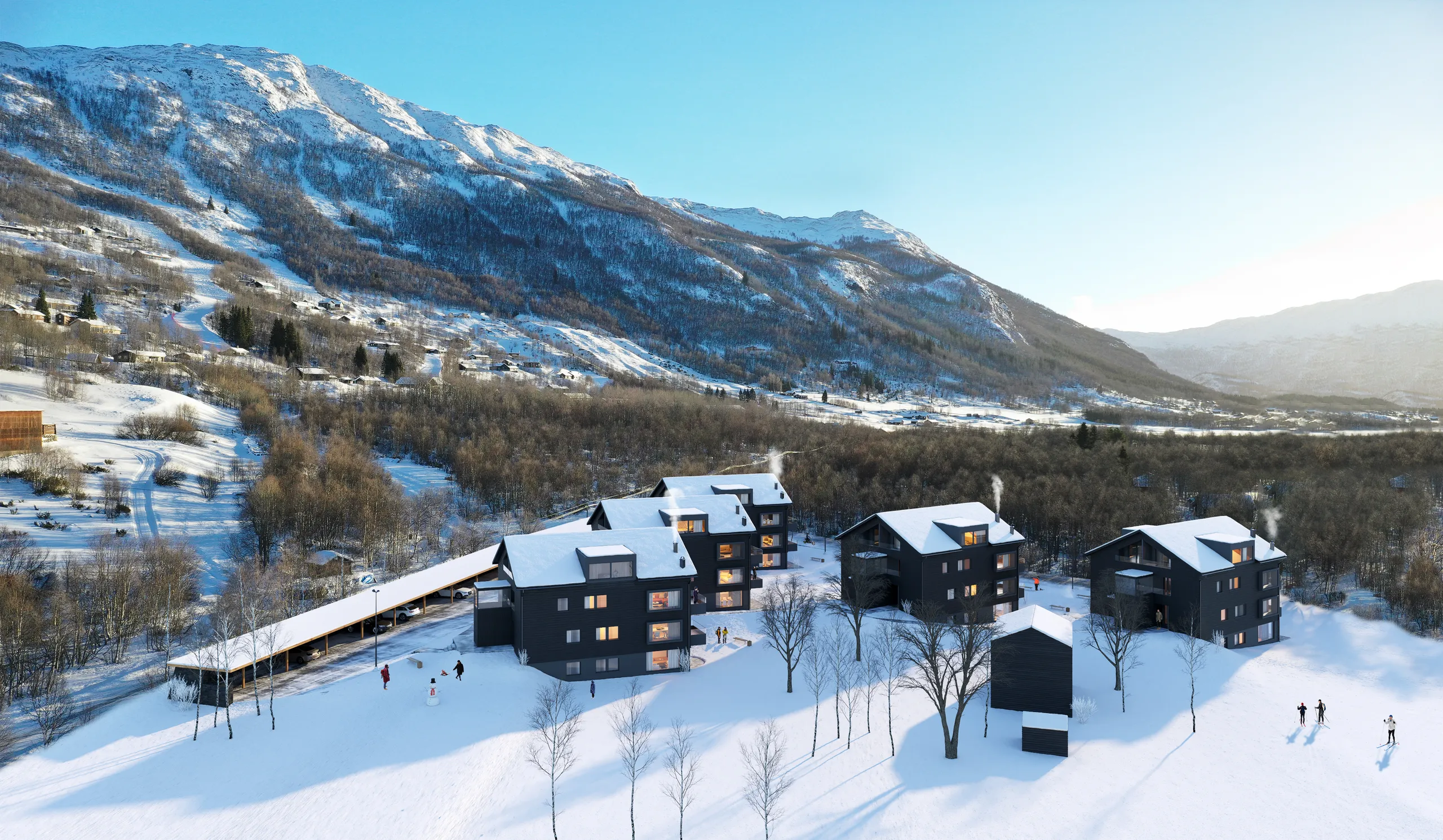
Season and location have to agree with everything else in the image. Snow on the ground changes how light bounces into shadow. Bare branches let more light through than a summer canopy. A coastal site has different planting than an inland one. Full summer trees next to snow on the ground is a mistake viewers notice even when they cannot name it.
People and cars: scale and ordinary behavior
People and cars give the viewer a sense of scale, and they make a place look lived in. Both fail if the people are staged, all facing the camera, or standing in a pose nobody holds outside a photo shoot. A photorealistic rendering shows people doing ordinary things: walking, sitting, carrying something, checking a phone, riding a bicycle past a building.
Scale is easy to check yourself. A standing adult is a little shorter than a standard door. The roof of a sedan reaches about the shoulder of an adult standing next to it, and an SUV roof is close to head height. When these relationships look wrong, the whole building looks the wrong size, even if the model is accurate.
Post-production: what is fine and what looks fake
Every photorealistic rendering goes through some post-production, usually in Photoshop, the same way an architectural photograph does. Color correction, a small amount of glare around bright windows and lights, and an overall grade that matches the mood of the brief are normal. These steps finish an accurate image. They do not fix a wrong model.
Post-production becomes dishonest when it hides a problem: pasting in a sky to disguise a building’s real shape, adding glow to distract from flat materials, or grading an image so dark that missing detail cannot be checked. Post-production should make an accurate model look more like a photograph. It should never be the reason an inaccurate model looks acceptable.
Software used for photorealistic architectural rendering
There is no single best software. Offline ray-traced renderers give the most control for still images, and real-time engines are faster for walkthroughs. The person who sets light, materials and camera matters more than the tool.
| Tool type | Examples | Strength | Typical use |
|---|---|---|---|
| Offline ray-traced renderers | V-Ray, Corona (in 3ds Max) | Highest physical accuracy and control of light | Still images for marketing and planning |
| Real-time engines | Unreal Engine, D5 Render, Lumion, Enscape, Twinmotion | Fast iteration, less control over fine light | Walkthroughs and live design review |
| Modeling sources | Revit, ArchiCAD, SketchUp, AutoCAD | They give the geometry, not the final image | Drawings and BIM models sent to the studio |
| Image editing | Photoshop | Color correction and finishing | Post-production |
3Dstudio.co works in 3ds Max with Corona and V-Ray, plus SketchUp, Revit, ArchiCAD, AutoCAD and Photoshop. It accepts CAD (.dwg), PDF plans, SketchUp, Revit, ArchiCAD, 3ds Max and IFC files.
Why some renderings still look fake, and how to check
Photorealism in architecture depends on more than good light and materials: the image also has to match the drawings. General image tools, ChatGPT included, can turn a sketch or a photo into an image that looks like a photograph. They are good for exploring options and early concepts. Depending on the tool, details such as window frames, balconies or the roofline can change or come out simpler between generations. Nothing in the output is checked against your drawings, because a general image tool never saw them. A studio rendering is built from the same CAD, SketchUp, Revit or ArchiCAD files the architect used, and a person checks the result against them before it goes out.
That is why an AI image can look real and still be wrong for a planning submission, a brochure or anything that has to match the building being built. For more on renderings for planning submissions, see our guide for architects. Use this checklist on any rendering before trusting it:
- Shadows: all point the same direction and match one sun position.
- Materials: visible scale, some wear and some variation, not one flat repeating texture.
- Edges: not perfectly sharp. Countertops, frames and baseboards have a small bevel or reveal.
- Camera: vertical lines are vertical, and the camera height looks like a real person’s eye height.
- Planting: varies in size and health and matches the season shown.
- People and cars: doing ordinary things and the right size next to doors and windows.
- Drawings: window counts, balcony shapes and the roofline match the actual drawings, not just the mood.
Our portfolio has finished projects across architectural visualization, exterior and interior rendering that you can check against this list. For more on judging an interior, see our interior rendering guide. Before you choose a studio, see how to compare rendering studios.
What to send for a photorealistic result
Send these with the quote request:
- Drawings or the 3D model (CAD, Revit, ArchiCAD, SketchUp or IFC). If you only have 2D plans, 3D modeling from 2D drawings comes first.
- Material specs with product names.
- Reference or mood images for light and finish.
- Site photos or a map pin for the surroundings.
- The use of the image (web, brochure or large print), so the resolution is right.
Even a photo of a hand sketch is enough to get a quote. After you send the files, you get a reply within 30 minutes: a fixed price and a delivery date, or the 1-2 questions we need answered first.
Questions about photorealistic rendering
What is a photorealistic render?
A photorealistic render is a computer-generated image that a viewer cannot tell apart from a photograph. It is made from a 3D model with physically based materials, a physical sun and sky, and a real camera setup, then lightly finished in Photoshop.
Can ChatGPT or other general image tools make photorealistic architectural renderings?
They can make photographic-looking images and are useful for exploring options and early concepts. General image tools do not see your drawings, so window counts, balconies and rooflines can drift, and nothing in the output is checked against them. For planning or sales images, use a model built from the drawings and checked by a person.
What is the best software for photorealistic architectural rendering?
There is no single best. V-Ray and Corona in 3ds Max give the most control for still images, and real-time engines such as Unreal Engine, D5 Render and Enscape are faster for walkthroughs. The person setting light, materials and camera matters more than the tool.
How much does a photorealistic architectural rendering cost?
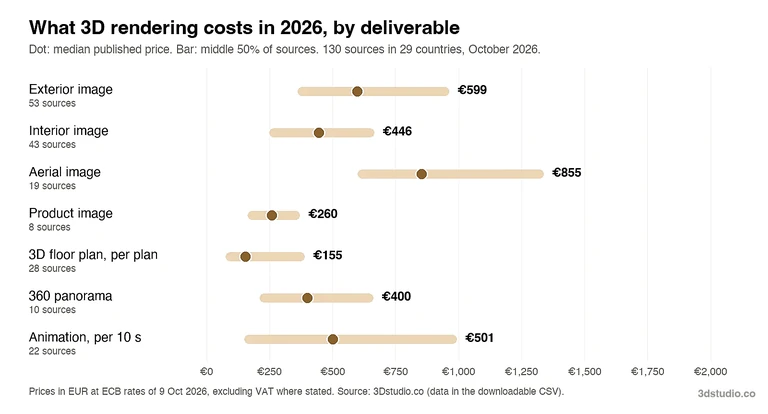
Projects start at €1,000. The price depends on the number of views, the size of the scene, how ready the files are and the resolution. See how a rendering project is priced and the 3D rendering cost guide.
What camera height and lens make a rendering look like a photograph?
A standing eye height of about 1.6 to 1.7 m, vertical lines kept vertical, and a lens that does not stretch the corners of the frame. Very wide lenses and very high or low cameras read as a diagram.
Does higher resolution make a rendering more photorealistic?
Resolution decides how much detail survives at full size and in print. We deliver 4K as standard and up to 8K to 12K for large-format print on request. It does not fix wrong light, materials or geometry. A screen hides flat materials and shadow edges that a large print shows, so check the image zoomed in.
Diagrams in this post are drawn with an AI image tool from our brief and checked by our team.