
3ds Max AI rendering
Photoreal in about 20 seconds
Take a screenshot of the 3ds Max viewport. Get a photoreal render of the same space, without V-Ray or Corona.
- 5 free renders and 5 free fixes
- A screenshot works today
- Beta plugin for 3ds Max 2022 and newer
- Your .max file stays on your computer
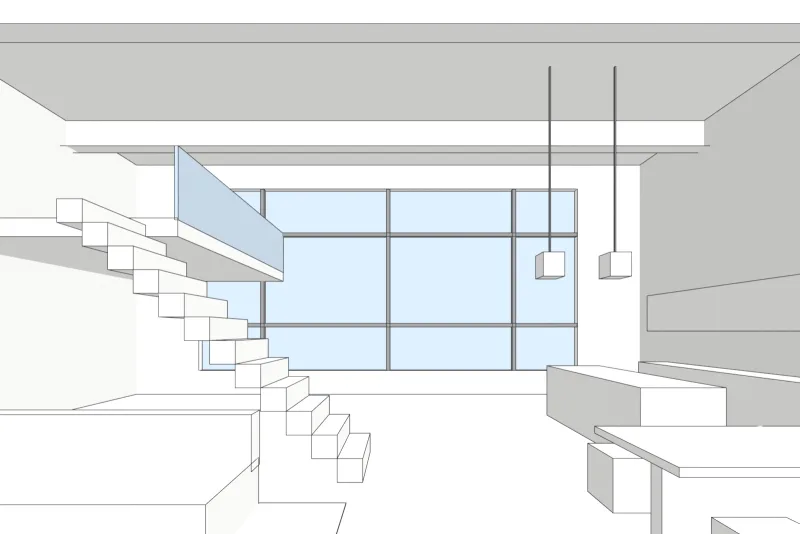
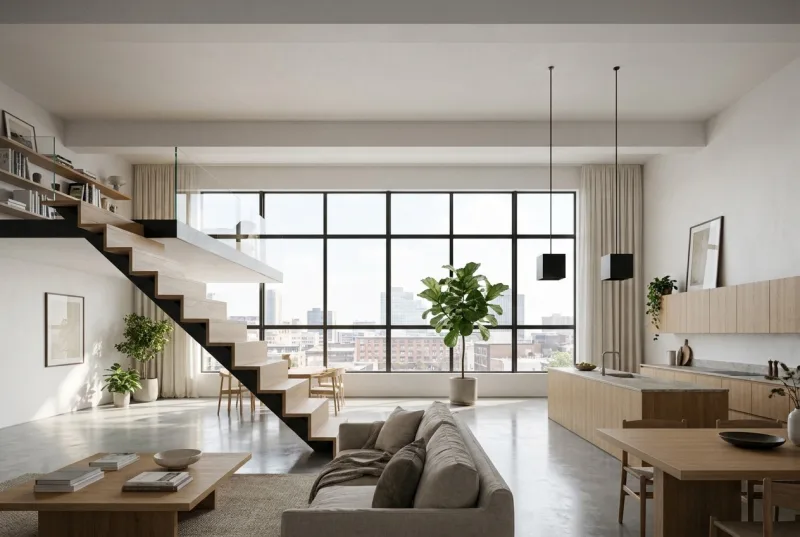 3D viewAI render
Examples
A 3D view in, a photoreal render out
The sample models were built in Blender and are shown as plain 3D views, not as 3ds Max files. The render that came back is on the right, not edited.
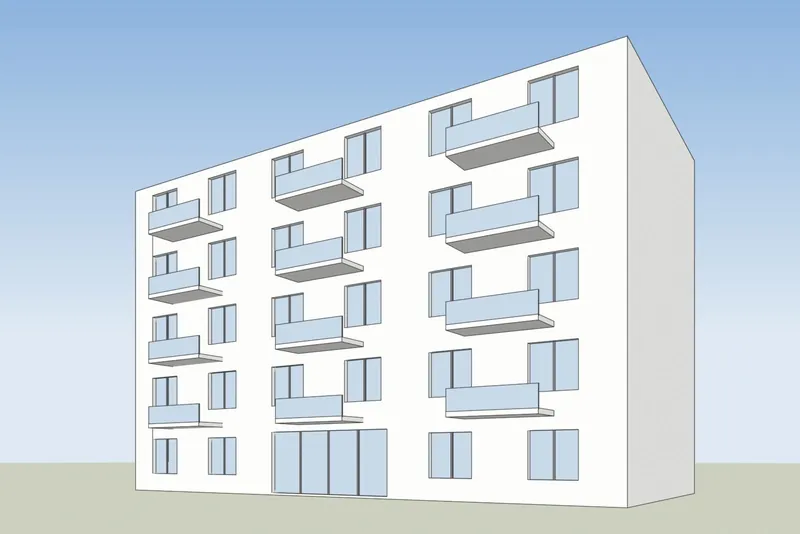
 3D viewAI render
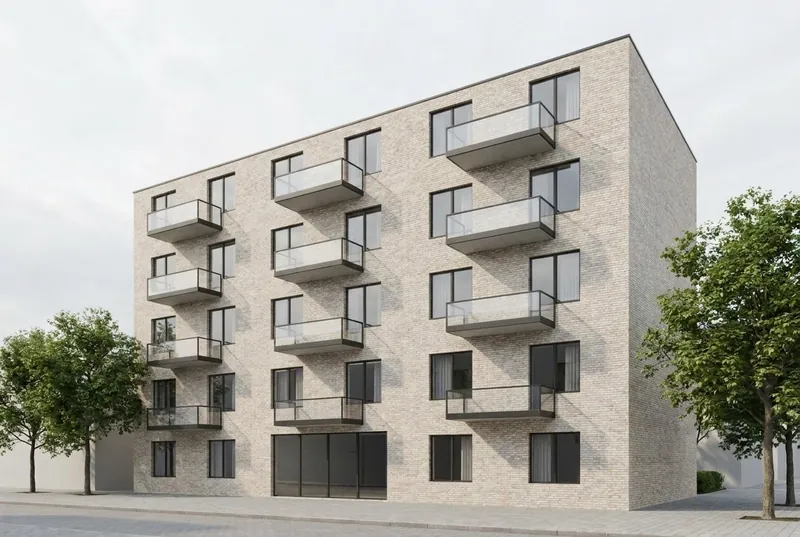
Apartment building
5 floors in late sun, with planted balconies, a cafe and people on the street. The balcony positions and the window grid follow the model.
 3D viewAI render
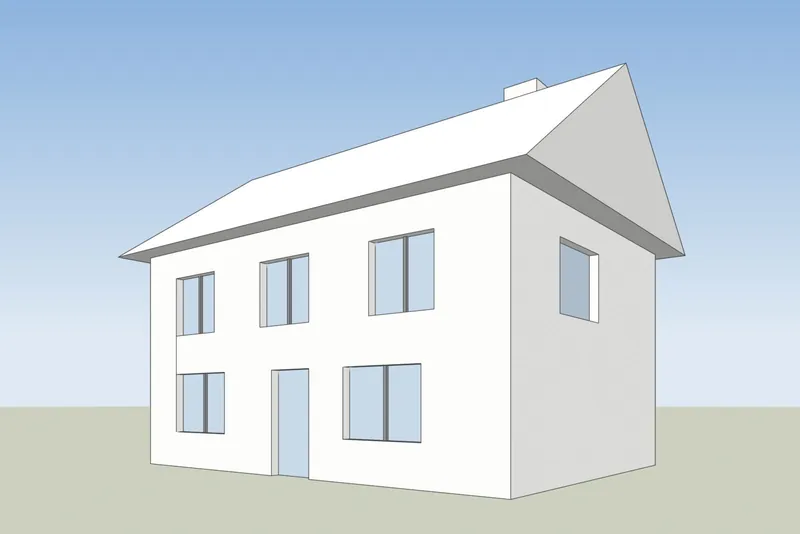
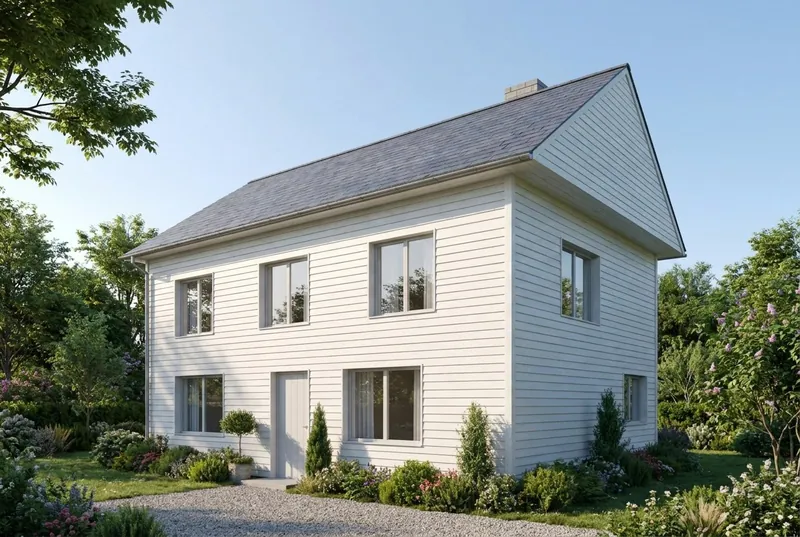
Family house
A pitched roof house on a summer morning, with a family on the drive. The gable, the chimney, the door and all 8 windows are where the model has them.
Step by step
How to get your 3ds Max view ready
4 steps, and only the export is required.
1. Frame the active viewport
Set up a Perspective or Camera viewport the way you want it in the picture. Hide helpers, lights, cameras and the grid so only the model shows.
2. Use a plain viewport style
Set the viewport to Default Shading or Clay, with a plain model. The AI adds its own materials and light.
3. Save the view as an image
Take a screenshot of the active viewport and save it as a PNG. With the beta plugin, a menu item captures the active viewport and sends it to the studio for you.
4. Render it
Upload the PNG, pick daylight, evening sun, dusk or night, and add a short note about materials if you want, such as white render and oak windows.
Plugin (beta)
3ds Max plugin: send the active viewport to the studio
A screenshot works today. The plugin only saves you the export step.
The plugin adds a menu item and a macro to 3ds Max. It captures the active viewport and sends it to the AI Render Studio, so you do not have to save a screenshot first.
It works in 3ds Max 2022 and newer. It is new and not yet tested in every version. Without an API key, your view opens in the studio in your browser, ready to render.
What to expect
What the AI keeps from your 3ds Max model and what it changes
So you know what to show a client and what to send to our studio.
What stays the same
The shape of the building, the windows and doors, the roofline and the number of floors. The camera angle stays exactly as in your screenshot.
What the AI changes
Materials, light, sky, planting and furniture finishes. Use the note field to steer them, for example white render and oak windows.
What can be simplified
Very fine details, such as thin window bars or small railings, can come out simpler than in the model. For exact final images, use our studio.
What happens to your file
Only the screenshot is sent, never your model file. We do not use your images to train AI, and we do not publish your renders.
Price
AI rendering plans: start free, pay for what you render
Prices in your own currency. Credits never expire, and failed renders are refunded.
Free
For trying one of your own models.
€0
5 free renders
No card needed
- Try 1 render every 24 hours, no account
- Fix any area
Good to know
- Personal use
- Small logo
Pro
One architect or designer on live projects.
€25 / month
80 HD renders a month
€0.31 / HD renderBilled monthly, cancel any time
- 1 user seat
- 1 render at a time
Everything in Free, plus
- Commercial use
- No logo, 2x upscale
- 5-second videos
- 4K PNG downloads (2 credits each)
- Hide the 3Dstudio.co badge on shared pages
- Client review links
- API and MCP access
Prices include VAT or sales tax where it applies.
Top up without a plan
One payment, and the credits never expire. Any purchase also removes the logo, upscales your renders 2x and unlocks 5-second videos.
3ds Max AI rendering FAQ
Questions about AI rendering for 3ds Max
Versions, the plugin, render engines and client work.
Try it on your 3ds Max modelDo I need V-Ray or Corona?
No. You send a plain viewport image and the AI adds the materials and light. Nothing renders on your computer, so a quick image does not need a render farm or a strong graphics card.
Is there a 3ds Max plugin?
Yes, in beta, for 3ds Max 2022 and newer. It captures the active viewport from a menu and sends it to the studio. A screenshot works just as well in any version.
Which 3ds Max versions work?
Any version, with a screenshot of the viewport. The beta plugin needs 3ds Max 2022 or newer.
Which viewport style should I use?
Default Shading or Clay with a plain model gives the cleanest result. Hide helpers, lights and the grid.
Does it work for 3ds Max interiors?
Yes. Set up a camera inside the room, capture that view and upload it. Very fine details can come out simpler than in the model.
Can I show a 3ds Max AI render to a client?
Free renders are for personal use and carry a small 3Dstudio.co logo. Any plan or credit pack allows client work and removes the logo. Pro and up also give you client review links.
3ds Max is a trademark of its owner. 3Dstudio.co is not affiliated with it.
Other programs
AI rendering for your other 3D programs
Any program that can take a screenshot of a 3D view works. These pages have the export steps.
1,200+
Projects completed
13
Years in business
17
Countries delivered to







★★★★★
Rated 4.9 on Clutch · See our reviews
Architects, developers & interior designers
Working for 215 companies since 2013
125 of 220 clients came back
More than half of our clients have hired us again
Try it on your 3ds Max model
Render a 3ds Max view now
5 free renders, no card. Your first render needs no account. You get the image in about 20 seconds.