
Sketch to render AI
Turn a hand sketch into a photoreal render
Upload a sketch of a building or a room. Get a photoreal render that follows your lines.
- Free to try, no account needed
- Pencil, marker or tablet sketches
- Shape, windows and camera follow your lines
- 36 looks, from daylight to night
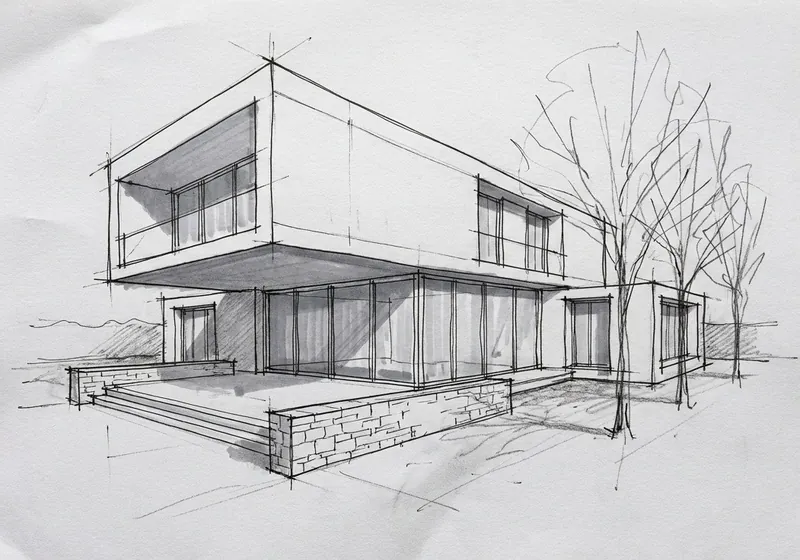
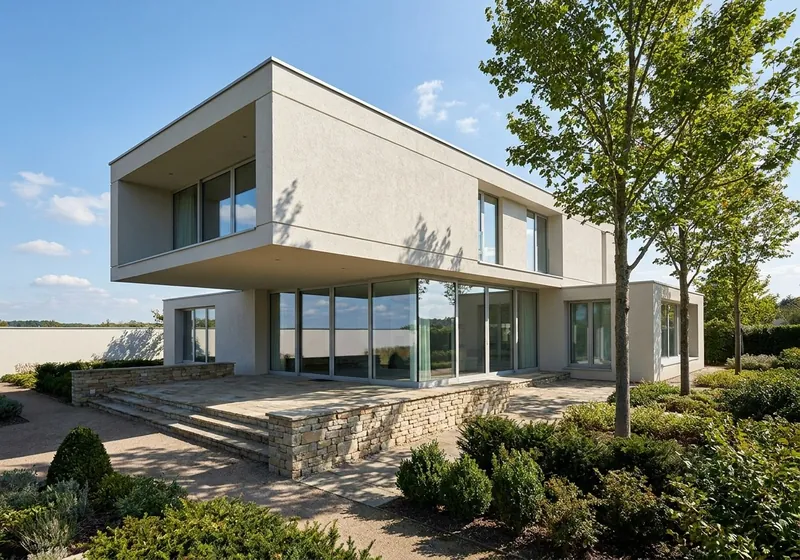 Your sketchAI render
What you can upload
From a sketch on paper or a tablet to a render
The studio sees that it is a hand sketch and renders it as one. You can change that if it guesses wrong.
A sketch on paper
Pencil, ink or marker. Scan it or take a photo straight from above, in good light.
A tablet sketch
Export the drawing as a PNG or JPG. PNG, JPG or WebP files up to 10 MB are accepted.
Pick a look
Daylight, evening sun, dusk or night, material looks and interior styles, 36 looks in all.
Say what matters
Anything the sketch leaves open, such as materials, planting, the view or small furniture, the render fills in. Write what matters in the notes, for example white render and oak windows.
Example
An interior sketch, rendered
A generated sample picture, not a client project. The render on the right is not edited.
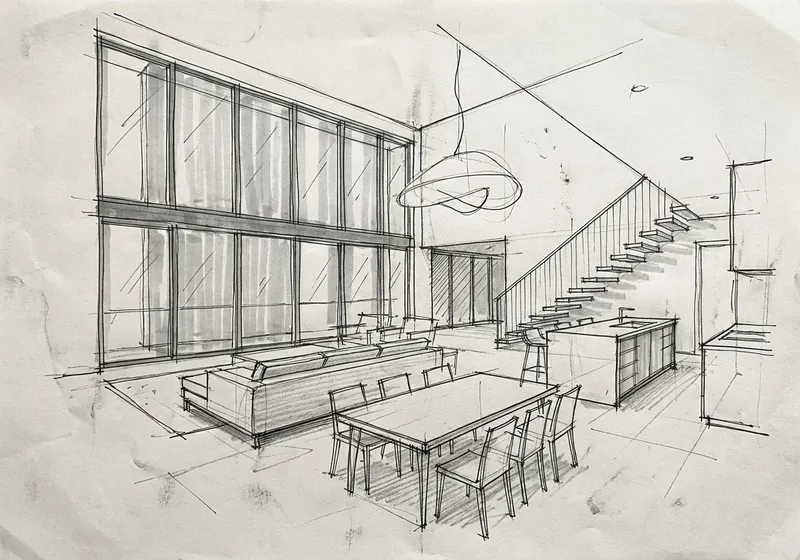
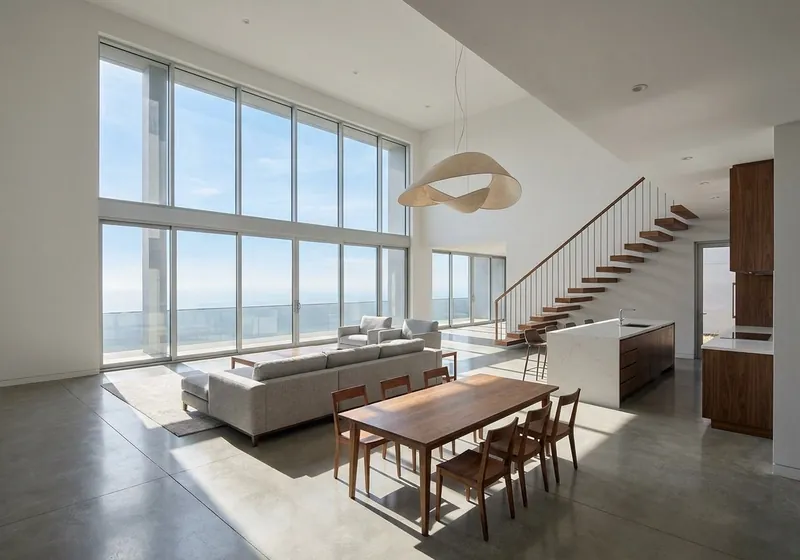 SketchAI render
Double height living room
The stair, the island, the pendant lamp and the furniture layout follow the sketch. The render added the materials, a sea view, two armchairs, a rug and kitchen cabinets.
Step by step
How to turn a sketch into a render
3 steps. Your first picture needs no account.
1. Scan or photograph the sketch
Straight from above, with the whole drawing in the picture and no shadows across it.
2. Upload it and pick a look
The studio reads it as a hand sketch. Choose a look and add a short note about materials if you want.
3. Get the render
You get a photoreal render that follows your lines. Fix one area or try another look if you like.
What to expect
What the AI keeps from your sketch and what it fills in
The example pair is a generated sample picture, not a client project.
What stays the same
Your lines set the shape, the windows and the camera. In the samples the massing, the roof, the cantilever, the window grid, the terrace and steps, and in the interior the stair, island, pendant and furniture layout stayed.
What changes
Anything the sketch leaves open is filled in: all materials, planting and trees, the view outside the windows and small furniture. In the interior sample the render added a sea view, two armchairs, a rug and kitchen cabinets.
What can move
The render is drawn from your sketch, so small details can move. Proportions can shift a little, and bare scribbled trees come back as full trees. Write what matters in the notes. Compare it with your sketch before you rely on it.
What happens to your sketch
Only the picture of the sketch is sent. We do not use your images to train AI, and we do not publish your renders.
Sketch to render FAQ
Questions about turning a sketch into a render
Sketches, scans, materials and accuracy.
Render my sketchIs this sketch to render AI free?
Yes. Your first render is free, with no account. A free account gives 5 free renders and 5 free fixes.
Can AI turn a hand sketch into a render?
Yes. Upload a scan or a photo of the sketch. The AI keeps the shape, the windows and the camera of your drawing and turns the lines into real materials and light.
Does it work with a rough sketch?
Yes, but a clearer sketch gives a closer result. Where the sketch leaves something open, the render fills it in, so describe what matters in the notes.
Can I render an interior sketch?
Yes. Sketch the room from where you would stand, upload it and pick an interior look.
I have a 3D model, not a sketch. What should I use?
Upload a screenshot of the model instead. Our AI rendering page has the steps for SketchUp, Revit, Archicad, Rhino and other programs.
Can I show the render to a client?
Free renders are for personal use and carry a small 3Dstudio.co logo. Any plan or credit pack allows client work and removes the logo.
More from a photo
Other free photo tools
Have a 3D model instead of a photo? Our AI rendering tool turns a screenshot of it into a photoreal render.
1,200+
Projects completed
13
Years in business
17
Countries delivered to







★★★★★
Rated 4.9 on Clutch · See our reviews
Architects, developers & interior designers
Working for 215 companies since 2013
125 of 220 clients came back
More than half of our clients have hired us again
Free to try, no account needed
Turn your sketch into a render now
Upload a photo and see the new version. Your first picture is free, with no account.