How to Write a 3D Rendering Brief: Checklist and Template
A 3D rendering brief tells the studio what the images are for, which views you need and by when. Use this checklist and copyable template.
In this article
- A 3D rendering brief covers 8 things: purpose, views, camera positions, image sizes, deadline, style, materials and approver.
- Camera views can be shown on a PDF plan, in a model screenshot, in a site photo or in a sketch.
- Each decision is locked at a set stage, and the camera is fixed on the clay model while changes are cheap.
- You do not need a formal brief: send drawings and a few lines, and you get a reply within 30 minutes.
A 3D rendering brief tells the studio what the images are for, which views you need, how they will be used, by when, and what is already decided. It can be one page, and you send it with your drawings.
A good brief for an architectural visualization project covers 8 things:
- Purpose and audience of the images
- Number and type of views
- How the camera views are marked
- Where the images will be used, and at what size
- Deadline, and the date it depends on
- Style references, with a note on each
- Materials and furniture, confirmed and still open
- Who approves the images
At 3Dstudio.co you do not have to write a formal brief. Send your drawings (CAD .dwg, PDF plans and elevations, SketchUp, Revit, ArchiCAD, 3ds Max or IFC files, even a photo of a hand sketch) with a few lines on these points. We build the brief from the files, with no questionnaire, and send back a reply within 30 minutes: a fixed price and a delivery date, or the 1-2 questions we need answered first. A clear brief does not change the reply time. It gives you a first look that is closer to what you want. See how the quote and project stages work.
Purpose and audience for the images
Write what the images are for in one sentence. A brochure for buyers, a planning submission, an investor deck, a listing on a property portal and a website hero image each need different things from the same building, even when the geometry is identical. A line such as “these go in a sales brochure for first time buyers” tells the studio what to aim for.
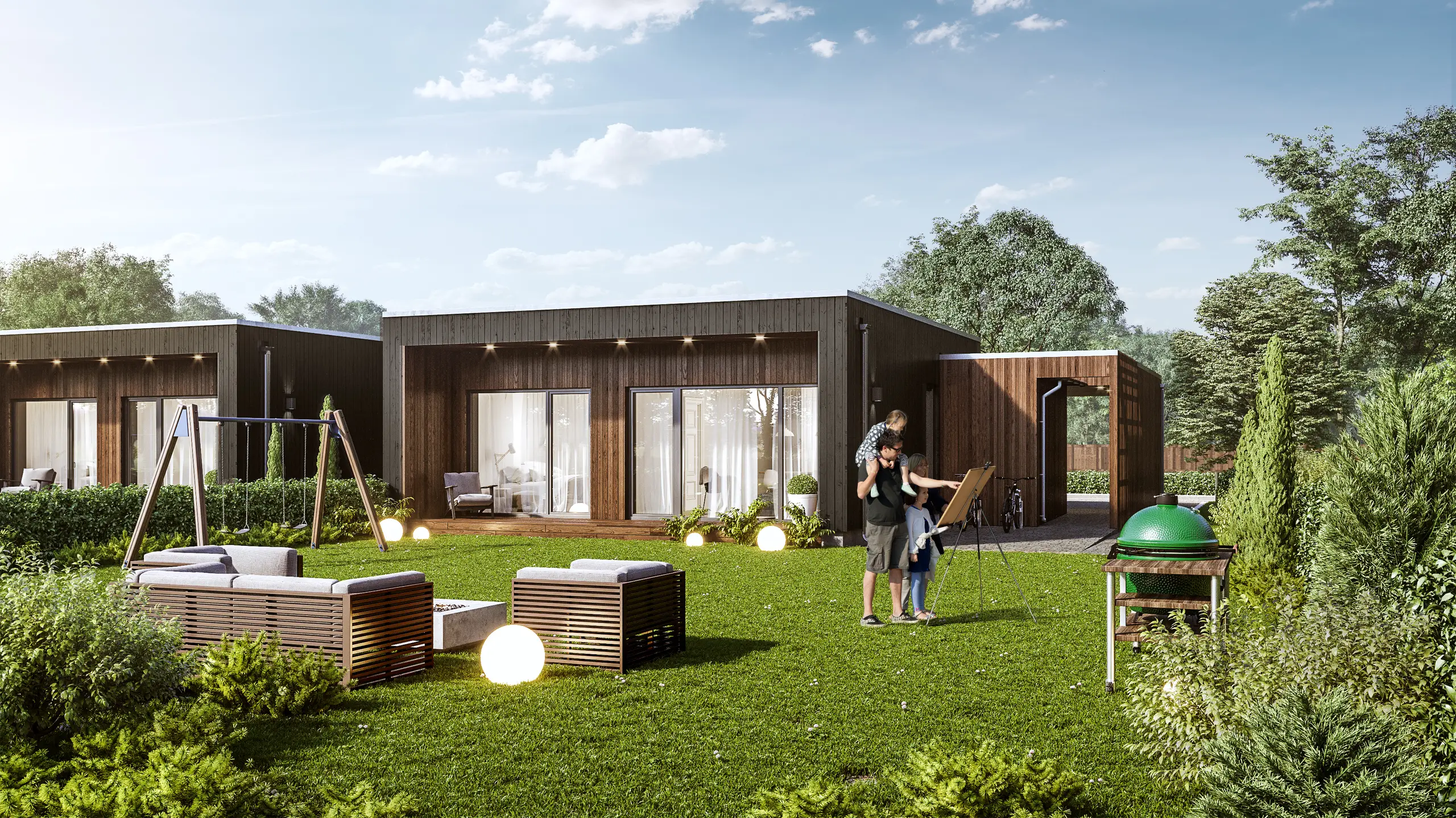
Then name who will look at them. A buyer wants to see the room furnished and in daylight, so it feels like a home. A hotel operator wants images that show the brand as well as the room. A developer selling homes off plan needs images that help a buyer picture living there, and our guide to marketing visuals for an off-plan launch covers that case in detail.
For a planning submission, the method can matter more than the styling. Some planning authorities require verified views, which are accurate visual representations made to a stated method. One example is the UK Landscape Institute Technical Guidance Note 06/19, which defines Type 4 photomontages as ones that can be checked for accuracy against survey data. If your authority asks for this, write it in the brief, attach its requirements and ask the studio whether it can work to that method before you commit.
If the same images will serve two purposes, such as a planning file first and a brochure later, say so now. The framing and the image sizes can then be planned for both uses from the start.
Number and type of views you need
Decide whether you need one hero view, a few key views or a full set. One view shows one space or facade. A full set shows every room or elevation the buyer will ask about.
Also name the type of each view. Exterior rendering, interior rendering, an aerial view, 3D floor plans and animation each show a project in a different way, and one project often needs more than one type. “Some renders” does not say what to price. “One exterior hero view and one lobby interior” does.
List every view you may need now, not only the ones you are sure of. The first view of a scene carries the cost of building it, and further views of the same scene cost much less. How the fixed project price is set is on our pricing page, and what drives 3D rendering cost is covered in a separate guide.
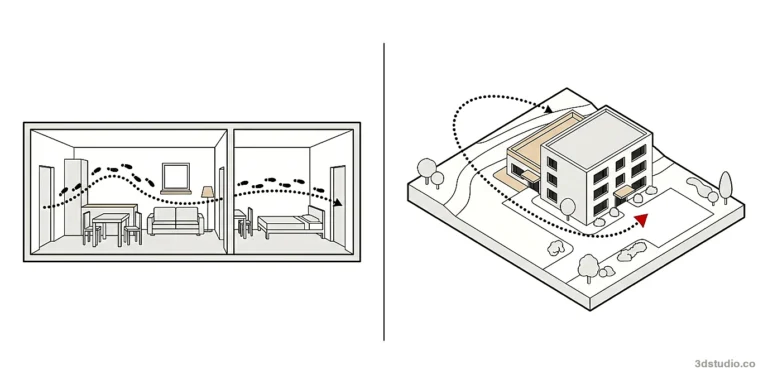
For an animation, add 3 things: the length, the route and where it will be shown. The route is a walkthrough at eye height through the spaces, or a flythrough above the site (see walkthrough or flythrough). The destination can be a website, a screen in a sales gallery or social media. For our 3D animation service, the route is agreed on a rough cut on the grey model first, and the film is delivered as MP4.
How to show the camera views in a brief
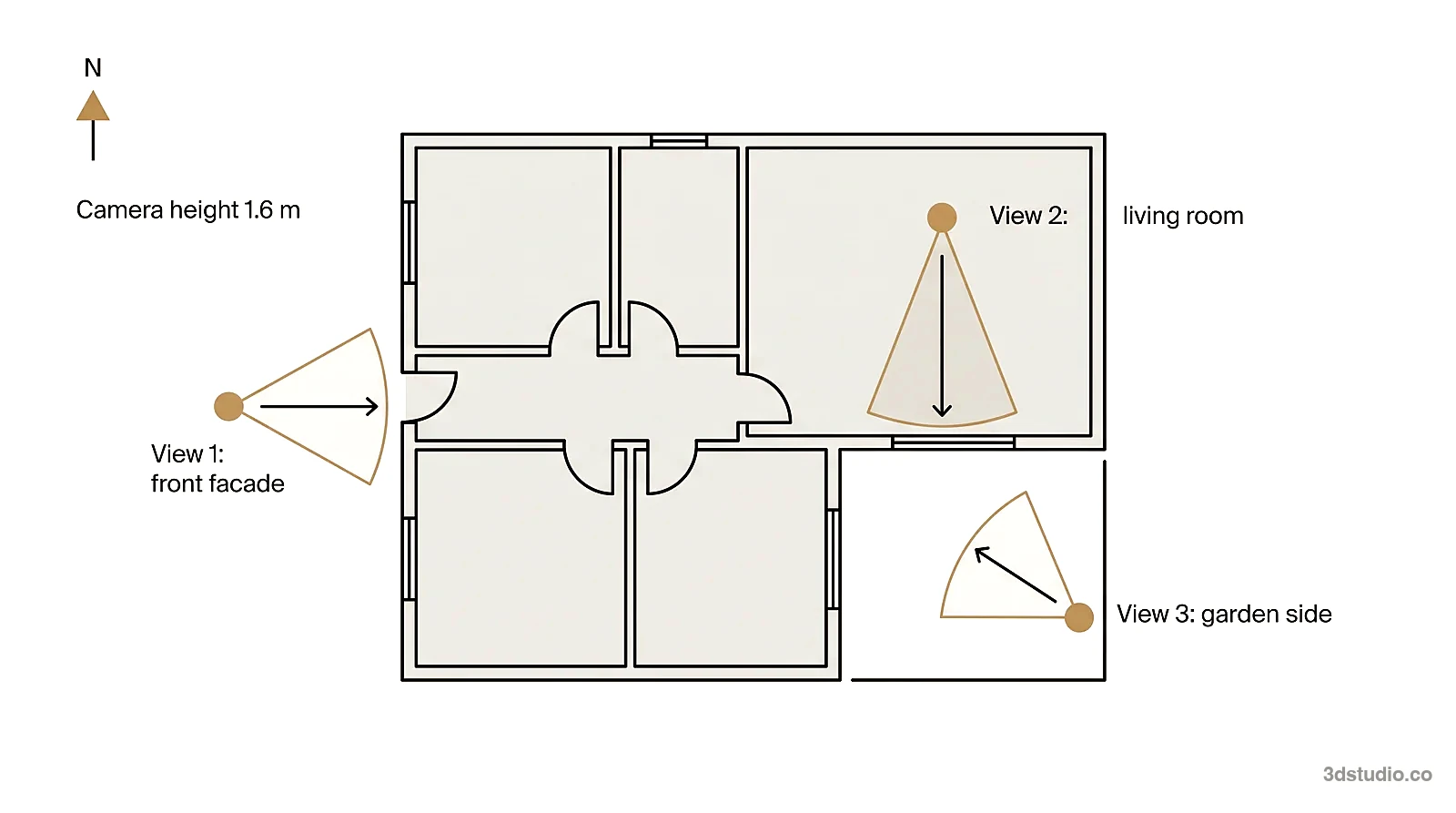
For each view, the studio needs to know where the camera stands and what it looks at. There are 4 ways to show it. Use the one that matches what you already have.
| Method | Best for | What to send |
|---|---|---|
| Mark the view on a PDF plan | Any building with drawings | A floor plan or site plan with a dot for the camera, a cone for the field of view, an arrow for the direction and a number for each view |
| Screenshot from your own model | Projects already modeled in SketchUp, Revit or ArchiCAD | One screenshot per view, taken from the camera position you want, named with the view number |
| Phone photo from the site | Existing sites, renovations, infill plots | A photo taken where the camera would stand, facing the direction of the view |
| Hand sketch | Early projects with no model yet | A photo of a rough sketch of the view, with a note on what must be visible |
Add the camera height to each view. Most street and interior views use a standing eye level. For an aerial view, write roughly how high the camera should be. If your plan is a DWG file, use our free DWG to PDF converter, then mark the camera positions on the PDF.
The camera, lens, height and time of day are then fixed on the clay model, the untextured grey 3D model, where a move is still cheap. If you are not sure, describe what each image must show, and we propose the views on the clay model.
Where the images will be used: size, shape and resolution
List every place the images will appear. Each place has its own image shape, and the camera should be set for all of them at the start.
| Use | Common shape | What to tell the studio |
|---|---|---|
| Website hero | 16:9 landscape | The page it goes on, and whether text sits over the image |
| Property portal listing | Landscape, set by the portal | The portal name, so its size rules can be checked |
| Social feed post | 4:5 portrait or 1:1 square | Which of the 2 shapes you post |
| Stories and reels | 9:16 portrait | That a tall frame is needed, because a wide building fits it differently |
| Printed brochure | Set by the printer | The page or spread size, and whether text sits over the image |
| Sales gallery wall, hoarding or billboard | Set by the printer or sign maker | The printed size, because large-format print can be delivered at up to 8K to 12K on request |
| Planning document | Set by the authority | The authority’s format requirements |
4K delivery is standard and is enough for web pages and social posts. Name every shape at the start, because a 16:9 frame and a 9:16 frame are different frames, not one image cropped twice. If the camera is set for one shape, an important part of the building can fall outside another.
Interior and exterior briefs: what to send
An interior brief and an exterior brief need different drawings and information. The table shows the difference. The last row is the same for both.
| Item | Interior brief | Exterior brief |
|---|---|---|
| Plans | Furniture layout plan, ceiling and lighting plan | Site plan and roof plan |
| Elevations | Wall elevations for every wall in view | Elevations of every visible facade |
| Materials | Finishes schedule with product codes, furniture list or links | Facade material schedule with product codes or color codes |
| Outside the frame | What is seen through the windows | Neighboring buildings, street, landscape (photos or a map) |
| Light | Time of day for daylight, lamps on or off | Time of day, season and weather |
| Same for both | Purpose and audience, views and sizes, deadline, one approver | Purpose and audience, views and sizes, deadline, one approver |
Site context and surroundings for exterior briefs
For an exterior, the surroundings often fill as much of the frame as the building. Send these:
- The address or a map pin.
- Site photos taken from where the cameras will stand.
- The site plan or landscape plan.
- Which neighboring buildings must be accurate, and which can be simplified.
- The season the planting should show.
- Any view toward a landmark, the sea or a park that must be visible.
Nobody needs to visit the site. The drawings give the building, and photos or a map give the surroundings. For a view from above, see our guide to site plan rendering.
Deadlines tied to your own dates
Write a real date, not “as soon as possible”. A launch event, a brochure print deadline, a planning submission or a sales gallery opening gives the studio something to plan around. Also write any date that depends on someone else, such as a planning decision.
A single view takes about a week, and a medium set takes 2 to 3 weeks. The delivery date for your project is agreed together with the price once the files and views are known.
Style references and mood
Send the references you have: a Pinterest board, a moodboard, photos of a building or interior you like, or a note about the feel you want, such as warm and lived in or cool and minimal. References show the studio the light, colors and mood you want. Add a short note to each one that says what to take from it, for example “light from this one, facade color from that one, ignore the furniture”. An unannotated board leaves the studio to guess which part matters.
Time of day and light change an image a lot. A dusk exterior with the building lit from inside reads very differently from the same building at midday. A bright, evenly lit interior reads differently from one lit for mood. Name the light you want, or point to a reference image that shows it. Our portfolio shows a range of moods and lighting you can point to.
If the project has a brand guide or a set of approved colors, attach it. This matters most for hospitality and retail projects, where the images must match a brand that already exists.
Material and furniture specifications
Name every confirmed material. Send a product name and code, or a color code such as RAL or NCS for paint and cladding. If you have a physical sample, send 2 photos: one straight on in daylight for color and pattern, and one at a low angle to show gloss and texture.
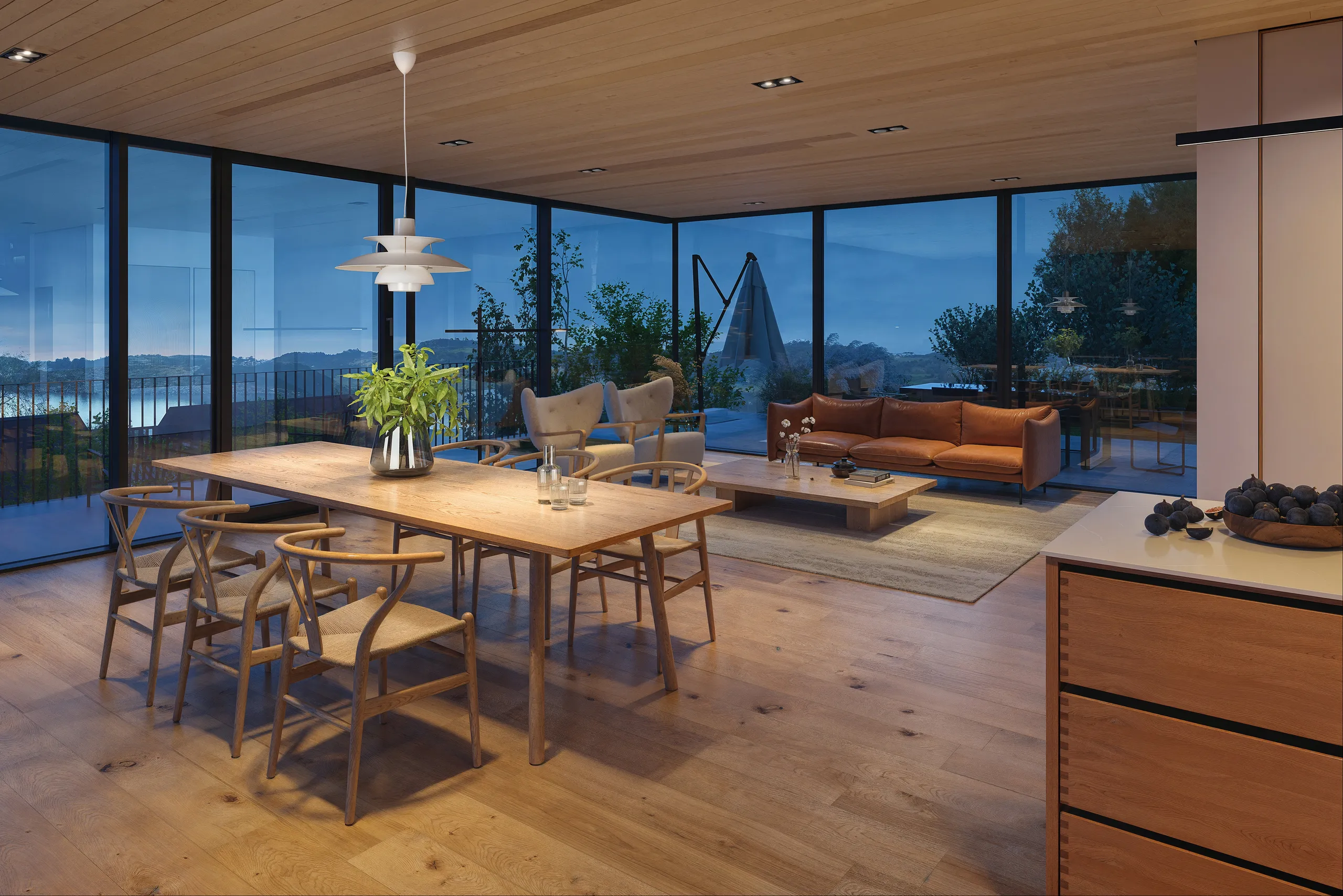
- Confirmed materials. Name them with a code, a photo or a product link.
- Materials still open. Mark them as open. A placeholder can be swapped at the first look or in the 2 revision rounds.
- Furniture. Off the shelf in a plausible layout, or a specific package that matches a specification. Send a list or links for the second case.
- Fixed by a client or brand. Colors, logos, signage or finishes that must appear exactly as supplied.
- People, cars and planting. Say yes or no for each. If you want people, say whether they should look like the target buyer.
What is fixed, what is still open, and common mistakes
Separate settled decisions from open ones. Anything fixed by a planning authority, a client or a brand goes in one list, such as a facade color agreed with the authority. Everything else is a preference and goes in another. The studio then does not treat an open preference as fixed, or a fixed detail as negotiable.
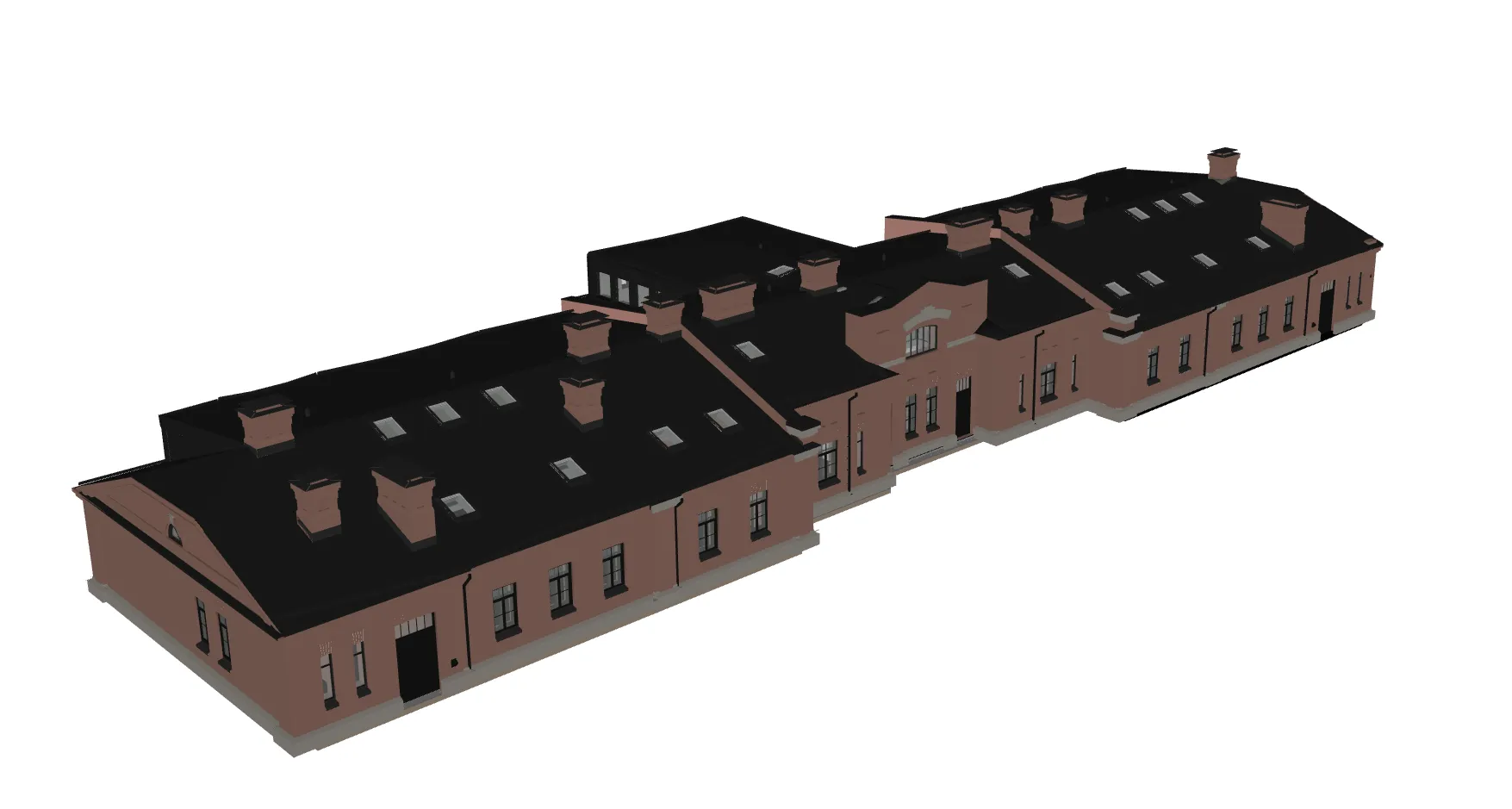
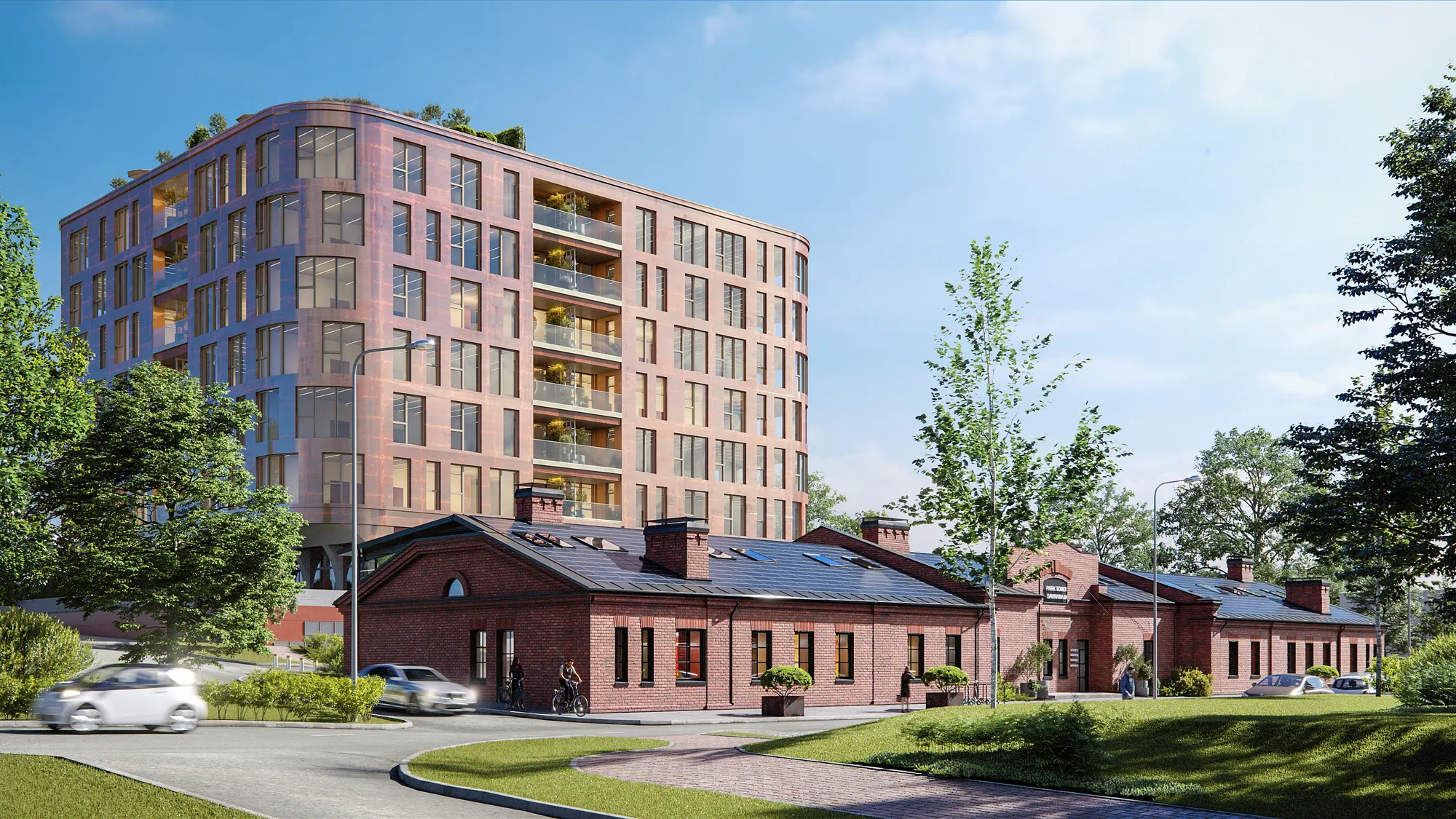
An untextured clay model (left) and a finished exterior render (right): the views are checked on the clay model, and materials and light come after.
When each decision is locked
Each stage of a project fixes a different part of the brief. Briefs and drawings are handled under NDA as standard.
| Stage | What is locked | What you do |
|---|---|---|
| 1. Quote | Purpose, views, deadline | Send the drawings and the brief. You get a reply within 30 minutes |
| 2. Clay model | Camera position, lens, height, time of day | Check the views on the grey model, while changes are cheap |
| 3. Photoreal first look | Materials, light, surroundings | Send comments, within the 2 revision rounds |
| 4. Final delivery | The signed-off images | Receive 4K files with full usage rights |
Common brief mistakes and what they cause
- Drawings from different revisions sent together. The model can be built from the wrong one. Send one set and name its date.
- Metric and imperial mixed, or a PDF with no scale. Sizes in the model drift from the drawings. State the unit and make sure every sheet shows its scale.
- “As soon as possible” instead of a date. The studio cannot say what fits. Write the real date and what it depends on.
- Reference images with no note. The studio guesses what to take from each one. Add one line per image.
- Feedback from several people sent separately. Conflicting notes use up a revision round. Send one consolidated list.
- The camera changed after the first look. Materials and light must then be set up again for the new camera. Settle the views on the clay model.
Who signs off the images
Name one approver and one person who collects feedback before the project starts. One consolidated list of comments per revision round keeps the 2 included rounds useful. If a committee, an investor group or a planning board has to approve, plan that time on top of the delivery date. Our guide on how to hand over a project to a rendering studio covers the handover in more detail.
A one page brief template you can copy
Copy the table into an email, fill in the middle column and send it with your drawings. The example column shows the level of detail that is enough.
| Field | What to write | Example answer |
|---|---|---|
| Project and address | Working title, street address or map pin | Apartment building, 4 stories, map pin attached |
| What the images are for | One sentence | Sales brochure and website for off-plan sales |
| Who will see them | The audience | First time buyers and their families |
| Views and view type | Number and type of each view | 2 exteriors, 1 lobby interior, 1 aerial |
| Camera positions | How you show them | Numbered dots and cones on the PDF site plan |
| Where the images will be used | Each place and its size | Website hero 16:9, social 4:5, printed brochure |
| Deadline and what it depends on | A real date and the event behind it | Sales gallery opening on a set date, which depends on the permit decision |
| Style references | Links or files, with a note on each | Image 1: evening light only. Image 2: facade color only |
| Confirmed materials | Product code or color code | Brick facade, product code attached; window frames, RAL code from the supplier |
| Materials still open | List them | Entrance paving not chosen |
| Furniture | Off the shelf or a specified package | Off the shelf, light wood, simple shapes |
| People, cars, planting | Yes or no, and the season | People yes, cars no, planting in summer |
| What is fixed | Details that cannot change | Facade color and window positions are approved |
| What may still change | Open preferences | Landscaping around the entrance |
| Approver and feedback contact | One name each | One person collects all comments |
Tip: A partial table is still enough to start. Leave a row empty if you do not know the answer yet.
Questions about writing a 3D rendering brief
What should a 3D rendering brief include?
A brief should cover 8 things: purpose and audience, views and view type, how the camera views are marked, where the images will be used and at what size, the deadline, style references, materials and furniture (fixed and open), and who approves. One page is enough.
How do I show the camera angles I want in a brief?
Mark a numbered dot and a cone on a PDF floor plan, or send a screenshot from your own model or a phone photo taken from the spot. The camera is then fixed on the clay model, while it is cheap to move.
Do I have to write a formal brief to get a quote from 3Dstudio.co?
No. Send the drawings you have and a few lines on purpose, views and deadline. We build the brief from your files, with no questionnaire, and reply within 30 minutes.
Can I change a camera angle after the first look?
You can ask, but the camera is meant to be fixed at the clay model stage. A move after materials and light are added means that work is set up again for the new camera. Say early if a view may still change.
Which resolution and image shape should I ask for?
List where each image will be used. 4K is standard. Large-format print can be delivered at up to 8K to 12K on request. Name every shape (landscape, square, portrait) at the start so the camera is set for each one on the clay model.
Can I send a brief before my drawings are finished?
Yes, as long as you say which parts are still moving. A brief built around a near final layout, with a few noted exceptions, still gets a reply within 30 minutes.
Diagrams in this post are drawn with an AI image tool from our brief and checked by our team.