3D Walkthrough vs Flythrough: Differences and How to Choose
A 3D walkthrough moves through a building at eye height. A 3D flythrough moves above the site. Here is what each shows and how to choose between them.
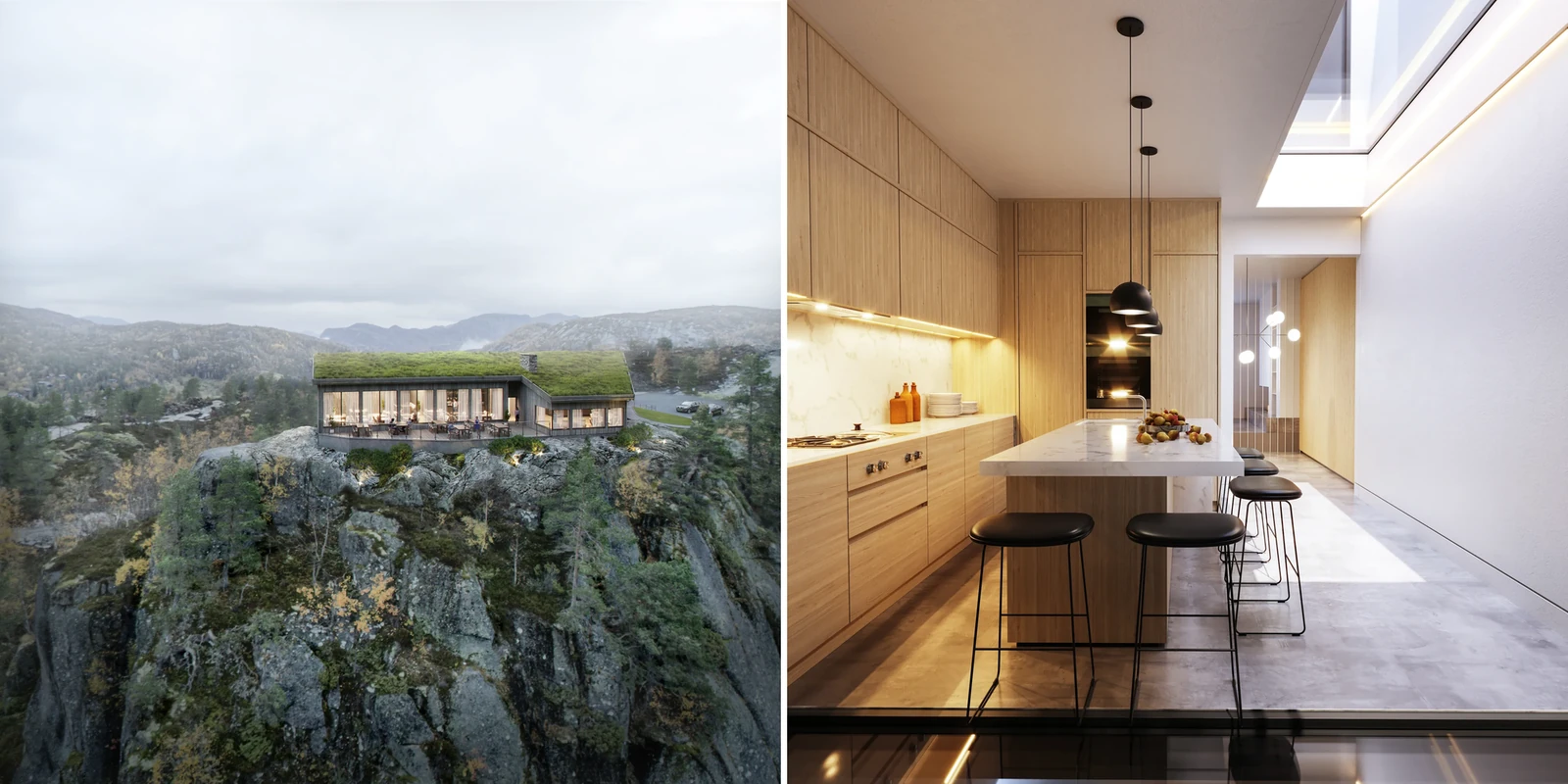
In this article
- A walkthrough moves through a building at eye height, in the order a visitor would see the spaces.
- A flythrough moves above the site to show location, access and the surroundings.
- A walkthrough, a flythrough and a 360 virtual tour answer different questions.
- Both films can be cut from one scene, with a handover point where the camera comes down.
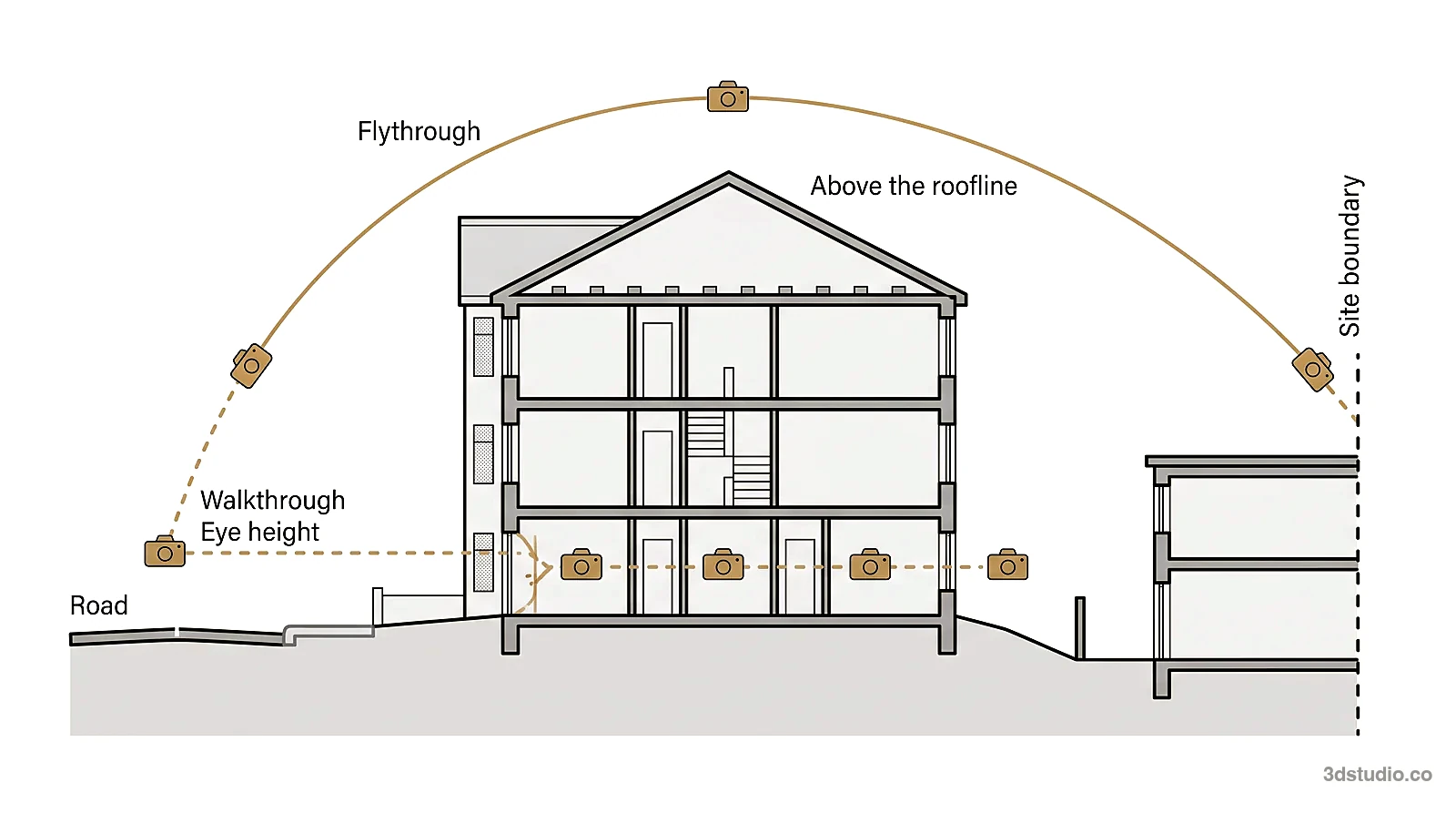
A 3D walkthrough is an animation that moves through a building at eye height, at walking pace, in the order a visitor would see the spaces. A 3D flythrough is an animation that moves above the site to show where the building sits, how it is reached and what surrounds it.
The difference is camera height, and the question each one answers: what it feels like inside, or where the building is and what is around it. Choose a walkthrough when the selling point is the inside. Choose a flythrough when the selling point is the site, the setting or the scale. Choose both when your audience needs both answers.
Both are cut from the same kind of 3D scene, so one project can have both. Our 3D animation services cover walkthroughs, flythroughs and combined films. Our architectural animation guide covers the full process, from files to finished film.
What an architectural walkthrough shows
A walkthrough follows one route in order: the approach, the entrance, then the rooms or spaces in the sequence a visitor would meet them. It suits anything that has to be understood in sequence. A lobby that leads to a stair. An apartment where one room opens onto the next. A stand at a trade fair, walked from the entrance to the meeting corner.
A walkthrough usually goes indoors, but an exterior route counts too, such as walking from the street to a front door before stepping inside.
What a 3D flythrough shows
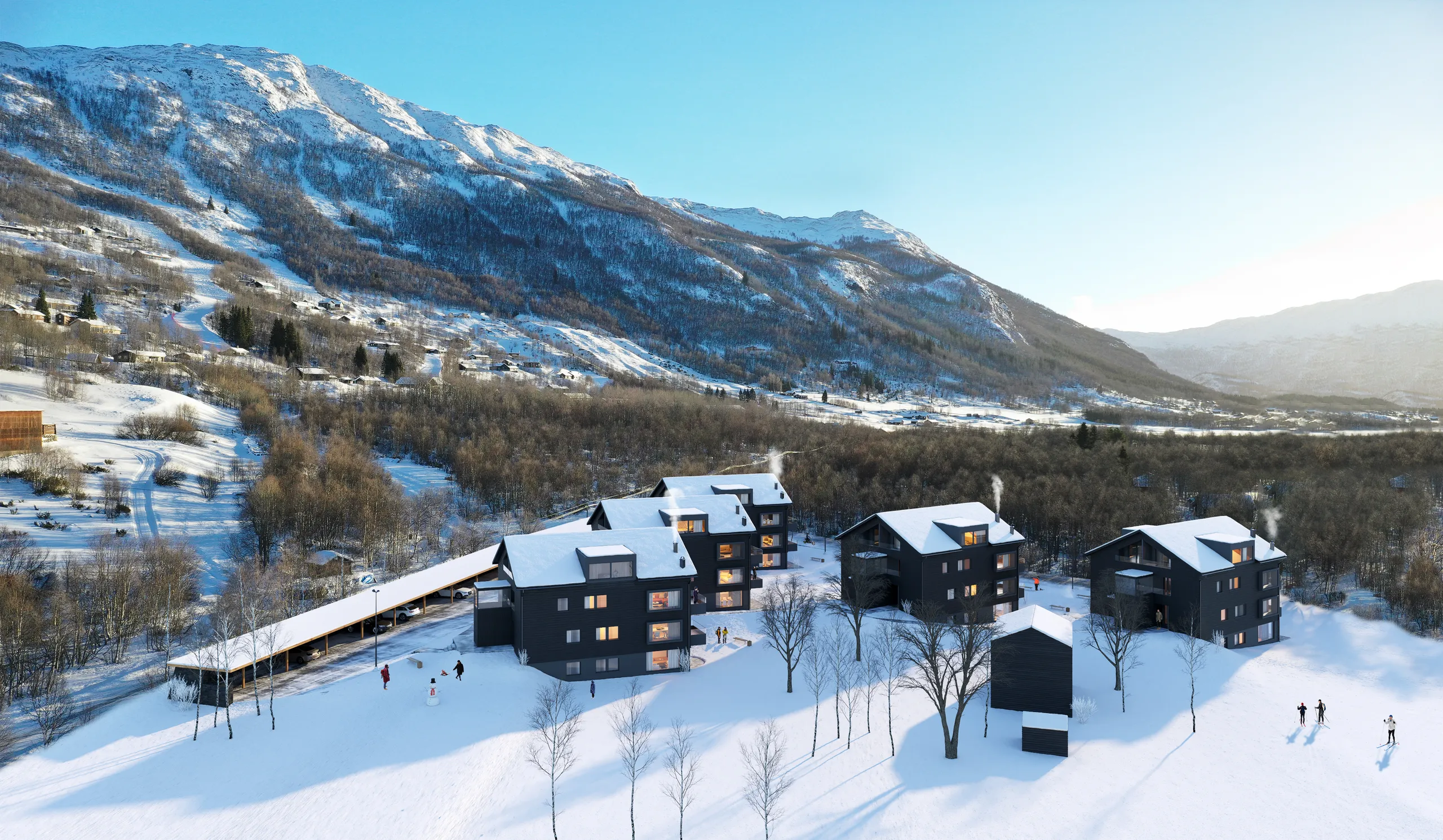
A flythrough (also written “fly through”) lifts the camera above the site. It can show the edge of the plot, the road in and the neighbors, at a scale no ground level shot covers in one move. It usually stays outdoors and moves over the roofline rather than through a door.
It suits a housing scheme seen as a whole, a rural site where the landscape or the view is the main selling point, or a group of buildings where the relationship between them matters more than any one interior.
A flythrough also shows the height and bulk of a scheme against the buildings around it. A view from the street or from a neighbor’s window is an eye-level view, so it is shown as a still, as a photomontage, or as the outdoor part of a walkthrough.
Walkthrough vs flythrough at a glance
The table adds a 360 virtual tour as a third column. A tour also shows a building before it is built, but the viewer controls it, not the studio.
| Walkthrough | Flythrough | 360 virtual tour | |
|---|---|---|---|
| Camera position | Eye height, moving along one route | Above the site, moving along one route | Fixed standing points, with the viewer turning to look around |
| Question it answers | What it feels like to be inside | Where the building sits and how it is reached | What a room looks like from where I stand |
| Who controls it | The studio directs the route | The studio directs the route | The viewer |
| Interactive | No, it is a video | No, it is a video | Yes |
| Typical setting | Indoors, or an approach on foot | Outdoors, over the roofline | Indoors or outdoors |
| What makes it harder | Every room on the route has to be furnished and lit | The surroundings have to be built or placed from the site plan, map and photos | Each standing point is a separate render |
| Common audience | Off-plan buyers, tenants, hotel guests | Investors, boards, planning teams as support | Buyers who want to explore on their own |
Walkthrough, flythrough or 360 virtual tour
A walkthrough and a flythrough are pre-rendered films on a fixed route. They play anywhere a video plays, and the viewer cannot leave the route. A 360 virtual tour works the other way: the viewer looks around from fixed standing points and chooses where to look.
Use a film to lead a presentation, a meeting or a loop in a sales suite, where everyone should see the same thing in the same order. Use a tour when a buyer should explore on their own, on a phone or a laptop. Some schemes use both: the film leads, and the tour lets the buyer check the rooms they care about. Our 360 virtual tours are rendered from the same drawings, and how to plan a 360 virtual tour for real estate explains the choices.
Who needs a walkthrough and who needs a flythrough
The right format follows the question your audience is asking.
An off-plan buyer cannot walk into a finished apartment. A walkthrough gives them the arrival, the entrance and the rooms in the order they will live in them. It also works as a loop on a screen in a sales suite, alongside the wider set of visuals covered in our guide to pre-construction marketing renderings.
An investor or a board wants to know where the scheme is and how big it is. A flythrough shows the site, the access and the scheme in one continuous shot, before the financial figures are discussed. For real estate developers presenting to funders, it is the film that answers that first question.
A hotel or resort operator sells a stay. A guest imagines the arrival, the lobby, the room and the view, in that order, which is a walkthrough’s job. A flythrough adds the setting: the approach, the grounds and how the property sits against the coast or the hillside. Hospitality marketing is covered on our hospitality industry page.
A planning committee mainly looks at drawings, stills and photomontages from agreed viewpoints. A flythrough can support them by showing the scheme in its setting, and a walkthrough can answer questions about the inside. Check what the planning authority accepts before you commission a film. For fixed-viewpoint visuals, see site plan rendering for investors and authorities, and for the wider topic, visuals for urban planning.
| Audience | The question they ask | Format | What the film must show |
|---|---|---|---|
| Off-plan buyer | What will it be like to live here? | Walkthrough | The arrival, the entrance and the rooms in order |
| Investor or board | Where is it and how big is it? | Flythrough | The site, the access and the scheme against its surroundings |
| Hotel or resort operator | What does a guest see on arrival, and where is the property? | Both | The arrival and the lobby at eye height, then the setting from above |
| Planning officer or committee | How does the scheme sit in its setting? | Stills and photomontages first, a flythrough as support | The scheme against the buildings around it |
What makes each one harder to produce
Why a walkthrough route is hard
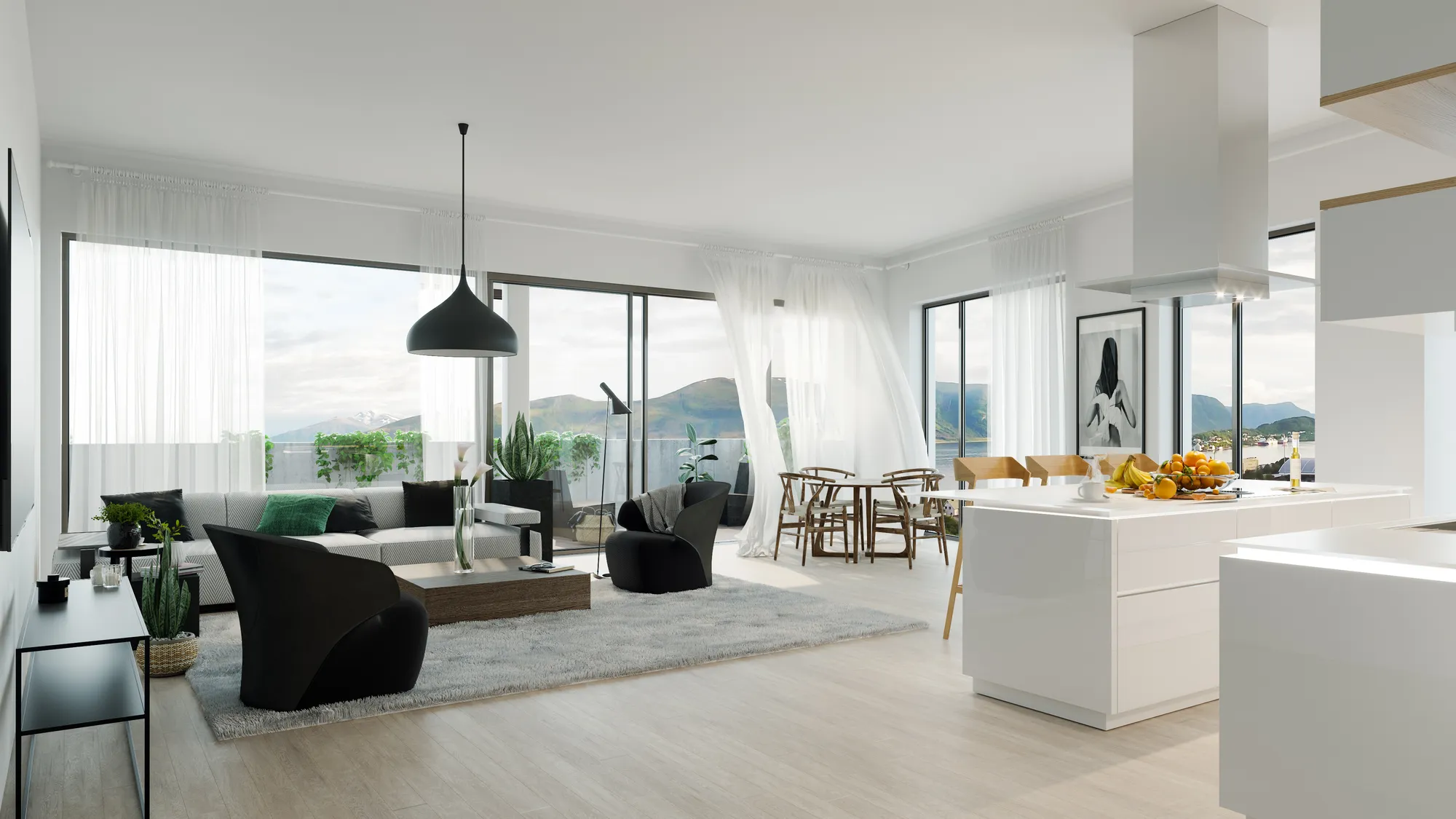
A walkthrough route gets harder the moment it goes indoors. Every room the camera enters has to be finished, because the camera shows all of it. Each room needs the standard of a single still: modeled, furnished and lit, as in our 3D interior rendering. A still shows the one room you choose. A walkthrough shows the whole route.
Why a flythrough is hard
A flythrough gets harder the moment the camera lifts high enough to show the neighbors. The building is often the smallest part of the scene. The street, the next block and the slope of the land have to look right from above, not only from one ground level angle.
The surroundings come from your site plan, a map view and site photos. How much of the scene has to be built is one of the things that changes a flythrough quote, as the section on what changes the quote explains below.
Combining a flythrough and a walkthrough in one film
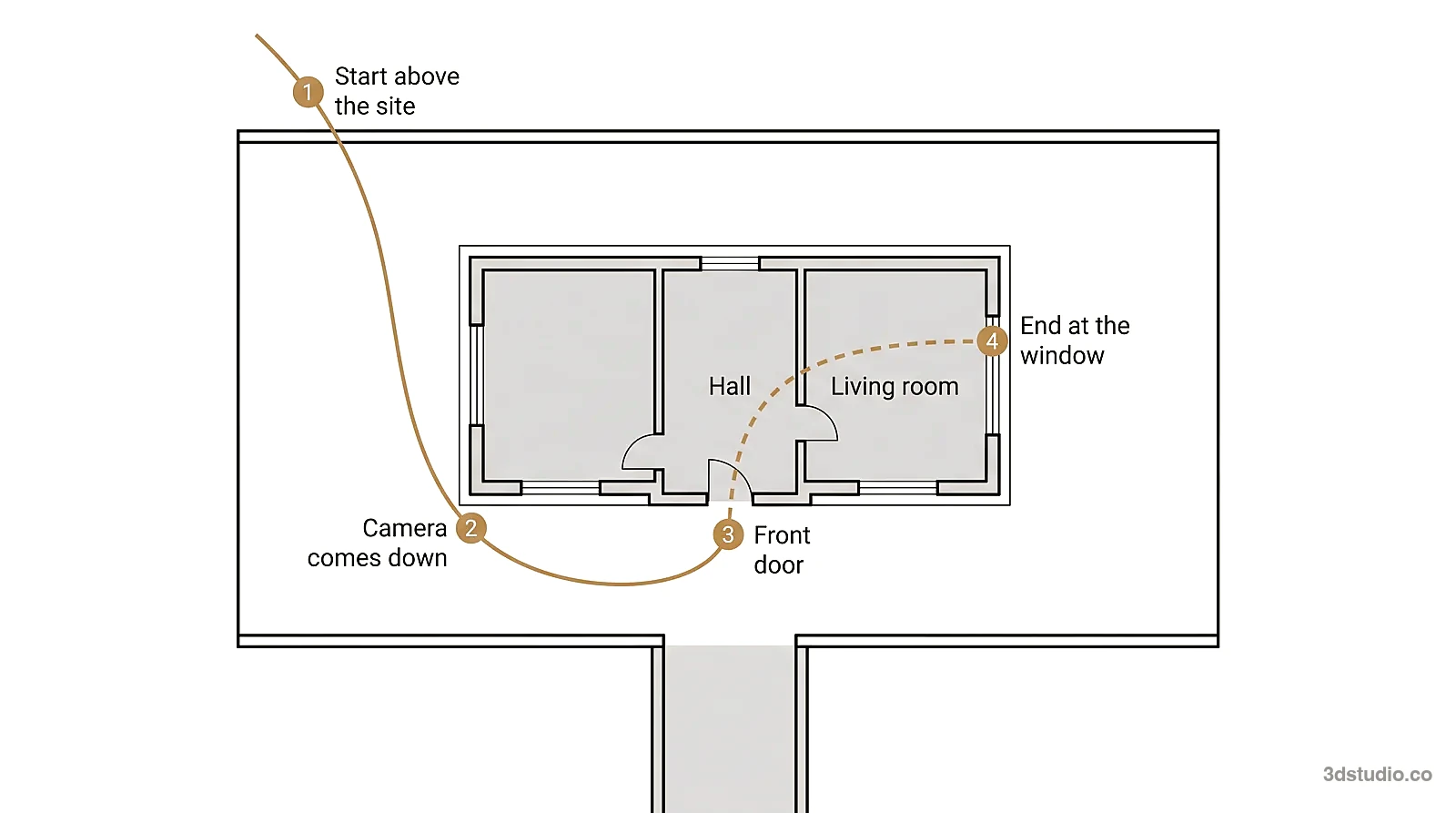
A combined film opens above the site, descends toward the entrance and continues at eye height through the door into the rooms. It answers both questions in one route. Because both halves are cut from one scene, the building is the same in each.
The brief for a combined film needs 3 decisions:
- The handover point. Where the camera comes down: the front door, the courtyard or a terrace.
- The rooms. Which rooms the walkthrough half enters, and in what order.
- The interiors. Whether the rooms on the route are furnished, because a furnished room is more work than an empty shell.
Mark the handover point on the site plan and the room order on the floor plan. If you need only one format now, the other can be added later from the same scene.
Software used to make a walkthrough or flythrough
A walkthrough is made in one of 2 ways, and they give different results.
- Pre-rendered. Each frame is rendered at full quality along a fixed route, and the frames are assembled into a video. 3Dstudio.co works this way, with 3ds Max and Corona or V-Ray. It gives the highest image quality on a fixed route.
- Real-time. A game engine such as Unreal Engine draws the scene while the viewer moves. The viewer can move freely and changes are fast, but it needs the viewer’s own machine and usually gives up some image quality.
Blender is free and open source and can be used for modeling and rendering. Free software does not remove the work of modeling the building from drawings, furnishing and lighting it and planning a route that a viewer can follow.
How the route is agreed before rendering
Both formats go through the same early stage. The building or the site goes up first as an untextured grey model, and the camera route is drawn through it: where it starts, how fast it moves, and where it slows or holds. You watch this as a rough cut, with no materials and no light. Route, height, speed and length are settled here, while a change is still quick and cheap to make.
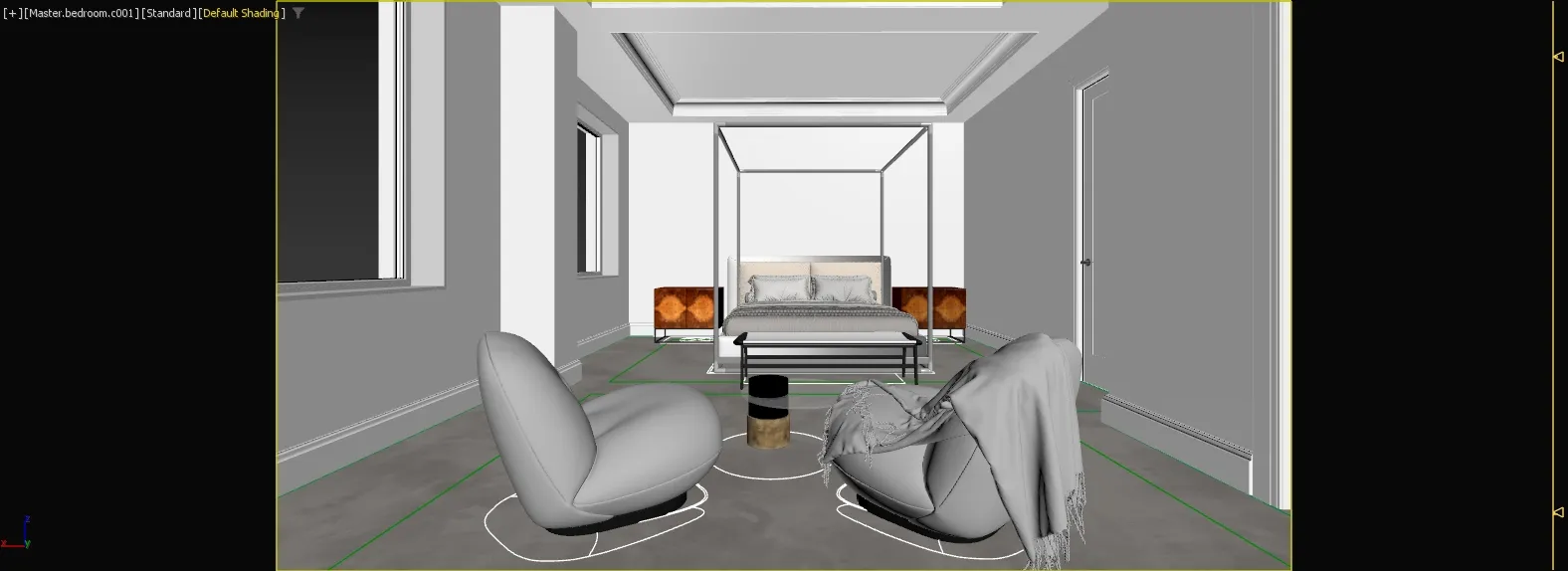
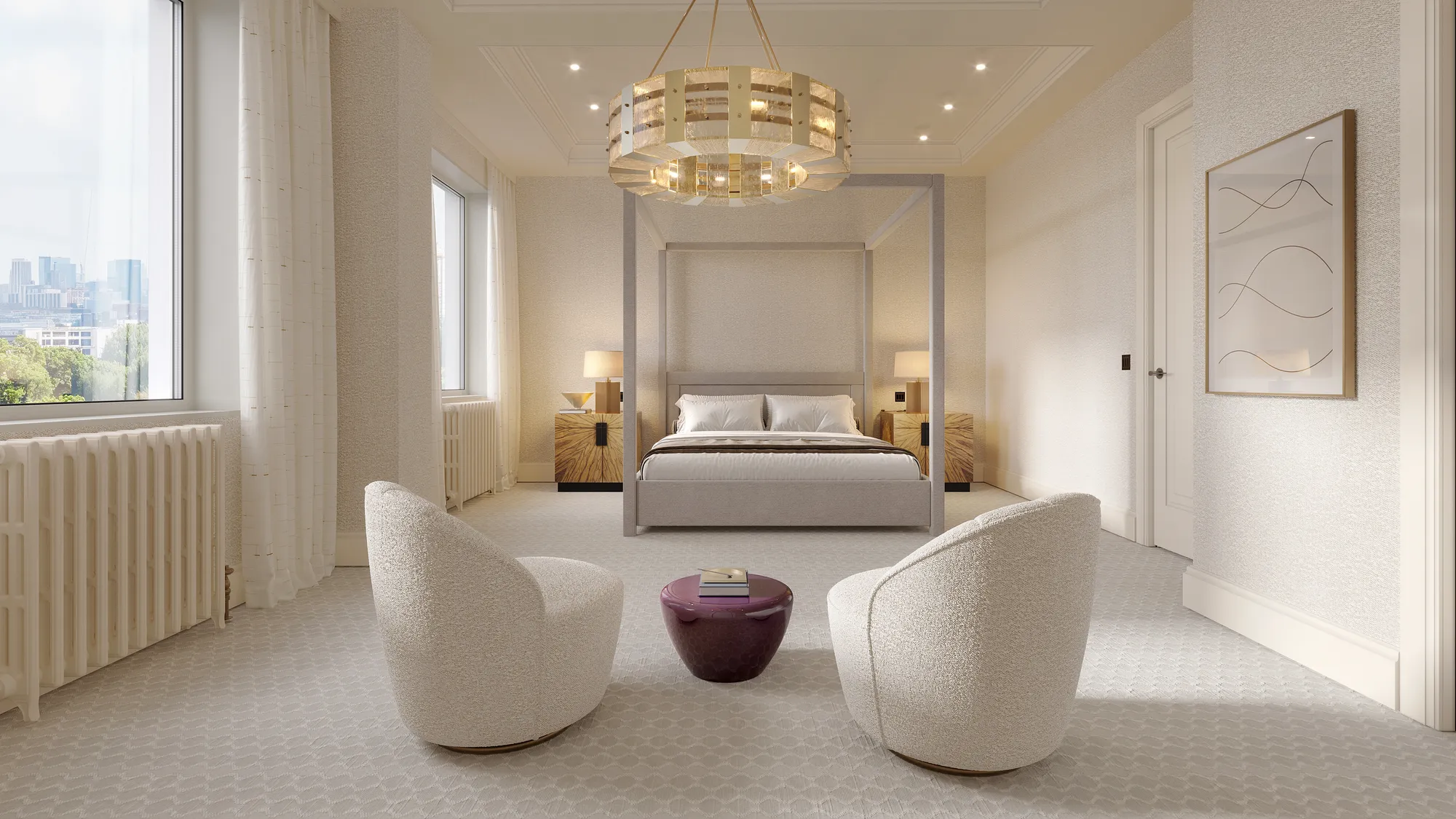
The pair above shows one view as a grey model and again with materials and light. For a film, the same grey stage is where the camera route, height and lens are fixed. The wider process is set out on our how it works page.
- Send the drawings, or the finished stills if the scene already exists, along with the route you want.
- The grey model goes up and the camera route is drawn through it as a rough cut.
- Materials, light and the surroundings are added, and a few frames are rendered at full quality to agree the look.
- The full film renders, is edited to length, and any shorter cuts are pulled from the same render.
Files to send for a walkthrough or a flythrough
The quote and the route both depend on what you send. Even a photo of a hand sketch is enough to get a quote.
| What to send | |
|---|---|
| Walkthrough | Floor plans and sections (DWG or PDF). A finish and material schedule. A furniture and lighting layout, or mood images. The route marked on a plan, from the entrance to the last room. |
| Flythrough | A site plan. A survey or a map view of the surroundings. Site photos. A landscape plan. The start and end point marked on a map. |
| Both | Elevations. The 3D model if one exists (Revit, ArchiCAD, SketchUp or IFC). Where the film will play: a sales suite, a website or a planning submission. |
The finished film is delivered as an MP4, with shorter cuts and stills of key views pulled from the same render.
What changes the quote for a walkthrough or flythrough
A film is priced per project, as one fixed price agreed before work starts, not by the second. Length matters because a film is a sequence of rendered images. At 30 frames per second, a 60-second film is 1,800 frames. See the pricing page for how a quote is built. See also what drives architectural animation cost.
| What changes | Why it matters |
|---|---|
| Number of shots and film length | Each shot is another camera move to plan and more frames to render. |
| Inside, outside or both | An outdoor route needs the facade and the site. An indoor route needs every room on it furnished, lit and finished. |
| How much of the scene exists | If the scene was built for earlier stills, the film is cut from it. Otherwise the film pays for building it. |
| People and vehicles in motion | Moving figures and cars add work to every second they are on screen. |
| How much surrounding area is needed | A flythrough shows more of the area around the building, so more of it has to be built or placed. |
| Cuts and formats | Each extra cut or output format is more work after the main render. |
The scene is built once, so a second route from the same scene costs much less than the first.
Mistakes to avoid in a walkthrough or flythrough
- The camera moves too fast. A slow camera at eye height looks like a person walking. A fast camera looks like a machine, and it moves too fast for the viewer to see what each room is like.
- The flythrough has no clear route. A camera that circles a site without a clear line looks like random drone footage. A flythrough needs a start, a line through the scheme and an end, the same as a walkthrough does.
- The film runs too long. A route with too many stops is too long. Viewers stop watching before the most important views. Cut to the views that answer the question: the arrival, the key rooms or the site in context.
Questions about walkthroughs and flythroughs
What is a flythrough in architecture?
A flythrough is a 3D animation in which the camera moves above a site to show a building in its setting, its access and its neighbors, before it is built.
What software is used to make a 3D walkthrough?
Pre-rendered films are usually made in a 3D program such as 3ds Max with a renderer such as Corona or V-Ray, which is what 3Dstudio.co uses. Real-time and interactive versions are made in a game engine such as Unreal Engine. Blender is free and open source. Pre-rendered gives the highest image quality on a fixed route.
Is a 3D walkthrough the same as a virtual tour?
No. A walkthrough is a film on a fixed route, directed by the studio. A 360 virtual tour lets the viewer look around from fixed points and choose where to look.
Can AI make a walkthrough or flythrough video?
AI video tools are good for exploring a loose mood. Details such as window counts, balconies and the roofline can change from frame to frame, and nothing in the output is checked against the drawings. A studio film puts a camera in a scene modeled from the drawings, so the building is the same in every frame.
How long should a walkthrough or flythrough be?
Length follows the route. List the stops, give each stop a few seconds to hold, and the total follows. Cut stops that do not answer the question, because viewers stop watching a long route.
Does a single house need a flythrough as well as a walkthrough?
Not always. A flythrough is useful when the site or the setting is part of the story: a plot on a slope, a house among several plots, or a rural setting where the approach matters. A single house on a plain street may only need a walkthrough or a still exterior.
Should a planning submission include a flythrough?
Check what the planning authority accepts. Planning visuals are mainly drawings, stills and photomontages from agreed viewpoints. A flythrough can support them by showing the scheme in its setting, and a walkthrough can answer questions about the inside.
Diagrams in this post are drawn with an AI image tool from our brief and checked by our team.