What Is 3D Modeling? Definition, Meaning, Types, Process and Uses
3D modeling means building a three-dimensional object in software. See what a 3D model is made of, the types, the process, free software and where models are used.
In this article
- 3D modeling builds a three-dimensional object in software from vertices, edges and faces.
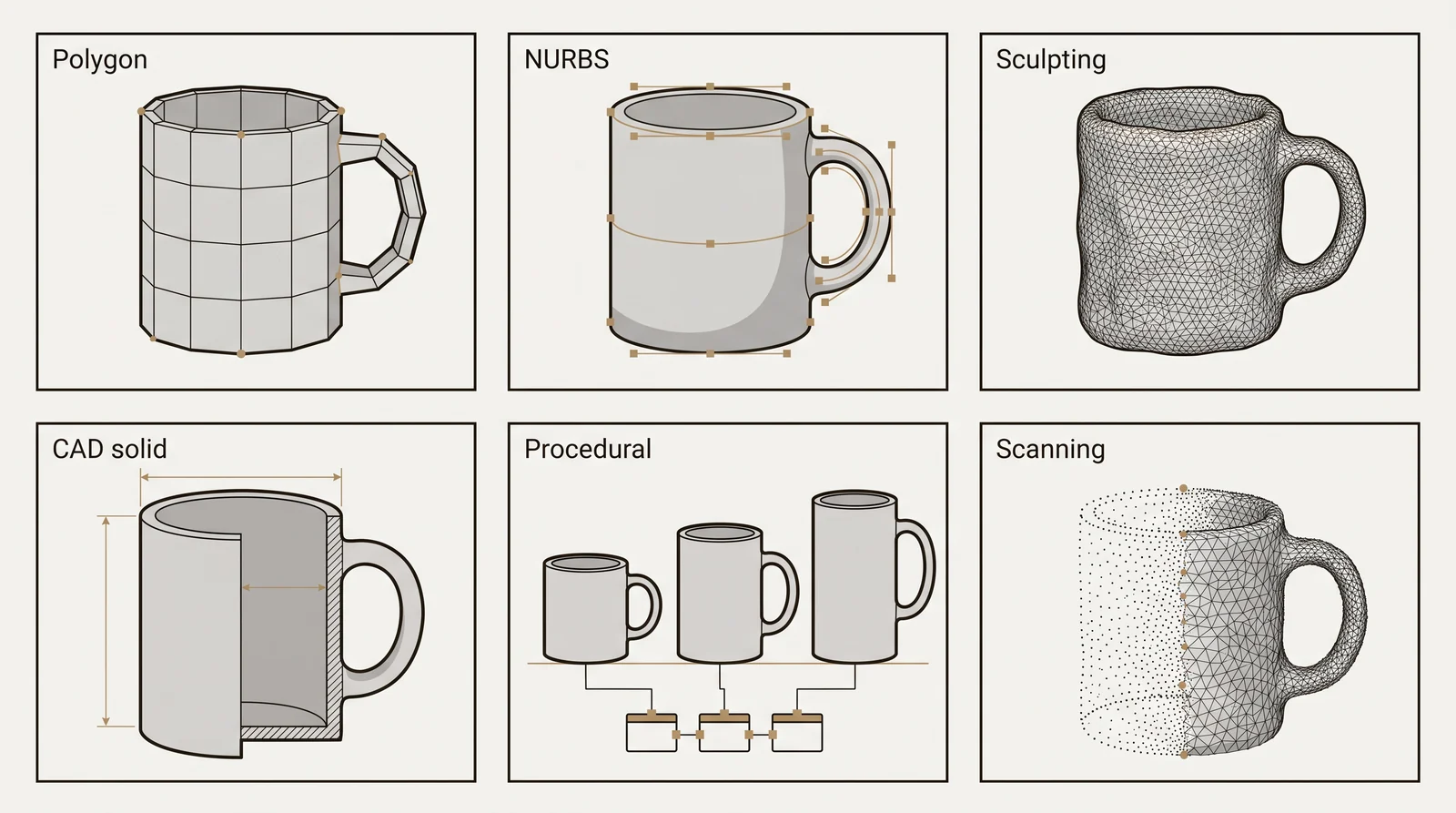
- Polygon, NURBS, solid CAD, sculpting, procedural modeling and scanning are the main methods.
- Games, architecture, product design, film, 3D printing and engineering all rely on 3D models.
- Free tools such as Blender and Tinkercad are enough to start, and a studio can build a model from your files.
What is 3D modeling
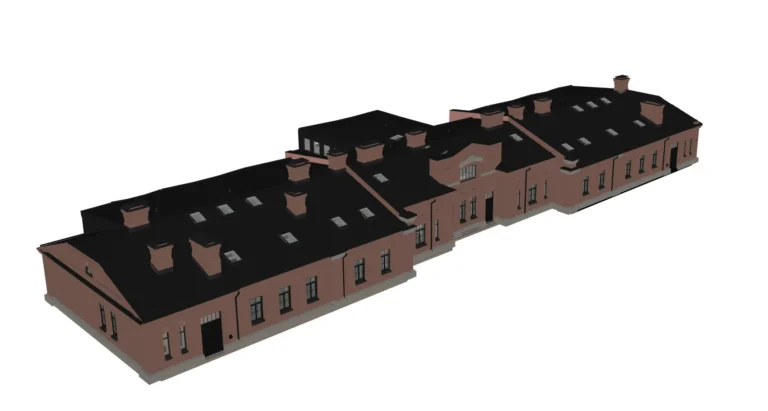
3D modeling is the process of building a three-dimensional object in software, by placing points in 3D space and connecting them into edges and surfaces. 3D stands for three-dimensional: the object has width, height and depth. The result is a 3D model, a digital object that can be viewed from any angle, lit, textured, and turned into an image, an animation or a physical print.
In British English the word is spelled 3D modelling. It means the same thing.
What is a 3D model
A short 3D model definition: a 3D model is a set of coordinates and connections stored as data, which describe the shape of an object in three dimensions. It is not a photo and not a drawing. Because it is data, the same model can be rendered as a photorealistic image, placed in a game engine, or sent to a 3D printer without being rebuilt each time. When speed, accuracy or a specific style matters, businesses hire a 3D modeling studio instead of building the model in house.
What does 3D mean
3D means three-dimensional. A 3D object has width, height and depth, measured on 3 axes called X, Y and Z. A 2D image has only width and height. Because a 3D model has depth, it can be turned and seen from any side. A 3D image is a flat picture rendered from a 3D model: it shows depth through perspective, light and shadow, and the model behind it can be rendered again from any other angle.
3D modeling compared with 3D rendering, CAD and 3D printing
3D design is the wider work of planning how an object, product or building looks and works in three dimensions. 3D modeling is the step that builds its shape in software. 3D modeling, 3D rendering, CAD and 3D printing are different steps with different results.
| Term | What it is | What it produces |
|---|---|---|
| 3D modeling | Building the shape of an object in software | A model file |
| 3D rendering | Adding materials, light and a camera to a model and calculating the picture | Images or video |
| CAD (computer-aided design) | Drawing and modeling to exact dimensions, usually for manufacturing or construction | Technical drawings and solid models |
| 3D printing | Building a physical object layer by layer from a model | A physical part |
Rendering needs a model first. If the end goal is images of a product, see our 3D product rendering service. A model made for rendering can look perfect on screen and still be unsuitable for printing or a game engine.
What a 3D model is made of
Most 3D models are built from the same 3 basic elements.
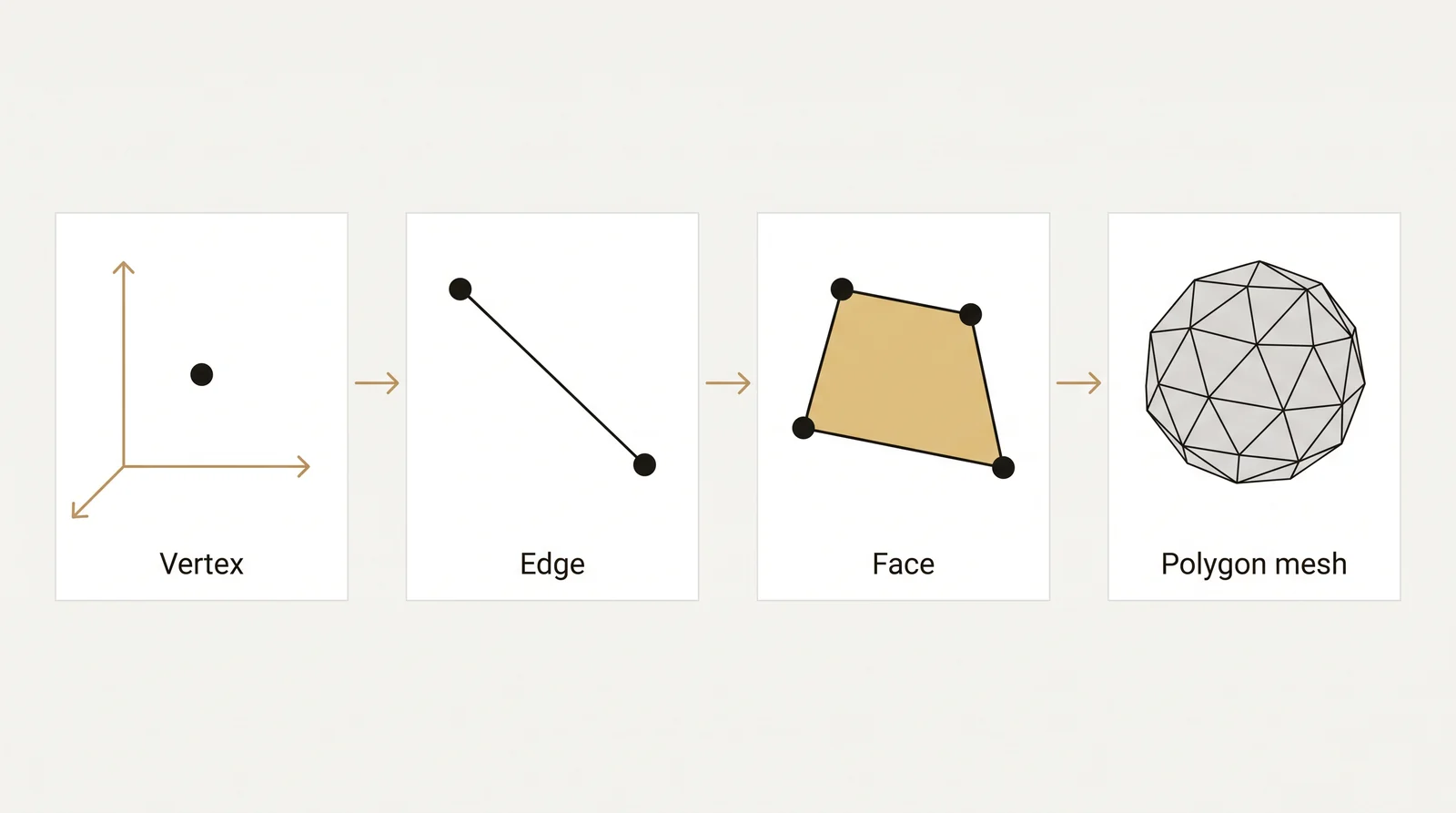
- Vertices. A single point in 3D space, defined by an X, Y and Z coordinate.
- Edges. A straight line connecting 2 vertices.
- Faces. A flat surface closed off by 3 or more edges, usually a triangle or a quadrilateral.
Enough vertices, edges and faces together form a polygon mesh, the surface that most 3D models are made of. A mesh with more faces can hold finer detail. A mesh with fewer faces is lighter to store and faster to display, which is why games and web viewers often swap in a simplified version of a model as it moves further from the camera.
Tip: a mesh with holes or open edges is not watertight. A mesh with an edge shared by more than 2 faces is called non-manifold. Faces that point the wrong way (flipped normals) are a separate problem. All 3 can look fine on screen and still cause errors in a 3D printer slicer or a game engine.
Types of 3D modeling
The main methods differ in how the shape is built and stored: as polygons, as mathematical curves, as a solid with volume, or as data captured from a real object.
| Method | How it works | Best suited for |
|---|---|---|
| Polygon modeling | Push, pull and connect vertices, edges and faces by hand | Game assets, hard surface objects, general purpose modeling |
| NURBS surface modeling | Define smooth curved surfaces from control curves, using math instead of polygons | Industrial design, car bodies, smooth product shapes |
| Parametric solid (CAD) modeling | Build a closed solid from features such as extrude and fillet, driven by dimensions and an editable history | Mechanical parts, engineering, products that will be manufactured |
| Digital sculpting | Push and pull a dense mesh the way a sculptor works with clay | Organic shapes, characters, creatures |
| Procedural modeling | Build a model from rules and parameters that can be changed later | Terrain, repeating patterns, large environments |
| 3D scanning | Capture a real object’s shape with a laser or structured light scanner | Reverse engineering, heritage and archive work |
| Photogrammetry | Reconstruct a 3D model from many overlapping photographs, a software based way of capturing a real object | Realistic environments, real world assets, visual effects |
Polygon modeling is the most common starting point, since it works for almost any object and most general purpose programs support it. Low poly and high poly modeling are 2 ends of the same polygon method: a low poly model uses fewer faces and loads faster, a high poly model holds more detail and takes longer to process. Digital sculpting software takes a different approach, closer to shaping clay than placing points by hand.
A CAD solid has volume, while a mesh is only a surface. That is why engineers use solids for parts that must fit together. A classic textbook split sorts models into 3 kinds: a wireframe model holds only vertices and edges, a surface model adds surfaces between those edges, and a solid model is a closed shape with volume.
Uses of 3D modeling
The main uses of 3D modeling are in games, architecture and real estate, product design, film, 3D printing and engineering.
- Games. Characters, props and environments are modeled to a polygon budget. They are organized into levels of detail from LOD0, full detail close to the camera, down to LOD3, a simplified version used far away, so a scene keeps a steady frame rate.
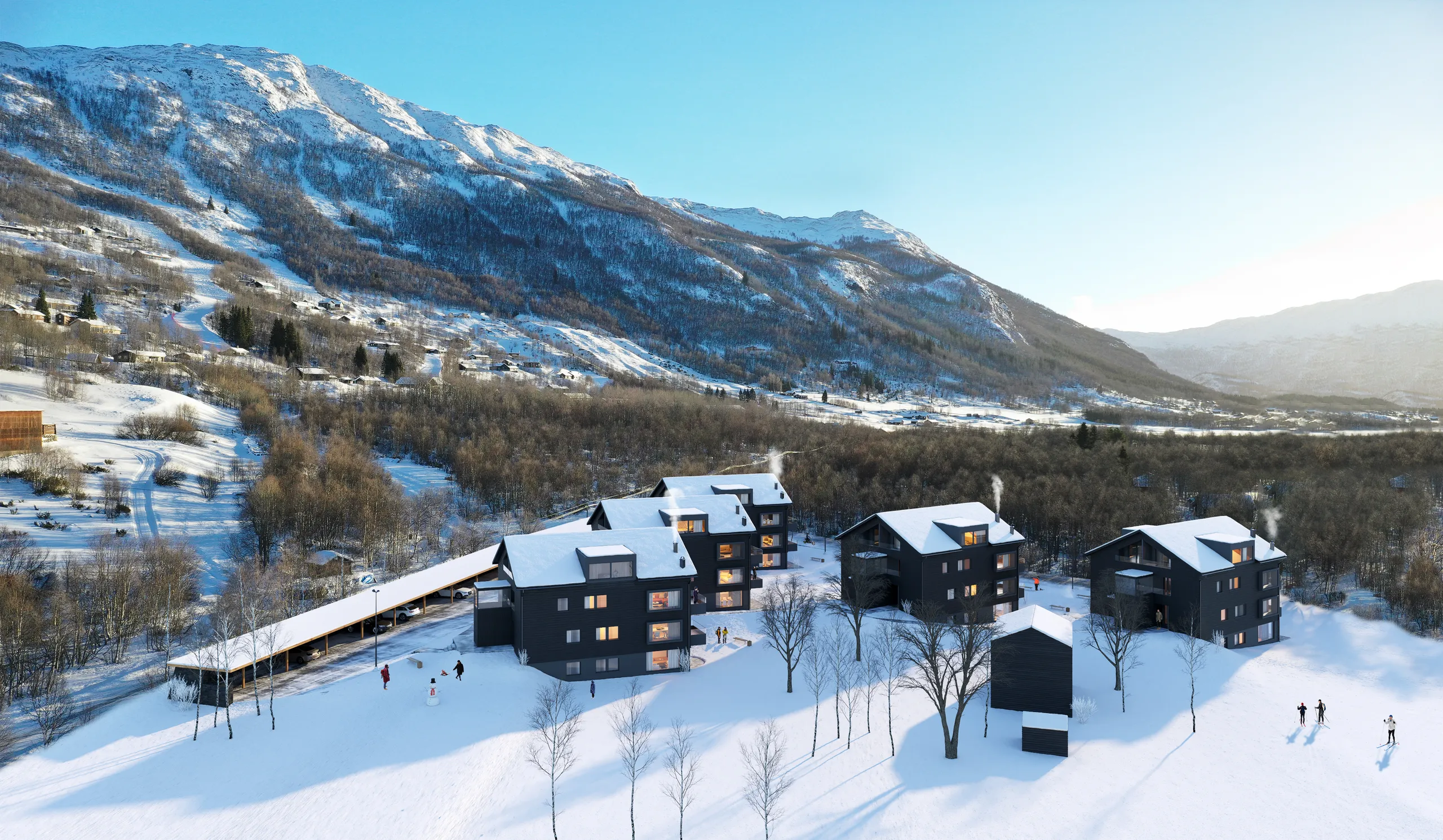
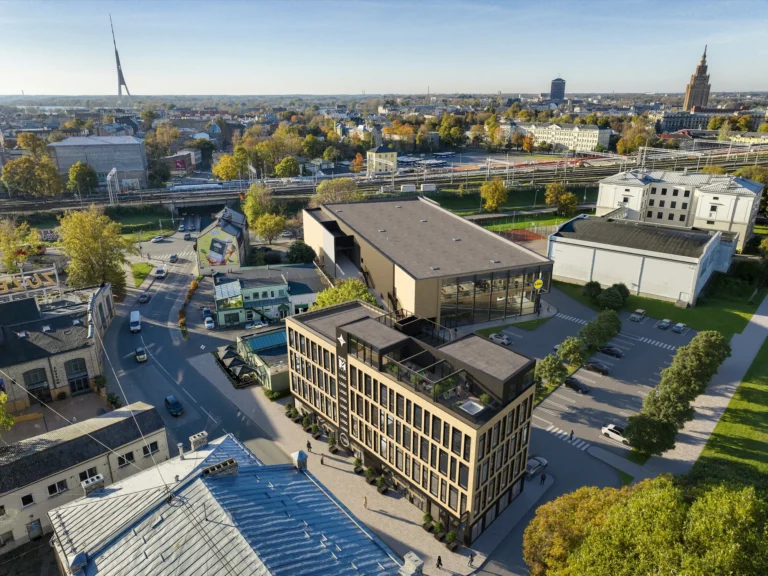
- Architecture and real estate visualization. A building is modeled from drawings before it is built, then rendered so buyers, tenants or planning boards can see it. The method is covered in our guide to architectural modeling.
- Product design and e-commerce. A product is modeled once and reused for renders, technical drawings and animations, instead of a new photo shoot for every angle or finish.
- Film and animation. Characters, sets and creatures that would be difficult or costly to build physically are modeled and animated instead.
- 3D printing. A model is exported as a watertight mesh and printed layer by layer into a physical object. Our free STL converter turns many other model formats into STL.
- Engineering. Parts are modeled with exact dimensions so they fit together correctly and can be checked before they are manufactured.
A short history of 3D modeling
Key dates in the development of computer graphics and 3D modeling:
- 1963. Ivan Sutherland creates Sketchpad at MIT, an early interactive program for drawing on a computer screen.
- 1968. Ivan Sutherland and David Evans found Evans and Sutherland in Salt Lake City, a company built around computer graphics.
- 1975. Martin Newell models the Utah teapot, which is still a standard test object in 3D graphics.
- 1995. Toy Story is released, the first feature film made entirely with computer animation.
- Today. Free programs such as Blender and the browser based Tinkercad let anyone with a computer build 3D models.
The 3D modeling process
Most 3D models, whatever the industry, go through a similar sequence of stages.
- Reference. Photos, drawings, measurements or a sketch of the object to build.
- Blocking. Simple shapes are placed to get the proportions and silhouette right before any detail is added.
- Detail pass. Vertices, edges and faces are added, moved and refined until the shape is correct.
- UV unwrapping. The mesh is unfolded into a flat 2D layout, running from 0 to 1 on each axis, so a flat image can wrap around a curved surface without stretching.
- Texturing. Color, roughness and surface detail are painted or applied onto that UV layout.
- Rendering or export. The finished model is lit and rendered into an image or animation, or exported as a file for a game engine or a 3D printer.
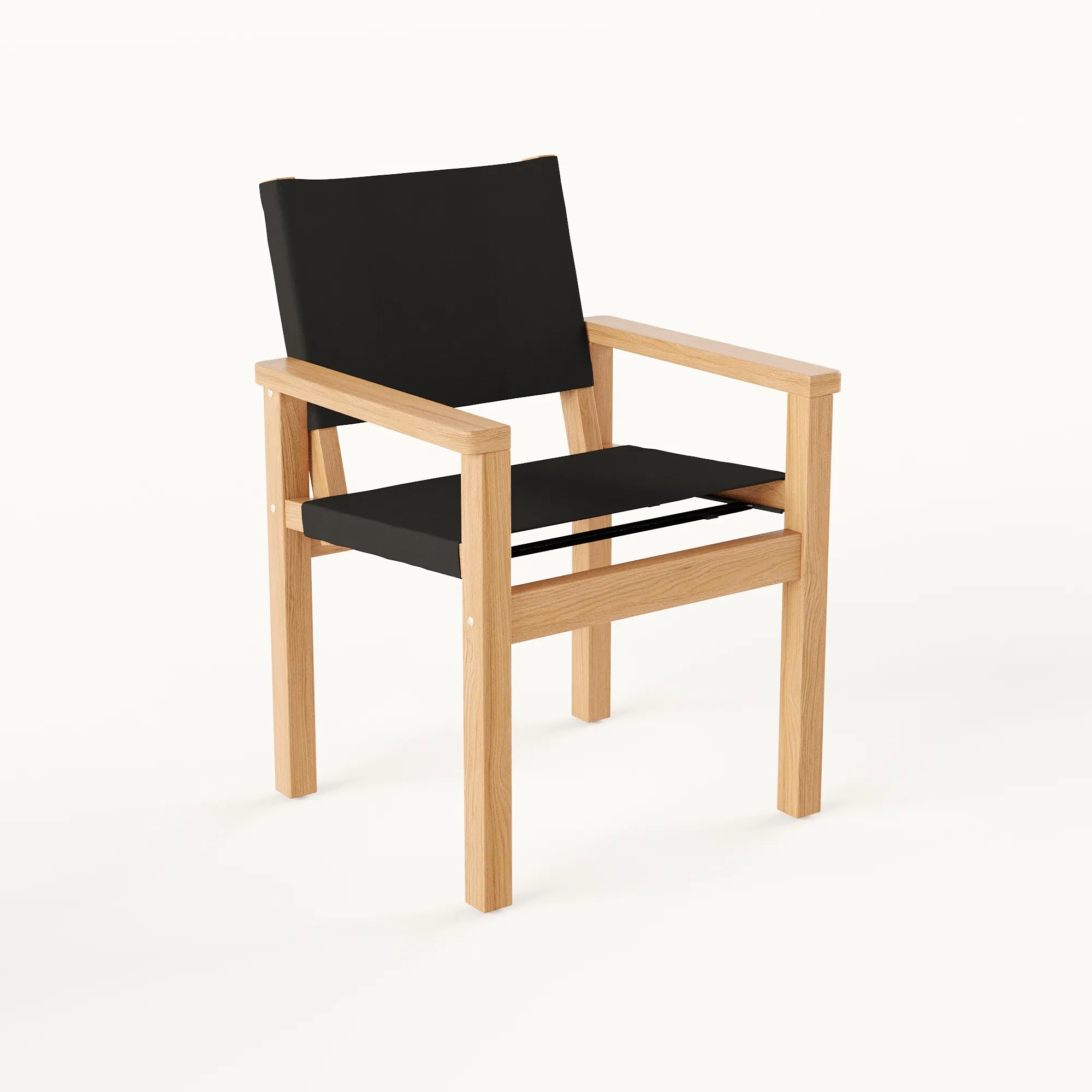
UV unwrapping and texture mapping are usually the least visible steps to a client, but they decide whether a surface reads as wood, metal or fabric once it is rendered. The 2 images below show the same object at 2 of these stages: the grey, untextured model, and the finished, textured render.
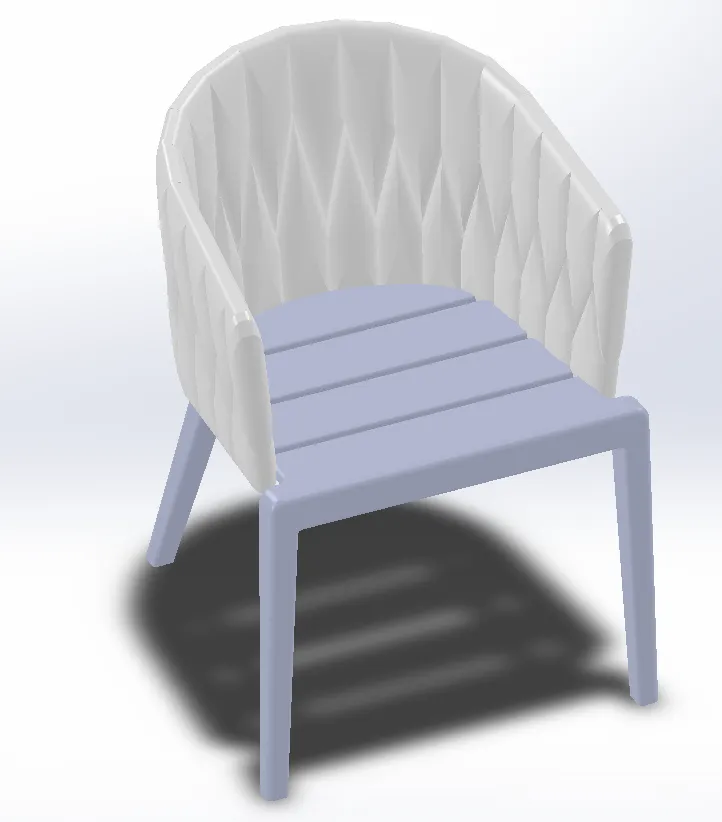
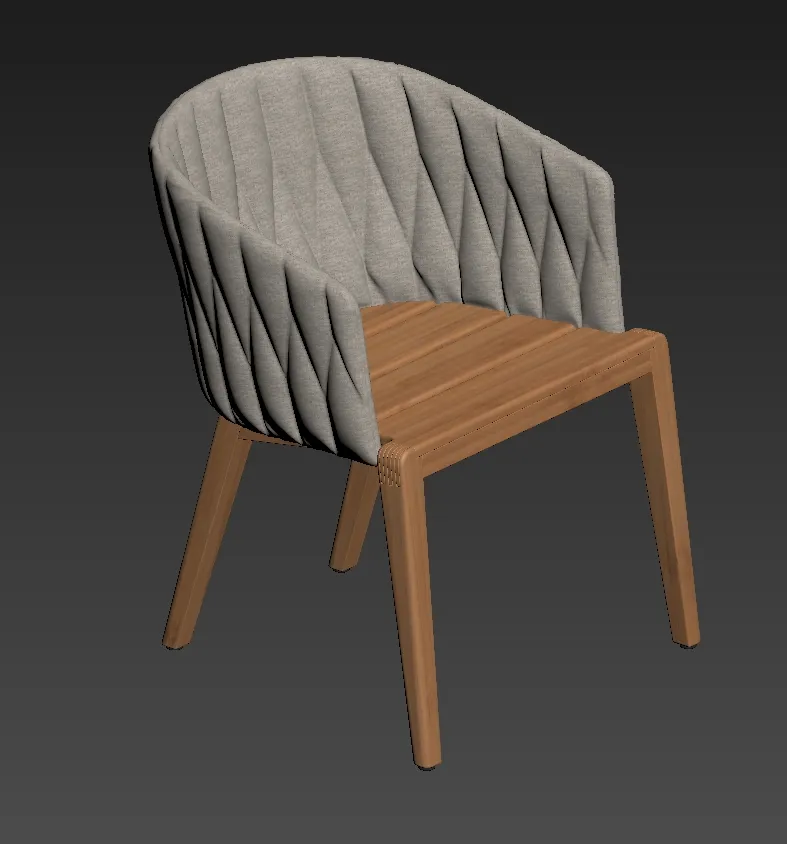
Left is the untextured clay model of a dining chair with a woven back, right is the same chair after texturing and rendering, which shows what the last stages of the process add.
What a 3D modeler does
A 3D modeler builds the geometry of an object from references or drawings. The modeler keeps the mesh within the polygon budget or tolerance the use needs, prepares the UV layout, and hands the model on to texturing, rigging, lighting or engineering. The main output is a file, not an image.
3D modelers usually work in one specialty, and each specialty delivers a different kind of model.
- Character modeler. Builds people, creatures and stylized figures, ready for rigging and animation. See our guide to 3D character modeling.
- Hard surface modeler. Builds machines, vehicles, props and products with clean edges. The hard surface and organic modeling guide explains the difference.
- Environment modeler. Builds terrain, streets, rooms and sets, often from reusable modular pieces.
- Architectural modeler. Builds buildings and interiors from plans, sections and elevations.
- CAD or product modeler. Builds parts and products as solids with exact dimensions, for manufacturing or for product renders.
3D modeling software by use
There is no single best 3D modeling program. The right one depends on what is being modeled and which pipeline it needs to fit into. These are common choices grouped by use, not a ranking.
| Use | Common software |
|---|---|
| General purpose and games | Blender, Maya, 3ds Max |
| Architecture and interiors | SketchUp, Revit, ArchiCAD, 3ds Max, AutoCAD |
| Product design and CAD | Autodesk Fusion, SolidWorks, Rhino, FreeCAD |
| Organic sculpting and characters | ZBrush, Blender |
| Film and visual effects | Maya, Houdini, Cinema 4D |
| Displaying models in real time | Unreal Engine, Unity (they import models built in the programs above) |
Paid tools such as Maya and 3ds Max add vendor support and plugins for specific industries, such as game asset pipelines. Blender is free and open source, and it covers modeling, sculpting, texturing and rendering in one program. Our guide to 3D modeling in Blender walks through a first model in it.
Free 3D modeling software
| Program | Runs in | Best for |
|---|---|---|
| Tinkercad | Web browser | Beginners and simple parts for 3D printing |
| Blender | Windows, Mac, Linux | All-round modeling, sculpting and rendering |
| SketchUp Free | Web browser | Simple buildings and interiors |
| FreeCAD | Windows, Mac, Linux | Parametric CAD parts |
Check each vendor’s page for the current terms before using a free tool for paid work. To open or convert a model without installing anything, use our free 3D converter in the browser.
Common 3D file formats
A 3D model is only useful if the software on the other end can open it. OBJ and FBX are common exchange formats for a mesh with materials. glTF and GLB are built for real time and web use. STL is the most common format for 3D printing, and 3MF is a newer print format that also stores units and color. Most programs also save a native project file, such as .blend or .max, which keeps extra editing data that export formats drop.
AI and 3D modeling
AI will not replace 3D modeling for work that has to be exact. Text to 3D and image to 3D tools can produce a rough mesh from a prompt or a photo. That is useful for loose concepts, background props and mood.
The output usually has messy topology, no clean UV layout and no real dimensions. It does not hold a building’s geometry, so window counts, balconies and rooflines drift. Nothing in it is checked against drawings. A game asset that must be animated, a part that must fit, or a building that must match its plans is still built from the drawings and checked by a person.
How to learn 3D modeling
3D modeling is not hard to start. The basic tools in a program such as Blender or Tinkercad can be learned quickly. Clean topology, correct proportions and judging how much detail a model needs take much longer, and they come from practice. A good way to start is 1 free program, 1 simple object, and many repeats.
Our step by step guide to how to 3D model covers picking a first program, building a first object, and the mistakes that slow beginners down. Once polygon modeling feels comfortable, pick a specialty from the list above.
When to have 3D models made by a studio
A studio makes sense when the model must match drawings or exact dimensions, when it must meet an engine’s triangle budget, or when there is no time to learn the software.
3Dstudio.co builds 3D models to order. We build game ready assets for game studios, including levels of detail and texturing, and we also model products, furniture and buildings for visualization. To start, we need whatever reference already exists. This is what to send and what comes back.
| Model for | What to send | What you get back |
|---|---|---|
| A game asset | Concept art or reference images, the engine you use, your triangle budget and naming rules | FBX or glTF with textures, or an Unreal or Unity package, with authored LODs and the source files |
| A product or furniture piece | A technical drawing with dimensions, product photos and material specs (Rhino and SolidWorks files as .step or .obj) | The model at real size in the format you ask for, such as .max, .fbx, .obj, .blend or .skp, with textures and materials |
| A building or interior | .dwg files, PDF plans and elevations, or SketchUp, Revit, ArchiCAD, 3ds Max or IFC files; even a photo of a hand sketch is enough for a quote | The model at real dimensions in the format you ask for, or renders made from it (not an IFC or a BIM coordination model) |
Say what the model will be used for: a game engine, a 3D printer or a marketing render. It helps the first version come back closer to what is needed. For a modeling job, the working files and the finished geometry are yours on delivery. A defined modeling job gets one fixed price, sent within 30 minutes of receiving the files. Open-ended work, where the scope changes as you go, is billed at €85 per hour. See how 3D modeling is priced.
Questions about 3D modeling
What does 3D mean?
3D means three-dimensional: width, height and depth, on the X, Y and Z axes. A 2D image has only width and height. A 3D model can be turned and seen from any side.
What does a 3D modeler do?
A 3D modeler builds the geometry of characters, props, products, parts or buildings from references or drawings. The modeler keeps it within the polygon budget or tolerance of its use, prepares the UVs, and exports the file for texturing, animation, rendering or manufacturing.
Is AI replacing 3D modeling?
No. AI tools can make a rough mesh from text or a photo, which is useful for concepts. The result usually has messy topology, no clean UVs and no real dimensions, and nothing is checked against drawings. Models that must be animated, printed to size or match a building are still built and checked by a person.
Where can I make 3D models for free?
Blender runs on a desktop and covers most needs. Tinkercad and SketchUp Free run in the browser. FreeCAD is for parametric CAD parts. The free 3D converter on this site opens and converts model files.
Does a 3D model have to be photorealistic?
No. A game asset or a part made for 3D printing only needs the geometry and detail its use requires. A marketing render usually needs full materials, lighting and surrounding context.
Can a 3D model be turned into a 3D print?
Yes, as long as the mesh is watertight (no holes or open edges) and manifold. Most 3D modeling software can check and repair a mesh before it is exported for a 3D printer.
Is coding required for 3D modeling?
No. Polygon modeling, sculpting and NURBS modeling are all done with a mouse, keyboard or drawing tablet inside dedicated software. Procedural modeling uses nodes or simple scripts, but full programming is not required.