Architectural Animation: What It Is, Types, Process and Software
What architectural animation is, its main types, how a film is made frame by frame, the software behind it and what changes the quote.
In this article
- Architectural animation is a computer-generated film made from the drawings, with a camera route agreed before the full render.
- A 60-second film at 30 frames per second is 1,800 rendered frames, which is why route changes after rendering are costly.
- Pre-rendered films and real-time engines use different software and suit different jobs.
- AI video tools suit a loose mood reel, but a modeled scene is built from your drawings and can be checked against them.
Architectural animation is a short computer-generated film that shows a building, a site or an interior before it is built, by moving a camera through a 3D model made from the drawings. It is used to show clients, investors, planning authorities and buyers how a building looks and feels before it is built. In our 3D animation service, the camera route is agreed on a rough cut before anything is rendered at full quality.
A film is a long sequence of rendered frames. That is why it costs more than a single still, and why changing the route after the full render means rendering those frames again.
What is architectural animation
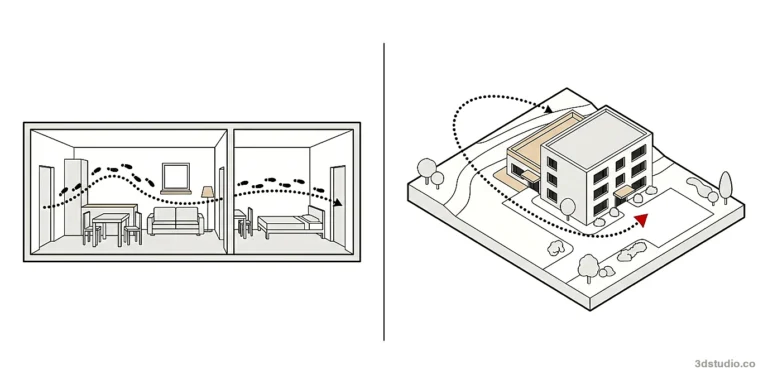
Architectural animation is the moving counterpart of a still rendering. A still shows one chosen view. An animation takes the viewer along a route: the approach to a building, through the entrance, from one room into the next, or around a site from above. Use a film when the order matters, such as arriving from the street, entering, and moving from room to room.
Architectural animation dates back to 1976, when Jonathan Ingram made a 3D hidden-line film of the planned Crown Courts in Hobart, Australia. The film was used for planning approval.
3Dstudio.co has made architectural visualization since 2013 and has completed more than 1,200 projects. An animation uses the same drawings and the same kind of 3D scene as a still.
How it differs from a still and a 360 tour
A still is one fixed viewpoint. A 360 virtual tour lets a viewer look around from a set of fixed points, but does not travel between them at a set pace. An architectural animation is pre-rendered video: one route, at a set pace, playable anywhere a video plays. If viewers should explore on their own, a 360 tour is the better fit. If the goal is to lead a viewer through a route in a set order, an animation is.
What architectural animation is used for
- Planning hearings and public consultation. A film shows scale and context to people who do not read drawings. See visuals for urban planning.
- Design review. Architects and clients check sight lines, entrances and the order of rooms before anything is built. See visualization for architects.
- Investor meetings. A route through the site and the building explains the scheme in the order a presenter talks about it.
- Sales suites and websites. Developers often use a film to launch an off-plan scheme. A hero video is part of our sales launch package. Visuals for off-plan launches covers how stills and film work together.
- Competitions. A film explains an entry in sequence, which a single board cannot do.
Types of architectural animation
The main types are the walkthrough, the flythrough, the product animation and the cutaway. Each uses a different camera and answers a different question.
| Type | Camera | Question it answers | Typical use |
|---|---|---|---|
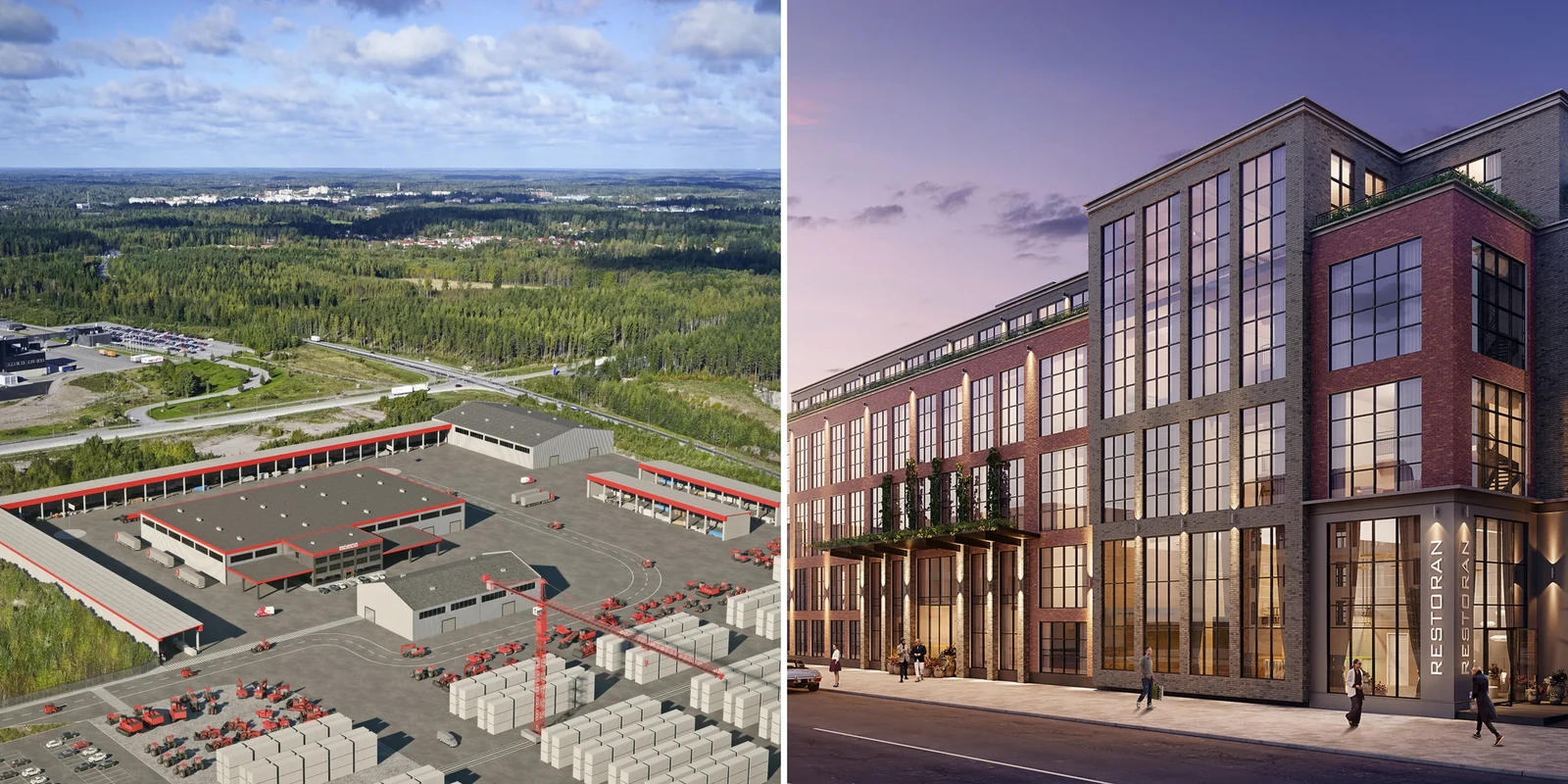
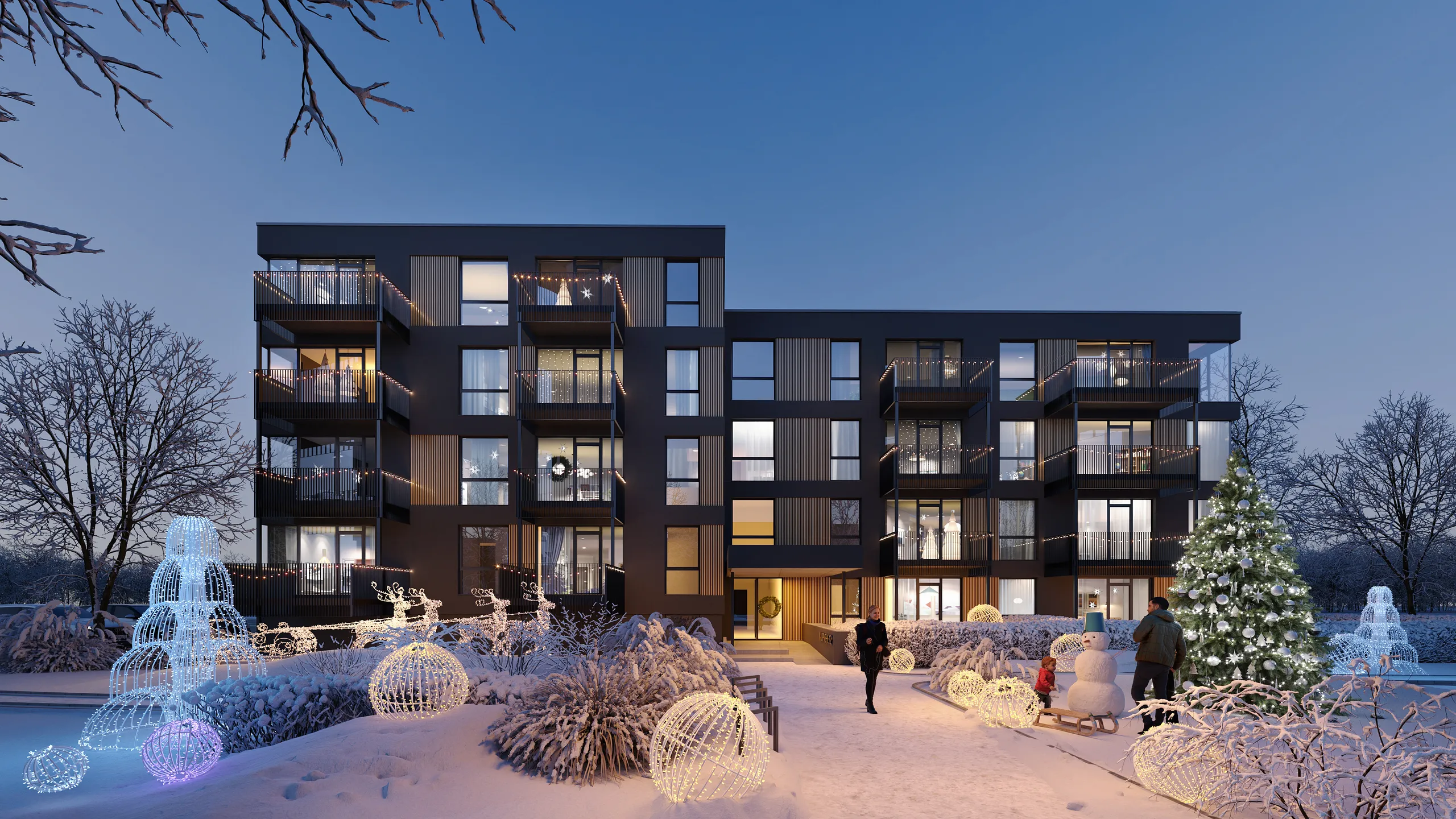
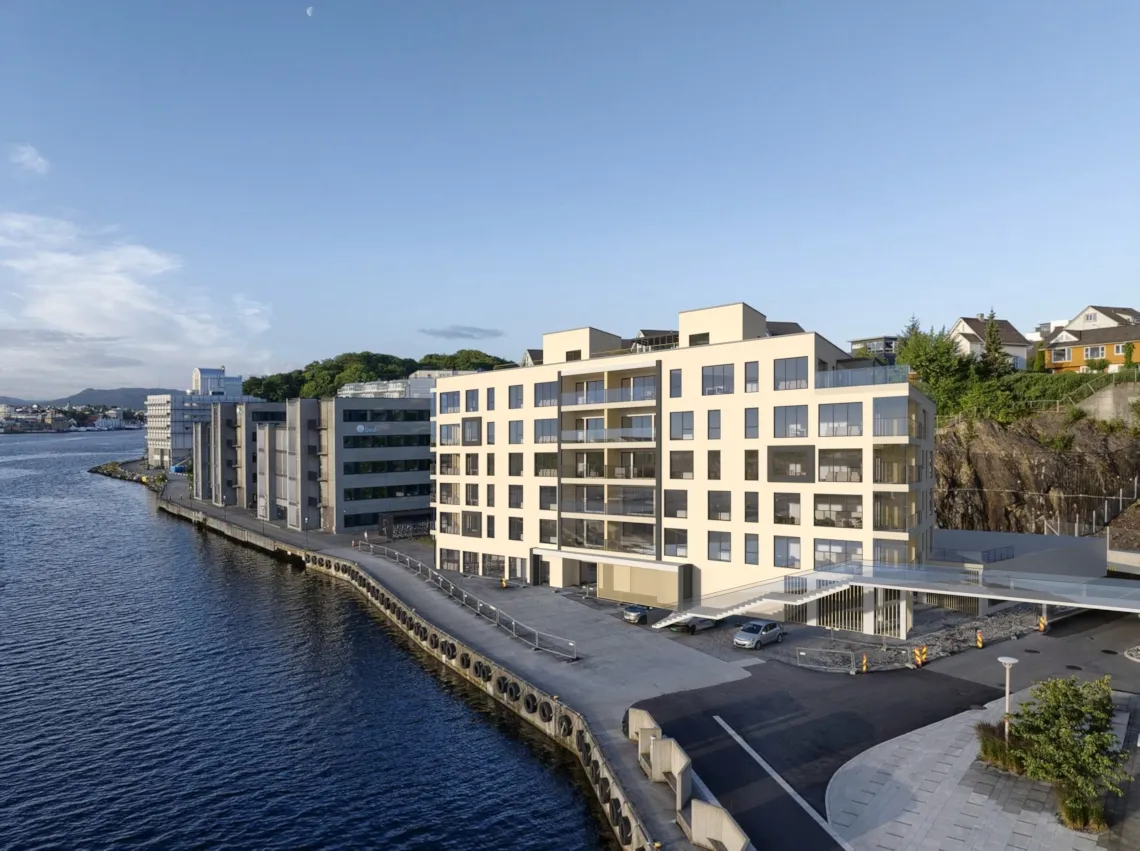
| Walkthrough | Eye height, walking pace, inside or around a building | What is it like to arrive and move through the building? | Sales suites, design review |
| Flythrough | Above the site, moving across it | Where does the building sit, how is it reached, what surrounds it? | Planning, investors, masterplans |
| Product animation | Turns around one object, or follows a reveal such as a door opening | What does the object look like from every side? | Product pages, launches |
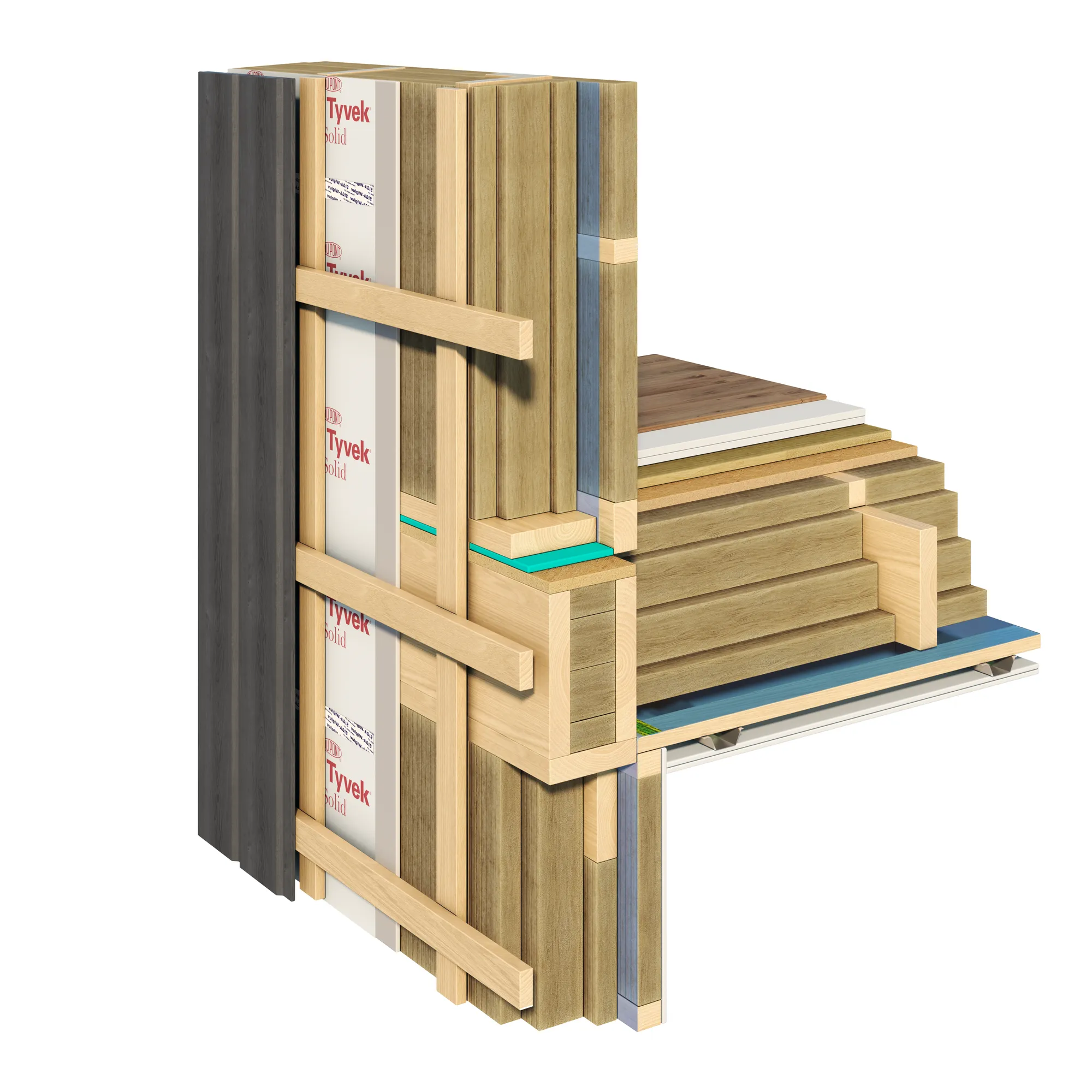
| Cutaway | Moves along a section through a wall, floor or object | What is inside, and in what order are the layers? | Technical explanations, construction systems |
A walkthrough and a flythrough often come from the same scene, so many schemes use both: the flythrough shows where the building sits, and the walkthrough shows what it is like inside.
Product animation and cutaways
Product animation uses the same process on a single object. A 3D product rendering can be turned into a turntable that spins slowly under moving light, or a reveal where a lid or door opens. A cutaway, more often built as section cut rendering, shows a wall, a floor or a whole object sliced open so the layers inside are visible while the camera travels along the section.
How an architectural animation is made, frame by frame
A film is a sequence of still images, called frames, shown fast enough that the eye reads them as motion. Common video frame rates are 24, 25 and 30 frames per second. 24 is the long-standing film standard, 25 matches PAL video and 30 matches NTSC video (29.97 to be exact).
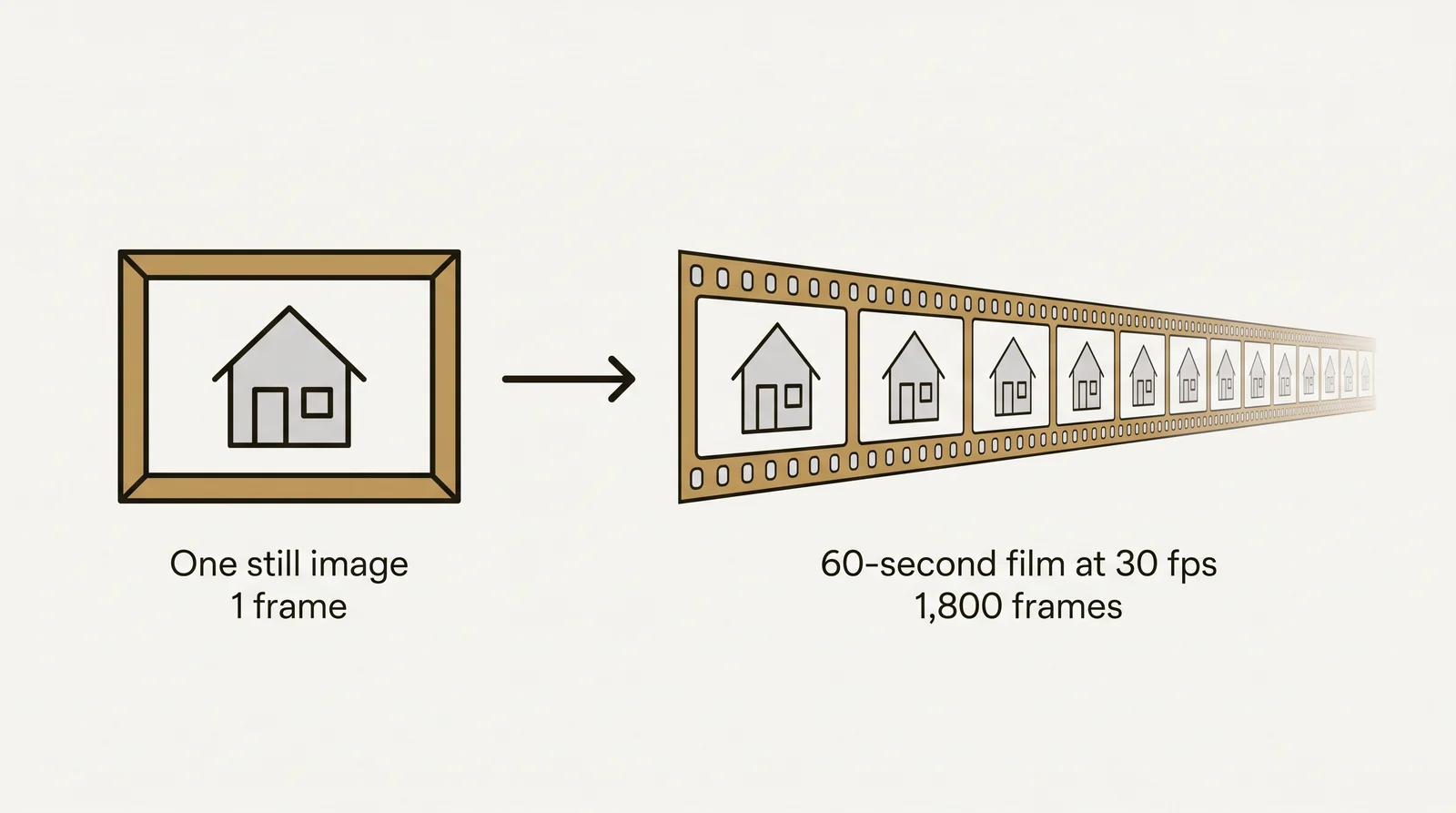
The arithmetic explains the cost. One still image is 1 frame. A 60-second film at 30 frames per second is 1,800 frames, and each frame is a full render of the same scene from a slightly different camera position.
- Motion blur. Anything that moves relative to the camera is blurred slightly within each frame, as in real video. Without it, motion looks like a slideshow of sharp stills.
- Independent frames. Each frame is rendered on its own, so small differences in light or noise between neighboring frames can show up as flicker when the film plays. Frames are checked for this before delivery.
- One full render. The full render is the largest step, so it happens once, after the route is approved. Frames can be spread across several computers, which shortens the wait but not the total work.
This is why every second of film adds to the cost, and why a route change after rendering means rendering the affected frames again.
The architectural animation process, from drawings to finished film
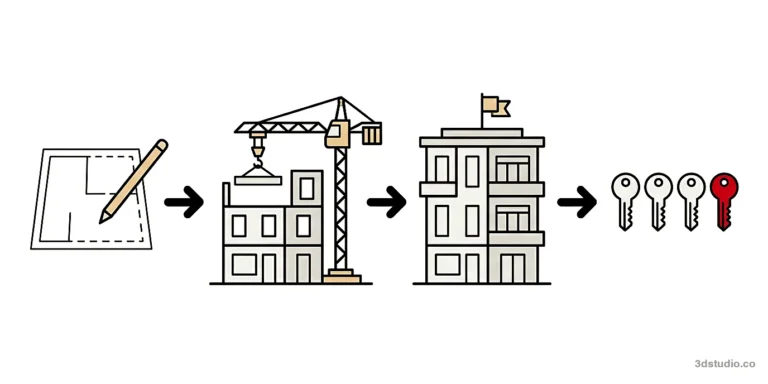
An architectural animation follows the same first steps as any other 3Dstudio.co project, then adds a camera route. How the process works applies to every service. For a film, it runs in 4 stages.
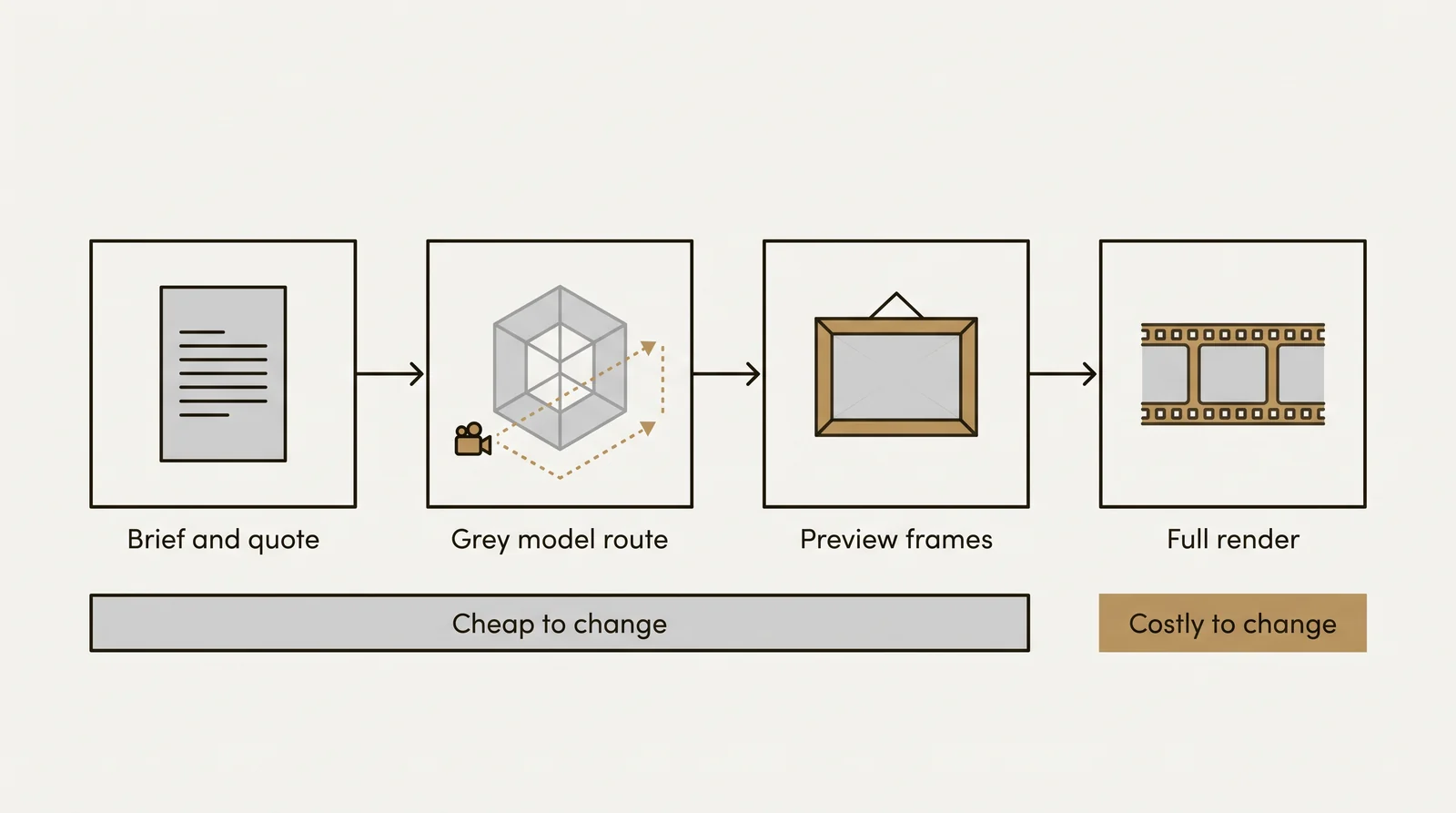
- Brief and quote. Send the drawings, and the stills if a scene already exists, with a line on where the film will be shown. We reply with a price for the whole film and a delivery date, worked out from the files alone.
- Shot list, grey model and camera route. The shot list, also called a storyboard, sets the shots in order with the camera height and a rough duration for each. The building goes up as an untextured grey 3D model among the real surroundings, and the camera route is drawn through it. You watch this as a rough cut, with no materials and no lighting. In the industry the rough cut is often called an animatic.
- Preview frames. Materials, lighting and the surroundings are added, and a handful of frames along the route are rendered at full quality for approval. 2 revision rounds are included at this stage, then refinement continues until sign-off.
- Full render and delivery. The film renders in full and is delivered as video, with any shorter cuts agreed at the brief stage coming from the same render.
Tip: Route, height and pacing cost very little to change on the grey model. Once the full render starts, changing the route means rendering again, so this is the stage worth spending time on.
What goes wrong in an architectural animation and how to check it
Route and pacing problems show up in the rough cut, while a change still costs little. Check the rough cut against this list.
- Camera speed. If the camera is too fast, the viewer cannot read the space. If it is too slow, the viewer loses interest.
- Eye height. A walkthrough should sit at about 1.6 meters, the eye height of a standing adult.
- Turns. Avoid sudden turns and fast pans. A slow, wide turn is easier to follow.
- Time on key views. Each view that matters stays on screen long enough to be read.
- One question per shot. Each shot should answer one thing, such as where the entrance is.
- Route order. The route should follow the plan, so a viewer who knows the plan can tell where they are.
Then check the final film for the problems that only show once frames are rendered:
- Flicker in light or surfaces between frames.
- Noise in dark areas, such as interiors with little light.
- People or cars that slide instead of walk or drive.
- Planting or objects that appear suddenly in the middle of a shot.
- A building detail that differs from the drawings. Compare windows, balconies and entrance positions with the elevations at several points in the film.
Send all comments on the rough cut as one list, so they can be applied together.
Software used for architectural animation
There is no single best animation software for architecture. The choice follows the output.
| Approach | Software | Strength | Limit |
|---|---|---|---|
| Pre-rendered | 3ds Max with Corona or V-Ray, Blender | Full-quality light and materials, every frame rendered offline | Long render times, and a route change means rendering again |
| Real-time | Unreal Engine, Twinmotion, Lumion, D5 Render, Enscape | Fast previews, interactive and VR use | Light and reflections are simplified to keep speed |
| Editing | After Effects, Premiere Pro, DaVinci Resolve | Cuts, titles, sound and color grading | Do not create the 3D scene |
A fixed film for sales or planning suits pre-rendering. An interactive review or a VR session suits real-time. 3Dstudio.co works in 3ds Max with Corona and V-Ray and pre-renders its films. Chaos, the maker of V-Ray and Corona, shows examples on its architectural animation software page.
What affects the cost of an architectural animation
An architectural animation is priced per film, agreed as one fixed price before work starts. There is no rate by the second, but length still matters. Our page on architectural animation cost explains how a film is priced, and 6 things move an animation quote.
| What changes the quote | Why it matters |
|---|---|
| Length of the film | Every extra second is another 24 to 30 frames to render and check. |
| Number of shots | Every extra camera position is another route to plan and another set of frames to render. |
| Indoor or outdoor route | A route that stays outside needs the site and the facade. One that goes indoors needs every room on the route furnished, lit and finished. |
| Whether the scene already exists | If we already made the stills for this scheme, the film is cut from that scene. If not, the film pays for building it first. |
| People and vehicles in motion | Figures, cars and planting that move add work to every second they are on screen. A quiet route with few of them costs less. |
| Formats and resolution | The resolution the destination screen needs, and how many separate cuts are wanted, are agreed at the quote stage. |
The factors that drive 3D rendering cost for a still apply again here, because a film is a sequence of renders.
Files to send for an architectural animation quote
The files that start a still image quote also start an animation quote.
- CAD drawings, PDF plans and elevations, or a photographed hand sketch
- A 3D or BIM model, if one exists: SketchUp, Revit, ArchiCAD or 3ds Max
- Renders or a scene already built, if the film should reuse it
- Material specs and mood or reference images for the finish and the light
- A route sketch, if there is one
Add a sentence on where the film will be shown, such as a sales suite screen, a planning hearing, a listing or a social feed. We propose a route with the quote.
What you receive when the film is delivered
The finished film arrives as an MP4, with any shorter cuts agreed at the brief stage. Ask any studio what the price includes beyond the render itself: music, titles, a logo, captions or voiceover.
A frame taken from the film is not a print-quality still. For stills of the key views, the same scene is rendered again at still-image resolution, as in our exterior rendering service. Full usage rights come with every delivered image and film, for marketing, planning submissions, portals, press and social use, with no license fee. The 3D scene stays with 3Dstudio.co, so a later film or a later phase can reuse it.
AI video tools vs a modeled scene
Image tools such as ChatGPT can make concept images from a prompt or a sketch. Text-to-video tools such as Runway, Kling and Google Veo can make short clips. They suit a loose mood reel or an early concept.
None of them builds the scene from your drawings. Window counts, balcony positions and rooflines can change between frames or between shots, and nothing in the output is checked against the plans. A film from a modeled scene is built from the drawings and checked by a person, so walls, windows and balconies can be compared with the plan. A planning submission or a sales suite needs the building on screen to match what will be built, so it needs a modeled film.
Questions about architectural animation
How is an architectural animation priced?
Per film, as one fixed price agreed before work starts. Length, the number of shots, an indoor route, whether the scene already exists and moving people or vehicles all change the quote. How pricing works covers the general rules.
What software is used for architectural animation?
Pre-rendered films use 3ds Max with Corona or V-Ray, or Blender. Real-time films use Unreal Engine, Twinmotion, Lumion, D5 Render or Enscape. Editing is done in After Effects, Premiere Pro or DaVinci Resolve. 3Dstudio.co pre-renders in 3ds Max with Corona and V-Ray.
What frame rate and resolution is an architectural animation delivered in?
Video frame rates of 24, 25 and 30 frames per second are standard, and resolution is usually Full HD or 4K. Where the film will play decides both, and they are agreed at the quote stage. A higher resolution and a higher frame rate both add render time.
How long is an architectural animation?
Length depends on where it plays. A social cut is short. A sales suite loop or a planning film is longer. Every extra second is more frames to render, so a longer film costs more, and a shot list shows what each second needs to show.
Can ChatGPT or an AI tool make an architectural animation?
AI tools make short mood clips from a prompt or a still. They are not built from the drawings, so details can change and nothing is checked against the plans. That is fine for an early concept and not for planning or sales.
Is an architectural animation the same as a virtual tour?
No. An animation is a pre-rendered video on one route at a set pace. A 360 virtual tour lets the viewer look around from fixed points.
Can an animation be made from renders that already exist?
Yes. If we made the stills, the scene is already built and the film is cut from it, which costs less than building a new scene. If no renders exist yet, the film pays for building the scene first.
To start a quote for a film, send the drawings and a note on where it will be shown through our 3D animation services page.
Diagrams in this post are drawn with an AI image tool from our brief and checked by our team.