V-Ray Price in 2026: Plans, Licenses, Host Programs and a Cheaper Route
What V-Ray costs in 2026: every plan and price read on the Chaos pages, named and floating licenses, host programs, trial terms, hardware needs and a cheaper route for a few images.
In this article
- On 5 November 2026 Chaos listed V-Ray as Solo, Premium and Collection plans, shown on annual billing and before tax
- Solo is a named license for one person, while Premium and Collection are floating team licenses
- The real cost also includes a computer that renders well, learning time and render time
- For a few images, a browser-based AI render tool needs no graphics card and your first render needs no account
The V-Ray price is set by Chaos, which sells V-Ray as a subscription with 3 plans: Solo, Premium and Collection. On 5 November 2026 the Chaos V-Ray page showed all 3 with prices for annual billing, and Chaos states that its prices do not include taxes. The plans differ in more than the number of seats: Solo is a named license for one person, while Premium and Collection are team licenses that can be shared.
This guide gives every V-Ray plan, the host programs that V-Ray works in, what the credits and the cloud include, the trial, and the real costs around the software: a suitable computer, learning time and render time. We also make an AI render tool, so we show a cheaper route for a few images and say where V-Ray is the right tool. Every V-Ray figure was read on the Chaos pages on 5 November 2026. Plans change, so check the page before you buy.
V-Ray price in 2026 at a glance
The table shows the plans as Chaos listed them to a visitor in Europe, on annual billing.
| V-Ray plan | Price shown, annual billing | Yearly total | License type | AI credits a month |
|---|---|---|---|---|
| Solo | €39.50 a month | €474 | Named license, 1 person | 100 |
| Premium | €58.90 a month | €706.80 | Team license, floating | 500 |
| Collection | €94.90 a month | €1,138.80 | Team license, floating | 1,500 |
The page offers a Monthly and an Annual option and says that annual billing saves money. The figures on screen were the annual-billing ones. We could not read a separate monthly-billing price, so we do not give one: if you pay month by month, check the price at checkout, because it will be higher. The page also shows a 3-year option without a price.
A named license is a dedicated personal license that you use on any device with your Chaos login. A floating license is shared among a team: Chaos describes it as a license that can be shared among users upon availability, so 1 license can serve several people, though not all at the same time.
What each V-Ray plan includes
- Solo. The V-Ray rendering engine, up to 15,000 3D assets and materials, the Veras AI tool, Chaos Cloud collaboration and 100 AI credits a month.
- Premium. Everything in Solo, up to 18,500 assets, an enhanced material library, a course on V-Ray and 500 AI credits a month.
- Collection. Everything in Premium, 22,000+ assets, animated people, crowds and traffic, real-time viewport rendering with Chaos Vantage, cloud collaboration and cloud rendering, and 1,500 AI credits and 1,500 Chaos Credits a month.
Host programs
V-Ray runs inside other programs. The page lists Revit, SketchUp, Rhino, 3ds Max, Cinema 4D and Blender under “Available in”. It does not say that a host program is limited to one plan, so we cannot tell you that Solo covers one program and Premium covers more.
Have a 3D model? Our AI Render Studio turns a screenshot of it into a photoreal image in about 20 seconds. Your first render needs no account.
Render your model freeChaos Cloud and credits
Chaos Credits go with the Chaos cloud services. The Collection plan lists cloud rendering and includes 1,500 Chaos Credits a month. On the Chaos pricing page we also saw a separate Chaos Credit add-on, the Pro tier with 1,000 credits that refresh monthly, at €23.90 a month, billed as €286.80 a year. The AI credits are a separate pool for the AI tools, and Chaos gives its own estimate: Solo is described as roughly 5 AI-enhanced images a month.
Trial, refunds, tax and student licenses
- Free trial. Chaos offers the full version of V-Ray free for 30 days, with every feature.
- Refunds. Chaos lists a 14-day money back guarantee. The use of AI credits voids the right to a refund.
- Tax. The prices do not include taxes, so the checkout total depends on your country.
- Renewal. The subscription renews automatically until you cancel it.
- Students. Chaos has an Educational tab and a student page with discounted licenses, which need proof of student status and are strictly for educational use. The figures on that page were not consistent when we read it, so we do not quote a student price.
The 30-day trial is the only free route we could confirm for commercial work.
What drives the real cost of V-Ray
A computer that can run it
V-Ray can render on the processor, on a graphics card, or on both. The V-Ray for SketchUp system requirements list, for Windows:
- A 64-bit Intel or AMD processor with AVX2 support.
- 8 GB of memory at minimum, and 16 GB recommended.
- For graphics card rendering, an NVIDIA card of the Maxwell generation or later, with the latest recommended driver. This applies to both CUDA and RTX cards.
- 2 GB of disk space at minimum, and 12 GB recommended with the extra content.
The page also lists macOS 12 Monterey or higher. It gives no video memory figure for the SketchUp plugin. Other V-Ray host programs have their own requirements pages, so check the one for your program. If your office has no NVIDIA card, V-Ray can still render on the processor, though graphics card rendering is not available.

Learning time
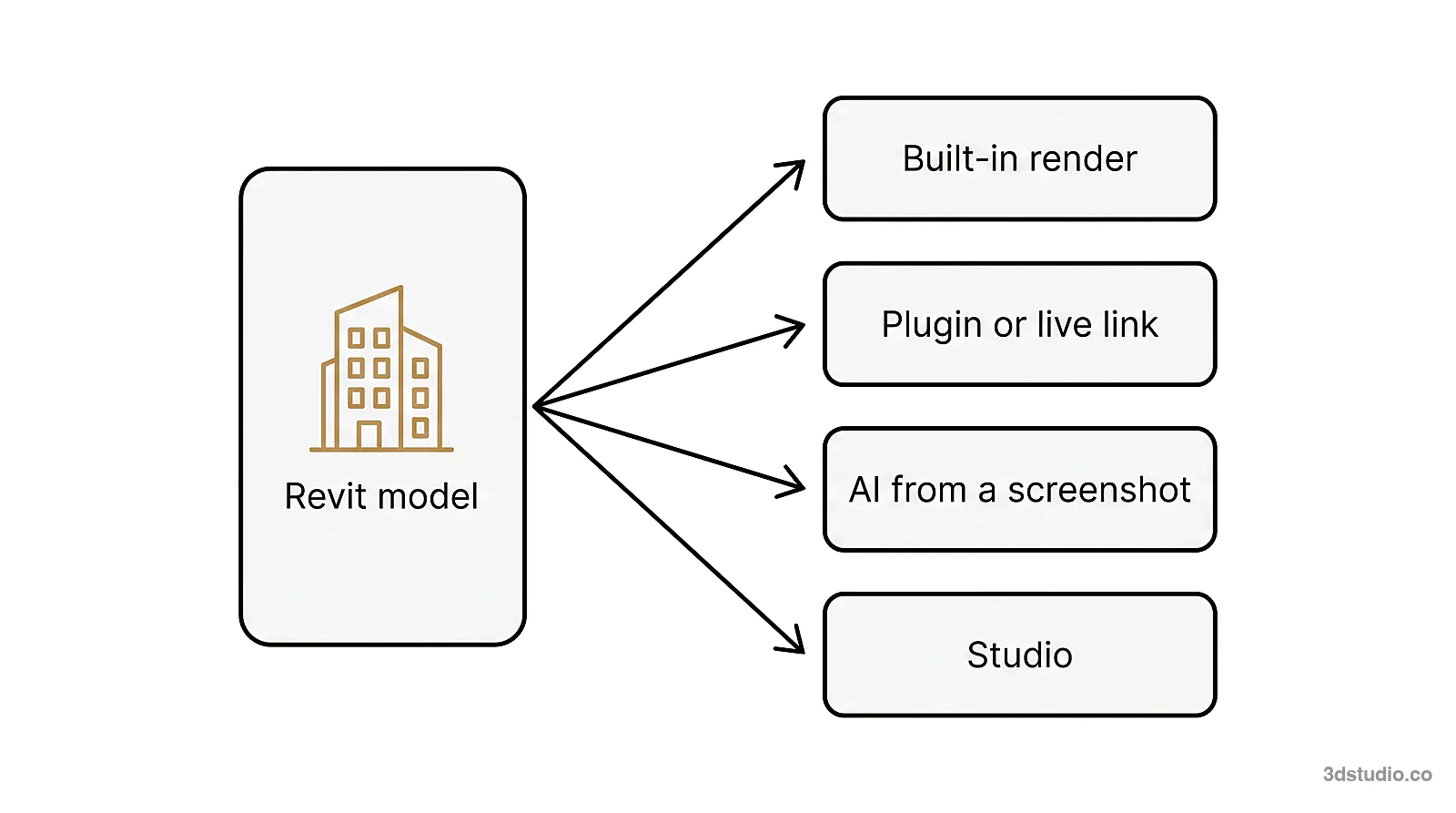
V-Ray gives full control of materials, lights and cameras, and that control has to be learned. Chaos includes a course with every plan, which shows that the program is deep. For a small office the cost is the hours spent learning, and then keeping up with the skill.
Render time
A ray-traced image takes longer to render than a real-time view, and the time grows with image size, scene detail and the quality you ask for. You can add machines or use the cloud for large jobs, which costs money or credits. For 1 or 2 images, the setup of materials and lights usually takes more of your day than the render does.
When V-Ray is the right tool
- Final images with exact materials, lights and cameras. You control every setting, and the image comes from your own 3D model.
- Animation. V-Ray renders stills and animations.
- Many matching views. Every view comes from the same scene.
- Large production. A studio that renders every week gets far more from a team license than a person who renders twice a year.
- Several programs. The same engine works across 3ds Max, SketchUp, Revit, Rhino, Cinema 4D and Blender.
Our guide to AI rendering vs V-Ray and Enscape covers the full comparison, so we do not repeat it here.
A cheaper route when you need a few images
If you need a few images for a client meeting or a competition, a yearly subscription plus a computer that renders well may be more than the job needs. Our AI Render Studio works from a screenshot or PNG of your 3D model from any program, and a photoreal render comes back in about 20 seconds. It aims to keep the shape of the building, the windows, the roofline, the floor count and the camera. Facade elevations stay straight-on facades with the same layout.
It runs in your browser, so you need no graphics card and nothing to install. The first render needs no account, at 1 render every 24 hours, and a free account gives 5 free renders and 5 free fixes, with a small logo and for personal use.
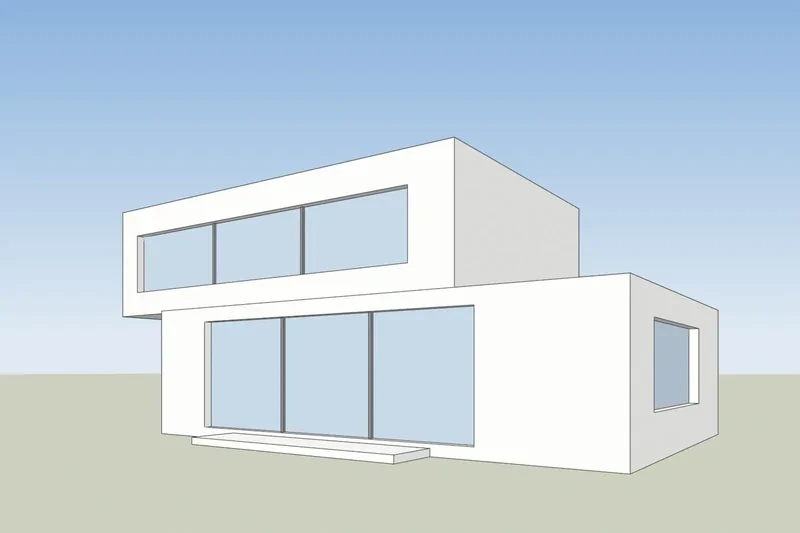
If the lines drift, the re-run is on us, and failed renders are refunded in credits automatically. Credits never expire, and prices include VAT or sales tax. A 14-day refund applies if no credits were used. See the AI Render Studio pricing page for plans and credit packs. We do not copy our prices here, because they are shown in each visitor’s currency.
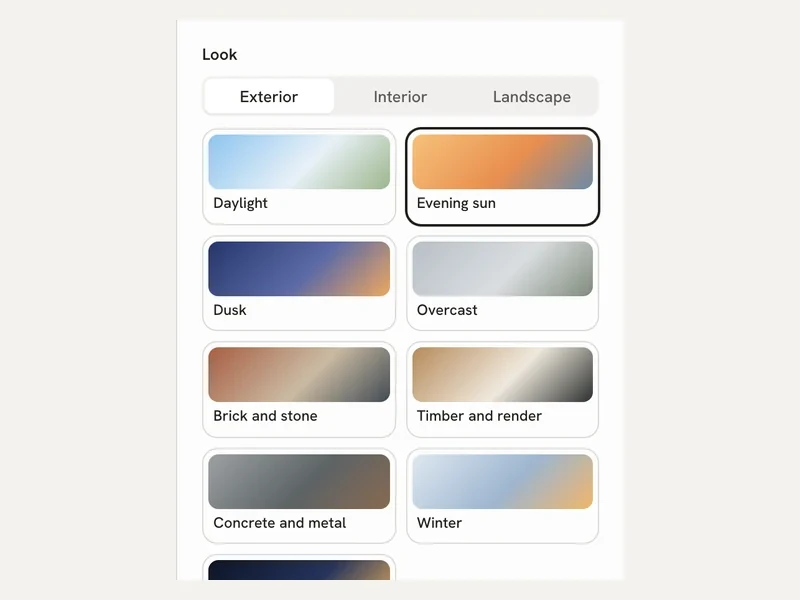
After the first render you can fix one area, relight the image, or make a 5-second video on paid plans. Clients can comment through a review link on Pro and up, and the app has 36 looks, with interior and floor plan modes. If you work in SketchUp, our SketchUp AI rendering page shows how to export the view, and the guide to rendering in SketchUp compares the routes.
Already own V-Ray
If you already have a V-Ray render, the Enhance mode takes it as the input. You upload a render from Enscape, Lumion, V-Ray or Twinmotion, and we improve the light and materials and keep your building as it is.
V-Ray vs AI Render Studio on cost and effort
This table compares what you need to start, not image quality. V-Ray facts come from the Chaos pages read on 5 November 2026.
| V-Ray | AI Render Studio | |
|---|---|---|
| How you pay | Subscription, shown before tax | Plans or credit packs; prices include VAT or sales tax |
| Free start | 30-day free trial | 1 render with no account, then 5 free renders and 5 free fixes |
| Computer | 64-bit processor with AVX2; NVIDIA card for GPU rendering; 16 GB memory recommended | Any computer with a browser |
| What you start from | Your 3D scene in a host program | A screenshot or PNG of the model, or an existing render |
| Setup | Materials, lights and cameras set in the scene | Pick a look, upload, render |
| Animation | Yes | A 5-second video from one render on paid plans |
| Exact materials and lights | Yes, you set each one | Guided by the look you pick and your words |
| If something goes wrong | 14-day refund unless AI credits were used | Re-run on us when lines drift; failed renders refunded in credits |
How to choose
Count the images you need in the next 12 months. If the number is large and the images must match your model exactly, or you need animation, V-Ray is the right tool and the subscription is a fair price. If the number is small, start with the 30-day trial and a free AI render, and compare both on the same view of your own project.
When an image goes to a planning authority, a jury or buyers, the details must match the drawings and a person should check them. For those jobs we build the model from your drawings, see architectural visualization, and what it costs is in our 3D rendering cost guide. For a wider list of tools, read architectural rendering software. We are an architectural visualization studio with 1,200+ projects since 2013, rated 4.9 on Clutch.
What we could and could not read
- The page showed annual-billing figures only. We could not read the monthly-billing price.
- Prices are shown to a visitor in Europe, in the currency Chaos picked for that region. Other regions may see other prices, and we did not check them.
- The page does not say which host programs each plan covers.
- The student prices were not consistent on the page, so we give none.
- We could not read a video memory figure for V-Ray, and the Chaos pages for other host programs may differ from the SketchUp page.
Questions about the V-Ray price
How much does V-Ray cost?
On 5 November 2026, Chaos listed V-Ray Solo at €39.50 a month, Premium at €58.90 a month and Collection at €94.90 a month, all on annual billing and before tax. Check the Chaos page for the price in your region.
Is V-Ray free?
There is a free trial of the full version for 30 days. We did not find a free V-Ray license for commercial work. Students can buy a discounted license for educational use.
Which programs does V-Ray work in?
The Chaos page lists Revit, SketchUp, Rhino, 3ds Max, Cinema 4D and Blender. It does not say which plan covers which program.
Does V-Ray need an NVIDIA graphics card?
For graphics card rendering, Chaos lists NVIDIA cards of the Maxwell generation or later. V-Ray can also render on the processor.
Is there a cheaper way to get a few renders?
A browser-based AI tool needs no graphics card and no subscription to start. Our AI Render Studio gives your first render with no account, and you can compare it with the V-Ray trial on the same view.
Enscape and V-Ray are trademarks of Chaos Software. 3Dstudio.co is not affiliated with Chaos.
Diagrams in this post are drawn with an AI image tool from our brief and checked by our team.
More on AI rendering: AI Render Studio · SketchUp AI rendering · Twinmotion Price in 2026: Free Tier, Seats and Real Costs · D5 Render Price in 2026: Community, Pro, Teams and Real Costs · Lumion Price in 2026: Every Plan, Real Costs and a Cheaper Route · Enscape Price in 2026: Every Plan, What It Includes and a Cheaper Route · Nano Banana Architecture: How to Keep Your Design in AI Renders · SketchUp Diffusion: What It Is Now, What It Costs and How to Keep Your Model · AI Rendering for Architects: How to Keep Your Design · ArchiVinci Alternative: An Honest Comparison for Architects · Gendo AI Alternative: An Honest Comparison for Architects · mnml.ai Alternative: An Honest Comparison for Architects · Rendair Alternative: An Honest Comparison for Architects · Best AI for Architectural Rendering: What It Does and When to Use a Studio