

Free Revit viewer
View Revit models without Revit
Open a Revit model in your browser from its IFC export: every wall, slab, door and window by type and level, with its properties, and measuring.
Only have the .rvt file? No browser tool can open it, so drop it here anyway and our team converts it to IFC for you, free.
This is a Revit file:
No browser tool can open a Revit file: the format is closed and only Autodesk software reads it. Send it to us and our team converts it to IFC for free, so you can open it here. The file goes to private storage and is deleted after 90 days.
Want this Revit model shown as photoreal images or a film? We render straight from Revit models and send a fixed quote within 30 minutes.
Free, no sign-up. Your file stays on your computer. It is opened in this browser tab and is never uploaded to us or anyone else.
- Opens the IFC export of any Revit model
- Only have a .rvt? We convert it for free
- Levels, properties and measuring, nothing to install
How it works
How to view a Revit model online
Export IFC and open it here, or send us the .rvt.
1. Export IFC from Revit
In Revit, choose File > Export > IFC and save the file. The settings that matter are below. No Revit? Ask whoever sent the model for the IFC version.
2. Open it here
Drop the .ifc file on the viewer. Every element is listed by type and level, and you can hide types, pick one level, click an element for its properties and measure.
Only have the .rvt? Send it
Drop the .rvt file on the viewer and click Send it for free conversion. Our team opens it in Revit, exports the IFC and emails it back to you.
Export settings
How to export IFC from Revit for viewing
The 4 settings in File > Export > IFC that make the difference.
IFC version
File > Export > IFC, then Modify setup. Choose IFC4 Reference View for viewing, or IFC 2x3 Coordination View 2.0 if another program needs it. Both open here.
Export one 3D view
Tick Export only elements visible in view and choose a 3D view. That keeps the file small and leaves out what the view hides, such as linked models or furniture.
Properties
On the Property Sets tab, tick Export Revit property sets and Export IFC common property sets. The viewer then shows your Revit parameters when you click an element.
Levels and linked models
Levels come across as IFC building storeys, which the level filter uses. Linked Revit models are exported separately: tick Export linked files as separate IFCs and open them one at a time.
From Revit model to images
What we make from Revit models
Architects and developers send us their Revit models to be turned into images and films that sell, win planning and win competitions.

Architectural visualization
Photoreal exteriors, interiors and aerials made straight from the Revit model, so the images match the design.
See architectural visualization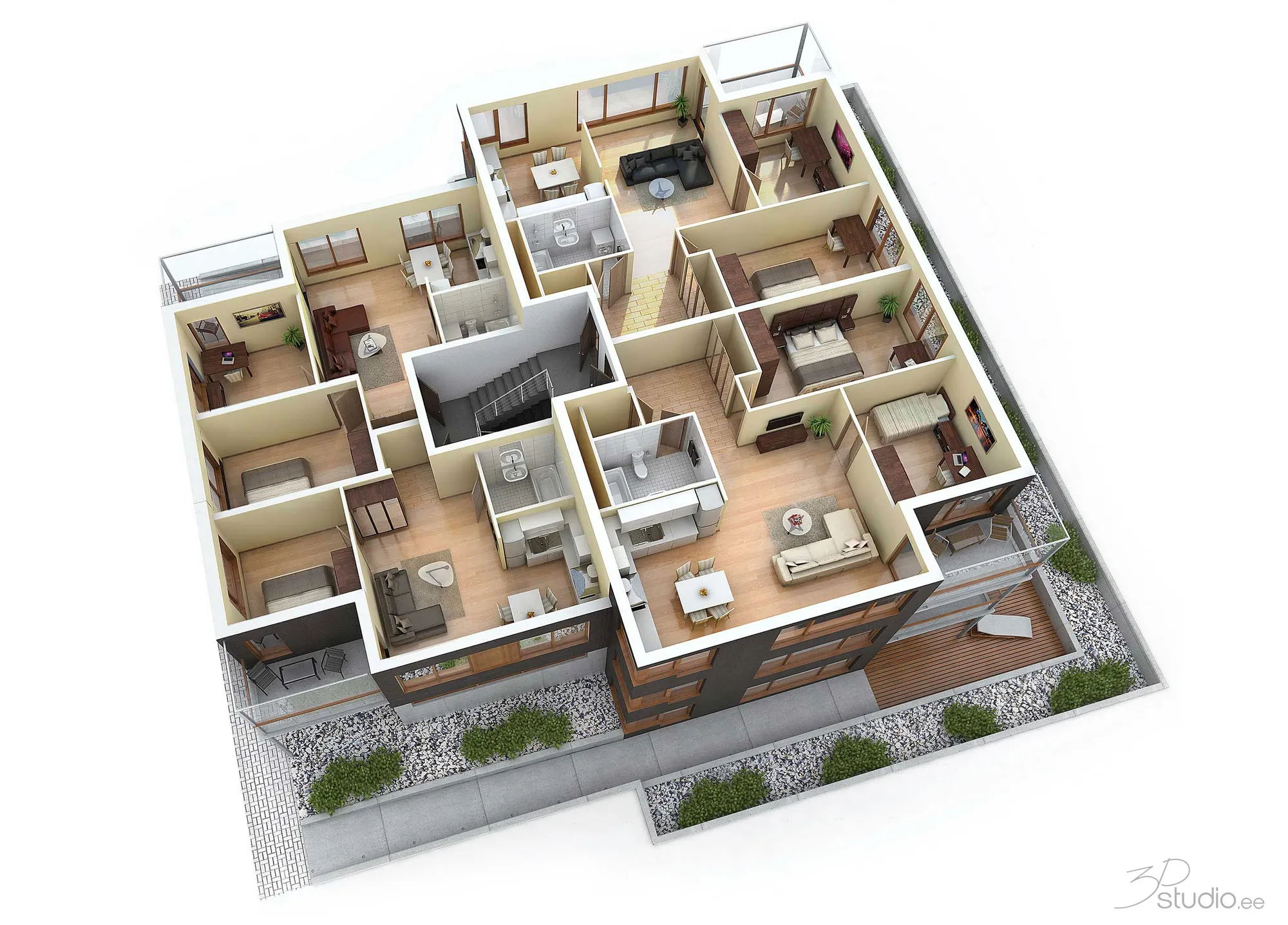
3D floor plans
Furnished 3D floor plans from the Revit model, for brochures and property portals.
See 3D floor plans
Revit viewer FAQ
Questions about viewing Revit files
RVT files, the free conversion, privacy and alternatives.
Ask us a questionCan I open a .rvt file online?
Not in this viewer or in any other free browser tool built on open code: the Revit format is closed, and only Autodesk software reads it. Export IFC from Revit and open that here, or send us the .rvt and we convert it to IFC for you, free.
Is the Revit to IFC conversion really free?
Yes. We are a rendering studio that works from Revit models every week, so an IFC export takes us a few minutes. Some of the people who send us a model later need renders of it. There is no obligation, and we do not add you to a mailing list.
What happens to my Revit file?
It goes to a private storage bucket in the EU that only our team can open, is used only to make the IFC, and is deleted automatically after 90 days. Files up to 100 MB upload directly; for larger ones, send a download link in the message.
Are there other ways to view a .rvt file?
Autodesk Viewer, Autodesk's own free web viewer, opens .rvt files if you sign in with an Autodesk account and upload the file to Autodesk. This viewer needs no account and never uploads your model, but it needs the IFC export.
What does the viewer show from a Revit model?
Every element by IFC type (walls, slabs, doors, windows, roofs and so on) with counts, the levels as building storeys, and the properties of each element, including the Revit parameters if they were exported.
Can I edit the model here?
No. This is a viewer: it shows, filters and measures the model and can save a copy as GLB, OBJ, STL or STEP. Changes to the design belong in Revit.
More free tools
Other free 3D converters
Each one runs in your browser, like this one.
IFC viewer
Open IFC files from Revit, ArchiCAD and Tekla. Filter by element and level, check properties and measure.
Open the IFC viewerBIM viewer
Review BIM models from Revit, Archicad and Tekla without a licence: levels, properties, measuring.
Open the BIM viewerDWG to PDF
Plot AutoCAD drawings to PDF: layouts 1:1 with title blocks, line weights and hatches.
Open DWG to PDFNormal map generator
Make normal, height, roughness and AO maps from any image, seamless if you need it.
Open the normal map generatorDXF converter
Open DXF drawings and save them as PDF or SVG, with layouts, line weights and hatches.
Open the DXF converterSTEP viewer
Open STEP and IGES files from SolidWorks, Fusion 360 and Inventor. See every part and measure.
Open the STEP viewerSTL viewer
View STL files for 3D printing with size, volume, weight and a watertight check.
Open the STL viewer3D converter
Convert between STEP, OBJ, FBX, STL, glTF, PLY, IFC and more, in both directions.
Open the 3D converterSTEP to STL
Convert STEP and STP files from SolidWorks, Fusion 360 and Inventor to STL for 3D printing.
Open STEP to STLImage to STL
Turn PNG and JPG images into STL or OBJ reliefs and lithophanes for 3D printing.
Open image to STLSTL converter
Convert 3D files and images to STL for 3D printing, with a watertight check.
Open the STL converterOBJ converter
Convert STL, FBX, STEP, glTF and 3DS to OBJ with materials, or OBJ to other formats.
Open the OBJ converterFBX converter
Convert FBX files from 3ds Max, Maya and Blender to OBJ, GLB or STL.
Open the FBX converterEmbed this tool
Put the free Revit viewer on your own site, course page or wiki. Paste this code where it should appear.
Cite this tool
For a thesis, paper or course material: APA style first, then BibTeX.
1,247
Projects completed
13
Years in business
17
Countries delivered to







★★★★★
Rated 5.0 on Clutch · See our reviews
Architects, developers & interior designers.
Working for 215 companies since 2013.
125 of 220 clients came back.
More than half of our clients have hired us again.

From Revit model to render
Send us the Revit model and get the images
Attach the .rvt or IFC and say what the images are for. We reply with one fixed price and a delivery date within 30 minutes.